Is GTA5 Online Down for Everyone or Just Me?
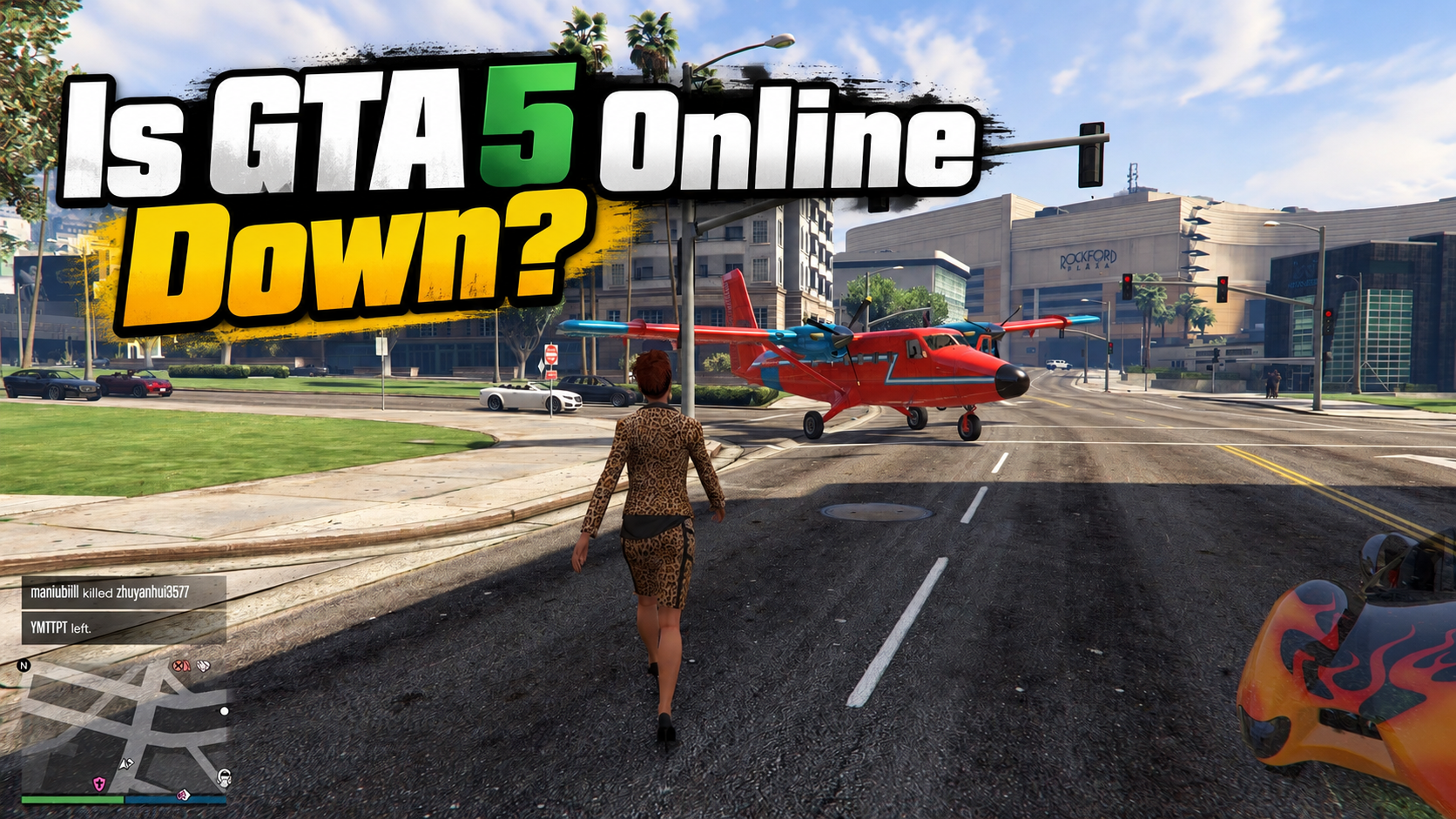
These are two very different situations. If the servers are down for everyone, nothing on your side will fix it. You just have to wait. If it is only you, the problem is on your device, your network, or your account.
Here is how to check. Use a status checker site and compare results. If thousands of reports appear at once, it is global. If only you are affected, start with your own setup.
- downdetector.com – Shows live outage reports and a graph for GTA Online.
- ismyinternetworking.com – Confirms whether your own connection is the problem.
- isitdownrightnow.com – Quick check on game servers and major sites.
- downforeveryoneorjustme.com – Simple yes or no answer for any site.
- outage.report – User reports grouped by game and region.
- statusgator.com – Tracks service status pages in one place.
GTA6 is Coming – Where Will It Be Accessible?
GTA 6 is coming, and most players are already counting down. But here is the catch. Not every region will get smooth access on day one. Some places face blocks, strict rules, or store restrictions. So before launch, it helps to know where you stand, and how to get around it.
| Region | Access Level | Common Issue | 🔥 Quick IP |
|---|---|---|---|
| United States | Full | None | |
| United Kingdom | Full | None | |
| Canada | Full | None | |
| Australia | Full | None | |
| Germany | Full | Age checks | |
| Russia | Limited | Store restrictions | |
| UAE | Limited | Content rules |
If a region is limited, a local IP will not help. Pick a country with full access instead. For quicker access, UFO VPN can be a great helper. With only a few steps, you can enter the game right away.
Why Is GTA Online Not Working?
GTA Online won't load? That doesn't always mean Rockstar's servers are down. The trouble could come from the game itself, an unstable connection, or even a setting you haven't touched in months. Here are 11 possible reasons worth checking.
1. Rockstar Servers Are Down
Sometimes, the problem really is on Rockstar's end. An unexpected outage or scheduled maintenance can prevent players from logging in, joining sessions, or saving progress. In that case, there's little to do but wait for service to return.
2. Unstable Internet Connection
One minute you're cruising through Los Santos. The next, you're back at the loading screen. Weak Wi-Fi, sudden speed drops, or packet loss can interrupt online sessions, even when everyday browsing works fine.
3. Poor ISP Routing
Not all internet connections take the same path to Rockstar's services. If an ISP routes traffic through a slow or overloaded network, GTA Online may struggle to connect. High ping and repeated timeouts are common signs.
4. Gaming Traffic Is Blocked
Trying to play on school, office, or hotel Wi-Fi? Some shared networks restrict gaming traffic while allowing regular browsing. That's why YouTube might work perfectly, but GTA Online refuses to connect.
5. Strict NAT Type
A Strict NAT type can make matchmaking a headache. It limits connections with other players and may trigger errors like "Failed to find a compatible GTA Online session." The game might launch normally, but joining friends becomes a challenge.
6. Rockstar Games Launcher Login Issues
For PC players, the trouble sometimes starts before the game even opens. The Rockstar Games Launcher may fail to sign in, verify account details, or establish a connection with Rockstar's authentication services.
7. PlayStation or Xbox Network Outages
Rockstar isn't the only service involved. GTA Online on consoles also relies on PlayStation Network or Xbox services. When either platform has an outage, multiplayer access can be affected even if Rockstar's own servers are working.
8. Missing Updates or Corrupted Game Files
Still running an older game version? A missing patch or damaged file could explain why GTA Online keeps crashing or won't load. Problems like these sometimes appear after a major game update.
9. Firewall or Antivirus Restrictions
Security software can occasionally mistake legitimate game traffic for something suspicious. If GTA V or the Rockstar Games Launcher gets blocked, the connection may fail before you even reach an online lobby.
10. Account or Subscription Problems
An expired multiplayer subscription, parental controls, or an account suspension can also keep players offline. On consoles, it's worth checking whether the account still has permission to access online multiplayer.
11. Rockstar Cloud Save Errors
Ever seen a message saying Rockstar's cloud servers are unavailable? GTA Online needs access to cloud data to load and save character progress. If that connection fails, the game may stop you from entering an online session or saving changes.
10+ Easy Ways to Unblock GTA
Tired of seeing connection errors instead of Los Santos? If Rockstar's services are working, the following 11 methods can help you find and fix the problem.
Try the simple ones first. There's no need to change advanced network settings unless the basic fixes fail.
1. Activate a VPN
⭐ Best for: Network restrictions and possible ISP routing problems.
If your network blocks gaming traffic or your ISP has trouble reaching Rockstar's services, a VPN is worth testing. It creates a different connection route and changes your visible IP address.
UFO VPN offers an easy way to test another route on Windows. You can choose from available server locations and compare the results.


UFO VPN is an all-in-one VPN that offers unlimited access to 4K streaming like Netlfix, Disney Plus, no-ping gaming as PUBG, Roblox, CODM and social networking for YouTube, X, Facebook and more.




Unlock Pro Features
If you have upgraded to premium plan , feel free to enjoy premium servers for 4K streaming and advanced features like Kill Switch, Split Tunneling, and gaming acceleration. Your Mac is now fully optimized and protected. Inaddition to basic functions, we recommend you turn on

Verify Your IP Now
Use UFO VPN's " What is My IP " feature to see your new IP and location. This confirms your connection is secure, anonymous, and ready for safe browsing online anywhere at any time.







2. Restart GTA Online and the Launcher
⭐ Best for: Frozen loading screens and temporary game errors.
Sometimes the game just needs a clean start.
On PC, close GTA V and exit the Rockstar Games Launcher completely. Reopen the launcher and start the game again.
On consoles, close the game rather than leaving it suspended. Then launch it from the home screen.
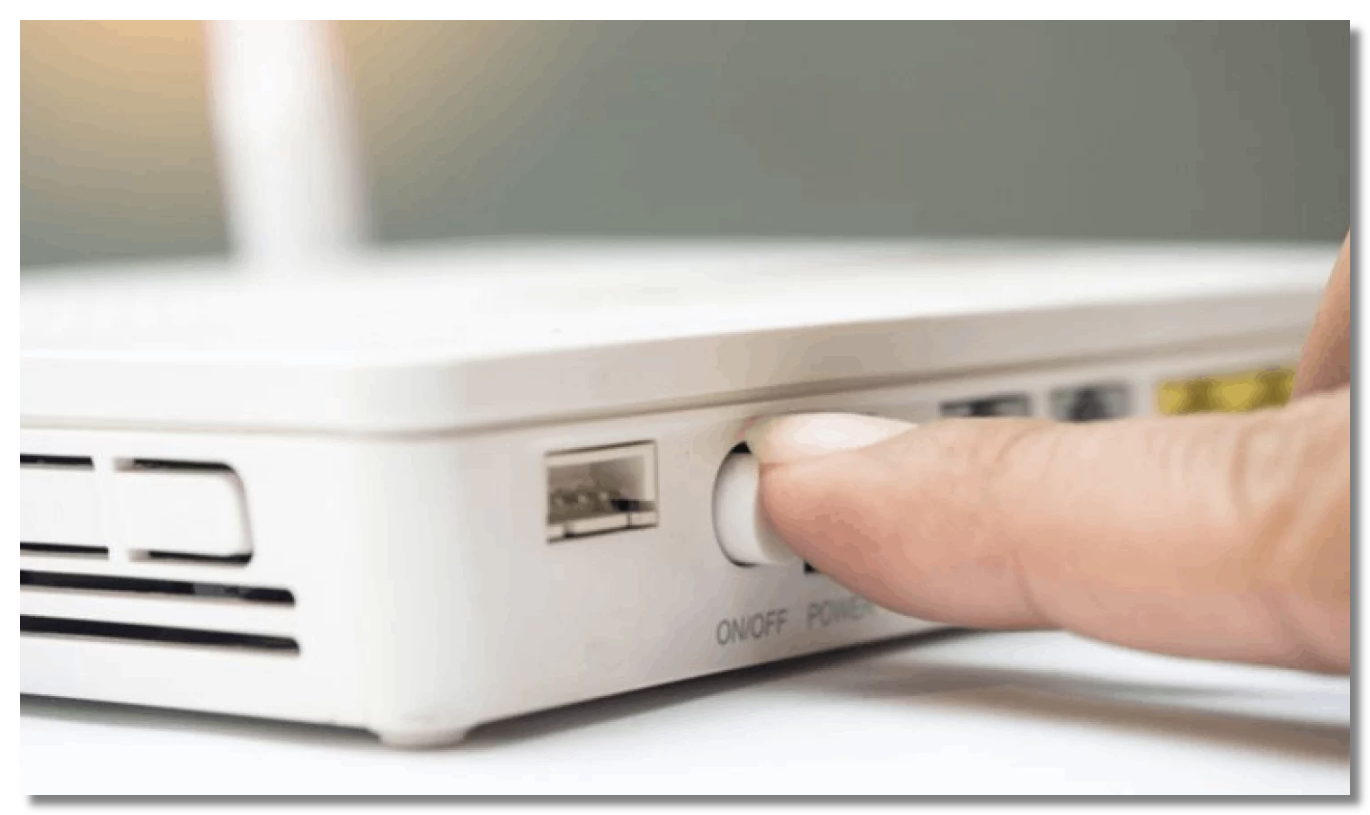
3. Give Your Router a Fresh Start
⭐ Best for: Random disconnections and temporary router problems.
Your router may be holding onto a bad connection.
Turn it off, unplug the power cable, and leave it disconnected for several minutes. Rockstar's troubleshooting guidance recommends around 10 minutes.
Plug it back in, wait for your internet connection to return, and test GTA Online.
4. Switch from Wi-Fi to Ethernet
⭐ Best for: Lag spikes, packet loss, and unstable wireless connections.
Wi-Fi can struggle when walls, distance, or nearby devices interfere with the signal.
If possible, connect your PC or console directly to the router with an Ethernet cable.
Can't use a cable? Move closer to the router and avoid heavy downloads while playing.
5. Try a Mobile Hotspot

⭐ Best for: Finding out whether your home network is the problem.
Turn on your phone's hotspot and connect your gaming device to it.
Now launch GTA Online.
If the game works on the hotspot but fails on your home Wi-Fi, your router or ISP may be causing the issue.
💡 Warm Note: Watch your mobile data usage during this test.
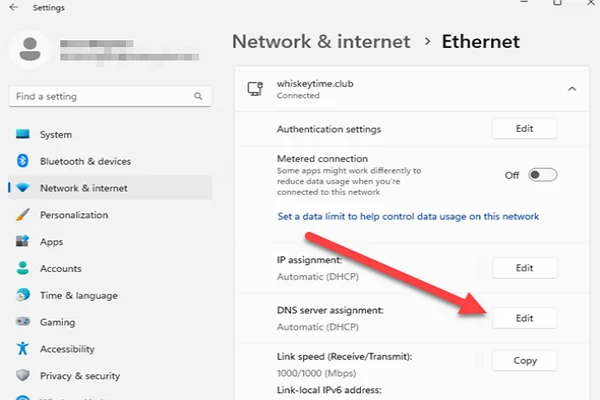
6. Change Your DNS Settings
⭐ Best for: DNS lookup and connection problems.
A different DNS provider may help if your current DNS cannot resolve Rockstar services correctly.
You can try Google's public DNS:
-
Primary DNS:
8.8.8.8 -
Secondary DNS:
8.8.4.4
On Windows, open Settings > Network & Internet, find your network adapter's DNS settings, and enter these addresses.
Save your original settings before making changes. DNS changes do not fix server outages or guarantee lower ping.
7. Fix Your NAT Type
⭐ Best for: Failed matchmaking and trouble joining friends.
A Strict NAT type can limit connections to other players.
On PS5, go to Settings > Network > Connection Status > Test Internet Connection to check your NAT type.
On Xbox, open Settings > General > Network Settings.
If your NAT is Strict, check your router's UPnP settings or follow Rockstar's official port configuration instructions. Avoid opening unnecessary ports.
8. Let GTA Through Your Firewall
⭐ Best for: Connection errors after security updates.
On Windows, search for Allow an app through Windows Firewall.
Check whether GTA V and the Rockstar Games Launcher have the network access they need.
If necessary, add the official game and launcher applications to the allowed list.
Don't disable your entire firewall just to play a game.
9. Install Pending Game and System Updates
⭐ Best for: Version errors and problems after a patch.
An outdated game client may fail to connect properly.
Check for GTA V updates through Steam, Epic Games, or the Rockstar Games Launcher. On consoles, highlight the game and check for updates.
Also install pending system updates before trying again.
10. Verify Your Game Files
⭐ Best for: Crashes, missing files, and launch failures.
A damaged game file can cause trouble even when your internet is working.
On Steam:
-
Open your Library.
-
Right-click GTA V and select Properties.
-
Open Installed Files.
-
Choose Verify integrity of game files.
For Epic Games or the Rockstar Games Launcher, use the relevant file verification option.
Let the check finish before restarting the game.
11. Check Your Account and Platform Access
⭐ Best for: Login errors and multiplayer access messages.
First, check whether PlayStation Network or Xbox services are working.
Then confirm that you're signed into the correct account and have any required online multiplayer subscription.
If you're playing on PC, also check whether the Rockstar Games Launcher can sign in.
Pro Tips for a Safer & Smoother GTA Playing Experience
A few habits make a big difference. Follow these and you will spend less time fixing and more time playing.
Use a VPN on public Wi-Fi.
Keep the game and drivers updated.
Test your connection before long sessions.
Use a strong, unique password.
Enable two-factor login.
Check server status before you report a bug.
Don't share your account details.
Don't use modded lobbies or cheat tools.
Don't ignore update prompts.
Don't play on a weak signal and blame the servers.
Conclusion
Getting back into Los Santos should not feel like a puzzle. Most blocks come from your network or your region, not from the game itself. A clean IP and a stable route solve both. That is where UFO VPN helps. It is quick to set up, works across devices, and keeps your connection private. Install it, connect to a nearby server, and jump back in.
FAQs
Can I play GTA 5 Story Mode if GTA Online is down?
Usually, yes. Story Mode can work offline if your game is installed and its license is available. Some PC setups may still require prior activation or launcher checks. GTA Online itself requires an internet connection.
Will GTA Online shut down when GTA 6 launches?
Rockstar has not announced a shutdown date for the current GTA Online service. GTA 6's announced launch is a single-player experience, so don't assume it will immediately replace GTA Online.
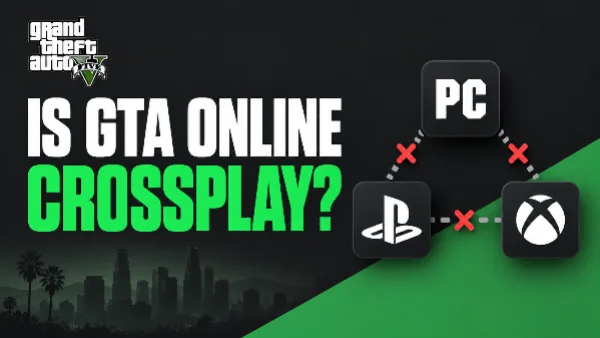
Can PC, PlayStation, and Xbox players join the same GTA Online session?
No. GTA Online does not support crossplay between PC and consoles or between PlayStation and Xbox. Supported PC storefront versions can connect within the PC ecosystem.
Do I need PlayStation Plus to play GTA Online on PS5?
Yes, PlayStation Plus is required for GTA Online multiplayer on PS5. You also need access to GTA Online itself. Check your subscription and game license if online play is unavailable.
What if my GTA Online money or progress disappears after a disconnect?
First, avoid making more changes to your character. Reconnect and check whether your progress returns. For future sessions, return to Story Mode through the pause menu to trigger a save. If items or progress remain missing, contact Rockstar Support with your account details and the time of the incident.