What is Coomer (Coomer.su)?

Coomer (Coomer.su) acts as a searchable database and mirror site specifically designed to host leaked content from premium creator platforms like OnlyFans, Patreon, and Fansly. Its primary user appeal lies in offering completely free access to exclusive, paywalled material that would otherwise require a monthly subscription.
Key features of the platform include:
-
Extensive Media Library: Hosts a massive, easily searchable collection of high-quality images and videos from thousands of popular digital creators.
-
User-Friendly Navigation: Offers neatly organized creator profiles, categorized galleries, and robust tagging systems for seamless browsing.
-
Zero Registration Required: Allows visitors to view and download premium content instantly without the need to create an account or share personal information.
-
Cost-Free Access: Effectively consolidates content from various paid platforms into one centralized hub, saving users from paying for multiple subscriptions.
However, because the site relies on unofficial scraping rather than direct partnerships, creator archives can sometimes be incomplete, and the platform itself is prone to frequent server disruptions.
Is Coomer.su Down & Why?
Yes, users frequently experience periods where the site goes completely offline. If you are staring at a "can't open" or "502 Bad Gateway" error screen, the servers are likely down.
The platform draws massive traffic because it focuses on subscription-based content leaks, aggregating creator content into searchable profiles with chronological post archives. It also features a minimal UI with fast navigation, allowing users to easily browse by creator name or platform.
However, because the site hosts massive amounts of mirrored premium content, it operates in a volatile gray area. Its downtime usually stems from the following reasons:
-
Massive Traffic Overloads: The sheer volume of users trying to access the database frequently crashes the hosting servers.
-
DNS Seizures: The site faces aggressive Domain Name System (DNS) seizures due to its legally gray operations.
-
DMCA Takedowns: Constant copyright strikes from the original creators force temporary shutdowns.
-
Domain Migrations: Administrators must constantly move the database to new domains to evade legal action, causing temporary blackouts.
🎈 You May also Like to Know: [10+ Ways] Coomer Site Not Working: What's Wrong & How to Fix?
Current Official Coomer Sites That Still Work
When the primary Coomer.su domain experiences downtime, you don't necessarily have to jump straight to third-party alternatives right away.The platform administrators frequently maintain official backup domains and proxy links to keep the massive database accessible during server migrations or unexpected DNS issues.
If you are struggling to load the main site, check out these current official mirror links that are still operational:
- https://site1.coomer.com.co/
- https://onlyfans.coomer.com.co/
- https://official.coomer.com.co/
Top 10 Coomer.su Alternatives to Try
When the main archive inevitably goes offline, having functional backup platforms is essential for your bookmarks. Below, we dive into ten excellent platforms that offer similar archiving features and database access.
1. Kemono.party
Kemono is the most recognized sister project to Coomer, initially built to archive Patreon and Fanbox posts. It shares the exact same backend architecture, making it highly familiar to existing users seeking seamless navigation.
Pros:
-
Nearly identical user interface to the original site.
-
Incredibly vast database of illustrated and digital art.
-
Powerful search engine with robust tagging.
-
Frequently updated by a dedicated archiving community.
Cons:
-
Suffers from similar server instability issues.
-
Search function can be slow during peak hours.
-
Media loading times can occasionally lag.
2. Coomer.party

As a direct proxy, this mirror provides an identical interface and database. It acts as the perfect fallback when the main domain suffers DNS issues, keeping your media consumption completely uninterrupted.
Pros:
-
Direct synchronization with the main database.
-
Familiar layout requires zero learning curve.
-
Bypasses region-specific ISP blocks effectively.
Cons:
-
If the main server goes down, this proxy might also stall.
-
Heavy presence of intrusive pop-up advertisements.
-
Lacks unique features not found on the original site.
-
Mobile optimization is somewhat clunky as a reliable Coomer alternative option.
3. Thotsbay
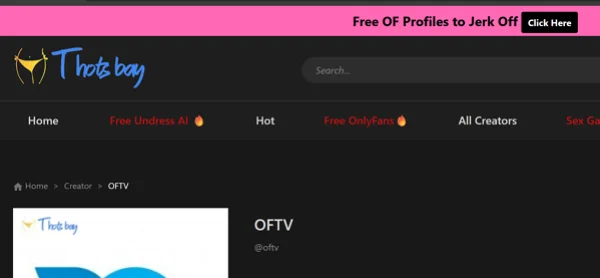
Operating as a community-driven forum rather than an automated scraper, Thotsbay relies on active users uploading leaks. This unique format fosters discussion and allows members to manually request specific content updates.
Pros:
-
Highly active and engaging community forum.
-
Ability to request specific creator updates directly.
-
Less reliance on automated scraping bots.
-
Better curation of high-quality image sets.
-
A solid Coomer.su alternative with decentralized uploads.
Cons:
-
Requires navigating forum threads rather than a clean gallery.
-
Many download links expire or lead to dead ends.
-
Creating an account is often required to view links.
4. PimpBunny

PimpBunny delivers a fast-paced, highly updated directory of leaked media. Unlike other coomer.su alternatives, it emphasizes rapid daily uploads and trending creators. The site’s straightforward alphabetical indexing ensures that visitors can instantly locate their favorite influencers without dealing with cluttered interfaces.
Pros:
-
Fast daily updates for trending content.
-
Simple alphabetical indexing.
-
Lightweight design with rapid loading speeds.
-
Fewer dead links than standard forums.
-
Excellent mobile optimization.
Cons:
-
Overwhelming homepage layout.
-
Aggressive banner ads.
-
Categorization limited to basic creator names.
-
Inconsistent media quality.
5. Fapello

Known for its minimalist aesthetic, Fapello strips away complex search features in favor of clean, chronological creator galleries. Its lightweight design ensures lightning-fast loading speeds, especially on mobile devices.
Pros:
-
Incredibly fast page loading times.
-
Clean, ad-light interface compared to competitors.
-
Alphabetical categorization makes finding creators easy.
-
Easily ranks among the best Coomer alternatives for UI design.
Cons:
-
No advanced filtering or tagging options available.
-
Image quality is sometimes compressed.
-
Lacks a dedicated video hosting infrastructure.
-
Updates for niche creators can be delayed.
6. Simpcity

This is a robust discussion board where enthusiasts share external hosting links. The heavily moderated community ensures that dead links are frequently refreshed, and spam is meticulously kept to a minimum.
Pros:
-
Strict moderation keeps the platform safe and organized.
-
Massive variety of content covering global creators.
-
Dead links are usually reported and fixed quickly.
Cons:
-
Requires navigating multiple pages to find full sets.
-
Account registration is mandatory to view attachments.
-
Users must rely on external file hosts (like Mega or Google Drive).
-
Can be overwhelming for users looking for a quick viewing experience.
-
Site layout feels slightly dated.
7. Erome

A user-generated video and image hosting platform built around decentralized sharing. It lacks the structured archiving of others but excels in raw volume, allowing absolutely anyone to create albums instantly.
Pros:
-
Instant loading speeds for video files.
-
Completely user-driven, ensuring constant fresh uploads.
-
Clean album structures that are easy to scroll through.
-
No registration required for basic browsing.
Cons:
-
Content is heavily disorganized and poorly tagged.
-
Rampant duplicate albums from different uploaders.
-
The search function is notoriously inaccurate.
8. Leakgirls

Focused exclusively on high-resolution image sets, this streamlined directory categorizes media purely by creator names. It avoids cluttered homepages, providing immediate access to the latest photographic archives.
Pros:
-
High-quality, uncompressed image viewing.
-
Very straightforward alphabetical directory navigation.
-
Stands out as a premier Coomer.su alternatives choice for photos.
Cons:
-
Updates can be inconsistent for less popular profiles.
-
Zero community features or comment sections.
-
Video content is almost entirely absent.
9. Bunkr
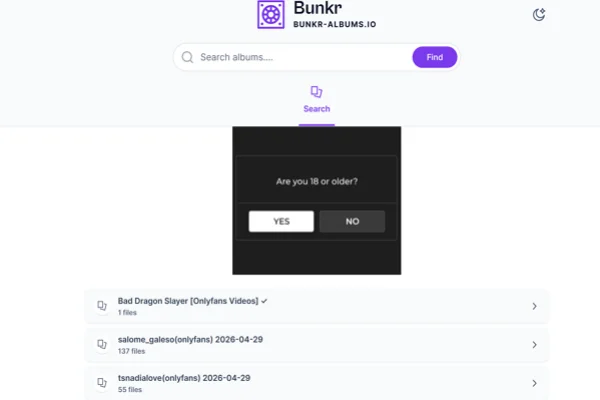
While technically a decentralized file-hosting service, Bunkr has become the backbone for many independent archives. It offers incredibly stable storage, though it requires users to find directory links externally.
Pros:
-
Outstanding server stability and uptime.
-
Hosts massive, uncompressed file sizes without issue.
-
Very few embedded advertisements on the download pages.
-
Offers bulk downloading options for larger albums.
-
Highly resilient against server takedowns.
Cons:
-
No centralized search engine; you must have direct links.
-
Navigating file trees can be tedious.
-
Downloading speeds can be throttled during peak times.
-
Thumbnail previews are often slow to generate.
10. CyberDrop
Similar to Bunkr, this is a premium file-sharing host heavily favored by archivists. It boasts incredible download speeds and high uptime, making it essential for pulling massive media folders offline.
Pros:
-
Lightning-fast download speeds for large files.
-
Incredibly clean, ad-free interface on album pages.
-
Excellent bulk download functionality.
Cons:
-
Requires discovering links through external forums.
-
Links are frequently targeted by DMCA takedowns.
-
No built-in discovery or trending page.
-
Sometimes blocks users running aggressive ad-blockers.
11. LeakGallery

If you prefer visual navigation, LeakGallery is an excellent Coomer.su alternative focusing on high-definition image sets. This platform neatly curates leaked content into easily digestible, tile-based albums. It caters perfectly to users who prioritize a clean, image-first browsing experience over complex forum threads.
Pros:
-
Clean, tile-based visual interface.
-
High-resolution images with minimal compression.
-
Intuitive creator categorization.
Cons:
-
Scarce video content.
-
Intrusive pop-up ads.
-
Slow updates for niche creators.
-
No community or commenting features.
-
Lacks advanced search tags.


Where to Find Coomer Alternatives?
Staying updated on the latest working mirrors and databases requires knowing exactly where archiving communities gather. Because these platforms frequently change domains, relying on static bookmarks isn't enough. Here are six reliable places to discover fresh links.
1. Reddit

The front page of the internet is arguably the best resource for finding new archives. Searching for a Coomer.su alternatives Reddit thread will yield dozens of active discussions, updated domain links, and user reviews on the latest proxy sites.
2. Discord Communities

Many archiving platforms host private or semi-public Discord servers. Joining these communities guarantees you receive real-time ping announcements whenever a server goes down or a new mirror URL is established.
3. Telegram Channels

Telegram's lack of strict censorship makes it a hub for file-sharing groups. Dedicated channels often broadcast daily updates, direct backup links, and mirror statuses straight to your mobile device.
4. Twitter (X)

Using advanced search functions on Twitter is a quick way to find real-time status updates. Searching specific keywords will usually bring up tech-savvy users sharing immediate workarounds when the main database crashes.
5. Dedicated Forum Boards
Sites like F95zone or LPSG specialized imageboards have dedicated threads purely for discussing site statuses. These forums act as encyclopedias for alternative domains and decentralized file hosts.
6. Alternative Search Engines
Standard search engines often de-index these archiving sites due to copyright claims. Utilizing alternative, privacy-focused search engines like DuckDuckGo or Yandex will yield far more accurate and uncensored results when looking for new platforms.
Safety Guide When Browsing Coomer Alternatives?
Exploring these platforms comes with risks, so taking precautions is essential.
Using a VPN helps protect your identity and bypass regional restrictions. Tools like UFO VPN can mask your IP address, encrypt traffic, and provide more stable access to blocked sites.


UFO VPN is an all-in-one VPN that offers unlimited access to 4K streaming like Netlfix, Disney Plus, no-ping gaming as PUBG, Roblox, CODM and social networking for YouTube, X, Facebook and more.




Unlock Pro Features
If you have upgraded to premium plan , feel free to enjoy premium servers for 4K streaming and advanced features like Kill Switch, Split Tunneling, and gaming acceleration. Your Mac is now fully optimized and protected. Inaddition to basic functions, we recommend you turn on

Verify Your IP Now
Use UFO VPN's " What is My IP " feature to see your new IP and location. This confirms your connection is secure, anonymous, and ready for safe browsing online anywhere at any time.







Beyond using tools, everyday browsing habits also matter. Following clear do‘s and don’ts helps reduce exposure to malware, scams, and privacy leaks.
Here are some practical guidelines to stay safe:
Use a reliable VPN to hide your real IP address
Install an ad blocker to reduce pop-ups and malicious ads
Access sites through updated and trusted browsers
Verify URLs before clicking to avoid fake mirror sites
Use a separate email account for registrations
Keep antivirus software active and updated
Don’t click on suspicious pop-ups or redirects
Don’t download files from unknown or unverified sources
Don’t share personal or payment information
Don’t reuse your main passwords on these platforms
Don’t disable browser security warnings
Don’t stay logged in on shared or public devices
By combining the right tools with cautious browsing behavior, you can significantly lower the risks while exploring different platforms.
Final Word
Access to archive-style platforms is constantly shifting, which makes flexibility important. Exploring multiple sources and staying updated through communities ensures a smoother experience.
As the ecosystem evolves, having a few dependable Coomer.su alternatives bookmarked can save time and reduce frustration when primary sites stop working.
FAQs
Are Coomer.su alternatives legal to use?
Accessing leaked paywalled content often operates in a legal gray area and may violate copyright laws in many jurisdictions. Users should be aware of potential risks in their region.
Why do these sites change domains so often?
Frequent domain shifts occur due to hosting pressures, legal complaints, or takedown attempts targeting the copyrighted material they host.
Which Coomer alternative has the best video playback?
Platforms like Thotporn.tv tend to emphasize video content with embedded players, though quality and reliability still vary by upload.
Can I use these sites on mobile safely?
Yes, with a good mobile browser, ad blocker, and VPN. However, avoid unknown app downloads and be extra cautious with pop-ups on smaller screens.
How do I know if a new alternative is trustworthy?
Check recent discussions on Reddit or established forums. Look for consistent user feedback, working mirrors, and minimal reports of malware or data issues before diving in deeply.