Why You Can Get Cheaper Steam Games by Changing the Region
Steam uses regional pricing. Game publishers set different prices depending on the country where the account is located. Several factors affect these prices.
💰 Local Income Levels
Prices are often adjusted based on the average income of a country. In countries where the average salary is lower, games are usually sold at a lower price so more people can afford them.
A new game may cost $60 in the United States, but it may only cost $25 in Turkey. This helps developers sell more copies in regions with different spending power.
🌍 Currency Exchange Differences
Exchange rates also influence Steam pricing. When a country’s currency changes value, the converted price in US dollars may become lower. For example, if a currency weakens against the dollar, the game price becomes cheaper when converted to USD.
🏪 Regional Store Policies
Steam operates separate store regions for different countries. Each region has its own:
-
Currency
-
Tax rules
-
Recommended prices for developers
Because of these store settings, the same game can appear at different prices depending on the region of the account.
🎮 Market Competition
Game publishers also adjust prices to stay competitive in local markets. In some regions where piracy has been common, lower prices help encourage players to buy legal copies instead.
Quick Steps to Change the Steam Location
Changing the Steam region usually requires a few steps. Steam may verify the account location based on payment information and IP address. Because of this, many users use a VPN to match their connection with the region they want.
Step 1: Install and Set up a VPN
A VPN helps change the IP address so it appears that you are connecting from another country. Steam checks the network location when you update the store region, so this step is important.
Without a VPN, the store may detect that the account is still connecting from the original country and refuse the region change. Many players use UFO VPN for this process because it provides servers in multiple countries where Steam game prices are lower.
You can start by downloading this tool by simply following the steps below:


UFO VPN is an all-in-one VPN that offers unlimited access to 4K streaming like Netlfix, Disney Plus, no-ping gaming as PUBG, Roblox, CODM and social networking for YouTube, X, Facebook and more.




Unlock Pro Features
If you have upgraded to premium plan , feel free to enjoy premium servers for 4K streaming and advanced features like Kill Switch, Split Tunneling, and gaming acceleration. Your Mac is now fully optimized and protected. Inaddition to basic functions, we recommend you turn on

Verify Your IP Now
Use UFO VPN's " What is My IP " feature to see your new IP and location. This confirms your connection is secure, anonymous, and ready for safe browsing online anywhere at any time.







Step 2: Log in to Steam
After the VPN connection is active, open the Steam client or visit the Steam website. Log in using your normal Steam account. Make sure the VPN remains connected during this process so the system detects the new location.
If you already have the Steam client installed, simply restart it after connecting the VPN. This helps ensure Steam refreshes the connection and recognizes the new IP address.
Step 3: Add a Game or App to the Shopping Cart
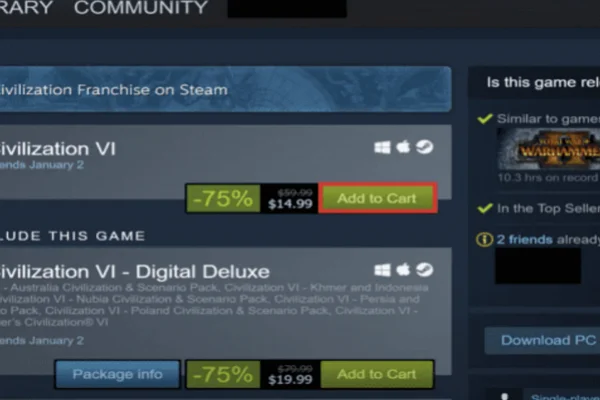
Steam normally allows region changes during a purchase attempt. Search for any game or application in the store and add it to your shopping cart. This can be any title you want to buy.
After adding the item:
-
Click View Cart
-
Continue to the checkout page
At this stage, Steam checks the account location and payment information. If the system detects a different region, it may show an option to update the store country.
Step 4: Change Your Steam Location
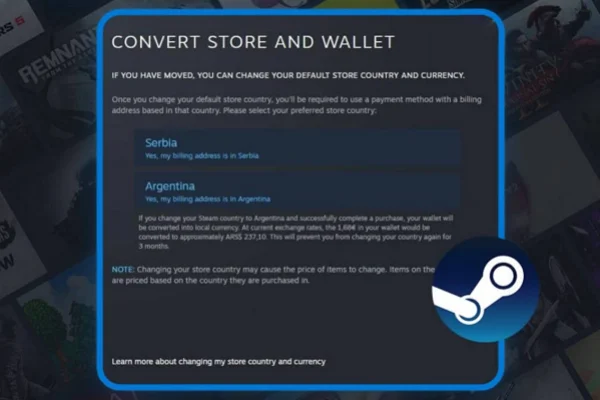
In your shopping cart, look for the setting that says "Convert Store and Wallet." When you click this, a pop-up will appear asking if you want to switch your store region to the country your VPN is currently pointing to.
When you confirm this, Steam will automatically convert the prices in your cart to the local currency. For instance, if you were seeing Dollars, you will now see Lira or Pesos. This change is significant because it also affects your Steam Wallet.
If you had $10 in your account, Steam will convert that $10 into the target currency based on the current daily exchange rate. This is the moment your account officially "moves" to the new region.
Step 5: Complete a Purchase with the New Region
The final and most difficult step is the checkout. Steam requires that you use a payment method that originates from the country you are switching to. You cannot use a US-based Visa card to buy a game on the Turkish Steam store.
To get around this, most users buy Steam Gift Cards for that specific region from third-party websites. Once you have a gift card code for the correct country, you can redeem it to add funds to your wallet. Use those wallet funds to complete the purchase. Once the transaction goes through, your account region is locked to that new country, and you can enjoy those lower prices for all future purchases.
Keep in mind that Steam may limit how often you can change regions. Usually, the store country cannot be changed again for several months.
Additional Methods to Get Cheaper Games from Steam
While changing your region is a powerful way to save money, it isn't the only way to fill your library without going broke. Steam is famous for its various sales and hidden discounts. If you combine these methods with a regional change, you can often get games for 90% off their original retail price.
Method 1: Seasonal Sales Events
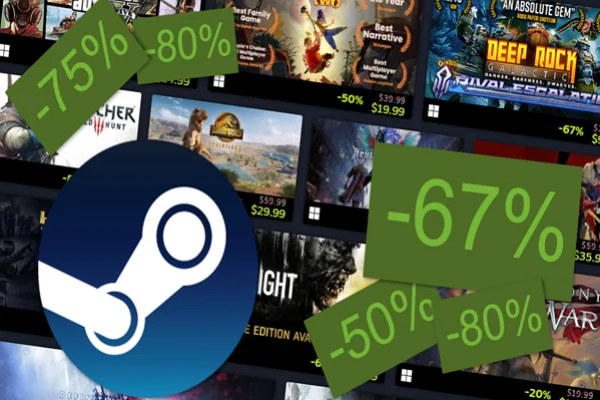
Steam has four major sales every year: Spring, Summer, Autumn, and Winter. The Summer and Winter sales are the biggest, where almost every game on the platform gets a discount.
During these times, even the newest games might see a 10-20% drop, while older titles often go for $5 or less. Always wait for these big windows if you have a long "To-Play" list.
Method 2: Bundle Offers
Websites like Humble Bundle or Fanatical offer "Steam Bundles" where you can get 5 to 10 games for the price of one. These sites work directly with publishers to provide Steam keys. Often, you can pay what you want, and a portion of the money goes to charity. It is a great way to pick up indie hits and even some older AAA games for pennies.
Method 3: SteamDB Price Tracking
Before you buy any game, check SteamDB. This is a third-party website that tracks the price history of every game on Steam. It will show you the "lowest recorded price" for a game. If a game is currently $30 but the site shows it regularly goes on sale for $15, you know you should wait a few weeks to save that extra $15.
Method 4: Publisher Weekend Deals
Every Thursday, Steam usually starts a "Publisher Weekend" or a "Midweek Madness" sale. One specific developer, like Ubisoft or Capcom, will discount their entire catalog. If you are a fan of a specific franchise like Resident Evil or Assassin’s Creed, these are the best times to buy the DLCs or sequels you are missing.
Method 5: Free-to-Play Giveaways
Developers sometimes give away their games for free for a limited time to build hype for a sequel or an update. These aren't just "free weekends" where the game disappears afterward; if you add them to your library during the giveaway period, they are yours to keep forever. Keep an eye on the Steam homepage or "Free" tags to catch these.
Method 6: New Account Bonuses and Regional Gift Cards
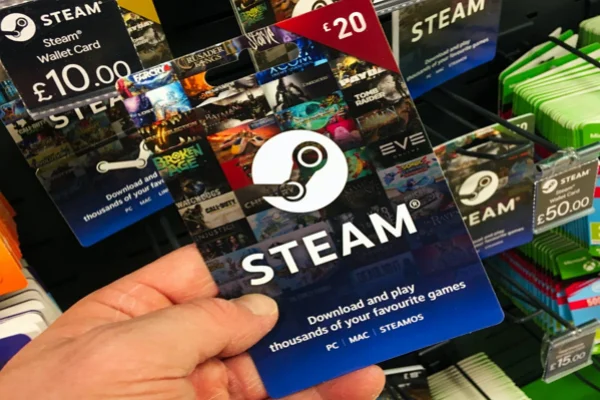
If you don't want to risk your main account by changing its region, many gamers create a "burner" account specifically for a different region.
You can use this account to buy games as "gifts" for your main account (though Steam has placed many restrictions on this lately) or simply use the second account to play those specific games. Buying regional gift cards is the safest way to fund these accounts without needing a foreign credit card.
Conclusion
Getting cheaper games on Steam is entirely possible if you understand how regional pricing works and use the right tools. By using a VPN to change your location to a region with lower costs and following the manual store conversion process, you can save a significant amount of money.
Just remember to be patient with the payment methods and always look for additional sales and bundles to maximize your savings. High-quality gaming doesn't have to be a luxury reserved for those with huge budgets.
FAQs
Is it legal to change Steam country?
Changing the Steam store region is not illegal in most countries. However, Steam has its own platform rules. The company expects users to select the region where they normally live. Repeated region switching or using incorrect payment methods may lead to account restrictions.
Will Steam automatically change the location?
No. Steam does not automatically change the account region based only on IP address. The store region usually changes during the purchase process when the system detects a different location and payment region.
Is it possible to change Steam location without purchase?
In most cases, no. Steam typically requires a purchase to confirm the new region. The payment method helps verify the country associated with the account.
Why is a VPN necessary for Steam location change?
Steam checks the IP address when users attempt to update the store country. If the IP address does not match the new region, the platform may reject the change. A VPN allows the connection to appear as if it comes from another country.
What's the best VPN for changing Steam country?
Many VPN services provide global servers, but gamers often choose UFO VPN because it offers multiple region servers and simple connection options. After connecting to the desired country, users can access the Steam store and attempt the region change process.