How to Watch Movies on 123Movies (with VPN)
A free proxy VPN for 123Movies is the safest and most reliable method to watch films on 123Movies—no matter where you live. UFO VPN offer 2000+ servers in over 100 countries, including India VPN, Iran VPN, and more.
Why Use a VPN?
-
Bypasses geo-blocks by routing your traffic through another country
-
Encrypts your connection, keeping your identity and IP address hidden
-
Protects you from malicious scripts or ad-injected trackers common on mirror sites
For Desktops

Download UFO VPN for Windows or UFO VPN for Mac on your desktop or mobile.
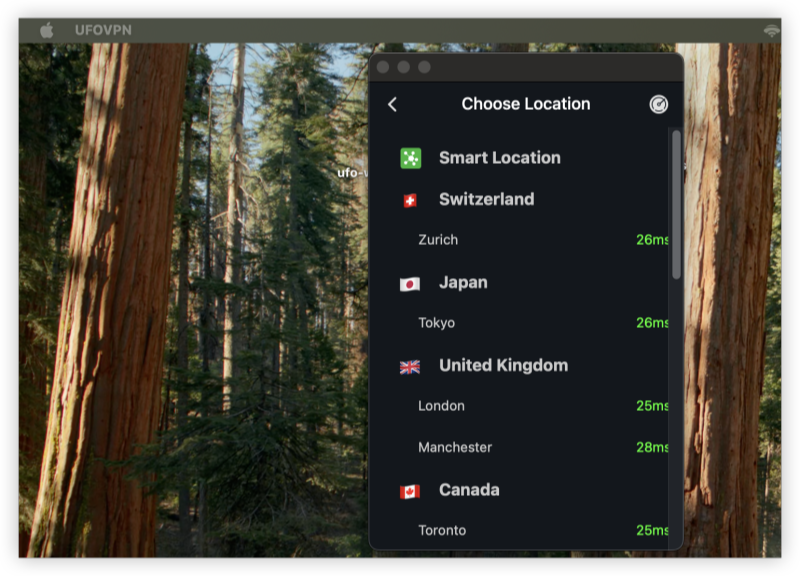
Open the app and connect to a region where 123Movies is not blocked (e.g., Philippines, South Africa).
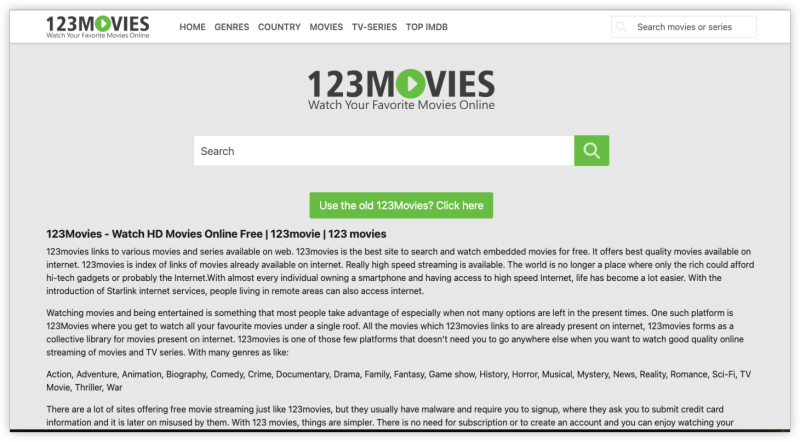
Open your browser and visit a working 123Movies mirror. Now you can enjoy high-speed, secure movie streaming—buffer-free!
For Mobiles


UFO VPN is an all-in-one VPN that offers unlimited access to 4K streaming like Netlfix, Disney Plus, no-ping gaming as PUBG, Roblox, CODM and social networking for YouTube, X, Facebook and more.




Unlock Pro Features
If you have upgraded to premium plan , feel free to enjoy premium servers for 4K streaming and advanced features like Kill Switch, Split Tunneling, and gaming acceleration. Your Mac is now fully optimized and protected. Inaddition to basic functions, we recommend you turn on

Verify Your IP Now
Use UFO VPN's " What is My IP " feature to see your new IP and location. This confirms your connection is secure, anonymous, and ready for safe browsing online anywhere at any time.







Watch Films on 123 Movies with Proxy Server (No VPN)
Some users try 123 Movies proxy servers to bypass restrictions. A proxy server hides your IP and relays your connection through another location, allowing you to bypass site bans.
How to Find Working 123Movies Mirrors
Because domains change often, staying updated is key. Try:
-
Reddit forums like r/Piracy or r/123movies
-
Mirror listing sites (make sure to avoid scams!)
-
Check mirror sites with VPN enabled to verify access

Popular Proxy Mirrors for 123Movies
-
123moviesfree.net -
123movieshub.to -
123movieshd.watch
Proxies don’t encrypt your data, making you vulnerable to spying, malware, or trackers. That’s why a VPN like UFO VPN is a more secure option
Why You Can’t Watch Films on 123Movies: Solutions
Trying to stream your favorite movie on 123Movies but running into issues like endless loading, blank pages, or access errors? Here's a quick fix about common problems.
1. 123Movies Not Loading or Showing a Blank Page
Cause: Geo-restrictions or a downed mirror site.
Fix:
-
Switch to another 123Movies mirror (e.g.,
123movieshub.to,123moviesfree.net) -
Use UFO VPN to connect to a region where access is not blocked (like Singapore, Brazil, or South Africa).
2. “Site Can’t Be Reached” Error
Cause: Your ISP has blocked the domain.
Fix:
-
Connect to a VPN like UFO VPN and refresh the page.
-
Use a DNS-flushing tool or restart your router to clear cached DNS records.
3. Video Keeps Buffering or Won’t Play
Cause: Slow server, overloaded mirror, or bandwidth throttling.
Fix:
-
Switch to a different video server or mirror inside the 123Movies player.
-
Use a VPN to bypass ISP throttling and access faster servers.
-
Pause the video for a few seconds to let it preload.
4. Too Many Pop-Ups or Ads
Cause: Ad-heavy mirror or browser vulnerability.
Fix:
-
Enable uBlock Origin or AdGuard in your browser.
-
Avoid clicking suspicious buttons like “Start” or “Download Now” that appear outside the video player.
5. 123Movies Works on Desktop but Not Mobile
Cause: Mobile redirection to scam versions or browser limitations.
Fix:
-
Use Brave Browser or Firefox Mobile for better ad-blocking.
-
Always open links in incognito mode and clear cookies frequently.
-
Access 123Movies with UFO VPN running on your phone and a trusted browser.
6. Audio/Video Out of Sync or Low Quality
Cause: Poor encoding on that specific mirror’s server.
Fix:
-
Refresh the page and try another server option within the video player.
-
If it persists, search for the same title on an alternate 123Movies mirror.
Best Tools for 123Movies Streaming (Free)
Pairing these tools with a 123Movies VPN can help you stream better:
| Tools | Best For | Device Support |
|---|---|---|
| uBlock Origin | Blocks ads and popups | Chrome, Firefox |
| Video DownloadHelper | Download content (for educational or offline viewing) | Chrome, Firefox |
| JDownloader | Manage large downloads easily | Windows, macOS, Linux |
| Brave Browser | Private browsing with built-in blocking | All major OS |
FAQs
How do I watch films on 123Movies without getting blocked?
Use UFO VPN or proxy server. VPNs are safer and also encrypt your connection.
What is the best 123Movies proxy server?
There’s no “official” one. Try 123moviesfree.net or 123movieshub.to, but always access with a VPN.
Can I watch 123Movies films on mobile?
Yes. Install UFO VPN on your phone, connect to a working region, and open 123Movies in a mobile browser.
Will I get in trouble for watching movies on 123Movies?
Streaming copyrighted content is legally risky. Always use VPN protection and consider legal alternatives where possible.