Where Is FMovies Unavailable or Shut Down?
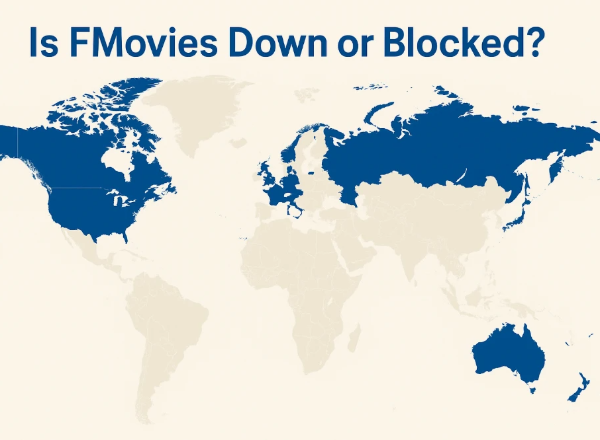
If you’re wondering why FMovies isn’t loading in your region, it’s often due to legal restrictions or government blocks. Here’s a quick overview:
🚫 Countries Where FMovies Is Blocked
-
Vietnam (shut down by authorities in 2024)
-
Australia
-
Sweden
-
India
-
United Kingdom
-
United States (legal actions)
-
Germany
-
China
-
Denmark
-
United Arab Emirates
Quick Solution: The easiest way to regain FMovies access is to use a free proxy VPN in UFO VPN to bypass these blocks. It provides the USA VPN free, the Russia VPN free, the India VPN free, etc.
✅ Countries Where FMovies Is Accessible
-
Canada
-
Mexico
-
Brazil
-
South Africa
-
Russia
-
Turkey
-
Indonesia
-
Thailand
-
Philippines
FMovies Blocks: Reasons and Solutions
There are several common reasons why FMovies might not be loading:
1. Government or ISP Blocking
Many countries restrict access to free streaming sites due to copyright infringement. If FMovies is blocked in your region, your browser may simply fail to load the site or display a warning message.
🔧Solution: A reliable VPN can help bypass regional blocks, making FMovies accessible by masking your IP and encrypting your connection. For example, UFO VPN can provide a secure and fast streaming experience without revealing your location.
2. Domain Changes or Shutdowns
FMovies often changes domains to avoid legal issues. If you’re visiting an outdated domain, it may no longer work, leading users to ask, “Did FMovies get taken down?”
🔧Solution: Many FMovies mirrors or alternative domains (e.g., fmovies.to, fmovies.ps, fmovies-to) exist. Always ensure you’re visiting the latest, trusted link.
3. Technical or Server Issues
Sometimes the website is temporarily unavailable due to server overload or maintenance. Users may experience buffering, videos stopping mid-play, or pages failing to load.
🔧Solution: Cached data can sometimes cause pages to load incorrectly. Clearing the cache and cookies often resolves loading issues.
How to Unblock FMovies Safely and Legally
Accessing blocked streaming sites can be risky if done improperly. Here are some safe practices:
1. Choose a VPN
Using a VPN is the safest way to unblock FMovies without exposing your identity. It not only bypasses regional restrictions but also protects your connection from potential malware or intrusive ads.
You can get started with UFO VPN by following the steps below:


UFO VPN is an all-in-one VPN that offers unlimited access to 4K streaming like Netlfix, Disney Plus, no-ping gaming as PUBG, Roblox, CODM and social networking for YouTube, X, Facebook and more.




Unlock Pro Features
If you have upgraded to premium plan , feel free to enjoy premium servers for 4K streaming and advanced features like Kill Switch, Split Tunneling, and gaming acceleration. Your Mac is now fully optimized and protected. Inaddition to basic functions, we recommend you turn on

Verify Your IP Now
Use UFO VPN's " What is My IP " feature to see your new IP and location. This confirms your connection is secure, anonymous, and ready for safe browsing online anywhere at any time.







2. Use Trusted Mirror Sites
Some mirror sites replicate FMovies content legally, although availability varies. Avoid random “pop-up” mirrors, as they often carry malware.
3. Enable Browser Security Settings
Make sure your browser’s security settings block pop-ups and suspicious redirects. This prevents accidental clicks on malicious ads while streaming.
Tips for Enhancing FMovies Streaming Experience
If FMovies is loading but videos keep buffering or stopping, you can try these practical tips:
-
Stable Internet Connection: Slow internet causes buffering. Switch to a faster network or wired connection if possible.
-
Clear Cache and Cookies: Old cached data can interrupt video playback.
-
Disable Browser Extensions: Ad-blockers or other extensions may interfere with streaming.
-
Try Different Devices or Browsers: Sometimes switching from mobile to desktop, or Chrome to Firefox, resolves playback issues.
-
Use a VPN for Better Performance: Besides unblocking, VPNs can improve streaming consistency if your ISP throttles certain video traffic.
Best FMovies Alternatives in 2026
If FMovies is permanently down or inaccessible, there are several reliable alternatives you can explore:
-
123Movies – Offers a vast library of movies and TV shows with frequent updates.
-
YesMovies – Easy-to-navigate site with multiple genres and HD streaming options.
-
Soap2Day – Popular for full-length movies, frequently refreshed content.
-
Putlocker – Provides a wide range of films and series, often with multiple streaming links.
-
SolarMovie – Clean interface, minimal ads, and consistent content updates.
For each of these alternatives, using a VPN can help access content safely and avoid regional restrictions.
FAQs
Is FMovies permanently shut down?
In some countries, like Vietnam, yes. Other regions may experience temporary blocks or domain changes.
Why isn’t FMovies loading for me?
Possible reasons include ISP blocks, outdated domains, server issues, or browser problems.
How can I fix FMovies buffering issues?
Improve your connection, clear cache, disable extensions, or use a VPN to stabilize streaming.
What are the best FMovies alternatives?
Alternatives include 123Movies, YesMovies, Soap2Day, Putlocker, and SolarMovie.
Is FMovies safe to use?
Using the original or mirror sites can carry risks. A VPN and browser security settings improve safety.
Conclusion
FMovies has been a go-to streaming site, but accessibility issues, blocks, or shutdowns have left users searching for solutions. This guide explains why FMovies might be down, offers safe ways to unblock it, and lists the best alternatives for uninterrupted streaming. Following practical tips for buffering, stopping, or loading problems ensures a smoother experience. Using a VPN like UFO VPN can also make streaming safer and more reliable.