Key Takeaways
What Is Naughty America?

Naughty America is a US-based adult film studio and streaming website. It produces and distributes 18+ videos featuring professional performers. The platform offers both streaming and downloadable content for paid members.
The website operates on a subscription model. Users create an account, choose a payment plan, and get access to full-length videos. The site also runs several sub-brands that focus on different themes and production styles.
Naughty America is popular because:
- It produces original in-house content.
- Videos are filmed in high definition.
- New content is added frequently.
- The website design is simple and easy to use.
- It supports mobile viewing.
- Members can stream or download videos.
- It has multiple niche channels under one account.
Because of its large content library and strong brand presence, many users try to access it even in restricted regions.
Regions Where Naughty America Is Blocked
Not every country allows adult streaming websites. Some governments require internet providers to block access. In other cases, workplaces and schools apply network filters.
Below is a simplified overview of places where access is often restricted.
| Region | Status | Restriction Type | Notes |
|---|---|---|---|
| Middle East | Blocked | Government ISP filtering | Adult sites are often restricted nationwide |
| India (some ISPs) | Partially blocked | ISP-level DNS blocking | Access depends on the provider |
| Indonesia | Blocked | National filtering system | Adult content banned |
| United Arab Emirates | Blocked | ISP firewall | Strict online content rules |
| Office networks | Blocked | Firewall/content filter | Admin-level blocking |
| School campuses | Blocked | Network filter | Adult categories restricted |
| Public Wi-Fi | Limited | DNS filtering | Coffee shops and airports often block |
4 Methods to Unblock Naughty America
If you cannot open the website, you need a workaround. Below are four methods that users commonly try.
✅ Use a High-Quality VPN (UFO VPN)
A Virtual Private Network (VPN) is the best way to unblock Naughty America. It works by creating a secure "tunnel" between your device and a server in another country. If you connect to a UK or United States server, Naughty America thinks you are actually there. This bypasses any local or national blocks immediately.
For this specific task, you can try UFO VPN. While many VPNs are slow and make videos buffer, it is built for speed. Its servers can handle 4K streaming without any lag. Specifically, this efficient tool is highly focused on:
- Fast Servers: It has a "Super Low Latency" mode that ensures your videos start playing instantly.
- Privacy First: It uses a "No-Logs" policy, meaning it doesn't keep a record of the websites you visit.
- Easy Setup: You just click one button to connect; you don't need to change any complicated settings.
- Multiple Devices: You can use it on your phone, tablet, and laptop at the same time.
- Global Locations: They have thousands of servers, so if one is slow, you can switch to another in seconds.
Just follow the steps below, and you can use this reliable tool in just a few seconds on various devices:


UFO VPN is an all-in-one VPN that offers unlimited access to 4K streaming like Netlfix, Disney Plus, no-ping gaming as PUBG, Roblox, CODM and social networking for YouTube, X, Facebook and more.




Unlock Pro Features
If you have upgraded to premium plan , feel free to enjoy premium servers for 4K streaming and advanced features like Kill Switch, Split Tunneling, and gaming acceleration. Your Mac is now fully optimized and protected. Inaddition to basic functions, we recommend you turn on

Verify Your IP Now
Use UFO VPN's " What is My IP " feature to see your new IP and location. This confirms your connection is secure, anonymous, and ready for safe browsing online anywhere at any time.







✅ Use a Web Proxy
A web proxy is like a middleman. Instead of going directly to Naughty America, you go to a proxy website and type the Naughty America URL into its search bar. The proxy fetches the content for you and shows it on your screen. This is a quick fix if you are on a computer where you cannot install software (like at a library).
✅ Change Your DNS Settings
Sometimes, your ISP blocks sites by "misplacing" the address in their phonebook (the DNS). When you type the site name, the ISP's DNS says, "I don't know where that is." You can bypass this by using a public DNS like Google (8.8.8.8) or Cloudflare (1.1.1.1). Changing your DNS is free and does not require downloading anything.
✅ Use the Tor Browser
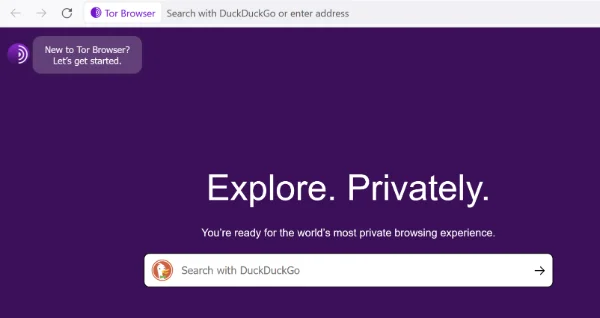
The Tor Browser is a special piece of software that bounces your signal through three different servers around the world. This makes it almost impossible for anyone to track what you are doing. It is the most private way to browse. The downside is that because the data has to travel so far, it is very slow. You might find that a 10-minute video takes a long time to load.
Common Issues of Browsing Naughty America & Quick Fix
Even when the website is not blocked, users may face technical problems. Below is a quick reference table.
| Issue | Possible Cause | Quick Fix |
|---|---|---|
| Website not loading | ISP block | Use VPN or change DNS |
| Slow streaming | Weak internet speed | Switch to lower video quality |
| Payment declined | Bank restrictions on adult sites | Use alternative payment method |
| Login error | Incorrect password | Reset password |
| Video buffering | Server overload | Try different time of day |
| Page shows security warning | Expired certificate or network filter | Check URL and use secure connection |
| App not working | Outdated version | Update the app |
Dos & Don'ts When Browsing Adult Movies
Staying safe while watching adult content is just as important as unblocking the site. You want to make sure your data is safe and your personal life stays private.
Use a secure internet connection
Install antivirus software
Keep your browser updated
Use strong passwords
Enable two-factor authentication if available
Check the website URL carefully
Use private browsing mode
Use shared public computers
Save payment details on unknown devices
Click suspicious pop-up ads
Download files from unknown sources
Share account credentials
Ignore security warnings
Access adult sites on work or school networks
Final Verdict
Unblocking Naughty America is simple if you have the right tools. A VPN is the most reliable choice because it combines speed with high-level privacy. While proxies and DNS changes can work in a pinch, they often fail when faced with modern firewalls.
By using a service like UFO VPN, you can bypass geographic restrictions and enjoy 4K content without worrying about your ISP or government watching your every move. Just remember to keep your browser updated and use private mode to keep your history clean.
FAQs
Is it legal to use a VPN to watch Naughty America?
In most countries, using a VPN is perfectly legal. It is a tool for privacy. However, a few countries have laws against VPNs themselves. Always check your local regulations, but for most people in the US, Europe, and Asia, it is not a legal issue.
Can I use a free VPN for Naughty America?
You can, but it is usually a bad experience. Free VPNs often have "data caps" (like 500MB), which you will use up in five minutes of watching a 4K video. They are also much slower and may sell your browsing data to advertisers.
Why does Naughty America say I am in the wrong region even with a VPN?
This usually happens because of "GPS leaking" or old cookies. Your browser might still remember your real location. To fix this, clear your browser cache and cookies, then restart your VPN and try again.
Does Naughty America work on mobile phones?
Yes, the site is fully optimized for mobile. If you use a VPN on your phone, you can watch videos through Safari, Chrome, or any other mobile browser just like you would on a desktop.
Will my ISP know I am watching Naughty America if I use a VPN?
No. When you use a VPN, your ISP can only see that you are connected to a VPN server. They cannot see the specific websites you visit or the videos you stream. All your data is encrypted into a code they cannot read.