Key Takeaways
💡 Instagram is not down globally. Recent access problems are concentrated in Azerbaijan.
💡 Instagram has been restricted in Azerbaijan since October 12, 2026, affecting multiple internet providers.
💡 A VPN may help you access Instagram by connecting through a server in another country.
💡 If Instagram isn't working for you, check outage reports first to find out whether it's a widespread issue.
Is Instagram down or blocked in Azerbaijan? [Latest update]
Instagram is facing confirmed network restrictions in Azerbaijan, rather than a global outage. Since October 12, 2026, users across the country have reported difficulties accessing Instagram, TikTok, and other social media platforms.
Instagram users from Azerbaijan have experienced several problems:
- Instagram feeds won't refresh.
- Profiles and posts fail to load.
- The app opens, but photos and videos don't appear.
- Some users can only access Instagram when connected to a VPN.
The problems aren't limited to a few individual accounts. On October 12, internet monitoring organization NetBlocks confirmed restrictions affecting Instagram, TikTok, and X across multiple internet service providers in Azerbaijan. The findings support reports of a regional network disruption.
The restrictions were reported amid protests over rules concerning hijabs in Azerbaijani schools. However, the exact reason for the restrictions has not been officially confirmed, and there is no confirmed end date.
How to access Instagram in Azerbaijan
When Instagram is blocked on your local network, using a VPN may help restore access. A VPN routes your internet connection through a server in another country, allowing you to access Instagram through a different network path.
Some Azerbaijani users have already reported that Instagram works when they use a VPN, even though it fails to load without one. However, results can vary depending on your network and VPN server. Before connecting, you can choose a country where Instagram is currently accessible.
| Country | Instagram status | UFO VPN server |
|---|---|---|
| 🇩🇪 Germany | ✅ Accessible | |
| 🇫🇷 France | ✅ Accessible | |
| 🇳🇱 Netherlands | ✅ Accessible | |
| 🇬🇧 United Kingdom | ✅ Accessible | |
| 🇪🇸 Spain | ✅ Accessible | |
| 🇺🇸 United States | ✅ Accessible |
⚠️Note: These results reflect recent website accessibility tests, not a guarantee that Instagram works on every network or VPN server. Availability can change, so check the latest status before connecting.
Now, you can use a trustworthy VPN like UFO VPN to access Instagram. It offers servers in more than 100 countries, including the locations listed above. Here's how:
1. Try a VPN to change your IP address


UFO VPN is an all-in-one VPN that offers unlimited access to 4K streaming like Netlfix, Disney Plus, no-ping gaming as PUBG, Roblox, CODM and social networking for YouTube, X, Facebook and more.




Unlock Pro Features
If you have upgraded to premium plan , feel free to enjoy premium servers for 4K streaming and advanced features like Kill Switch, Split Tunneling, and gaming acceleration. Your Mac is now fully optimized and protected. Inaddition to basic functions, we recommend you turn on

Verify Your IP Now
Use UFO VPN's " What is My IP " feature to see your new IP and location. This confirms your connection is secure, anonymous, and ready for safe browsing online anywhere at any time.







2. Access Instagram with the new IP address
Launch Instagram and check whether your feed, Stories, and messages load normally. If Instagram still doesn't work, try connecting to another server. Some servers may perform better than others, and certain locations may require a paid plan.
A VPN can help when the problem comes from regional network restrictions. It won't fix Instagram's own servers if they're down, and it may not work if your network also blocks VPN connections. For more options, see our guide on how to unblock Instagram anywhere.
Is Instagram down right now? How to check
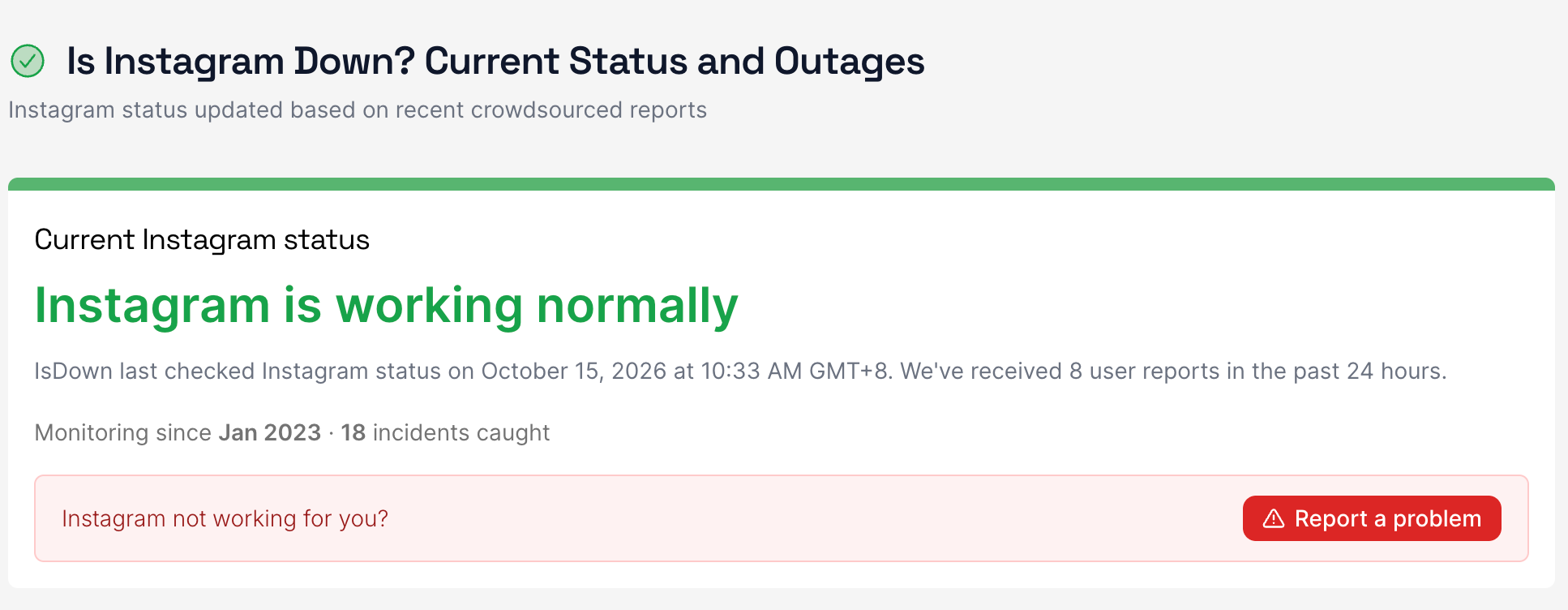
IsDown's latest available check reports that Instagram is working normally, although individual users may still experience problems
If Instagram suddenly stops working, the easiest way to check whether it's down is to look at real-time outage reports.
Here are three useful tools:
- Downdetector: Shows user-reported Instagram problems and outage trends. A sudden spike in reports may indicate a wider service issue.
- IsDown: Tracks Instagram's current status, recent incidents, and user reports from different locations.
- Down for Everyone or Just Me: Shows whether users are currently reporting problems with Instagram, including recent outages and their duration.
Why is Instagram not working?
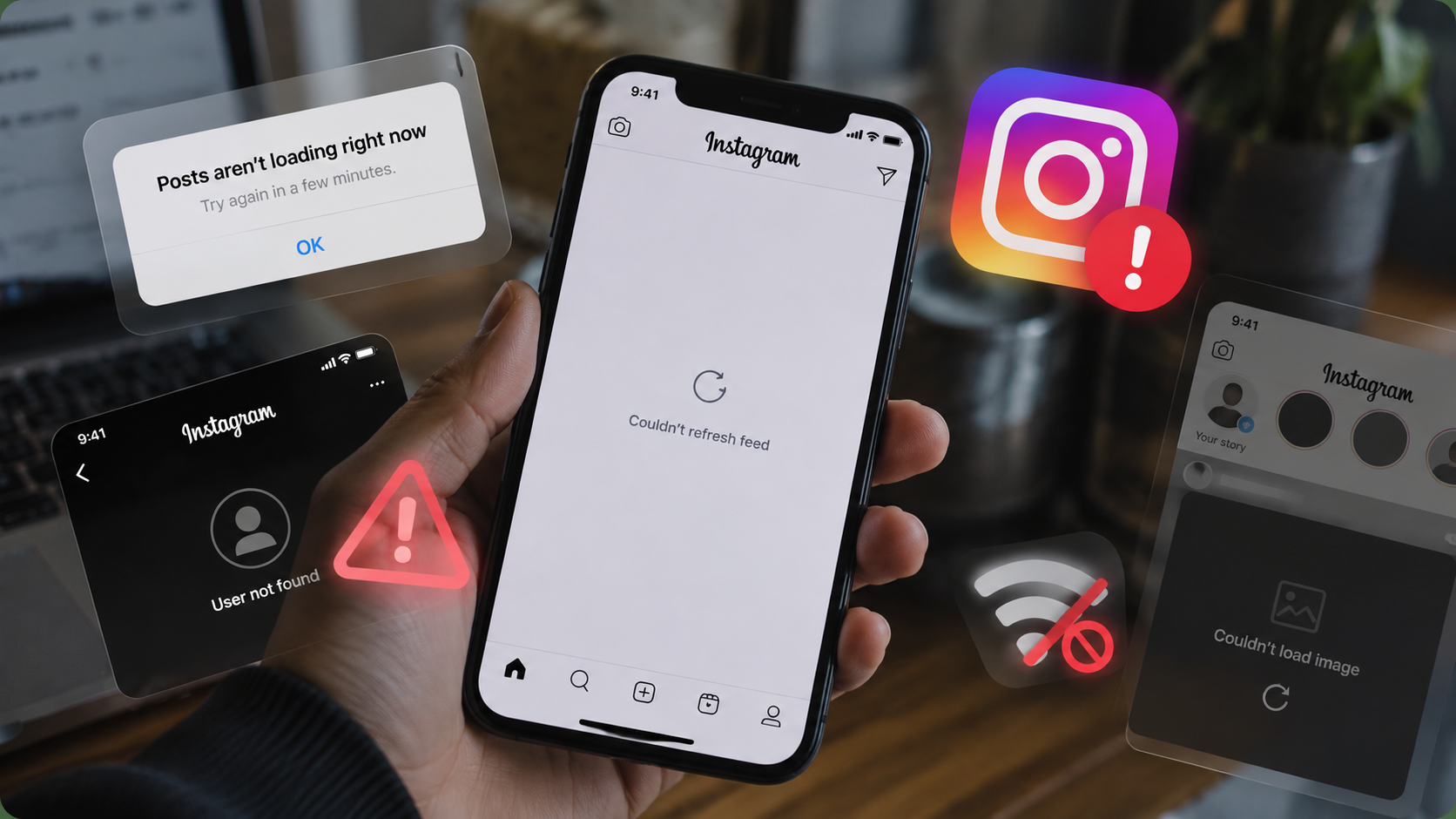
If Instagram isn't loading, there are several possible explanations. The right solution depends on what's causing the problem.
1. Instagram server outage
Instagram occasionally experiences server problems that affect logging in, loading posts, sending messages, or using other features. These outages may affect users in multiple countries at once. When the problem is on Instagram's side, there's usually nothing you can fix on your device.
2. Regional restrictions or blocking
Instagram may be inaccessible because of restrictions imposed on particular networks or in certain countries. For example, Instagram has been blocked in China since 2014 and Russia since 2022. Other countries may introduce temporary restrictions during major events or periods of unrest.
Regional restrictions can prevent Instagram from loading even when its servers are running normally. In this case, trying a free VPN may help by routing your connection through a different network.
3. Unstable internet connection
A slow Wi-Fi connection, weak mobile signal, or temporary ISP problem can stop Instagram from loading photos, Reels, and Stories. You may still be able to open the app, but new content won't appear.
4. Instagram app or device issues
An outdated Instagram version, corrupted cache, or temporary software bug may prevent the app from working properly. If Instagram works in your browser but not in the app, this is one possible explanation.
5. Account-specific problems
Sometimes the problem affects only your Instagram account. Login verification errors, account restrictions, or security checks may prevent access. If other accounts work normally on the same device, check whether Instagram has sent you a security notification or account warning.
How to fix Instagram when it's not down
If Instagram's servers are working and your region isn't experiencing known restrictions, try the following fixes.
Method 1: Check your internet connection
Start by checking whether your internet connection works normally.
- Open another website or app to test your connection.
- Switch between Wi-Fi and mobile data.
- Reconnect to your network if necessary.
If Instagram works on mobile data but not Wi-Fi, the issue may be related to your Wi-Fi network or ISP.
Method 2: Restart Instagram and your device
Sometimes Instagram stops responding because of a temporary app error. Completely close Instagram, wait a few seconds, and reopen it. If the problem continues, restart your phone or computer. This can resolve temporary software problems without changing your account settings.
Method 3: Update Instagram
An outdated Instagram version may contain bugs or compatibility issues.
To check for updates:
- Open the App Store or Google Play Store.
- Search for Instagram.
- Tap Update if a newer version is available.
Once the update finishes, reopen Instagram and check whether it works.
Method 4: Clear Instagram cache
Corrupted cached files can sometimes cause Instagram to load slowly or display errors.
On Android:
- Open Settings > Apps > Instagram.
- Select Storage & cache.
- Tap Clear cache.
The exact menu names may vary depending on your Android device.
On iPhone:
iOS doesn't provide the same dedicated Instagram cache-clearing option. You can try closing and reopening the app, restarting your phone, or reinstalling Instagram. Before reinstalling, make sure you can log back into your account. Locally saved Instagram drafts may be lost when you delete the app.
Method 5: Try Instagram in a browser
Open Instagram.com in Chrome, Safari, or another browser. If Instagram works in your browser but not in the app, the problem is more likely related to the app or device. If neither version works, check your internet connection and the latest Instagram outage reports.
If you've tried these methods and Instagram still isn't working, you can report the problem through Instagram's Settings and activity > Help > Report a problem option. Menu names may differ by app version.
What to do if Instagram is actually down
If Instagram is experiencing a widespread server outage, the best option is usually to wait for Meta to restore the service.
Here's what you can do in the meantime:
- Check outage reports: Use Downdetector or another monitoring service to follow the situation.
- Look for official updates: Check Instagram's official channels for announcements about the problem.
- Avoid unnecessary troubleshooting: Reinstalling Instagram, clearing your cache, or changing your IP address won't fix a server-side outage.
There's no fixed recovery time for Instagram outages. Some issues are resolved quickly, while others take several hours. If the problem affects Instagram's servers, using a VPN generally won't restore access. You'll need to wait until the service becomes available again.
Conclusion
When Instagram stops working, the first thing to do is find out whether the problem is widespread or limited to your connection. A quick status check can save you time and help you avoid unnecessary fixes. If Instagram is running normally but remains inaccessible, try a different connection or a VPN, depending on the cause. The key is to identify the issue before choosing a solution.
FAQs
How long will Instagram restrictions in Azerbaijan last?
There's no confirmed end date for the Instagram restrictions reported in Azerbaijan on October 12, 2026.
Regional restrictions can last for hours, days, or longer, depending on the circumstances. The duration of this particular disruption remains uncertain.
For updates, check local news reports or announcements from your internet provider. Avoid assuming that access has been fully restored just because Instagram works on one network.
Why can I receive Instagram notifications but not open posts?
Receiving Instagram notifications doesn't necessarily mean the app has a working connection to all Instagram services. Notifications may arrive through your phone's push notification system, while loading posts and videos requires separate connections.
If some Instagram services are unavailable or restricted, you might receive notifications but be unable to open the content. This can happen during partial service outages, network restrictions, or app-related problems.
Why is Instagram still not working after connecting to a VPN?
A VPN doesn't guarantee access to Instagram. If Instagram still won't load after you connect, several things could be happening:
-
The VPN server isn't working properly. Try connecting to a different server.
-
Your network is restricting VPN traffic. The VPN connection may fail even when the app shows it's trying to connect.
-
Instagram is experiencing a server problem. Changing your IP address won't resolve it.
-
Your Instagram app has an issue. Try opening Instagram in a browser to check.
You can also verify that your public IP address changes after connecting to the VPN. If the IP doesn't change, the VPN may not be routing your connection correctly.
If the VPN works but Instagram still doesn't load, try another server before moving on to app troubleshooting.