Is Hulu Available in Singapore 2026?

Unfortunately, Hulu is not officially available in Singapore. Like many U.S.-based streaming platforms, Hulu enforces geo-restrictions, which means only users with an American IP address can access its library. If you try to log in from Singapore, you’ll likely encounter an error message saying Hulu isn’t available in your region. (Quick solution: Use a free proxy VPN in UFO VPN to get an American IP Address!)
This limitation is due to content licensing agreements - Hulu negotiates rights with studios to show content only within the U.S. However, the demand from Singaporean viewers is strong, especially since streaming services in Singapore like Netflix, Disney+, Viu, and Amazon Prime Video may not always carry the same lineup of shows or originals that Hulu offers.
So, if Hulu isn’t officially in Singapore, what’s the workaround? The answer lies in using a reliable VPN service with the USA VPN free, which helps you connect to a U.S. server, bypassing the geo-restrictions while keeping your connection secure.
How to Watch Hulu in Singapore?
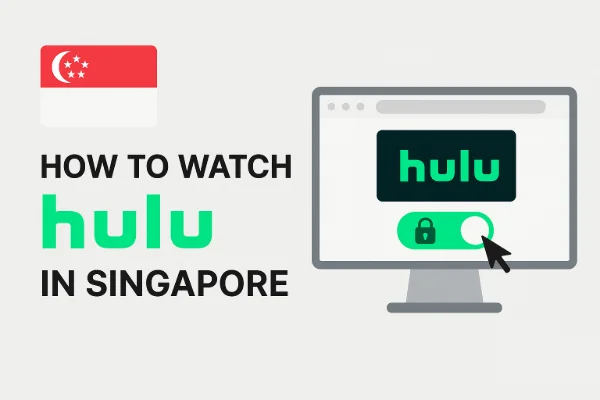
If you’re in Singapore and want to enjoy Hulu’s library, here’s a straightforward step-by-step guide:
1. Get a Reliable VPN
A VPN (Virtual Private Network) allows you to change your IP address to appear as if you’re browsing from the U.S. Not all VPNs work with Hulu, so it’s essential to pick one that has dedicated U.S. servers optimized for streaming. For example, UFO VPN provides multiple high-speed American servers designed to unblock Hulu smoothly. Get started with UFO VPN by following the steps below:


UFO VPN is an all-in-one VPN that offers unlimited access to 4K streaming like Netlfix, Disney Plus, no-ping gaming as PUBG, Roblox, CODM and social networking for YouTube, X, Facebook and more.




Unlock Pro Features
If you have upgraded to premium plan , feel free to enjoy premium servers for 4K streaming and advanced features like Kill Switch, Split Tunneling, and gaming acceleration. Your Mac is now fully optimized and protected. Inaddition to basic functions, we recommend you turn on

Verify Your IP Now
Use UFO VPN's " What is My IP " feature to see your new IP and location. This confirms your connection is secure, anonymous, and ready for safe browsing online anywhere at any time.







2. Connect to a U.S. Server
Once your VPN is installed, open the app and connect to a U.S. server (Los Angeles, New York, or Chicago servers usually provide good performance). This will give you a U.S. IP address, tricking Hulu into thinking you’re in the United States.
3. Create a Hulu Account
To sign up for Hulu, you’ll need:
-
A valid payment method: Hulu typically accepts U.S. credit/debit cards or PayPal linked to a U.S. account. If you don’t have one, you can use Hulu gift cards, which are often sold by online retailers.
-
A U.S. zip code: During registration, Hulu requires a U.S. address. You can use common codes such as 10001 (New York) or 90001 (Los Angeles). This is why so many people search for “Hulu zip code Singapore”—it’s part of the setup.
4. Log In and Start Streaming
After your account is created, log in to Hulu while connected to UFO VPN’s U.S. server. You’ll now have access to the full Hulu library as if you were browsing from the U.S.
💡 Pro Tip: For the best experience, ensure your VPN has unlimited bandwidth and supports HD streaming speeds, since buffering can ruin the viewing experience.
TV Shows You Can Watch on Hulu SG
Hulu’s appeal lies in its unique library that blends U.S. network TV with exclusive originals. Some of the top Hulu shows and categories in 2026 include:
-
Hulu Originals: The Handmaid’s Tale, Only Murders in the Building, The Bear, Nine Perfect Strangers.
-
Next-Day TV Episodes: Popular U.S. network shows from ABC, NBC, and FOX are available on Hulu the day after broadcast.
-
Blockbuster Movies: Hulu regularly updates its movie lineup with recent releases and classics.
-
Anime & International Titles: Hulu has expanded its anime catalog, competing with platforms like Crunchyroll.
-
Live TV (Hulu + Live TV): For those who want more than on-demand, Hulu’s Live TV package includes ESPN, CNN, Disney Channel, and more.
Compared to other streaming services in Singapore (such as Netflix SG or Disney+ SG), Hulu fills a unique gap—especially if you want both trending originals and next-day U.S. TV episodes.
Is Hulu Free in Singapore? Subscription Details
Many people ask: “Is Hulu free in Singapore?” The short answer is no, but Hulu does offer a free trial.
Hulu Subscription Plans (2026):
-
Hulu (With Ads): $9.99/month
-
Hulu (No Ads): $18.99/month
-
Hulu + Live TV (With Disney+ & ESPN+): $82.99/month
👉 Each plan comes with a 30-day free trial for new users (except the Live TV plan, which usually has a 7-day trial).
When subscribing from Singapore, keep in mind:
-
You’ll need a U.S. payment method (gift cards are the easiest workaround).
-
Subscriptions are billed in USD.
-
VPN connection must remain active when streaming.
So, while there’s no Hulu Singapore-specific pricing, these plans are accessible once you set up your U.S. account properly.
Tips for Streaming Hulu Singapore
Watching Hulu from Singapore can be smooth if you follow a few practical tips:
-
Pick the Right VPN Server: Not all U.S. servers may bypass Hulu. Test a few to find the fastest.
-
Clear Cache and Cookies: If Hulu still shows an error, clearing browser cookies often fixes location mismatches.
-
Use Hulu Gift Cards: Easiest way for international users to bypass U.S. payment restrictions.
-
Check Device Compatibility: Hulu works on smartphones, tablets, smart TVs, and even gaming consoles. Just make sure your device allows VPN connections.
-
Compare with Local Services: In Singapore, streaming options are diverse. Having Hulu alongside Netflix SG, Disney+, or Viu gives you the widest choice.
FAQs
Q1: Is Hulu available in Singapore without a VPN?
No, Hulu is officially limited to the U.S. You’ll need a VPN to access it in Singapore.
Q2: What U.S. zip code works for Hulu signup from Singapore?
Popular choices include 10001 (New York), 90001 (Los Angeles), or 77001 (Houston).
Q3: Can I use Hulu on my smart TV in Singapore?
Yes, but you’ll need a VPN router setup or a smart DNS service since some smart TVs don’t support VPN apps directly.
Q4: Which is the best VPN for Hulu in Singapore?
Choose one with fast U.S. servers optimized for streaming. UFO VPN is a solid option, offering stable speeds and reliable unblocking of Hulu.
Q5: Does Hulu have a free trial in 2026?
Yes, Hulu offers a 30-day free trial for its basic plans, though Live TV trials are usually shorter.
Conclusion
So, is Hulu available in Singapore? Officially, no—but with the right setup, you can unlock it easily in 2026. By using a trusted VPN, signing up with a U.S. zip code, and choosing the right subscription, you’ll gain full access to Hulu’s impressive library of shows, movies, and live TV. Compared to local streaming services in Singapore, Hulu adds a fresh lineup of originals and next-day episodes, making it a must-have for dedicated streamers.