What Is Blockaway Net
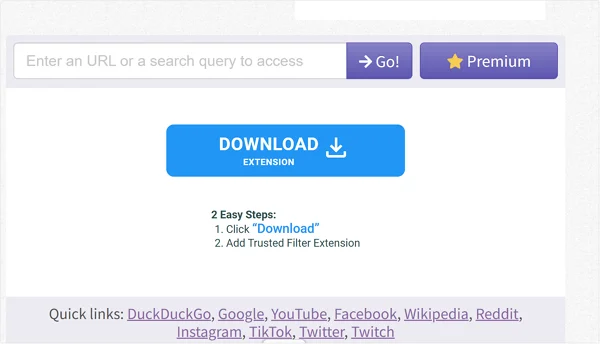
Blockaway Net is a web-based proxy service designed to help users bypass internet censorship and content filters. Think of it as a middleman between your computer and the website you want to visit.
When you browse the internet normally, your computer sends a request directly to a website's server. That server sees your unique digital address, known as an IP address, and knows exactly who you are and where you are connecting from. If that website is blocked by your local network administrator, the request hits a wall and stops. Blockaway changes this path completely.
When you use Blockaway Net, your request goes to the Blockaway server first. The Blockaway server then sends a new request to the website you want to view. The website sees the request coming from Blockaway, not from your personal computer or your school network. It sends the data back to Blockaway, which then forwards it to your screen.
This process masks your identity and location. The website thinks a different computer is accessing it, and your local network filter only sees that you are connected to Blockaway, not the blocked site.
It is built on what is known as "proxy" architecture. Unlike software that you must download and install on your hard drive, Blockaway Net lives entirely in your web browser.
This is crucial for users on public computers, like those in internet cafes or university libraries, where installing new programs is usually forbidden. It uses advanced compatibility standards to ensure that modern websites, which often have heavy video and audio elements, load correctly even when passed through this intermediary server.
Key Features and Functions of Blockaway
Many proxy sites exist, but they often struggle with heavy modern websites. A proxy might load the text of a page but fail to play the video or load the comment section. Blockaway Net attempts to solve these specific technical hurdles with a set of distinct features designed for the modern web.
⭐ Key Features
-
No Installation Required: You do not need to download an .exe file or an app. It works directly inside Chrome, Firefox, or Safari. This makes it usable on restricted devices where you don't have admin rights.
-
High Compatibility: The service is built to handle complex JavaScript and HTML5. This means sites with interactive elements, like YouTube or Twitter, usually function as intended rather than breaking apart.
-
Server Selection: Users can often choose different proxy locations. If a specific video is only available in Europe, you can route your traffic through a European server to watch it.
-
Persistent URL Encryption: The links you click while using the service remain encrypted, adding a layer of privacy to your browsing session so your ISP cannot easily track the specific pages you visit.
While the features describe what the tool has, the functions describe what you can actually do with it in your daily life. The primary function is, of course, access, but it goes beyond just opening a blocked page.
⭐ Primary Functions
-
Bypassing Geo-Restrictions: Many streaming services restrict content based on country. Blockaway Net functions as a key to unlock these region-locked libraries by making your traffic appear local to the allowed region.
-
Hiding Real IP Addresses: Every time you connect, your real IP is hidden. This prevents websites from building a profile on your browsing habits based on your location and internet provider.
-
School and Workplace Unblocking: This is the most common use case. It allows employees or students to access blocked news sites, social media, or entertainment platforms during breaks without triggering network alarms.
-
Secure Browsing on Public Wi-Fi: When you use open Wi-Fi at a coffee shop, your data is vulnerable. Routing it through Blockaway Net adds a layer of separation between your device and potential snoopers on the same network.
Top 10 Alternatives to Blockaway
Blockaway Net is useful for light browsing, but it is not suitable for all situations. Many users switch to alternatives when they need better speed, stronger privacy, or broader access.
Below are ten reliable alternatives, starting with the most complete option.
1) UFO VPN
UFO VPN is a full VPN service rather than a browser proxy. It encrypts your internet traffic using secure tunneling protocols, which means data is protected from the moment it leaves your device. This encryption prevents network owners and third parties from reading your browsing activity.
Compared with Blockaway Net, UFO VPN works system-wide, not just inside one browser tab. It hides your IP address, encrypts traffic, and allows access to websites, apps, and streaming platforms at the same time. Blockaway Net only masks IPs at the browser level and does not control background connections.
UFO VPN also includes proxy-style features for quick access. You can start with a free proxy VPN in UFO VPN before moving to full VPN modes. This makes it a strong replacement for Blockaway Net when users need more stable access and stronger privacy. UFO VPN is especially suitable for school networks, public Wi-Fi, and travel use.


UFO VPN is an all-in-one VPN that offers unlimited access to 4K streaming like Netlfix, Disney Plus, no-ping gaming as PUBG, Roblox, CODM and social networking for YouTube, X, Facebook and more.




Unlock Pro Features
If you have upgraded to premium plan , feel free to enjoy premium servers for 4K streaming and advanced features like Kill Switch, Split Tunneling, and gaming acceleration. Your Mac is now fully optimized and protected. Inaddition to basic functions, we recommend you turn on

Verify Your IP Now
Use UFO VPN's " What is My IP " feature to see your new IP and location. This confirms your connection is secure, anonymous, and ready for safe browsing online anywhere at any time.







2) CroxyProxy
CroxyProxy is a browser-based proxy similar to Blockaway Net. It supports video streaming sites better than most basic proxies and does not require registration. It works well for short sessions but may slow down during peak hours.
3) VPNBook
VPNBook offers both proxy and VPN services. Its web proxy works like Blockaway Net, while its VPN option adds encryption. The free service uses shared credentials, which limits speed and reliability.
4) ProxySite.com
ProxySite.com is a simple web proxy with multiple server locations. It supports popular platforms and works well for basic browsing. Like Blockaway Net, it does not encrypt all traffic.
5) Zalmos
Zalmos focuses on social media access. It allows users to open blocked platforms quickly. It is limited to specific sites and does not support custom URLs.
6) GenMirror
GenMirror works as a mirror-based proxy. Instead of rerouting traffic dynamically, it loads cached or mirrored versions of blocked pages. This is useful for reading content but not for interaction.
7) KPROXY
KPROXY provides both browser proxy and browser extension options. It offers better stability than many free proxies but limits bandwidth on free plans.
8) ProxySite.site
ProxySite.site is a lighter version of ProxySite.com. It works for basic browsing but lacks advanced options. Speed depends heavily on server load.
9) 4everproxy
4everproxy allows users to choose server locations and customize headers. It provides more control than Blockaway Net but still lacks full encryption.
10) HideMyAss (HMA) Free Proxy
HideMyAss is a famous name in the VPN world, but they also offer a free web proxy tool. The advantage here is the reputation of the brand.
You know the infrastructure behind it is solid. Their free proxy allows you to choose from servers in the US, UK, and the Netherlands. It also has features to disable cookies and scripts for privacy. It is a trustworthy option if you are worried about using unknown proxy sites.
Is Blockaway.com Worth a Try?
After looking at the features and the alternatives, the question remains: is Blockaway Net worth your time? The answer depends heavily on what you need to do.
If you are looking for a quick, free solution to access a specific page that is blocked on your local network, then yes, it is absolutely worth a try. It is free, requires no commitment, and works instantly. For a student trying to access a research paper or a worker trying to check a news update, it is the perfect tool. It removes the barrier without requiring technical knowledge.
However, if you are planning to do sensitive activities like online banking, shopping with a credit card, or sending confidential emails, Blockaway Net - and indeed any free web proxy - is not the right tool. Free proxies often do not offer the same level of security as a paid VPN. Your data is decrypted at the proxy server, which theoretically means the server owner could see it. Furthermore, for long-term streaming or gaming, the speed of a free web proxy might be inconsistent.
In summary, Blockaway Net is an excellent "spare key" to keep in your pocket for quick access. It is reliable for browsing and viewing content. But for privacy-critical tasks or heavy daily usage, a dedicated application like UFO VPN is a superior investment.
How to Make Sure Blockaway Is Working?
Using a tool like this can sometimes be confusing. You might see the website you wanted, but how do you know your IP is actually hidden? How do you know you are safe?
The most scientific way to verify Blockaway Net is working is to check the digital address.
-
Open a normal browser tab and search for "What is my IP". Note down the number you see (e.g., 192.168.x.x).
-
Now, go to Blockaway Net.
-
In the Blockaway search bar, type "What is my IP" and hit enter.
-
The search result should appear inside the Blockaway window. Look at the number displayed.
-
If the number inside the Blockaway window is different from the number in your normal tab, the service is working. You are successfully disguised.
Meanwhile, to get the best performance and ensure it works every time, follow these simple steps:
-
Clear Your Cookies: Before starting, it is good practice to clear your browser cookies. This ensures old location data stored in your browser doesn't conflict with the proxy.
-
Enter the Full URL: While you can search for terms, typing the full address (e.g.,
https://www.youtube.com) into the Blockaway bar often yields faster results than searching for "YouTube" first. -
Check the Server: If a site fails to load, look for a "Server" or "Location" option on the Blockaway interface. Switch from a US server to a European server (or vice versa) and try again. Sometimes specific servers are blocked by the target site.
-
Manage Scripts: If a page looks broken (text is jumbled, images missing), check the proxy settings menu (usually a gear icon). Ensure "Remove Scripts" is unchecked. Modern sites need scripts to look right. Conversely, if you want just text and speed, check that box.

Summing Up
Blockaway Net is a simple browser proxy designed for quick access to blocked websites. It is easy to use, requires no setup, and works in restricted environments. However, it provides limited protection and is not suitable for private or long-term use.
For stronger security, better speed, and full-device coverage, VPN-based solutions like UFO VPN offer a safer and more flexible option.
FAQs
Is Blockaway safe to use?
Blockaway is generally safe for casual browsing, watching videos, and reading articles. It hides your IP and encrypts the URL. However, avoid entering sensitive data like passwords or credit card numbers on any free web proxy, as the end-to-end encryption is not as robust as a premium VPN.
Does Blockaway Net cost money?
No, the basic version of Blockaway is completely free to use. You do not need to register or provide credit card details. They may offer a premium version or display ads to cover their server costs, but the core functionality is free.
Can I watch Netflix on Blockaway?
It is difficult. Major streaming platforms like Netflix have very advanced proxy-detection systems. While Blockaway might occasionally work, it is common for Netflix to block traffic coming from known proxy servers. A dedicated streaming VPN is usually required for consistent Netflix access.
Why is Blockaway running slowly?
Free proxies are shared by thousands of users at the same time. If too many people are trying to watch videos simultaneously, the server bandwidth gets clogged, resulting in buffering or slow page loads. Switching to a different server location or trying an alternative from our list often fixes this.
Does Blockaway work on mobile phones?
Yes. Since Blockaway Net is browser-based, it works on Chrome, Safari, and other mobile browsers on both Android and iOS. You do not need to install an app; just navigate to the website on your phone.