Key Takeaways
If you want consistent Tamilyogi access with strong speed and privacy, premium VPNs like ExpressVPN, NordVPN, or Surfshark deliver the most stable performance.
If you’re looking for a budget-friendly or starter option, UFO VPN offers a simple setup with a free tier, while Proton VPN is a strong unlimited free alternative.
Free VPNs can work occasionally — but for long-term HD streaming, premium services are more reliable.
Top 10 Tamilyogi VPN Free Download: Overview
If you’re trying to access Tamilyogi safely and consistently, choosing the right VPN makes a noticeable difference in speed, stability, and privacy. Here's an overview of free and premium VPNs for Tamilyogi:
| VPN Brand | Type | Best For | Streaming Speed | Data Limit | Ease of Use | Overall Performance |
|---|---|---|---|---|---|---|
| UFO VPN | Freemium | Simple streaming & beginners | ⭐⭐⭐⭐ | Free + Paid | ⭐⭐⭐⭐⭐ | ⭐⭐⭐⭐ |
| Proton VPN | Free | Unlimited free data | ⭐⭐⭐ | Unlimited (Free) | ⭐⭐⭐⭐ | ⭐⭐⭐⭐ |
| Windscribe | Free | Light streaming | ⭐⭐⭐ | 10GB/month | ⭐⭐⭐⭐ | ⭐⭐⭐ |
| TunnelBear | Free | Casual browsing | ⭐⭐ | 2GB/month | ⭐⭐⭐⭐⭐ | ⭐⭐ |
| Hide.me | Free | Basic privacy | ⭐⭐⭐ | 10GB/month | ⭐⭐⭐ | ⭐⭐⭐ |
| ExpressVPN | Premium | Best overall performance | ⭐⭐⭐⭐⭐ | Unlimited | ⭐⭐⭐⭐⭐ | ⭐⭐⭐⭐ |
| NordVPN | Premium | Speed + security balance | ⭐⭐⭐⭐⭐ | Unlimited | ⭐⭐⭐⭐ | ⭐⭐⭐⭐ |
| Surfshark | Premium | Budget unlimited devices | ⭐⭐⭐⭐ | Unlimited | ⭐⭐⭐⭐ | ⭐⭐⭐⭐⭐ |
| CyberGhost | Premium | Beginner streaming | ⭐⭐⭐⭐ | Unlimited | ⭐⭐⭐⭐ | ⭐⭐⭐⭐ |
| PIA | Premium | Advanced customization | ⭐⭐⭐⭐ | Unlimited | ⭐⭐⭐ | ⭐⭐⭐⭐ |
Top 5 Free Tamilyogi VPNs - Watch Tamilyogi Movies Without Charge
1. UFO VPN (Freemium Option)

Best for: Beginners who want simple access + optional upgrade
Pros
-
One‑tap connect interface
-
Decent streaming speeds
-
Free tier available
-
Multiple device support
Cons
-
Free servers may be limited
-
Premium upgrade needed for best performance
👉 Balanced option if you want both free testing and upgrade flexibility.
2. Proton VPN (Free Plan)
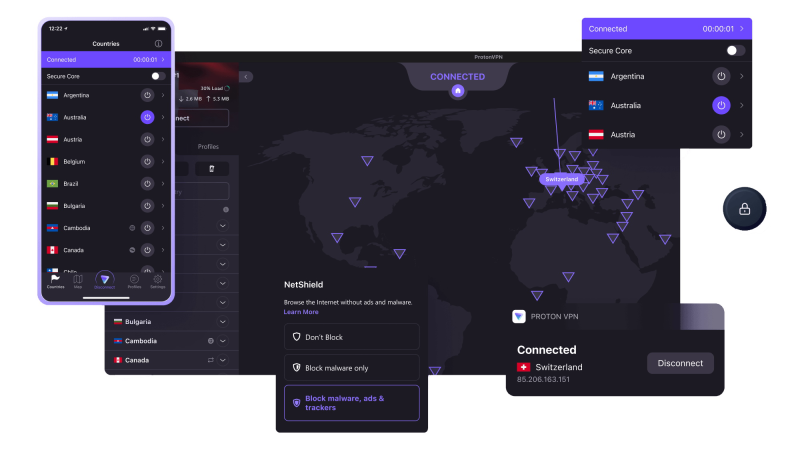
Best for: Unlimited free data
Pros
-
No data cap
-
Strong privacy reputation
-
Reliable encryption
Cons
-
Limited free server locations
-
Slower during peak hours
3. Windscribe (Free Plan)
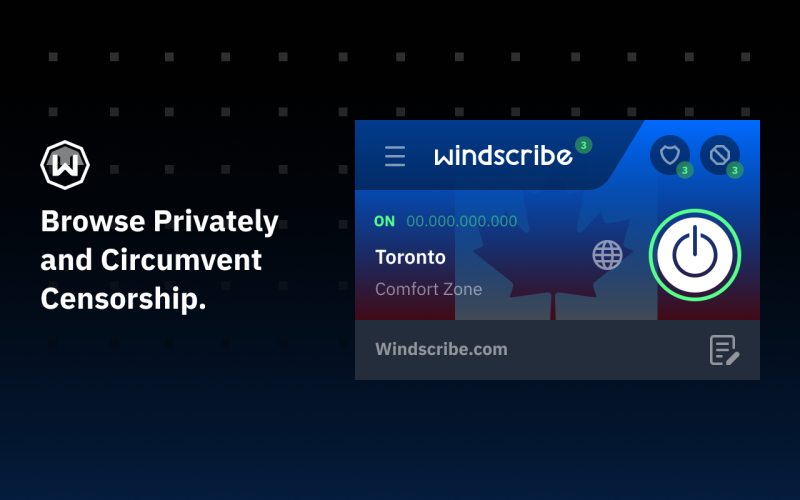
Best for: Moderate monthly use
Pros
-
10GB monthly free data
-
Decent speeds
-
Built‑in ad blocker
Cons
-
Data cap limits HD streaming
4. TunnelBear (Free Plan)

Best for: Very light usage
Pros
-
Extremely beginner‑friendly
-
Clean interface
Cons
-
Only 2GB per month
-
Not ideal for video streaming
5. Hide.me (Free Plan)
Best for: Basic privacy + limited streaming
Pros
-
10GB free data
-
Good encryption
Cons
-
Fewer free servers
-
Speed fluctuations


Top 5 Premium Tamilyogi VPNs - Better Service
Premium VPNs are generally faster, more stable, and better at unblocking geo‑restricted content than free services — ideal if you stream Tamilyogi regularly or want consistent performance across regions.
1. ExpressVPN
Price (Typical)
-
~$6.67/month on a 12‑month plan (with some deals lower)
-
~$2.44–$4.99/month on long‑term plans with promotions
Pros
-
🚀 Exceptional streaming performance and consistent speeds across global servers
-
📺 Works reliably with geo‑restricted video content
-
🛡️ Strong security with RAM‑only servers and audited no‑logs systems
-
📱 Easy to use apps with SmartDNS for devices that don’t support VPN apps
Cons
-
💸 More expensive than many competitors on short‑term plans
-
🔒 Only up to 8 simultaneous connections per subscription
ExpressVPN is often recommended for users who want smooth, buffer‑free streaming without worrying about manual setup or region switching.
2. NordVPN
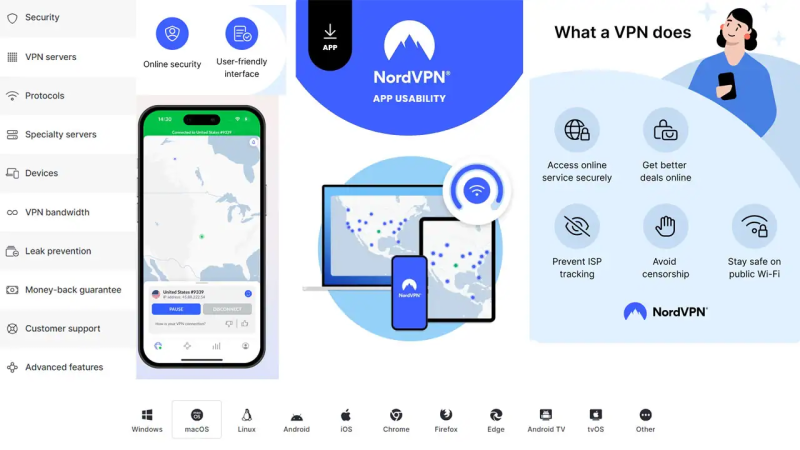
Price (Typical)
-
~$3.39/month on a 24‑month plan
-
~$4.99/month (12‑month deal)
-
~$12.99 on a monthly plan
Pros
-
🔒 Advanced security tools, including Double VPN and strong encryption
-
🚀 Fast connections using NordLynx (WireGuard‑based) protocol
-
📡 Reliable unblocking of popular streaming sites and geo‑restricted media
Cons
-
🖥️ App interface can feel cluttered for new users
-
⚠️ Slight variation in speed depending on server location
NordVPN strikes a strong balance between privacy, streaming performance, and price, making it a top all‑around choice for Tamilyogi and other content.
3. Surfshark
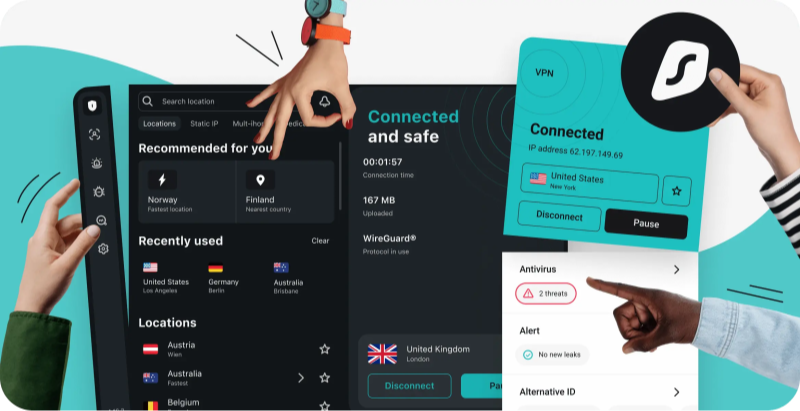
Price (Typical)
-
~$1.99/month on a 24‑month plan
-
~$3.19/month (12‑month)
-
~$15.45/month (1‑month)
Pros
-
📱 Unlimited simultaneous devices — ideal for families or multiple screens
-
🧪 Fast speeds and consistent unblocking abilities
-
🛡️ Strong security with no‑logs policy and additional tools like CleanWeb ad blocking
Cons
-
📶 Occasional slower servers in less common locations
-
🧠 Some advanced features may require extra learning or toggling
Surfshark delivers premium performance at a lower price, and unlimited connections make it hard to beat for households.
4. CyberGhost

Price (Typical)
-
~$2.03/month on a long‑term plan
-
~$6.99/month on shorter plans
Pros
-
📺 Dedicated servers optimized for streaming popular platforms
-
🪩 Very easy to set up and use for beginners
-
📍 Large server network with broad geography coverage
Cons
-
🧰 Fewer advanced security features compared to NordVPN or ExpressVPN
-
📶 Server speeds vary more than premium competitors
If you want simple streaming‑oriented connections without complication, CyberGhost is a great first premium VPN.
5. Private Internet Access (PIA)

Price (Typical)
-
~$2.03/month on long‑term plan
-
~$3.33/month (12‑month)
-
~$11.95/month (monthly)
Pros
-
📊 Highly customizable settings for encryption, protocol choice, and routing
-
🛡️ Strong privacy protections and large server network
-
📡 Unlimited simultaneous connections on many plans
Cons
-
☁️ Streaming unblocking can be hit‑or‑miss on some platforms
-
🧭 Interface feels less intuitive for beginners
PIA is perfect for power users who want control over every aspect of their VPN setup.
Why You Need a VPN for TamilYogi: See What Tamilyogi VPN Works
Streaming TamilYogi without a VPN can expose you to geo-restrictions, ISP throttling, and privacy risks. Here’s why using a VPN is highly recommended.
1. Geo-Restrictions on TamilYogi Content
A VPN lets you connect to servers in other regions, unlocking all movies and shows.
If you have trouble using TamilYogi in your region, you can choose a free proxy VPN in UFO VPN.
2. ISP Blocks and Regional Limitations
Many ISPs block torrenting or streaming platforms like TamilYogi. VPNs bypass these restrictions by encrypting your traffic and masking your IP address.
3. Privacy Risks When Streaming Without a VPN
Your browsing activity can be monitored by ISPs or government agencies. A VPN protects your personal data and viewing history, ensuring safe streaming anywhere.


Bonus: How to Use a Tamilyogi VPN for Smooth Streaming


UFO VPN is an all-in-one VPN that offers unlimited access to 4K streaming like Netlfix, Disney Plus, no-ping gaming as PUBG, Roblox, CODM and social networking for YouTube, X, Facebook and more.




Unlock Pro Features
If you have upgraded to premium plan , feel free to enjoy premium servers for 4K streaming and advanced features like Kill Switch, Split Tunneling, and gaming acceleration. Your Mac is now fully optimized and protected. Inaddition to basic functions, we recommend you turn on

Verify Your IP Now
Use UFO VPN's " What is My IP " feature to see your new IP and location. This confirms your connection is secure, anonymous, and ready for safe browsing online anywhere at any time.







Is Using a Tamilyogi VPN Legal?
In most countries — including the United States, Canada, the UK, and much of Europe — VPNs are completely legal. Millions of people use VPNs daily to:
-
Protect personal data on public Wi-Fi
-
Prevent ISP tracking
-
Access geo-restricted content
-
Improve online privacy
However, a few countries (such as Iran, North Korea, or China) impose heavy restrictions or licensing requirements on VPN usage. So legality always depends on your local regulations. Tamilyogi is widely known as a piracy streaming website, and accessing copyrighted content without authorization may violate copyright laws in many jurisdictions. Using a VPN does not make illegal activity legal. A VPN:
-
Encrypts your internet connection
-
Hides your IP address
-
Protects your browsing data
But it does not override copyright law.
Troubleshoot: Tamilyogi VPN Is Not Working
Sometimes users connect to a VPN but Tamilyogi still won’t load. This is common and usually fixable. Here’s a structured troubleshooting guide:
1. Switch to a Different Server Location
Many free streaming sites block specific IP ranges.
-
Disconnect your current VPN server
-
Switch to another country or another server within the same country
-
Refresh the page
Pro tip: Residential-style IP servers tend to work better than overused free servers.
2. Clear Browser Cache & Cookies
Streaming sites often store IP-related session data.
-
Clear cache and cookies
-
Open Tamilyogi in Incognito mode
-
Or try a different browser
This forces the site to treat you as a new visitor.
3. Disable DNS Leak or Change DNS
If your ISP DNS is still resolving requests, the site may detect your real location.
-
Enable DNS leak protection inside your VPN settings
-
Or manually switch to public DNS like:
-
Google DNS (8.8.8.8 / 8.8.4.4)
-
Cloudflare DNS (1.1.1.1)
-
4. Turn Off IPv6
Some VPNs do not fully tunnel IPv6 traffic.
-
Disable IPv6 in your device network settings
-
Restart browser and reconnect VPN
5. Upgrade From Free VPN to Stable VPN
Free VPNs often:
-
Share overcrowded IPs
-
Have blacklisted servers
-
Offer unstable bandwidth
If buffering or blocking keeps happening, a stable premium VPN with regularly refreshed IP pools typically performs better.
6. The Website Itself May Be Down
Sometimes the issue isn’t the VPN — it’s the site.
Check:
-
Try accessing without VPN
-
Use a “website down checker” tool
-
Search for updated mirror domains
Piracy sites frequently change domains, so you may simply be using an outdated link.
Tips: How to Find the Perfect VPN for TamilYogi Streaming
Choosing the right VPN ensures smooth streaming anywhere. Consider these factors:
- Server Network: More servers mean better speed and reliability.
- Speed & Bandwidth: Avoid slow connections; streaming in HD or 4K requires fast VPN servers.
- Security Features: Look for AES-256 encryption, no-logs policy, and a kill switch.
- Device Compatibility: Make sure it supports all your devices.
- Free Trial or Money-Back Guarantee: Test the service before committing.
Conclusion
A VPN is essential for accessing TamilYogi safely and from anywhere. Whether you’re traveling, on public Wi-Fi, or facing ISP restrictions, the right VPN ensures uninterrupted streaming and protects your privacy. Among the top picks, UFO VPN offers a great free version, while NordVPN, Surfshark, and ExpressVPN provide advanced features for serious streamers.
FAQs
Is it legal to use a VPN for TamilYogi?
VPNs are legal in most countries, but always comply with local laws regarding copyright content.
Can I stream TamilYogi in HD with a free VPN?
Yes, some free VPNs like UFO VPN offer sufficient speed, but paid VPNs usually provide more stable HD streaming.
Will a VPN protect my identity on TamilYogi?
Yes, a VPN encrypts your traffic and hides your IP address, ensuring your activity remains private.
Which VPN is best for beginners?
UFO VPN is beginner-friendly, while ExpressVPN and Surfshark are easy to use with additional features.