Why There're so Many FIFA Games to Play?
FIFA games were originally created to let football fans experience the excitement of real matches through gaming. As football became more popular worldwide, developers started creating different football games for players with different interests and devices.
Several reasons explain why FIFA-related games continue growing today:
- Football is extremely popular worldwide — Millions of fans enjoy both watching and playing football games.
- Players prefer different gameplay styles — Some enjoy realistic simulations, while others prefer casual or mobile-friendly matches.
- Gaming technology keeps improving — Better graphics, smoother gameplay, and online multiplayer make football games more attractive.
- More platforms are available — FIFA games can now be played on PC, console, mobile phones, and cloud gaming services.
- Online competition increases demand — Multiplayer modes and esports tournaments encourage developers to release more football games regularly.
Which Is the Best FIFA Game?
For many football fans, one common question is: FIFA Cup is related to which game? In reality, many football titles are connected to FIFA-inspired competitions, official tournaments, or licensed football experiences. Choosing the right one often depends on your preferred gameplay style, platform, and graphics quality. Below are some of the most popular football games that many players consider the best FIFA game options available today.
🏆 Classic FIFA Games (2000s Era)
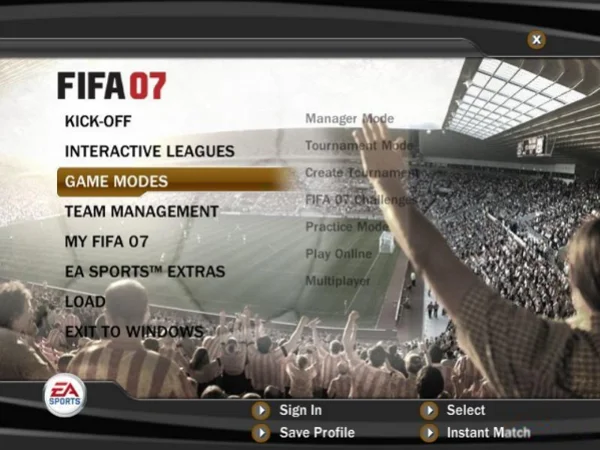
Older FIFA titles remain highly popular among nostalgic players because of their simple controls and memorable gameplay.
1. FIFA 2007 - The FIFA 2007 game is still considered one of the most iconic football games from the early gaming era. It introduced smoother animations, improved career mode systems, and more realistic player movements compared to earlier releases. Many longtime football fans still revisit this version because of its balanced gameplay and classic football atmosphere.
2. FIFA 10 - FIFA 10 became famous for its improved dribbling mechanics and tactical gameplay. Compared with previous editions, it offered more realistic ball control and smarter AI behavior. Even today, many retro football gamers still search for FIFA 10 game download resources to relive the classic football experience.
3. FIFA Street 2 - Unlike traditional football simulation games, FIFA Street 2 focused on freestyle skills, street football tricks, and fast-paced matches. It became extremely popular among casual football gamers.
4. FIFA World Cup 2006 - This version focused heavily on international football competitions and national teams. Many players enjoyed recreating famous World Cup moments with licensed squads and stadiums.
🎮 Modern FIFA & EA Sports FC Series
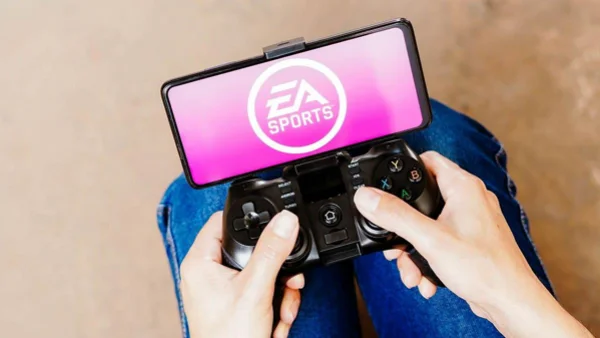
After the FIFA branding transition, EA continued producing football games under the EA Sports FC name.
1. EA Sports FC 24 - EA Sports FC 24 features updated player databases, realistic stadium environments, Ultimate Team modes, and advanced online matchmaking systems. It is one of the strongest candidates for players looking for the best FIFA game experience with modern graphics and competitive gameplay.
2. FIFA Mobile - FIFA Mobile remains one of the most accessible football games for casual users. Since it supports Android and iOS devices, players can quickly build teams, complete live events, and participate in multiplayer matches anytime.
3. FIFA 23 - FIFA 23 introduced HyperMotion technology, improved player movement systems, and expanded women's football competitions. Many players still consider it one of the most polished modern football games.-
4. EA Sports FC Mobile - This mobile version offers smoother online gameplay, updated player rosters, and optimized controls for touchscreen devices.
5. FIFA Online 4 - Popular in many Asian regions, FIFA Online 4 focuses strongly on online PvP competition and team-building systems with regular live updates.
🎁 Free-to-Play Football Alternatives
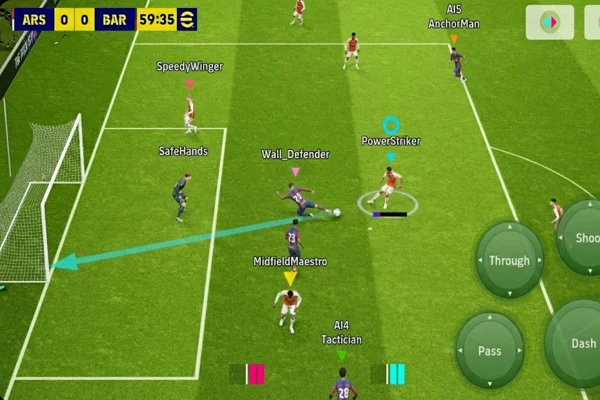
Some football games are not officially under the FIFA title but still provide highly enjoyable football gameplay experiences.
1. eFootball - Developed by Konami, eFootball is one of the biggest football gaming competitors in the market. It offers realistic player physics, online PvP gameplay, and regular live updates. Since it is free-to-play, many users choose it as a strong alternative to premium football titles.
2. Dream League Soccer - Dream League Soccer combines football management with arcade-style gameplay. Players can customize stadiums, build squads, and compete in online leagues with relatively lightweight device requirements.
3. Football Manager Mobile - Although it focuses more on tactics and management than direct gameplay, Football Manager Mobile remains highly popular among strategic football fans.
🕹️ Arcade-Style Football Games
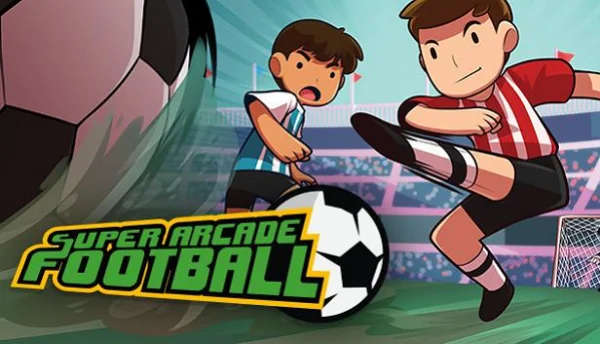
Not all football gamers want realistic simulations. Some prefer casual and entertaining gameplay styles.
1. Score! Hero - This football game focuses on story-based progression and puzzle-style football mechanics. It is suitable for users who prefer quick mobile gameplay sessions.
2. Soccer Stars - Soccer Stars transforms football into a simple, tabletop-style competitive game. Although it is less realistic, it remains extremely entertaining for multiplayer gaming.
3. Head Ball 2 - Head Ball 2 features funny character designs, exaggerated football action, and fast online matches. Its casual gameplay style makes it very popular among younger players.
4. Mini Football - Mini Football simplifies football gameplay with cartoon-style graphics and easy controls, making it ideal for casual mobile users.
Where to Download & Play the Free FIFA Game?
Finding the right platform is an important step for anyone learning how to play FIFA game titles smoothly and safely. Different football games support different operating systems, so players should choose reliable download sources according to their devices and preferred gameplay styles. Continue reading below to discover several common ways to access football games.
1. Download from Official Game Platforms

The safest way to download football games is through official gaming platforms such as:
- Steam
- Epic Games Store
- PlayStation Store
- Xbox Marketplace
- Nintendo eShop
These platforms usually provide automatic updates, multiplayer support, and secure payment systems.
2. Download FIFA Mobile from App Stores

Mobile users can directly install FIFA Mobile or similar football games from:
- Google Play Store
- Apple App Store
This method is fast and convenient for casual players who prefer gaming on smartphones.
3. Search for Classic Football Games
Retro football fans often search for FIFA 10 game downloads or FIFA 2007 game installation files online. However, users should always choose trustworthy websites or community forums to avoid corrupted files or malware risks.
4. Use Cloud Gaming Services
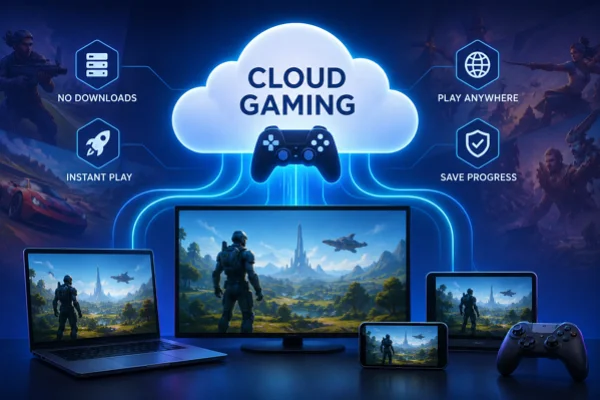
Some football games can also be played through cloud gaming platforms without downloading large files. Services like Xbox Cloud Gaming or GeForce NOW allow users to stream football games directly through internet browsers.


For More Fun: FIFA Game Setting Suggestions
Proper game settings can significantly improve football gameplay quality. From graphics optimization to controller customization, small adjustments often create smoother and more realistic football experiences.
🎥 Adjust Camera Settings
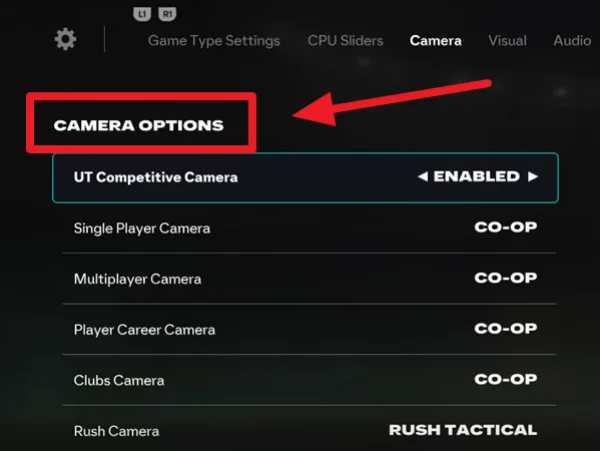
Changing the camera angle can improve field visibility during matches.
Recommended settings:
- Open game settings
- Enter Camera Options
- Choose Tele Broadcast or Co-op mode
- Adjust zoom and height based on preference
These settings usually provide better tactical awareness during gameplay.
🌐 Activate a Reliable VPN
Choosing the best free vpn for world cup can sometimes improve online football gaming experiences, especially during multiplayer matches or regional events.
Benefits may include:
- More stable server connections
- Reduced lag in some regions
- Access to region-limited football events
- Better privacy during online gameplay
One commonly mentioned option among football gamers is UFO VPN, which is known for its gaming-friendly servers and easy setup.


UFO VPN is an all-in-one VPN that offers unlimited access to 4K streaming like Netlfix, Disney Plus, no-ping gaming as PUBG, Roblox, CODM and social networking for YouTube, X, Facebook and more.




Unlock Pro Features
If you have upgraded to premium plan , feel free to enjoy premium servers for 4K streaming and advanced features like Kill Switch, Split Tunneling, and gaming acceleration. Your Mac is now fully optimized and protected. Inaddition to basic functions, we recommend you turn on

Verify Your IP Now
Use UFO VPN's " What is My IP " feature to see your new IP and location. This confirms your connection is secure, anonymous, and ready for safe browsing online anywhere at any time.







⚙️ Optimize Graphics Performance
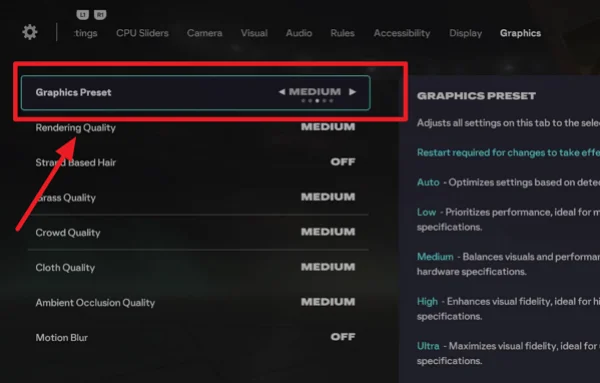
Players using low-end devices should reduce graphics settings for smoother gameplay.
Key steps:
- Open Video Settings
- Lower shadow quality
- Disable unnecessary visual effects
- Reduce crowd density if needed
This can help reduce lag and frame drops during matches.
🎮 Customize Controller Layout
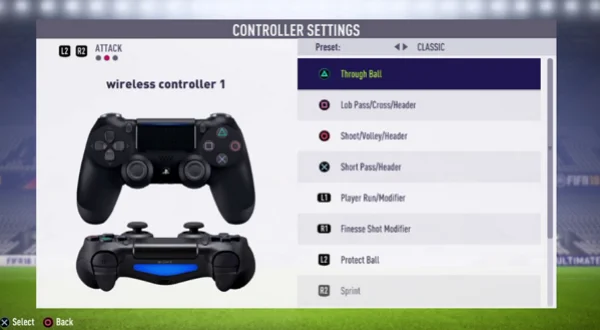
Many players perform better after adjusting button layouts.
You can:
- Change sprint button sensitivity
- Customize passing controls
- Modify shooting assistance
- Enable manual defending options
These adjustments help create more comfortable gameplay habits.
📚 Enable Training & Skill Tutorials
Most modern football games include built-in tutorials.
You should:
- Complete skill training sessions
- Practice dribbling and passing
- Learn defensive positioning
- Test tactical formations
This improves overall gameplay efficiency, especially for beginners.
Bonus Tips: Use Legal FIFA Game Hack to Level up the Gameplay
Many players search for fifa game hack methods because they want faster progression, better customization, or smoother gameplay experiences. Fortunately, not all hacks involve unfair advantages or risky modifications. Some legal methods can improve gameplay efficiency while fully respecting official game rules.
1. Use Official Redeem Codes
Many football games regularly release promotional codes that provide:
- Free player packs
- Coins
- Skill boosts
- Limited-time rewards
You can often redeem them through official event pages.
2. Participate in Seasonal Events
Limited-time tournaments often provide valuable rewards without requiring purchases, such as:
- World Cup events
- Weekly challenge modes
- Ranked competitions
- Holiday football events
3. Install Legal Gameplay Mods
Some offline football games support community-created mods that improve:
- Player faces
- Stadium graphics
- Team kits
- Commentary updates
These mods enhance realism without violating game rules.
4. Use Companion Apps
Official football game companion apps help players:
- Manage squads
- Trade players
- Complete market activities
- Monitor live events
This improves progression efficiency outside the main game.
5. Join Online Communities
Experienced players often share:
- Tactical strategies
- Formation guides
- Skill tutorials
- Gameplay optimization settings
Learning from active communities can improve performance much faster.
Summing Up
Football gaming continues evolving alongside real-world football culture, giving fans more ways to experience competition, strategy, and entertainment beyond live matches.
Whether you prefer nostalgic classics, realistic simulations, mobile football titles, or arcade-style gameplay, modern football games now offer flexible experiences for nearly every type of player. With the right platform, optimized settings, and smart gameplay techniques, you can enjoy exciting virtual matches anytime and anywhere.
FAQs
Can I play FIFA games offline?
Yes. Many football games support offline gameplay modes such as Career Mode, Kick-Off Matches, and Tournament Mode.
Which FIFA game has the best career mode?
Many players consider FIFA 23 and EA Sports FC 24 to have some of the most advanced and realistic career mode systems.
Are free football games worth trying?
Yes. Many free football games now provide impressive graphics, online multiplayer modes, and regular updates comparable to premium games.
What devices can run FIFA Mobile?
FIFA Mobile supports most modern Android and iOS smartphones with stable internet connections.
Why do some football games no longer use the FIFA name?
Some developers changed branding due to licensing and partnership adjustments, but the gameplay style and football experience remain very similar.