logo

UFO VPN : Best Free VPN You Can Actually Trust

Strong encryption & free access to global apps & websites.

  • No credit card
  • 100% free plan
  • 2000+ servers
blog banner bg

How to Listen to Spotify Anywhere

Are you tired of the restrictions preventing you from enjoying your favorite Spotify playlists at school? Whether it’s due to firewalls, network restrictions, or strict school policies, accessing Spotify at school can be challenging. But fear not—there’s a solution. In this comprehensive guide, we’ll show you how to easily bypass these restrictions and enjoy Spotify safely, even while at school. Plus, we’ll explain how UFO VPN not only unblocks Spotify but also ensures your privacy is protected while streaming music. Ready to enjoy uninterrupted music? Let’s dive in!
Updated on 12/08/2025
5 minutes

Table of Contents

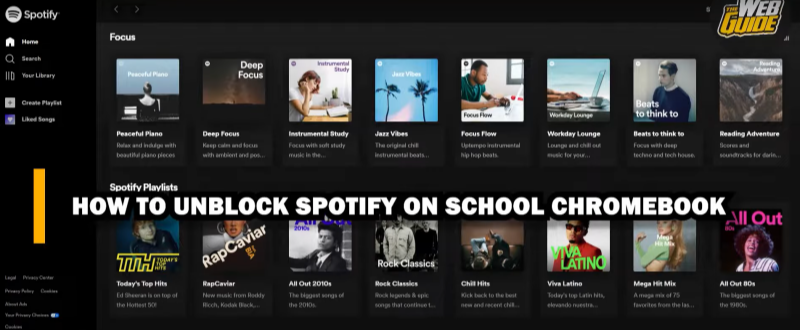
Why Spotify Is Blocked at School
how to unblock spotify at school

The Need for Restrictions

Many schools block streaming services like Spotify to save bandwidth, reduce distractions, or comply with content policies. However, this can be frustrating for students who want to use Spotify for studying, relaxation, or entertainment.

Common Methods Used to Block Spotify

  • Network-Level Restrictions: Schools often use firewalls and content filters to block access to certain websites and services like Spotify.

  • DNS Filtering: Schools may employ DNS filtering tools to prevent users from accessing specific websites or applications.

  • IP Blocking: Some institutions use IP blocking to prevent access to known streaming platforms.

While these methods are effective at blocking Spotify, they can be bypassed using the right tools.

How to Unblock Spotify at Schoolhow to unblock spotify at school
Method 1: Use a Proxy Server

A proxy server acts as an intermediary between your device and the internet. By connecting to a proxy server outside of your school’s network, you can bypass restrictions and access Spotify.

Drawbacks of Using a Proxy Server:

  • Slower Speeds: Proxies can slow down your internet connection, especially when streaming music.

  • Limited Security: Proxies don’t provide encryption, leaving your data vulnerable to interception.

Method 2: Use a VPN for Streaming

A Virtual Private Network (VPN) is the most reliable and secure method for unblocking Spotify at school. A VPN creates a secure, encrypted tunnel between your device and the internet, allowing you to bypass network restrictions and enjoy Spotify without restrictions.

Why UFO VPN Is the Best Choice

UFO VPN offers a fast, secure, and easy-to-use service that guarantees you can stream music without interruptions while keeping your data protected.

💖Bonus Tips💖

Always activate UFO VPN first. Shield your digital footprint with bank-grade encryption and IP masking, ensuring ISPs, hackers, and trackers never trace your activity back to your device. Beyond anonymity, UFO VPN transforms your online experience: unlock geo-restricted streaming platforms like Netflix US, score cheaper flights by switching virtual locations, or bypass censorship to access global news. Secure, seamless, and versatile—grab best VPN for PC or best VPN for Mac and redefine how you browse.

How Best free VPN Unblocks Spotify and Protects Your Privacy

What Makes UFO VPN Ideal for Unblocking Spotify?

UFO VPN provides a number of features that make it the perfect tool for streaming music at school:

  • Bypass Network Restrictions: UFO VPN allows you to connect to a server outside your school’s network, bypassing any restrictions or firewalls.

  • Encrypts Your Connection: Your internet traffic is encrypted, preventing third parties from tracking your activity.

  • Fast and Reliable Servers: UFO VPN offers high-speed servers that ensure smooth, uninterrupted streaming of music.

How to Set Up UFO VPN for Spotify Streaming

Step 1
Grab the free Windows VPN installer right below. UFO VPN is lightweight and secure on all Windows systems. Double-click the downloaded file and complete the installation. Once installed, launch UFO VPN.
windows1
Step 2
Select a VPN Server
Inside the app, you can click the "Connect" button for quick connection, or browse the list of servers by Location or categroy: Video& Stream, Game, etc. Choosing the right server ensures fast speeds and smooth access.
windows2
Pro Tip

UFO VPN is an all-in-one VPN that offers unlimited access to 4D streaming like Netlfix, Disney Plus, no-ping gaming as PUBG, Roblox, CODM and social networking for YouTube, X, Facebook and more.


Step 3
Enable Advanced Features
In addition to basic functions, we recommend you turn on extra protections via Ad Blocker and features like Kill Switch, Split Tunneling and Smart Hop. Users can optimize online gaming/streaming/chatting as much as possible.
windows3
Step 4
Check Your New IP
Use UFO VPN's built-in " What is My IP" feature to see your new IP address and location. This confirms your VPN is working, hides your real IP, and ensures privacy while browsing.
windows4
Step 1 Download and install UFO VPN for macOS
Click the button below to download offcial Mac VPN free. Open the .dmg file, drag UFO VPN to your Applications folder, and launch it. You're just a few clicks away from secure browsing.
macos1
Step 2 Pick Your IP Server
Tap "Connect" button for the fastest server automatically. Or you can select a server from the global server list in 100+ countries. UFO VPN is an UFO VPN is an all-in-one VPN or gaming, video streaming, social platforms, and AI tools.
macos2
Step 3

Unlock Pro Features

If you have upgraded to premium plan , feel free to enjoy premium servers for 4K streaming and advanced features like Kill Switch, Split Tunneling, and gaming acceleration. Your Mac is now fully optimized and protected. Inaddition to basic functions, we recommend you turn on

macos3
Step 4

Verify Your IP Now

Use UFO VPN's " What is My IP " feature to see your new IP and location. This confirms your connection is secure, anonymous, and ready for safe browsing online anywhere at any time.


macos4
Step 1 Download and install UFO VPN for iPhone/iPad
Download this free iOS VPN via official link or App Store. Once installed, launch the app to get started. UFO VPN is now trusted by over 2 million users worldwide with optimzed service.
ios1
Step 2 Select a Perfect Server
Hit "Connect" button for the fastest server near you instantly. Or you can choose a favorite location/platform from the server list manually for full control. UFO VPN is an all-in-one VPN companion for gaming, streaming, social media, and AI tools.
ios2
Step 3 Lookup IP and Enable Pro Features
Now you can check your current IP via built-in IP lookup tool. Pro features in premium plan offer you premium servers, blazing speeds, Kill Switch, Split Tunneling, and Multi-device login, so you can protect your iPhone, iPad, and other Apple devices all at once.
ios3
Step 1 install UFO VPN for Android
Get free Android VPN from offcial website or Google Play Store. Follow the instructions for easy download. Then open the app and get ready to surf safely.
android1
Step 2 Choose Your Ideal Server
UFO VPN is an all-in-one powerhouse for gaming, video streaming, social apps, and AI tools. The"Connect" button links you to the fastest server instantly, or you can choose among the server list manually via Location/ Video&Stream/Games for easy access.
android2
Step 3 Power Up Pro Features
Pro users can look up current IP via built-in "What Is My IP" feature, and unlock premium features like 4K servers, turbo speeds, Kill Switch, Split Tunneling, and Multi-device login, keeping all your Android phones, tablets, and other devices safe at once.
android3

Frequently Asked Questions (FAQ)

Why is Spotify blocked at school?
Schools block Spotify and other streaming services to save bandwidth, ensure that students focus on their studies, and adhere to content policies. However, these restrictions can be bypassed with the help of a VPN.

How does a VPN unblock Spotify?
A VPN changes your IP address and encrypts your internet connection, allowing you to access Spotify from any location, bypassing the restrictions imposed by your school’s network.

Can I use UFO VPN for free?
Yes, UFO VPN offers a free plan that allows you to unblock Spotify and stream music without limitations. The free plan provides a secure connection without any hidden fees or tracking.

Does using a VPN slow down my Spotify connection?
While using a VPN may slightly reduce your internet speed due to encryption, UFO VPN is optimized for speed, ensuring smooth and high-quality music streaming.

Can I use UFO VPN on my mobile device to unblock Spotify?
Yes, UFO VPN is available on both Android and iOS devices, allowing you to unblock Spotify and enjoy music streaming on the go.

Conclusion

Unblocking Spotify at school doesn’t have to be difficult or time-consuming. By using a reliable VPN service like UFO VPN, you can easily bypass any network restrictions, enjoy seamless music streaming, and ensure that your data remains private and secure. No more frustrating interruptions while you study or relax—just smooth, uninterrupted access to all your favorite songs.

Don’t let firewalls and restrictions stand in the way of your music enjoyment. Take control of your streaming experience with UFO VPN and start listening to Spotify from anywhere, even at school.

Bypass blocks. Stay private.

Use UFO VPN — the best free VPN that works anywhere

Megan Sullivan
Megan Sullivan

About This Author

Hey, I’m Megan Sullivan! I specialize in travel and pop culture writing, blending my love for storytelling with real-world experiences. From hidden gems in small towns to deep dives into the latest streaming hits, I bring stories to life with an authentic voice.