Key Takeaways
- You can browse ManyVids and find free content, but some videos and creator content require payment.
- Paywalls let creators earn from premium and exclusive content while still offering free previews.
- You may find ways to access more public content, but browser tricks do not reliably unlock paid material.
- If you have regional or connection issues, a VPN such as UFO VPN can help you connect through another location.
Is ManyVids Free? Check the Pricing Terms
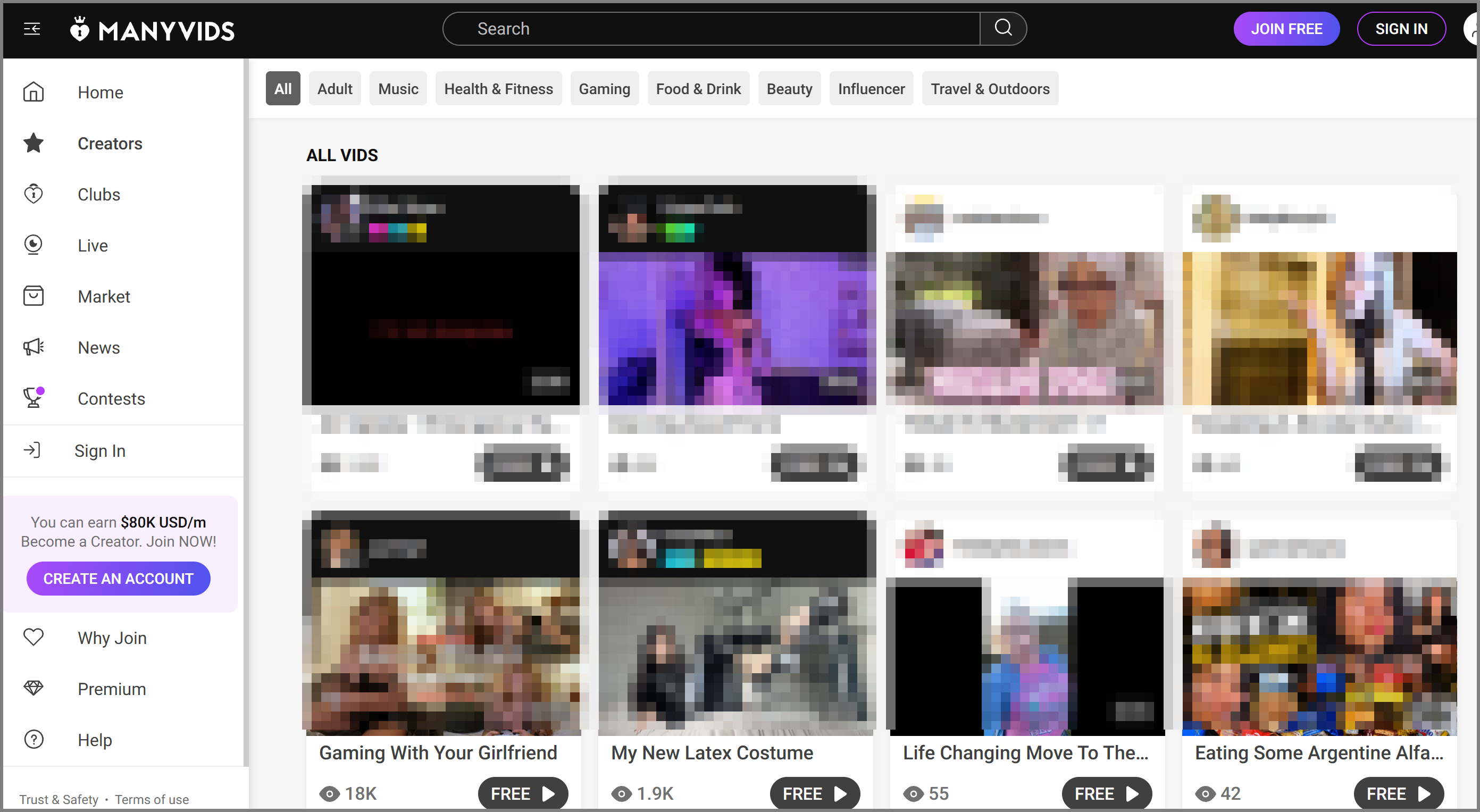
ManyVids gives you access to both free and paid content. You do not necessarily need to pay just to browse the platform, but you may need to purchase or subscribe when you want to access certain premium content.
How Much Does ManyVids Cost?
ManyVids does not have one fixed price for all content. The amount you pay depends on the creator, content type, and purchase option. You may see prices ranging from just a few dollars to $20 or more for individual premium content, while creator subscriptions can also vary depending on what is included.
Common costs may include:
- Individual videos: Around $5–$20+
- Subscriptions: Around $10–$30+ per month
- Tips: The amount varies by creator
- Paid messages or exclusive content: Usually a few dollars to $20+
You do not always need a subscription. If you only want one video, an individual purchase may be enough. Check the creator's current price before paying, as costs can vary.
Can You Use ManyVids Without Paying?
Yes. You can explore ManyVids without paying for every piece of content. Depending on the creator, you may find free videos, previews, public posts, and creator profiles.
However, free browsing does not mean that everything on ManyVids is free. Creators can choose which content they want to offer for free and which content they want to charge for.
What Do You Have to Pay for on ManyVids?
The cost depends on the creator and the type of content you want to access. You may see several different paid options, such as:
- Paid videos
- Creator subscriptions
- Tips
- Paid messages or exclusive content
- Other creator-specific purchases
You do not always need a subscription. If you only want one particular video, for example, an individual purchase may be enough. If you regularly follow the same creator, a subscription may offer more content for your money.
What Can You Watch on ManyVids for Free?
You can often find free content before making a purchase. This may include:
- Free previews
- Free videos or posts
- Creator profiles
- Public creator information
The amount of free content varies from one creator to another. The easiest approach is to explore the creator's profile first and check what is available without payment.
What Are Paywalls & Why Does ManyVids Use Them?
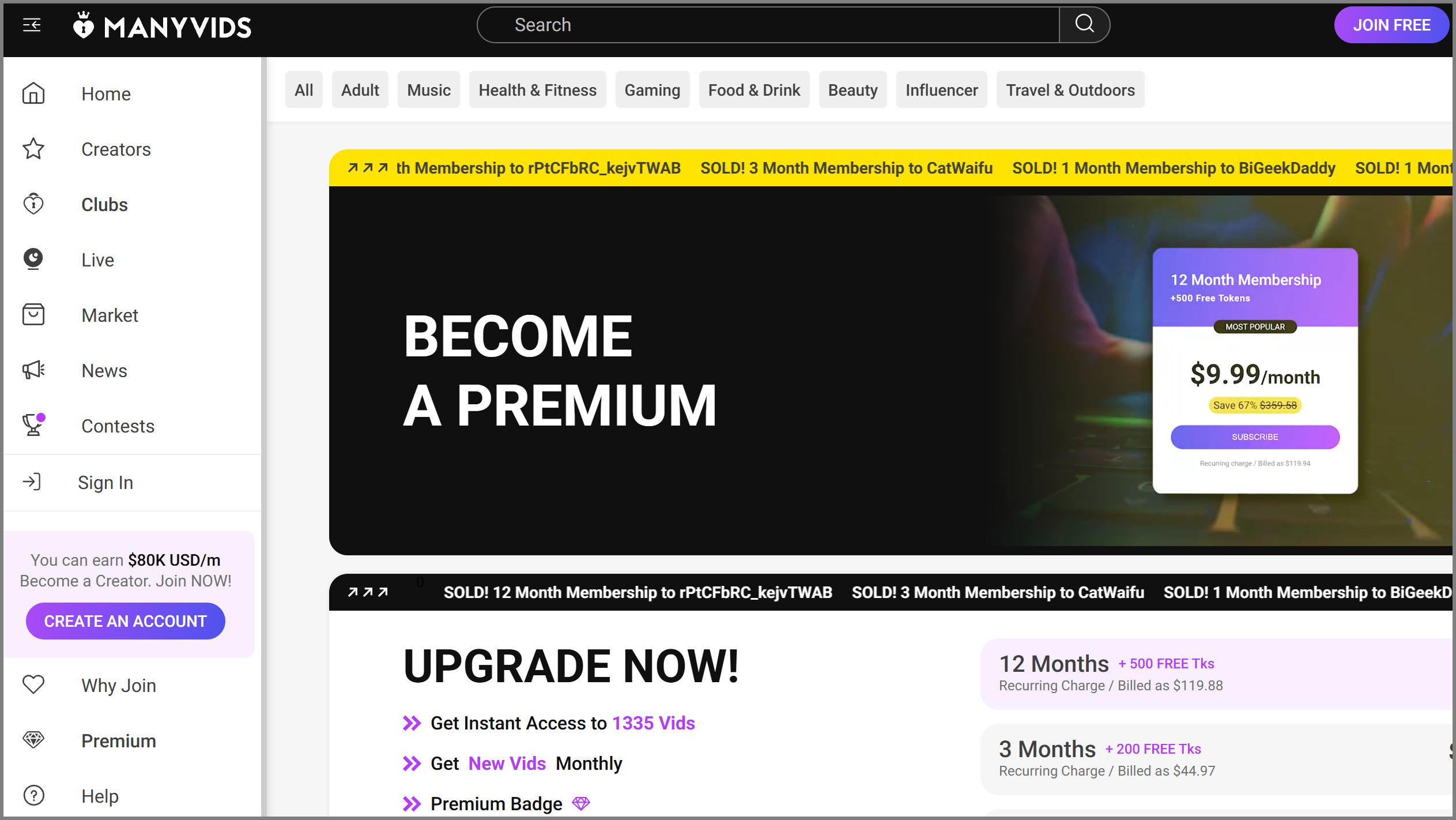
A paywall is a digital barrier that limits access to certain content until you pay for it. On ManyVids, some videos, posts, or other content may be available only after a purchase, subscription, or other payment. You can still access free previews and public content to get a better idea of what a creator offers.
ManyVids uses paywalls for several reasons:
- Offer Exclusive Content: Full-length videos, special releases, and other exclusive content can be placed behind a paywall instead of being available to everyone.
- Give Creators More Options: Creators can choose between individual purchases, subscriptions, tips, and other paid content instead of relying on just one way to earn.
- Separate Free and Premium Content: Free posts and previews help attract new viewers, while premium content gives paying viewers access to something more.
- Give You Time to Decide: You can browse free content, check prices, and learn more about a creator before deciding whether a purchase is worth it.
Simple Ways to Bypass ManyVids Paywall
If you do not want to purchase individual content or simply cannot access a ManyVids page, you may come across several ways to get around a paywall. Some methods involve your browser, search engines, or network connection.
Keep in mind that these tricks do not reliably unlock paid content. They are more useful for dealing with simple access limits, finding public information, or checking whether the problem comes from your browser or location.
Method 1. Start Fresh: Clear Browser Data
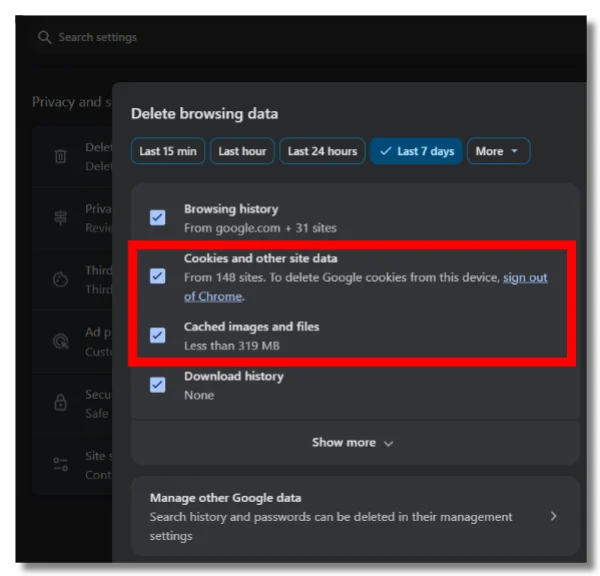
Your browser may store cookies and cached files that affect how a website recognizes your previous visits. Starting with a clean browser session can sometimes fix a simple access limit or loading issue.
💡 Key steps:
- Open your browser settings and find the privacy or browsing data section.
- Select cookies and cached files.
- If possible, choose ManyVids specifically instead of clearing all browsing data.
- Clear the selected data and close the browser.
- Open ManyVids again and check whether the page loads normally.
This will not remove a payment requirement if the content is restricted by your account or checked on the server.
Method 2. Try Incognito Mode
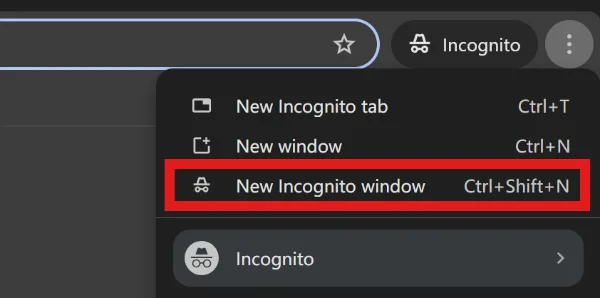
Incognito or private browsing gives you a fresh browser session without using your existing browsing history and most saved cookies. It can be useful if ManyVids appears to remember a previous visit or shows an unexpected access restriction.
💡 Key steps:
- Open an Incognito or Private window from your browser menu.
- Enter the ManyVids website address.
- Open the page you want to check.
- Compare the result with what you see in your normal browser window.
If the content is genuinely paid, private browsing will not make it free.
Method 3. Search for Public Previews
Search engines can sometimes show information that is already publicly available. You may find a creator's profile, content title, description, preview, or other details without opening the paid page directly.
💡 Key steps:
- Search for the creator's name or content title.
- Add terms such as “ManyVids” or “preview” if the results are too broad.
- Look for official profiles or publicly available pages.
- Open the result and check what content is available without payment.
Search results can help you discover public information, but they do not normally provide access to the full premium content.
Method 4. Check Other Public Pages
A creator may have public profiles or promotional pages outside ManyVids where they share previews and updates. Checking these pages can give you more free content to explore before deciding whether to pay.
💡 Key steps:
- Search for the creator's official social or promotional accounts.
- Check their profile links and recent posts.
- Look for free previews, announcements, or other publicly shared content.
Avoid unfamiliar sites that claim to provide paid ManyVids content for free. They may not be legitimate and could put your account or personal information at risk.
Method 5. Turn Off Scripts? Not So Fast
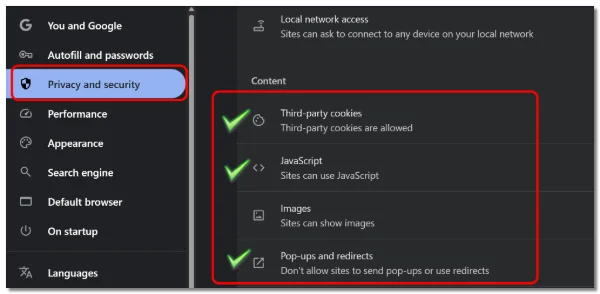
Some people consider changing how scripts run on a webpage when a paywall appears. This may affect simple browser-side restrictions, but it is not a reliable way to access paid content.
If the payment check happens on the server, changing browser scripts will not remove it. It can also cause videos, buttons, or other parts of the page to stop working. For most beginners, there is little reason to change these settings unless you are troubleshooting a specific browser problem.
Method 6. Change Your IP or Location
If your problem is related to regional availability or your current network, checking your IP address and switching to another may help. A VPN can route your connection through a server in another location, which may resolve certain access restrictions.、
In this area, UFO VPN can be an expert. It offers servers in 100+ countries, giving you different locations to try when the issue is related to your network or region. Here's how you can use it quickly:


UFO VPN is an all-in-one VPN that offers unlimited access to 4K streaming like Netlfix, Disney Plus, no-ping gaming as PUBG, Roblox, CODM and social networking for YouTube, X, Facebook and more.




Unlock Pro Features
If you have upgraded to premium plan , feel free to enjoy premium servers for 4K streaming and advanced features like Kill Switch, Split Tunneling, and gaming acceleration. Your Mac is now fully optimized and protected. Inaddition to basic functions, we recommend you turn on

Verify Your IP Now
Use UFO VPN's " What is My IP " feature to see your new IP and location. This confirms your connection is secure, anonymous, and ready for safe browsing online anywhere at any time.







How to Make the Most Out of ManyVids for Free
You can get more from ManyVids without trying to avoid every paid feature. Whether you create content or simply browse the platform, making better use of free features can improve your overall experience.
👉 For Creators: Use Free Content to Attract More Supporters
If you create content on ManyVids, free material can help you introduce yourself to potential subscribers and buyers.
You can offer previews or selected free content to show what you create. Then, you can place more exclusive or complete content behind a paid option.
It also helps to keep your profile updated and give your audience a clear idea of what they can expect from free and premium content.
👉 For Viewers: Explore Free Content Before You Buy
If you want to spend less, start with the free content. Explore creator profiles, previews, and public posts before deciding whether to make a purchase.
You can also compare individual videos with subscription options. If you only want one piece of content, buying it separately may be enough. If you follow a creator regularly, a subscription may make more sense.
🎯 Make Your ManyVids Experience More Personal
You do not have to focus only on price. You can follow creators you enjoy, discover new content, and keep track of updates that interest you.
Taking a little time to explore the platform can help you find better content instead of making quick purchases that you may not need.
Common ManyVids Access Problems and Possible Fixes
Not every ManyVids access problem is caused by a paywall. Your network, browser, location, account, or the platform itself can also affect access. Check the problem below and try the corresponding fix.
1. ManyVids Is Not Loading
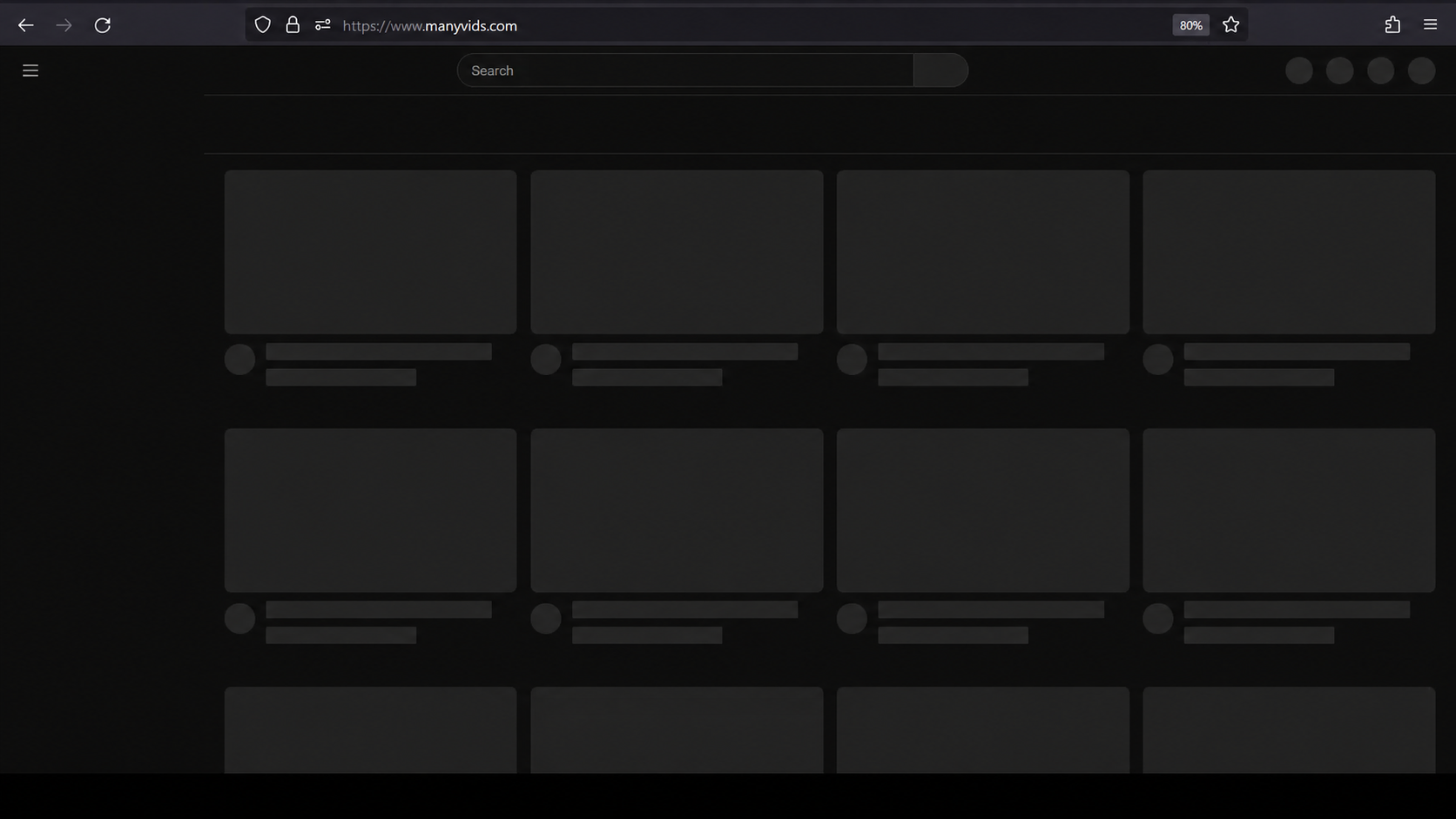
The website may stay blank, load very slowly, or show an error message. This can happen because of a weak connection, browser issues, or a temporary problem with ManyVids.
Solution:
Check other websites → if they work normally, refresh ManyVids → try another browser → clear your cache and cookies if the problem continues.
2. ManyVids Is Blocked in Your Location
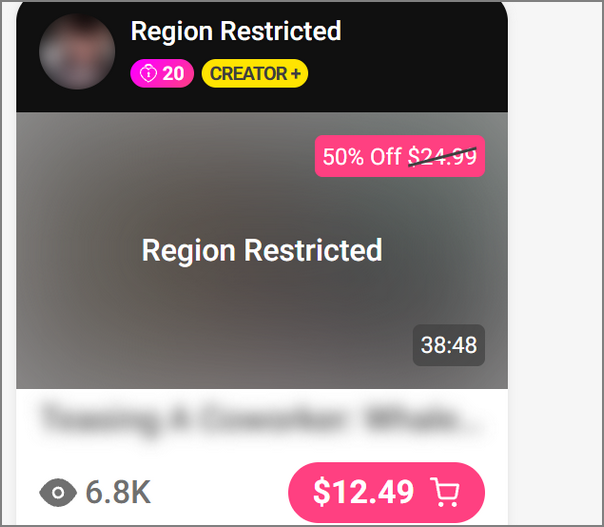
ManyVids may be unavailable on your current network or in your region. In this case, the website may not open even though your internet connection is working normally.
Solution:
Connect to a UFO VPN → choose a server in another available location → reopen ManyVids.
3. ManyVids Videos Won't Play
The page may load normally while a video keeps buffering, refuses to start, or stops during playback. Slow internet, browser problems, or temporary service issues can cause this.
Solution:
Refresh the page by clicking the reload button or pressing Ctrl + R on Windows or Command + R on Mac → check whether other websites load normally → close unnecessary tabs or apps → try the video in another browser or on another device.
4. You Keep Getting Asked to Sign In
ManyVids may repeatedly ask you to log in if your session has expired or your browser is not handling saved login data correctly. Using different accounts can also cause access confusion.
Solution:
Click your account menu and sign out → reopen ManyVids and log in with the account you normally use → check whether the problem is gone → try another browser if you are still being asked to sign in. (If you recently cleared your cookies, you will need to enter your login details again.)
5. Paid Content Is Still Locked
If you have already paid for a video or subscription but still cannot access it, the problem may be related to your account or purchase status.
Solution:
Check the account you are signed into → open your purchase or subscription information → confirm that the payment or subscription is active → return to the purchased content and refresh the page. (Do not purchase the same content again until you confirm whether the original payment went through.)
6. ManyVids Suddenly Stops Working
Sometimes the problem comes from ManyVids itself rather than your device or connection. This is more likely if other websites are working normally but ManyVids suddenly becomes unavailable.
Solution:
Try refreshing the page with Ctrl + R (Windows) or Command + R (Mac) → open another website to check your connection → try ManyVids again after a few minutes → search for recent reports about ManyVids being down.
If the platform itself is having a temporary problem, changing your browser or device may not fix it. Waiting for the service to recover may be the only option.

Conclusion
Getting the most from ManyVids is less about finding one universal way to access everything and more about understanding what you are actually trying to access. Free content, premium material, and regional access issues can all create different experiences. Before sharing payment details, it is also worth asking is ManyVids safe and checking that you are using the official platform. If your main problem is a regional or connection issue, UFO VPN can provide another connection option.
FAQs
Can you browse ManyVids without creating an account?
Some publicly available content may be viewable without an account, but access can vary depending on the page and content. If a feature asks you to sign in, you will need an account to continue.
Does ManyVids offer free trials?
Free trials or promotional offers can depend on individual creators and current platform campaigns. Check the specific creator's page to see whether an offer is available.
Can you get a refund for ManyVids purchases?
Refund policies can depend on the type of purchase and the platform's current terms. If you have a problem with a purchase, check the relevant support or transaction information before making another payment.
Can you use ManyVids on your phone?
You can access ManyVids through a mobile browser, although the exact experience may depend on your device and browser. If a page does not work properly, try updating your browser or switching to another one.
Why does ManyVids ask you to sign in?
Signing in allows the platform to connect your activity with your account. Some features, purchases, subscriptions, and creator interactions may require you to be logged in.