Is It Possible to Watch OnlyFans for Free?
The short answer is yes, but it is not as simple as clicking a "free" button on the homepage. Most content on the site stays behind a paywall because that is how creators make their living. To watch OnlyFans without subscription fees, you have to know where to look and how the platform's marketing works.
Many people try to find "modded" apps or "hack" sites, but these are almost always scams designed to steal your credit card info or infect your computer with malware. You have to be very careful when searching for free access.
100% Legal Tricks to Watch OnlyFans Premium for Free
There are a few real and legal ways to access OnlyFans content without paying. These methods take time and patience, but they can help you avoid unnecessary costs.
Hack 1. Follow Creators with Free Accounts
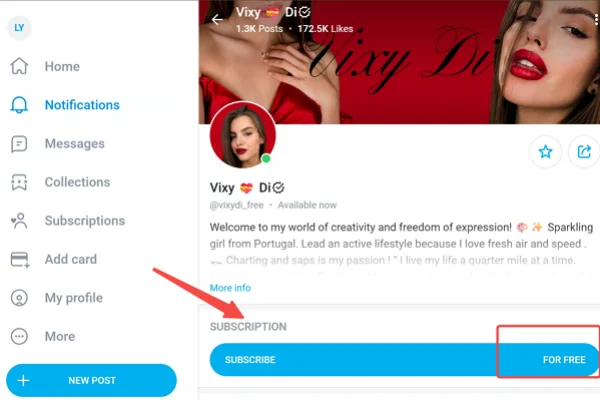
Some creators run free OnlyFans pages. These accounts allow you to follow them without paying a subscription fee. While most premium content is still locked, creators often post previews, photos, or short clips for free users.
Here's how to do it:
- Go to the OnlyFans website and create a free account (if you don’t already have one).
- Then, use the search bar to look for creators or browse categories.
- Check the subscription price — select creators marked as “Free”.
- Click Follow to access their profile.
- View available posts such as previews, images, or short clips.
Many creators share their free page links on Twitter or Instagram, so checking their profiles there can save time.
Hack 2. Watch for Free Trials and Promotions
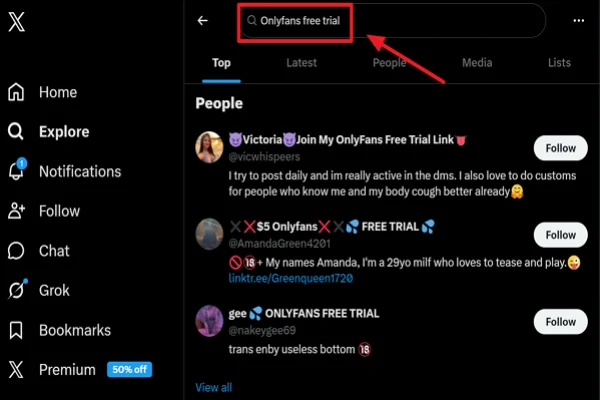
From time to time, creators offer free trials. These are limited-time offers that let you access their premium content without paying.
Execution Strategy:
-
Set up keyword tracking: Go to the search bar on X (Twitter) and type in
"Onlyfans free trial link"or"[Creator's Name] free trial". Sort the results by "Latest" and refresh in real-time. -
Monitor promo hubs: Search for and join specific subreddits on Reddit, such as
r/OnlyFansPromotionsorr/FreeOnlyFansPromotions, where trial links are posted constantly. -
Claim and "Defend": Once you spot an active link, click it immediately.
💡 The most crucial step: After subscribing, immediately go to your Following list, find that creator, and manually turn off "Auto-Renew". This guarantees your credit card will not be charged when the trial expires.
Hack 3. Use Bundle Deals and Discounts
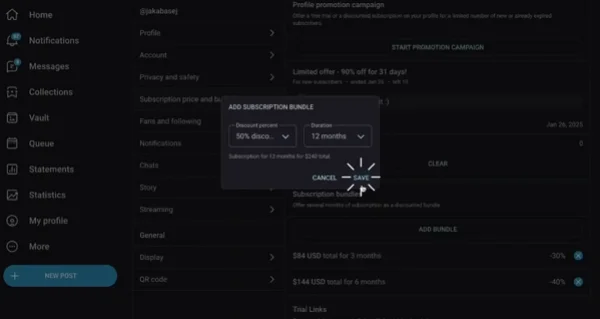
Some creators offer bundle deals where you can subscribe for several months at a lower price. While this is not completely free, it reduces the overall cost.
Step-by-Step guide to use OnlyFans bundle deals:
Step 1. Bookmark, don't buy: If they have a free page, follow it. If not, just bookmark their premium page in your browser.
Step 2. Time the market: Set calendar reminders. Creators usually drop massive discounts (50% to 70% off) during holidays like Valentine's Day, Halloween, Black Friday, or their own birthdays.
Step 3. Optimize your tier: Look at the Subscription area on their profile. Don't just click the default 1-month option. Scroll down to look for Bundle Options. Selecting a 3 months (XX% off) bundle during a holiday sale can often get you several months of access for the price of a cup of coffee.
Hack 4. Check Social Media Leaks (Use Caution)
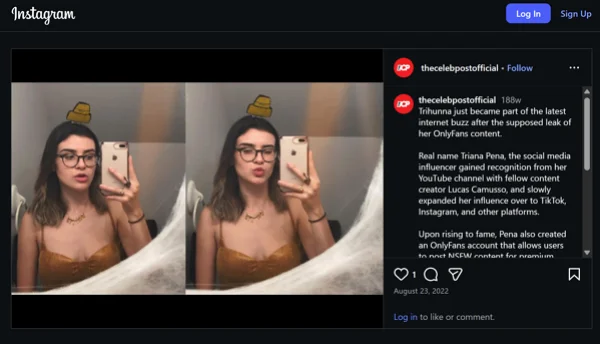
Some users share screenshots or clips from OnlyFans on forums or social media platforms. While this may seem like a quick way to watch content for free, it comes with risks.
To achieve these leaks, you may need to:
- Search for creator names on forums or social platforms like X, Instagram, Facebook, etc.
- Browse posts that claim to share previews or clips.
- Verify whether the content is public or officially shared.
- Avoid downloading or redistributing anything suspicious.
- Exit sites that look unsafe or ask for personal information.
This method carries risks — content may be illegal, unsafe, or misleading, so proceed carefully.
Hack 5. Join Fan Communities
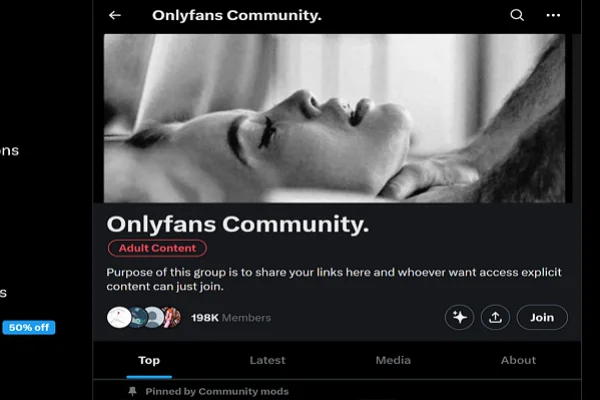
Some online communities discuss creators and share public content or updates. These communities can help you discover which creators offer free previews or promotions.
Here's how you can quickly join any OnlyFans community:
-
Find active servers: Use the public server search features on Discord or Telegram. Type in keywords like
OF Reviews,Creator Discussions, orOF Free Dealsto join large fan communities. -
Filter for high-value channels: Once inside, ignore the general chat and focus your attention on specific sub-channels usually named
#Promo-links,#Free-trials, or#Reviews. This is where members drop active free entry links they’ve just discovered. -
Crowdsource your decisions: Sometimes you just want to know if a creator is worth the money. Before spending, tag members in the chat and ask for a review (e.g., "Has anyone seen X's paid content? Is it worth it?"). Using other people's experiences to save your own money is a highly effective tactic.
Tips for Staying Safe When Using OnlyFans
When you are browsing for free content or signing up for trials, you are leaving a digital trail. Because of the nature of OnlyFans, most people prefer to keep this activity private. Staying safe is about more than just avoiding scams; it's about protecting your identity from your ISP, your roommates, or even the platform itself.
💡 Use a Reliable VPN Like UFO VPN
The first and most important step for any OnlyFans user is to use a high-quality VPN. It creates an encrypted tunnel for your data. It masks your real IP address and replaces it with one from a different location.
Generally, UFO VPN is a great choice for this because it offers fast, dedicated servers that are specifically optimized for streaming video.


UFO VPN is an all-in-one VPN that offers unlimited access to 4K streaming like Netlfix, Disney Plus, no-ping gaming as PUBG, Roblox, CODM and social networking for YouTube, X, Facebook and more.




Unlock Pro Features
If you have upgraded to premium plan , feel free to enjoy premium servers for 4K streaming and advanced features like Kill Switch, Split Tunneling, and gaming acceleration. Your Mac is now fully optimized and protected. Inaddition to basic functions, we recommend you turn on

Verify Your IP Now
Use UFO VPN's " What is My IP " feature to see your new IP and location. This confirms your connection is secure, anonymous, and ready for safe browsing online anywhere at any time.







💡 Set Up a Dedicated "Burner" Email Address
Never use your primary email address—the one linked to your LinkedIn, Facebook, or bank—to sign up for OnlyFans.
If the site ever suffers a data leak, your real-world identity could be connected to your account. Instead, create a free, anonymous email account (like a "burner" Gmail or ProtonMail) specifically for OnlyFans. This adds a layer of separation that keeps your professional and personal lives completely separate from your entertainment.
💡 Use Virtual or Prepaid Debit Cards
Even when signing up for a "free" trial, OnlyFans often requires you to link a payment method to verify your age and location. Using your main bank card is risky because it leaves a "OnlyFans" or "OF" descriptor on your bank statement.
To avoid this, use a virtual credit card service or a prepaid Visa/Mastercard from a retail store. These cards aren't linked to your main bank account, so even if there is a billing error or a security breach, your life savings are never at risk.
💡 Adjust Your Social Media Privacy Settings
If you are searching for free trials on Twitter or Reddit, make sure your social media accounts aren't easily searchable by your phone number or real name. Many platforms have a "Find friends" feature that could accidentally suggest your profile to people you know.
Go into your settings and disable any feature that syncs your contacts. This ensures that your search for free OnlyFans content doesn't result in an awkward "friend suggestion" appearing on your boss's phone.
💡 Avoid "Modded" APKs and Account Generators
You will often see YouTube videos or TikToks claiming you can download a "Modded OnlyFans APK" that unlocks all premium features. These are 100% fake. OnlyFans is a server-side platform, meaning the videos are stored on their secure servers, not inside the app code.
Any file you download claiming to be a "premium hack" is actually malware or a Trojan horse designed to steal your passwords. Stick to the official website and the legal methods mentioned above to keep your device clean.
Final Say
Finding free access to premium platforms always requires patience, awareness, and careful choices. While there are some legal ways to explore content without paying, they often come with limits. Instead of chasing shortcuts, focusing on safe and reliable methods helps you avoid unnecessary trouble and protects your personal information in the long run.
FAQs
Is it legal to use a VPN to access OnlyFans?
Yes. Using a VPN is a legal way to protect your privacy and encrypt your data. It does not violate the site's terms of service.
Can I get a free trial without adding a credit card?
No. OnlyFans requires a payment method on file to verify your age. Use a prepaid or virtual card to keep your main bank account private.
Do free trials renew automatically?
Yes. Most trials are set to "Auto-Renew." You must go into the creator’s profile settings and turn this off immediately after joining to avoid being charged later.
Why do some "free" profiles have no content?
Some creators use free profiles just to send "Pay-Per-View" messages. If the wall is empty, look for a different creator who posts actual content for their followers.
Are account generators real?
No. Any site claiming to generate premium usernames or passwords is a scam designed to steal your personal information or install malware.