First Things First: Understanding Paramount+ Student Discount Policy

Before you try to claim the Paramount Plus student discount, you need to know that this offer is not open to every student. Paramount+ uses student verification, so your school status must match the official eligibility rules.
In simple terms, the discount is designed for you if you are currently enrolled in an eligible college or university. It is not meant for high school students, future students who have only received an acceptance letter, or anyone who cannot prove current enrollment.
To qualify, you generally need to meet these conditions:
- You must be a current college, university, or graduate school student.
- Your school must be an accredited, Title IV higher education institution in the United States.
- You must be able to verify your student status through SheerID.
- You must provide real, accurate student information during signup.
- You must be at least 18 years old to create and pay for a Paramount+ subscription.
- You must claim the student offer through the official web signup flow, not only through the app.
- You'll need to re-verify every year, as the discount doesn’t quietly renew at the student rate on its own.
- You may need to cancel your current Paramount+ subscription first if you already subscribe without the student discount.
💡 One thing to keep in mind: high school students, and people who've been accepted to college but haven't started classes yet, don't qualify.
What Proof Do You Need to Redeem a Paramount+ Student Discount
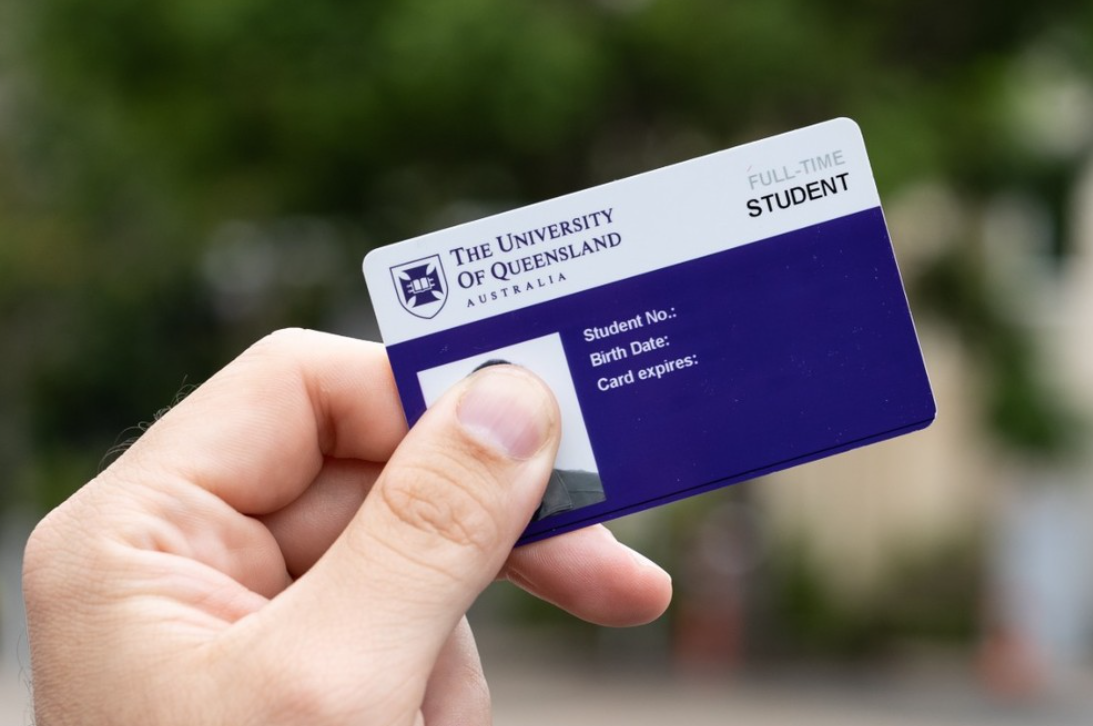
During verification, SheerID may confirm your student status instantly. If the system needs more information, you may be asked to upload a school document.
Accepted proof may include:
- A current school ID card with an expiration date.
- A school transcript.
- A registration receipt.
- Another school-issued document showing your first and last name, school name, and current enrollment date.
Your document should clearly show that you are currently enrolled. A print date, an old transcript, or an acceptance letter for a future term may not be enough. To avoid rejection, enter your student details exactly as they appear on your official school documents.
How Much Paramount+ Student Discount Can You Get?
The Paramount+ student discount is pretty straightforward: if you are verified, you can get 50% off any Paramount+ plan. That means you are not limited to only one plan. You can choose Essential or Premium, and you can choose monthly or annual billing if the option is available during signup.
Here is what the discount looks like before taxes:
| Plan | Regular Price | Student Discount Price | Your Savings |
|---|---|---|---|
| Paramount+ Essential Monthly | $8.99/month | About $4.50/month | About $4.50/month |
| Paramount+ Premium Monthly | $13.99/month | About $7.00/month | About $7.00/month |
| Paramount+ Essential Annual | $89.99/year | About $45.00/year | About $45.00/year |
| Paramount+ Premium Annual | $139.99/year | About $70.00/year | About $70.00/year |
Simple Ways to Get a Paramount Plus Student Discount
Claiming the Paramount Plus student discount is not complicated, but the order matters. The most important rule is this: you should start from the official student offer page and complete the SheerID verification before you expect the discount to appear.
Method 1: Claim the Student Discount as a New Subscriber
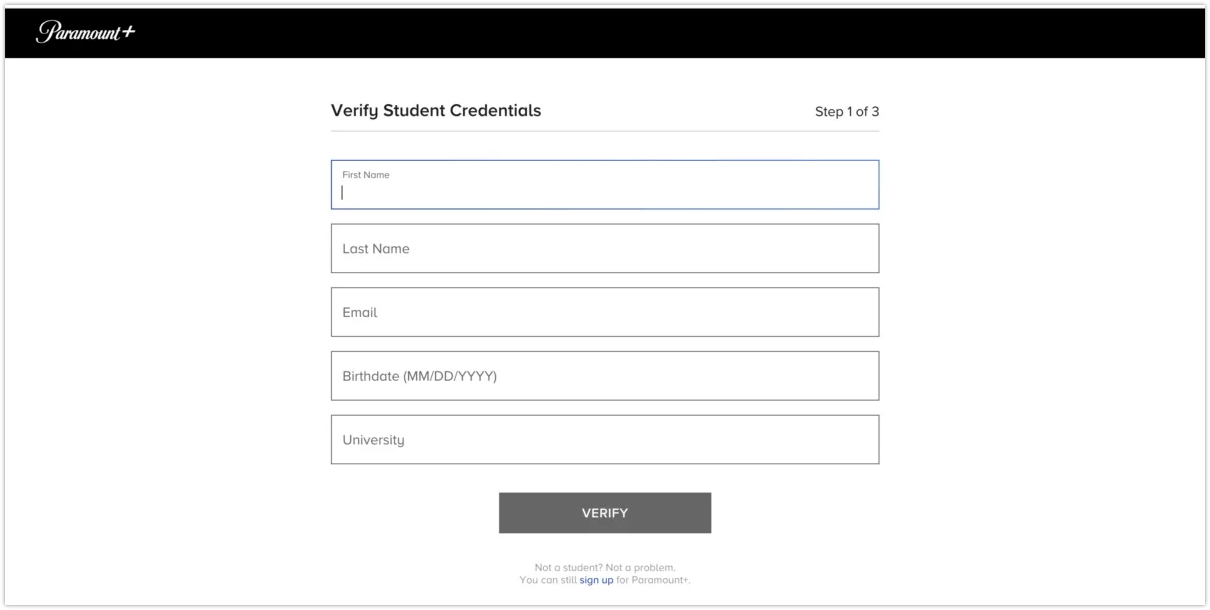
If you do not already have Paramount+, this is the cleanest way to get the offer.
💡 Key Steps:
- Go to the official Paramount+ student offer page.
- Choose the student discount signup option.
- Enter your student information, including your name, school, and date of birth.
- Let SheerID check your student status.
- Upload a school document if instant verification does not work.
- Choose your Paramount+ plan.
- Add your payment method.
- Review the discounted price before you confirm.
- Start streaming after your subscription is active.
Before you pay, check the checkout screen carefully. You should see the student discount reflected before you complete the subscription.
Method 2: Get the Discount If You Already Have a Paramount+ Account
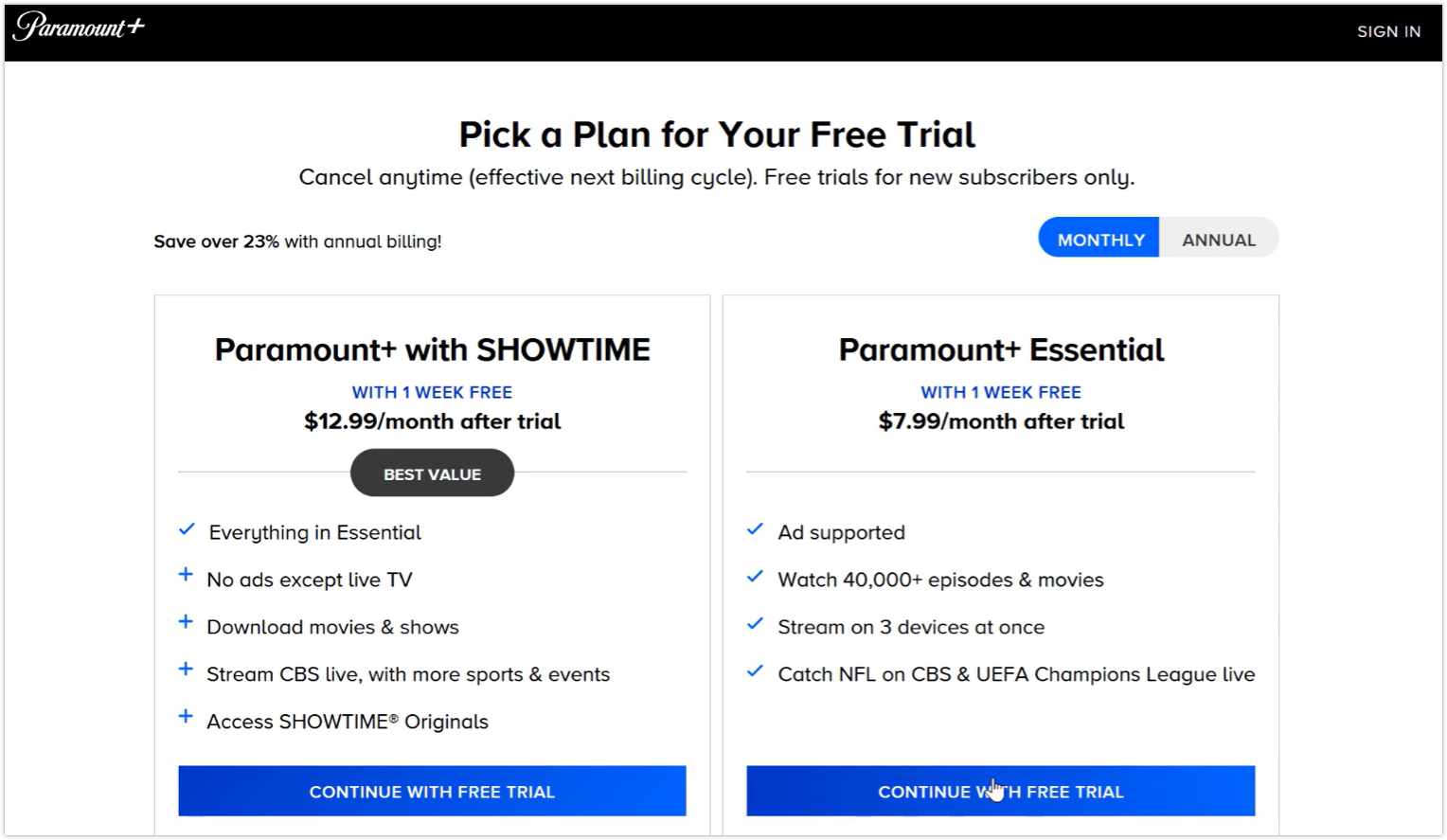
If you already have a Paramount+ account, you may not be able to simply add the student discount to your current active subscription. In many cases, you need to cancel your current plan first and then resubscribe through the student offer flow.
💡 Key Steps:
- Sign in to your Paramount+ account.
- Go to your account or subscription settings.
- Check where your current subscription is billed.
- Cancel the existing subscription if needed.
- Wait until your current billing cycle ends.
- Visit the official Paramount+ student offer page.
- Complete SheerID verification.
- Resubscribe with the student discount.
This step is especially important if you subscribed through Apple, Google Play, Roku, Amazon, or another third-party billing platform. If your billing is managed by another platform, you usually need to cancel from that platform first.
Method 3: Use a VPN If You’re Outside the US
The student offer — and Paramount+ itself — is geo-restricted to the United States. If you’re a qualifying US student who’s traveling or studying abroad, the sign-up page may not load and your library may be blocked. A Paramount+ VPN fixes that by connecting you to a US server.
UFO VPN is a practical choice if you want a simple way to do this. You can open this tool, choose a stable US server, and then visit the official Paramount+ student discount page again. This helps you avoid wrong-region redirects, improves privacy on public Wi-Fi, and gives you a cleaner connection when you try to verify your student status or stream Paramount+ while abroad.
Here are the detail steps to download and activate this efficient tool:


UFO VPN is an all-in-one VPN that offers unlimited access to 4K streaming like Netlfix, Disney Plus, no-ping gaming as PUBG, Roblox, CODM and social networking for YouTube, X, Facebook and more.




Unlock Pro Features
If you have upgraded to premium plan , feel free to enjoy premium servers for 4K streaming and advanced features like Kill Switch, Split Tunneling, and gaming acceleration. Your Mac is now fully optimized and protected. Inaddition to basic functions, we recommend you turn on

Verify Your IP Now
Use UFO VPN's " What is My IP " feature to see your new IP and location. This confirms your connection is secure, anonymous, and ready for safe browsing online anywhere at any time.







How to Fix Your Student Verification If It Fails
Student verification can fail even when you are a real student. The most common reasons are mismatched names, school database issues, outdated documents, or proof that does not show current enrollment.
When it really fails, try to fix it with the following steps:
Step 1. Check that your name matches your school document.
Step 2. Use your official school email if available.
Step 3. Select the correct school from the list.
Step 4. Upload a clearer document if SheerID asks for proof.
Step 5. Make sure the document shows current enrollment, not only acceptance.
Step 6. Check your email inbox and spam folder for SheerID updates.
Step 7. Retry only after correcting the missing or mismatched information.
⚠️ Warm Note: Do not upload edited or unofficial documents. If your proof does not clearly show current enrollment, you are more likely to be rejected.


Beyond Student Discount: Other Paramount+ Deals You Can Get
The student discount is useful, but it is not the only way to reduce your Paramount+ cost. Depending on your situation, another offer may fit you better than the student plan.
1. Walmart+ Paramount+ Benefit
If you already have Walmart+ or plan to use it for shopping benefits, this can be one of the strongest alternatives to the student discount. Walmart+ includes Paramount+ Essential at no extra cost as a streaming benefit.
💡 Key Steps:
- Sign in to your Walmart account.
- Go to your Walmart+ account page.
- Open the Benefits Hub.
- Find the video streaming benefit.
- Choose Paramount+ Essential.
- Create or link your Paramount+ account.
- Start streaming through your Walmart+ benefit.
2. Annual Paramount+ Plans

If you know you will keep Paramount+ for a full year, an annual plan can be cheaper than paying monthly. This is not a coupon, but it is still a simple way to lower your average monthly cost.
💡 Key Steps:
- Go to the Paramount+ plan selection page.
- Compare monthly and annual billing.
- Check the total annual price before tax.
- Divide the annual price by 12 to see your effective monthly cost.
- Choose annual billing only if you are confident you will keep the service.
This works best if you already know you watch Paramount+ often. If you only need it for one event, one show, or one sports season, monthly billing may be more flexible.
3. Military Discount

If you are an eligible service member, Paramount+ offers a military discount that may be better than the student discount because it is designed to last for the life of the subscription.
💡 Key Steps:
- Visit the official Paramount+ military discount verification page.
- Verify your military status through SheerID.
- Choose your Paramount+ plan.
- Apply the verified discount during signup or account setup.
- Review the final price before confirming.
This option is not for general student use, but it is worth checking if you qualify through military status.
4. Limited-Time Paramount+ Promotions

Paramount+ sometimes runs limited-time promotions for new or returning subscribers. These deals can change quickly, so you should not rely on an old coupon code from a random website.
💡 Key Steps:
- Visit the official Paramount+ homepage.
- Check the current plan selection page.
- Look for any visible intro offer or promo price.
- Read the renewal price before subscribing.
- Set a reminder before the promotional period ends.
- Cancel or switch plans before renewal if the standard price no longer works for you.
Limited-time deals can be cheaper than the student discount for a short period, but the student discount may be more stable if you want a longer subscription.
5. Watch for Seasonal Promo Codes & Holiday Deals

Paramount+ may release extra deals during Black Friday, Cyber Monday, back-to-school season, holidays, or major show premieres. These offers are usually short-term, so it is worth checking before you subscribe.
💡 Key Steps:
- Search for a current Paramount+ promo code before checkout.
- Check official pages, emails, and trusted deal sites only.
- Enter the code in the “promo code” field at checkout.
- Compare the final price with the student discount.
- Review when the promo price ends.
Summing Up
The best Paramount+ deal is the one that matches your real situation. If you are a verified college student, the student discount gives you a clean way to lower your bill without chasing short-lived codes. If you already have Walmart+, military eligibility, or a seasonal promo available, you may have another route to save.
Before you subscribe, check the final checkout price, confirm your billing source, and keep your streaming setup secure so you can focus on watching instead of fixing account or playback problems.
FAQs
Can I get Paramount Plus for free as a student?
Not permanently — there's no free student plan.
But you can get close: start with a 7-day free trial (when available) so your first week costs nothing, then apply the 50% student discount afterward to keep paying just $4.50/month for Essential. Free for a week, half-price after that.
Why is my student discount not working on Paramount Plus?
It's almost always a verification hiccup. The usual culprits are a name or date of birth that doesn't match your school records, a school that isn't in SheerID's database, an expired or blurry enrollment document, or trying to apply the offer from outside the US.
Remember to double-check your details, upload a current document, and make sure you're on the official student page — and if you're abroad, connect to a US server first.
How do I add a student discount to an existing Paramount Plus account?
You usually can't stack it onto a live paid plan directly. But you may try with a simple step like: log in > head to the Paramount+ student discount page > complete SheerID verification > switch to the discounted plan.
If your current subscription blocks the change, cancel it (or let it lapse) and re-subscribe at the student rate — your profiles and watch history stay attached to your account either way.
Does the Paramount Plus student discount work outside the US?
The official offer is only for students enrolled at accredited US institutions, and both the sign-up page and Paramount+ are geo-restricted.
If you're a qualifying US student traveling or studying abroad, connect to a US server with a VPN like UFO VPN to load the student page, verify, and keep watching. The discount isn't sold through non-US Paramount+ stores.
Can I combine the Paramount Plus student discount with other deals?
Generally not at the same time — the 50% student rate can't be stacked with another promo code or bundle on the same subscription.
You can, however, sequence them: use a free trial first, then move to the student price once it ends. And since a Walmart+ membership already includes Paramount+ Essential, there's no need to combine the two.