Why are Websites Blocked in Iran

Iran uses a combination of SmartFilter technology, DNS/IP-level filtering, and deep packet inspection (DPI) to target online platforms . The targets?
-
Political dissent (social media, news outlets)
-
Foreign entertainment (streaming, gaming)
-
Encryption apps (Iran VPN, proxies)
-
‘Immoral’ content (adult sites like Porn hub, xHamster, etc)
Political events, such as protests or international tension, trigger widespread censorship—like the near-total blackout in June 2025.
Major Websites Blocked in Iran
| Website/Apps | Category | Blocked? | VPN Needed? |
|---|---|---|---|
| YouTube | Video | Fully blocked | VPN needed |
| Messaging | Fully blocked | VPN needed | |
| Twitter / X | Social media | Fully blocked | VPN needed |
| Facebook, Instagram, TikTok | Social media | Fully blocked | VPN needed |
| Telegram | Messaging | Throttled/banned | VPN helps |
| Signal, Discord | Messaging | Blocked | VPN needed |
| BBC Persian, Voice of America | News | Fully blocked | VPN needed |
| Netflix, Twitch | Streaming | Fully blocked | VPN needed |
| Steam, Epic Games | Gaming platforms | Restricted | VPN needed |
| Pornographic sites | Adult content | Fully blocked | VPN needed |
| VPN provider sites (e.g. OpenVPN) | Tools | Blocked | VPN/providers banned |
| Blogger / Blogspot | Blogging platforms | Blocked | DNS filtering |
How to Unblock Sites in Iran (with/without VPN)
1. Use a Free, Reliable Iran VPN
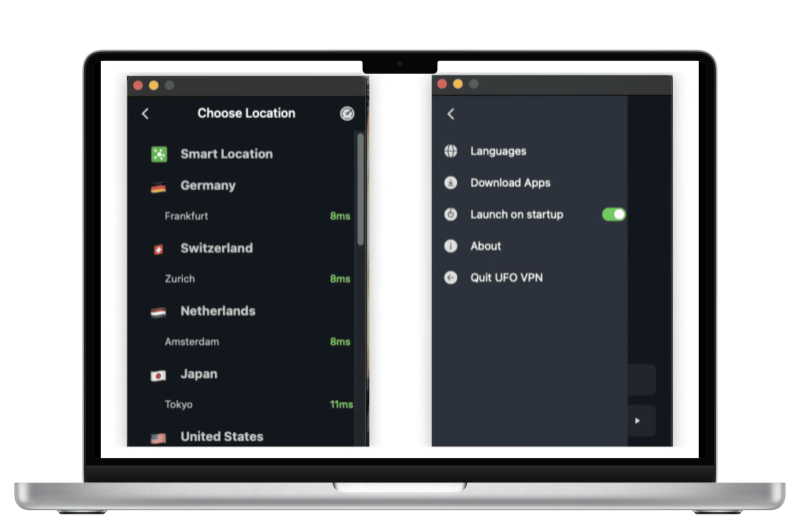
A robust VPN offers encryption, server hops, and obfuscation techniques to bypass Iran's DPI filters. We recommend UFO VPN for its no-logs policy and Stealth Mode—a proven disruptor of DPI. It’s ideal for unblocking YouTube, Telegram, and streaming platforms in Iran.
Pros:
-
✅ Strong encryption and privacy protection
-
✅ Access to almost all blocked content (YouTube, Telegram, Netflix, etc.)
-
✅ Works on Android, iOS, Windows, and macOS
-
✅ With UFO VPN: free plan + Stealth Mode
Cons:
-
❌ Free VPNs may have limited bandwidth or speed
Here's how to change your IP address with UFO VPN:


UFO VPN is an all-in-one VPN that offers unlimited access to 4K streaming like Netlfix, Disney Plus, no-ping gaming as PUBG, Roblox, CODM and social networking for YouTube, X, Facebook and more.




Unlock Pro Features
If you have upgraded to premium plan , feel free to enjoy premium servers for 4K streaming and advanced features like Kill Switch, Split Tunneling, and gaming acceleration. Your Mac is now fully optimized and protected. Inaddition to basic functions, we recommend you turn on

Verify Your IP Now
Use UFO VPN's " What is My IP " feature to see your new IP and location. This confirms your connection is secure, anonymous, and ready for safe browsing online anywhere at any time.







Bonus: Top Free VPNs That Work in Iran
| VPN | Free Plan | Stealth Mode | Iran Access | Notes |
|---|---|---|---|---|
| UFO VPN | ✅ Yes | ✅ Yes | ✅ Excellent | 2000+ servers in 100+ countries |
| Psiphon | ✅ Yes | ✅ Tunnel/PT | ⚠️ Intermittent | Lightweight, open-source |
| ProtonVPN | ✅ Yes | ⚠️ No | ⚠️ Mixed availability | Strong privacy |
| Windscribe | ✅ 10 GB/mo | ⚠️ No | ⚠️ Mixed | Generous free allowance |
2. Use a Proxy Server or Web Proxy
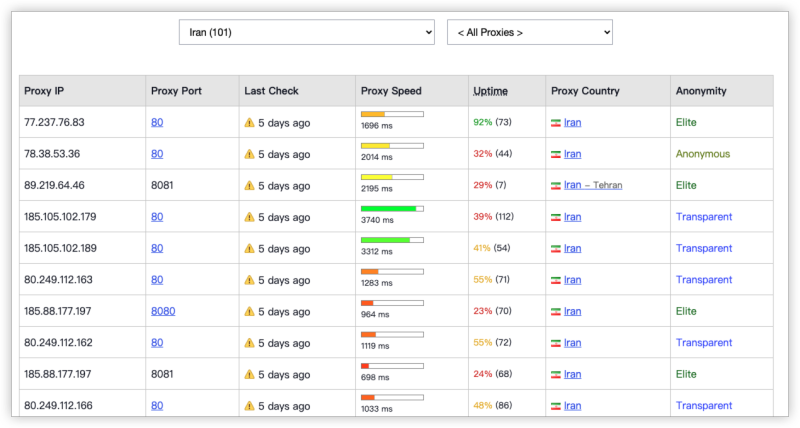
A proxy server acts as a middleman between your browser and the web. Web proxies like Hide.me or CroxyProxy can help you access basic websites via browser-based interfaces.
Pros:
-
✅ No installation required—just paste the URL
-
✅ Works in browsers without apps or configuration
-
✅ Good for one-time access or emergencies
Cons:
-
❌ No encryption (your ISP can still see traffic)
-
❌ Doesn’t work with all websites (especially video or login-based ones)
3. Use Tor Browser or Orbot (Android)
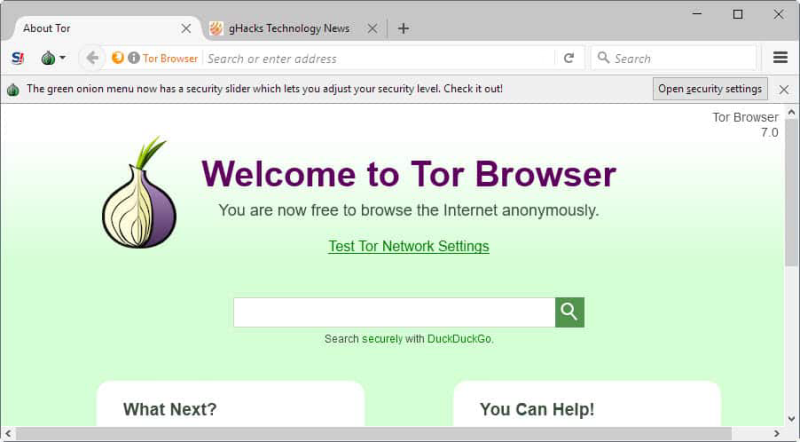
Tor routes your internet traffic through multiple nodes across the world, masking your identity and bypassing censorship. Orbot is the Android version with local proxy support.
Pros:
-
✅ Strong anonymity and privacy
-
✅ Access to .onion (dark web) and blocked surface web content
-
✅ No registration required
Cons:
-
❌ Very slow speeds due to multiple hops
-
❌ Not suitable for streaming or large downloads
4. Use Psiphon or Lantern (Censorship Circumvention Tools)
Tools like Psiphon and Lantern use a mix of VPN, SSH, and HTTP proxy protocols to tunnel traffic and access restricted sites. They're designed for censorship-heavy countries like Iran and China.
Pros:
-
✅ Designed specifically for restricted environments
-
✅ Free and open-source (Psiphon)
-
✅ Lightweight and mobile-friendly
Cons:
-
❌ Connection speed can be slow and unstable
-
❌ May not support all platforms or services
5. Use Mirror Sites or Onion Alternatives
Some platforms maintain alternative domains (mirrors) or .onion versions accessible through Tor. These can help when the main URL is blocked.
Examples:
-
Telegram Web Mirror
-
BBC Persian Onion site
-
Iran International via proxies
Pros:
-
✅ Simple and accessible if link is known
-
✅ No installation required
-
✅ Maintained by trusted organizations
Cons:
-
❌ You need to find updated, safe mirror links
-
❌ Only works for specific platforms

Treats: Browse Like a Pro in Iran
-
Always enable Stealth Mode—it disguises UFO VPN traffic
-
Use HTTPS versions of websites
-
Turn off WebRTC in browsers to prevent IP leaks
-
Enable 2FA on all logged services
-
Stick to well-known VPNs—avoid shady or local app store options
-
Use browser extensions like Privacy Badger and ad-blockers
FAQs
Can I stream Netflix and YouTube in Iran?
Absolutely. A VPN like UFO VPN lets you access geo-limited entertainment without buffering.
Why do some free Iran VPNs stop working?
Iran’s filtering system updates continuously, blocking known VPN endpoints that don’t evade DPI or change IP ranges.
How much free data do I get?
UFO VPN gives basic free access with optional paid tiers; Windscribe offers 10 GB/mo; ProtonVPN has unlimited but limited speeds;
What if the VPN is blocked?
Try reconnecting with Stealth Mode on or switch to a freshly updated server.