Must-Known Risks Before Using HappyMod
Before you start, you must underline the HappyMod safety and understand the serious risks involved:
- Security Risks: While HappyMod itself is widely known, the modded APKs are uploaded by users. Some may contain malware, trojans, or steal account information. Always scan files with VirusTotal.com before installing.
- Account Ban Risks: Using mods violates the game’s Terms of Service. Online games like Roblox have strong anti-cheat systems. You can easily get your account permanently banned.
- Privacy & Device Risks: Mods may access your personal data, location, or login credentials. They can also make your device unstable.
- Legal & Ethical Issues: Modding is considered copyright infringement. Supporting official games ensures better updates and fair play.
- 2026 Reality: HappyMod is still actively used, but safety heavily depends on your choices. Strongly recommended: Use a secondary (throwaway) account only. Never use your main account.
How Does HappyMod Mod APK Work?
A HappyMod Mod APK is a modified version of the original Android app, shared through the HappyMod platform by third-party modders.
Here’s how it generally works:
- The original APK is decompiled to access its code, resources, and configuration files.
- Modders modify the app’s logic—for example, adding unlimited in-game currency, unlocking premium features, or removing ads.
- The modified files are then recompiled and re-signed into a new APK.
- When you install and run the Mod APK, the app operates with these altered features instead of the original behavior.
Why do you often need to uninstall the original app?
Most Mod APKs use the same package name as the official version. Android does not allow two apps with identical package names to exist on the same device, so the original app must be removed first.
✅Advantage: No root required for most mods.
❌Disadvantage: No official updates + security risks remain.
How to Use HappyMod on Android (Step-by-Step Guide)
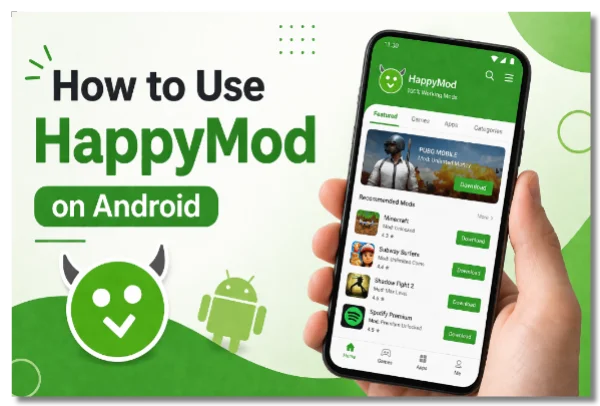
This is the easiest and most reliable way to use HappyMod.
Step-by-Step Instructions:
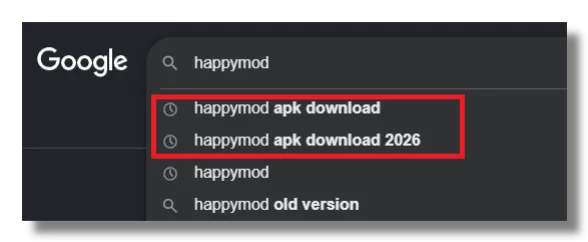
1. Open your browser on Android and search for “HappyMod APK download 2026”. Download the latest version from a trusted source.
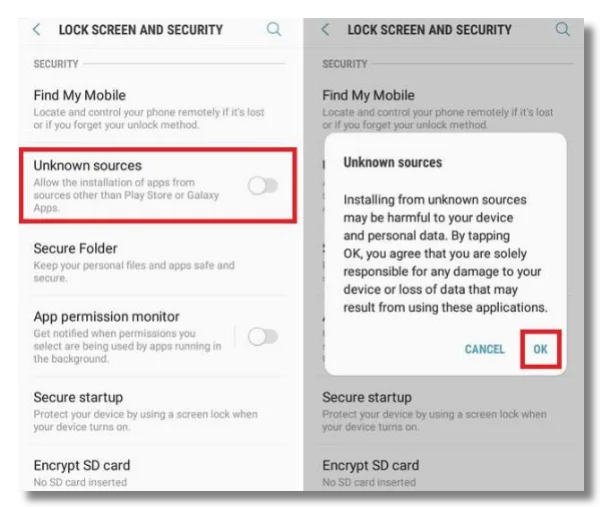
2. Enable installation from unknown sources: Go to Settings → Security → Unknown sources → Install unknown apps and allow your browser.
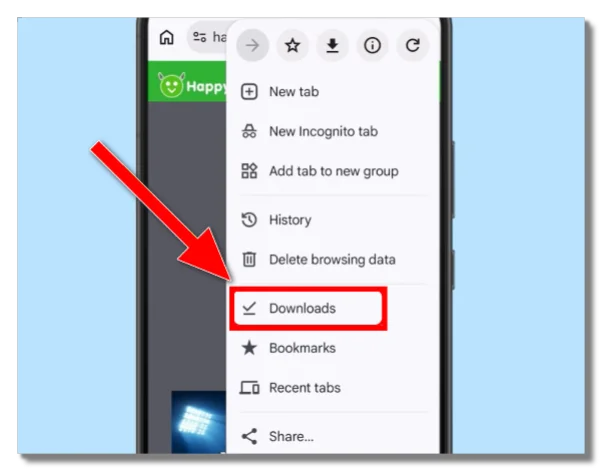
3. Locate the downloaded APK and tap to install it.
4. Open the HappyMod app.
5. Search for the game you want (e.g., Roblox, Minecraft).
6. Browse available mods. Pay attention to:
- Working % (higher is better)
- User ratings and recent comments
- Version compatibility with your game
7. Tap Download to get the Mod APK.
Install the mod (you may need to allow unknown sources again).
Tip: For best results, uninstall the official version of the game before installing the mod.
How to Use HappyMod on PC (BlueStacks)
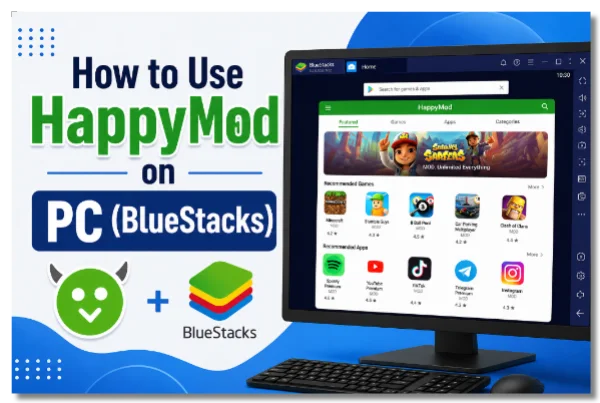
Since HappyMod is an Android app, you need an Android emulator on PC. BlueStacks is the most recommended in 2026.
Step-by-Step Guide:
1. Download and install BlueStacks from the official website (bluestacks.com).
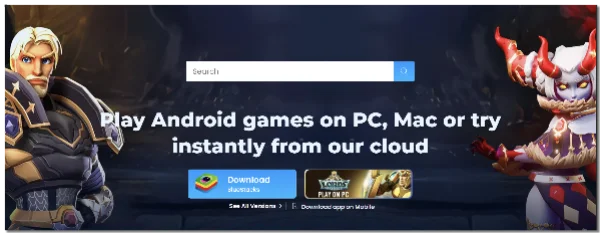
2. Launch BlueStacks and complete setup (use a secondary Google account).
3. Install HappyMod in two ways:
Method 1:
Open Google Play Store inside BlueStacks → search “HappyMod” → install
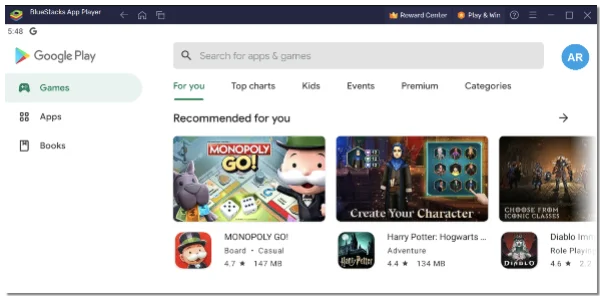
Method 2:
Download HappyMod APK → drag & drop into BlueStacks
4. Open HappyMod and use it just like on Android.
✅Advantages of using HappyMod in PC:
-
Larger screen
-
Keyboard & mouse controls
-
Better performance
-
Multi-instance support
Can You Use HappyMod on iOS / iPhone?
Short Answer: No.
HappyMod is designed only for Android and cannot run on iOS due to Apple’s closed system.
-
It is NOT available on the App Store
-
Apps claiming to be HappyMod are usually fake or limited
-
Most “no jailbreak” tutorials are scams
Jailbreaking Warning:
-
Unstable in 2026
-
Major security risks
-
Not recommended
Better option: Use official apps or cloud gaming services.
How to Use HappyMod for Roblox (Android)
You can play Roblox with HappyMod, but with risks. Here are detailed steps:
Preparation:
-
Use a new smurf account only. Never risk your main account.
-
Enable “Unknown Sources” in phone Settings > Security.
-
Uninstall official Roblox app first.
Steps:
-
Open browser and download HappyMod APK from working and trusted HappyMod website.
-
Install and open HappyMod.
-
Search “Roblox”, select a high Working% MOD (90%+ recommended), and download.
-
Install the MOD APK, then launch it and log in.
How to Use:
-
MOD menu usually appears automatically or by tapping a floating icon/button in-game.
-
Features often include Fly, Wallhack, Speed, and God Mode.
❌Warnings:
-
High risk of permanent ban.
-
Possible malware or account theft.
-
MODs may crash or stop working after updates.
-
Not recommended for iOS.
Safety Tips for Using HappyMod in 2026
Using HappyMod can be convenient, but it also comes with real risks. If you decide to use it, taking a few basic precautions can help reduce potential problems.
Use a secondary account
Never log in with your main account, especially for online games. Mods can trigger anti-cheat systems and lead to permanent bans.
Download carefully
Choose versions with high “Working %”, recent positive reviews, and active user feedback. Avoid newly uploaded or low-rated mods.
Secure your connection with a reliable VPN
When downloading modded APKs, your network traffic may be exposed to potential tracking or malicious servers.
Using a trusted VPN like UFO VPN can help encrypt your connection and reduce the risk of data interception, especially on public Wi-Fi. It also adds an extra layer of privacy when accessing third-party download sources.
Set up UFO VPN for HappyMod:


UFO VPN is an all-in-one VPN that offers unlimited access to 4K streaming like Netlfix, Disney Plus, no-ping gaming as PUBG, Roblox, CODM and social networking for YouTube, X, Facebook and more.




Unlock Pro Features
If you have upgraded to premium plan , feel free to enjoy premium servers for 4K streaming and advanced features like Kill Switch, Split Tunneling, and gaming acceleration. Your Mac is now fully optimized and protected. Inaddition to basic functions, we recommend you turn on

Verify Your IP Now
Use UFO VPN's " What is My IP " feature to see your new IP and location. This confirms your connection is secure, anonymous, and ready for safe browsing online anywhere at any time.







Here are some dos and don'ts about using HappyMod with VPN:
Use a trusted and reputable VPN provider with strong encryption
Connect to the VPN before downloading or installing any modded APK
Choose stable servers to avoid interrupted or corrupted downloads
Don’t rely on free or unknown VPNs that may log or sell your data
Don’t assume a VPN makes mod APKs completely safe—it only protects your connection
Don’t log into sensitive accounts even when using a VPN
Scan APK files before installing
Use tools like VirusTotal to check for malware or suspicious behavior.
Avoid sensitive permissions
Be cautious if a mod asks for access to contacts, messages, or other personal data that isn’t necessary for the app to function.
Keep your device protected
Install a reliable mobile security app and keep your system updated whenever possible.
Expect instability
Modded apps can crash, fail to update, or stop working after official updates. Always be prepared to reinstall or switch versions.
Don’t rely on mods long-term
Since there are no official updates or guarantees, mods are better suited for temporary use rather than daily reliance.
Final Words
HappyMod remains a popular choice for modded games in 2026. The best platforms are Android devices and PC emulators like BlueStacks.
However, iOS users do not have a practical way to use the real HappyMod.
Final Reminder:
Modding comes with real risks — malware, bans, and privacy issues. Always use secondary accounts and consider supporting official developers for a better long-term experience.
FAQs
Is HappyMod safe to use in 2026?
HappyMod itself is widely known, but the real risk comes from the modded APKs uploaded by users. Some files may contain malware or unwanted code. Always scan downloads and avoid using your main account.
Do I need to root my phone?
No, most HappyMod apps work without rooting your device. This makes it easier for regular users to install mods. However, not needing root does not mean the apps are completely safe.
Will I get banned using HappyMod in Roblox?
Yes, the risk is very high if you use mods in Roblox. The platform has strong anti-cheat systems that can detect modified behavior. Many users end up with permanent account bans.
Is HappyMod available on iOS?
No, HappyMod is not available on iOS devices. Apple’s system does not allow APK-based apps to run. Any apps claiming to be HappyMod on iPhone are usually fake or misleading.
What if the mod crashes?
Crashes are common with modded apps due to compatibility issues. You can try clearing cache, reinstalling the app, or switching to a different mod version. Checking if the mod matches your game version also helps.
What is the official HappyMod website?
There is no single officially verified website for HappyMod. Different sources may host similar APK files, which increases the risk of fake or unsafe downloads. Always double-check the source before installing anything.