Why The Office Isn’t Universally Available on Netflix
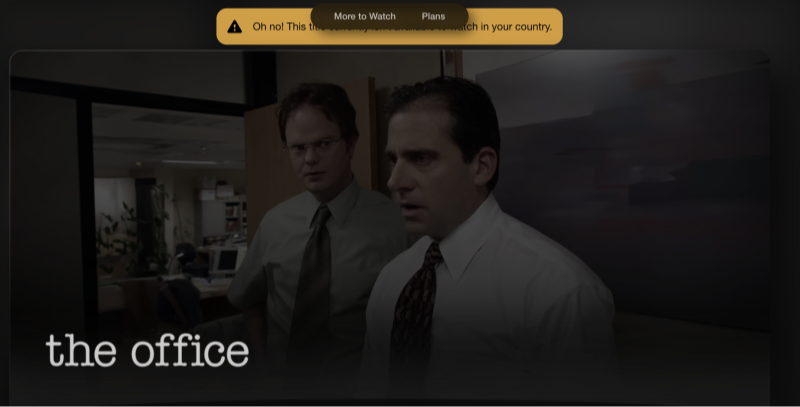
Netflix operates separate libraries per country due to licensing agreements. Although The Office (U.S.) was once widely available, its distribution rights have shifted over time. Here’s why availability changes:
-
Licensing Windows: Content owners sell streaming rights in time‑limited blocks. When one agreement expires, Netflix may lose the show until it renegotiates.
-
Regional Rights: Different distributors handle rights in different territories. NBCUniversal (owner of The Office) may license to Netflix in some regions and to rival platforms in others.
-
Competitive Bidding: Other streaming services (e.g., Peacock, Amazon Prime Video) may outbid Netflix for exclusive windows in key markets.
As of 2026, The Office is on Netflix in certain countries—like Japan, Canada, and select European territories—but missing from the U.S. catalog in favor of Peacock exclusivity.
Where can you watch The Office
| Country | Available on Netflix? |
|---|---|
| USA | ❌ No (moved to Peacock) |
| UK | ❌ No (on BBC iPlayer/Amazon Prime) |
| Canada | ✅ Yes |
| Australia | ✅ Yes |
| Japan | ✅ Yes |
| Germany | ❌ No |
| France | ❌ No |
| Brazil | ✅ Yes |
How to Watch The Office on Netflix Anywhere with UFO VPN
A Virtual Private Network (VPN) masks your real IP address, making Netflix think you’re browsing from a different country. Here’s how to set it up using UFO VPN:
-
Subscribe to Best free VPN


UFO VPN is an all-in-one VPN that offers unlimited access to 4K streaming like Netlfix, Disney Plus, no-ping gaming as PUBG, Roblox, CODM and social networking for YouTube, X, Facebook and more.




Unlock Pro Features
If you have upgraded to premium plan , feel free to enjoy premium servers for 4K streaming and advanced features like Kill Switch, Split Tunneling, and gaming acceleration. Your Mac is now fully optimized and protected. Inaddition to basic functions, we recommend you turn on

Verify Your IP Now
Use UFO VPN's " What is My IP " feature to see your new IP and location. This confirms your connection is secure, anonymous, and ready for safe browsing online anywhere at any time.







-
Connect to the Right Server
-
Launch UFO VPN and select a server in a country where The Office is on Netflix (e.g., Canada, UK, Germany).
-
Click “Connect”—UFO VPN will assign you an IP from that region.
-
-
Log In to Netflix
-
Open Netflix in your browser or app. It should now display content as if you’re in the server’s country.
-
Search “The Office” and start streaming all nine seasons in HD.
-
-
Enjoy Buffer‑Free Streaming
-
UFO VPN’s fast servers minimize buffering. If you experience any lag, switch to another nearby server in the same region.
-
Bypassing geo‑blocks not only gives you access to exclusive shows like The Office but also unlocks movies, sporting events, and local Netflix originals unavailable in your home library.
Alternative Streaming Options for The Office
If you prefer not to use a VPN or if The Office on Netflix remains elusive, consider these legal alternatives:
| Platform | Availability | Pros | Cons |
|---|---|---|---|
| Peacock (U.S.) | U.S. only | Official home of The Office (U.S.) | Contains ads on free tier |
| Amazon Prime Video | Select regions | Purchase or rent individual seasons | Can be costly for full series |
| Apple TV / iTunes | Global | High‑quality downloads | No subscription; pay per episode |
| Google Play Movies | Global | Stream or download | Similar per‑episode pricing |
| DVD/Blu‑ray Box Sets | Global | Own permanent copy; extras included | Physical media; no portability |
Each option has trade‑offs. A VPN with Netflix may remain the most cost‑effective way to access all seasons without ads or per‑episode fees.
Tips for Smooth VPN Streaming
To ensure the best viewing experience when you watch The Office on Netflix via UFO VPN:
-
Choose Nearby Servers First
Lower latency often equals higher streaming quality. -
Enable “Optimized Streaming” Mode
In UFO VPN settings, toggle on any streaming acceleration features to reduce buffering. -
Clear Your Browser/App Cache
Sometimes Netflix caches your last region—clearing it ensures the new IP is recognized. -
Disable IPv6 (If Necessary)
On some networks, IPv6 can leak your real location; disabling it prevents accidental exposure.
Understanding VPN Legality and Netflix’s Terms

While using a VPN to watch region‑locked content sits in a legal gray area, it’s generally not illegal in most countries. Netflix’s terms of service technically prohibit VPN usage, but:
-
Enforcement Is Rare: Netflix rarely bans individual subscribers.
-
Server Blocking: Netflix may block known VPN server IPs; switching to a different UFO VPN server usually resolves this.
-
Account Safety: Always follow best security practices—use strong, unique passwords and enable two‑factor authentication on your Netflix account.
Quality of the Netflix Experience Abroad
Different Netflix libraries not only vary in content but also in streaming quality:
-
4K/UHD Availability: Confirm that your region’s Netflix plan and your device support 4K streaming if you own a compatible TV.
-
Audio/Subtitles: Some regions offer dubbed versions or additional subtitle languages for The Office.
-
Regional Censorship: In some countries, certain episodes or jokes may be censored; verify your library’s completeness via uNoGS.
Using UFO VPN to connect to multiple regions lets you stitch together the best available options—4K in Canada, full‑unfiltered episodes in the UK, and additional languages in Germany.
FAQs: Watching The Office on Netflix
Why did Netflix remove The Office (U.S.) from my region?
Licensing agreements with NBCUniversal expired, and Peacock secured exclusive streaming rights in certain territories.
Can I use a free VPN to watch The Office on Netflix?
Free VPNs often have limited bandwidth, slow speeds, and blocked IPs. UFO VPN’s premium servers ensure reliable, buffer‑free streaming.
Is it safe to watch Netflix with a VPN?
Yes—VPNs like UFO VPN encrypt your traffic, protecting you on public Wi‑Fi and hiding your real IP. This enhances security and privacy.
What if Netflix blocks my VPN server?
Simply switch to another UFO VPN server in the same country. UFO VPN regularly rotates IPs to stay ahead of blocks.
Conclusion
Geoblocks shouldn’t stand between you and your favorite sitcoms. Whether you want to binge all nine seasons of The Office in HD or catch a specific episode, using a quality VPN like UFO VPN grants you the freedom to watch The Office on Netflix from anywhere in the world. With step‑by‑step setup guidance, troubleshooting tips, and alternative streaming options, you have everything you need to stream stress‑free—no matter where you are.