Why Is My Phone Number Banned in Telegram
Here are the most common reasons for a banned telegram number:
1. Suspicious Activity from Your Number
-
Spamming groups or channels
-
Sending mass messages to unknown users
-
Joining dozens of groups in a short time
-
Using unofficial third-party Telegram apps
2. Recycled or VoIP Numbers
-
Telegram bans many virtual numbers (like Google Voice, TextNow, or VoIP services)
-
If your number was reused, it may have a history of abuse
3. Country-Level or ISP-Level Bans
-
Numbers from countries like Iran, Pakistan, or China may be auto-flagged due to mass registration abuse
4. Reported by Other Users
-
If others reported your account for spam, your number may be automatically banned
5. Using Telegram with VPN or Proxy Improperly
-
Telegram may block signups from IP ranges known for spam—not using a secure VPN may increase risk
How to Fix Telegram Banned Phone Number
Step 1: Confirm the Ban
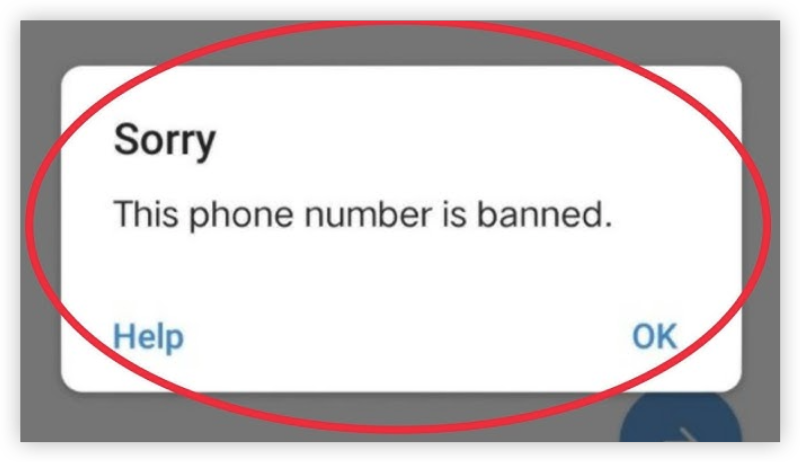
You’ll see a message like:
"This phone number is banned."
This ban applies to your number—not just the device or app.
Step 2: Contact Telegram Support
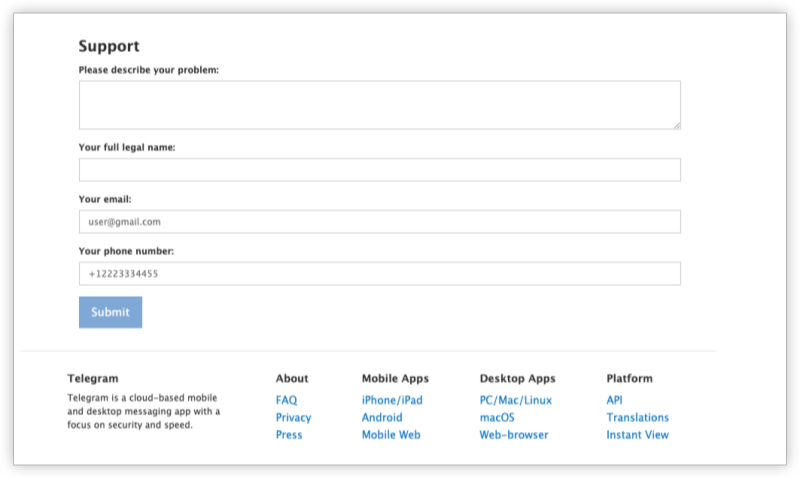
Telegram doesn’t offer live chat, but you can submit a ban appeal.
-
Visit the official Telegram ban appeal page
-
Under "Your question", describe the issue:
Example:
“My number +92XXXXXXXX was wrongly banned. I haven’t violated any terms. Please review and reactivate.” -
Include your correct phone number (with country code)
-
Wait 2–5 days for a reply
-
If rejected, try again using different wording or clarify you’re not a spammer
Step 3: Use a VPN to Avoid Region Bans
If Telegram bans numbers based on your region/IP, a secure VPN like UFO VPN is essential. UFO VPN has no-logs, fast servers, and is optimized for messaging apps like Telegram and WhatsApp.


UFO VPN is an all-in-one VPN that offers unlimited access to 4K streaming like Netlfix, Disney Plus, no-ping gaming as PUBG, Roblox, CODM and social networking for YouTube, X, Facebook and more.




Unlock Pro Features
If you have upgraded to premium plan , feel free to enjoy premium servers for 4K streaming and advanced features like Kill Switch, Split Tunneling, and gaming acceleration. Your Mac is now fully optimized and protected. Inaddition to basic functions, we recommend you turn on

Verify Your IP Now
Use UFO VPN's " What is My IP " feature to see your new IP and location. This confirms your connection is secure, anonymous, and ready for safe browsing online anywhere at any time.







Step 4: Try Registering With Another Number (Only if Safe & Legal)
If your main number remains banned:
-
Try using a new SIM card from a different provider
-
Avoid using VoIP numbers—they’re often banned
-
Use a clean IP with a trusted VPN like UFO VPN to avoid regional restrictions
- Double-check your IP address via What is my IP in case of troubles.
Step 5: Uninstall Third-Party Telegram Clients
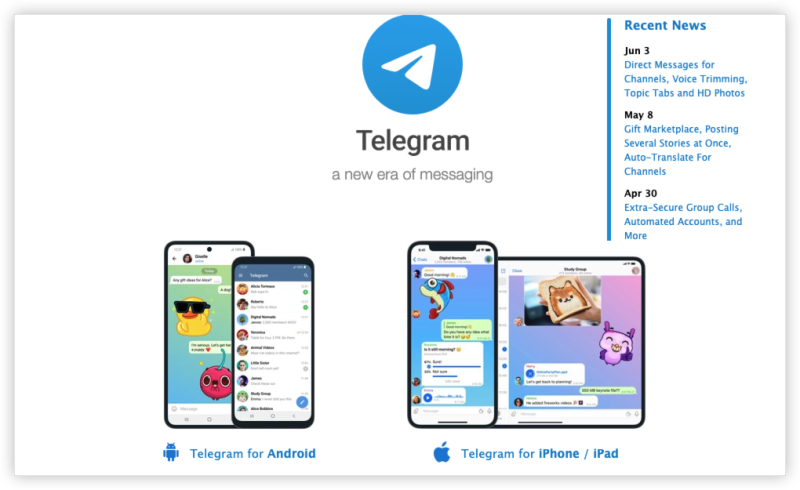
If you’re using modified versions (like Telegram X Mods), uninstall them:
-
Delete unofficial apps
-
Reinstall the official Telegram app from Google Play or App Store
Prevent Telegram Number Ban in the Future
-
Don’t mass message unknown users
-
Avoid joining 20+ groups in a short time
-
Use only the official Telegram app
-
Don’t log in/out of multiple devices too quickly
-
Always register from a clean IP address (use UFO VPN)
Conclusion
Getting banned from Telegram can be frustrating, but it’s often fixable. Find out why your number was banned (spam, VoIP use, abuse reports) and avoid third-party apps and use a clean IP with UFO VPN. Telegram is strict about security—but with the right steps, you can get back in safely.
FAQs
What does “Your phone number is banned” mean on Telegram?
It means Telegram has blocked your number from accessing the platform due to suspected abuse or spam activity.
Can I appeal a Telegram ban?
Yes. Use Telegram’s support form to submit your number and request a review.
How long does Telegram take to respond to a ban appeal?
Usually within 2–5 business days, depending on the volume of support requests.
Can I use a virtual number (VoIP) to sign up again?
It’s not recommended. Telegram bans most VoIP or disposable numbers due to spam risks.
Will a VPN help if my number is banned?
A VPN like UFO VPN can help you avoid future bans by using a clean IP—but it won’t unban your already-blocked number.