What Is XGroovy?
XGroovy is an adult-content website that provides sexually explicit videos and other user-facing content. Like other adult websites, you should consider both the content itself and the security of the website before browsing.
Here are a few things that distinguish XGroovy from some other porn sites:
⭐ Adult-focused content: XGroovy is designed specifically for mature audiences rather than offering general entertainment.
⭐ Video-based browsing: The site mainly centers on streaming and browsing adult videos.
⭐ Large content selection: Users may encounter content from different categories and sources, so the quality and reliability of individual pages can vary.
⭐ Third-party advertising: Adult websites commonly rely on advertising, and some ads may redirect you to external pages.
⭐ Privacy considerations: Your browser, IP address, cookies, and other technical information may be exposed to the site or third-party services, depending on how the website is configured.
XGroovy Can't Load: Is It Down or Blocked in Your Country?
If XGroovy does not load, do not assume that the website has disappeared. There are two common possibilities: XGroovy may be temporarily down, or access may be restricted by your country, ISP, or network.
Adult websites are among the most frequently filtered categories in many countries. For example, internet censorship research has documented widespread blocking of pornography websites across parts of Asia, while the UAE officially requires ISPs to block websites containing prohibited pornography and nudity content.
Countries Where Adult Websites May Be Restricted
The following table gives examples of locations where adult websites can face blocking or other access restrictions. This does not mean that XGroovy is officially confirmed as blocked in every location listed; restrictions can differ by ISP and can change over time.
| Country | Restricted Reason | Get an IP |
|---|---|---|
| United Arab Emirates | Adult and pornographic content is included in prohibited content categories | |
| Saudi Arabia | Internet filtering includes websites classified as immoral or pornographic | |
| India | ISPs can be ordered to restrict access to websites and online content | |
| Indonesia | Pornography is widely filtered at the ISP level | |
| Thailand | Pornography websites have historically been subject to blocking | |
| Turkey | Some websites hosting or distributing pornographic content can be blocked | |
| Pakistan | Adult and other sensitive content is subject to extensive internet filtering | |
| Iran | Adult content is subject to strict internet restrictions |
Internet censorship reports also show that DNS and HTTP-based blocking are common methods used in countries such as Indonesia, India, Thailand, and Malaysia.
The IP locations above are general VPN exit-location suggestions rather than a guarantee that every server will work at every moment. If one location does not connect, try another unrestricted location available in your VPN app.
Check Whether XGroovy Is Actually Down
If XGroovy is unavailable, check its status before changing your network settings. Website-status services can help determine whether the problem affects everyone or only your connection.
Here are 10 useful options:
- Downdetector — Shows outage reports and user issues.
- Is It Down Right Now? — Checks a site's current status.
- Down for Everyone or Just Me — Checks if a site is down for everyone.
- OutageDown — Shows site status and user reports.
- OnlineOrNot — Provides uptime and availability data.
- IsItDownOrJustMe — Checks for wider website outages.
- isitdown.page — Quickly checks website availability.
If several independent checkers show that XGroovy is down, the problem is probably on the website's side. In that case, there is little you can do except wait for the service to recover.
But if the website works elsewhere but not on your connection, a local network or regional restriction is more likely. You can then try the methods below.
10 Smart Ways to Unblock XGroovy
If XGroovy is being restricted by your network or region, several approaches may help. Start with the simplest option and avoid downloading unknown "unblocker" applications from random websites.
1. Choose a Reliable VPN
A VPN routes your connection through a VPN server and replaces your usual public IP address with the server's IP. This can help when a website is unavailable because of regional or network-level restrictions. It can also encrypt traffic between your device and the VPN server.
For an easy option, you can try UFO VPN with the simple steps below.


UFO VPN is an all-in-one VPN that offers unlimited access to 4K streaming like Netlfix, Disney Plus, no-ping gaming as PUBG, Roblox, CODM and social networking for YouTube, X, Facebook and more.




Unlock Pro Features
If you have upgraded to premium plan , feel free to enjoy premium servers for 4K streaming and advanced features like Kill Switch, Split Tunneling, and gaming acceleration. Your Mac is now fully optimized and protected. Inaddition to basic functions, we recommend you turn on

Verify Your IP Now
Use UFO VPN's " What is My IP " feature to see your new IP and location. This confirms your connection is secure, anonymous, and ready for safe browsing online anywhere at any time.







2. Try a Different Network
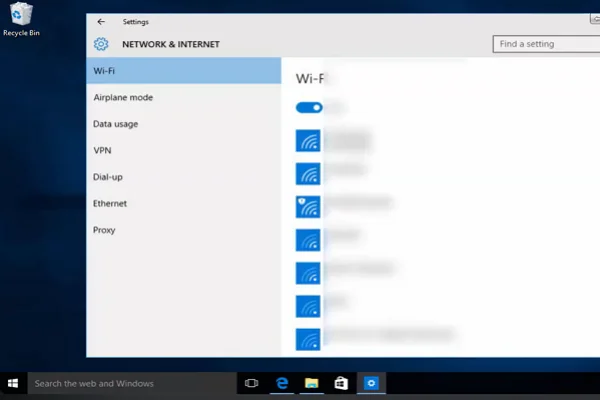
Sometimes the restriction comes from your current Wi-Fi network rather than the entire country.
You can switch from Wi-Fi to mobile data, or connect to another trusted network. If XGroovy loads immediately after switching networks, your original network may be filtering the domain.
3. Change Your DNS Server
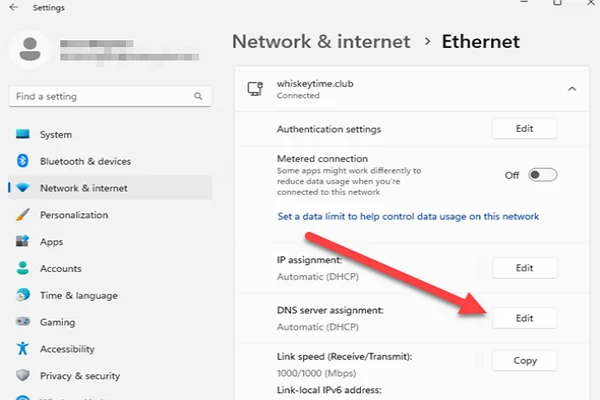
DNS filtering can prevent your device from resolving a website's domain correctly. A public DNS service may sometimes solve this type of problem.
You can try a reputable public DNS provider and then restart your browser. Keep in mind that changing DNS will not bypass every type of government or ISP-level restriction.
4. Use a Privacy-Focused Browser
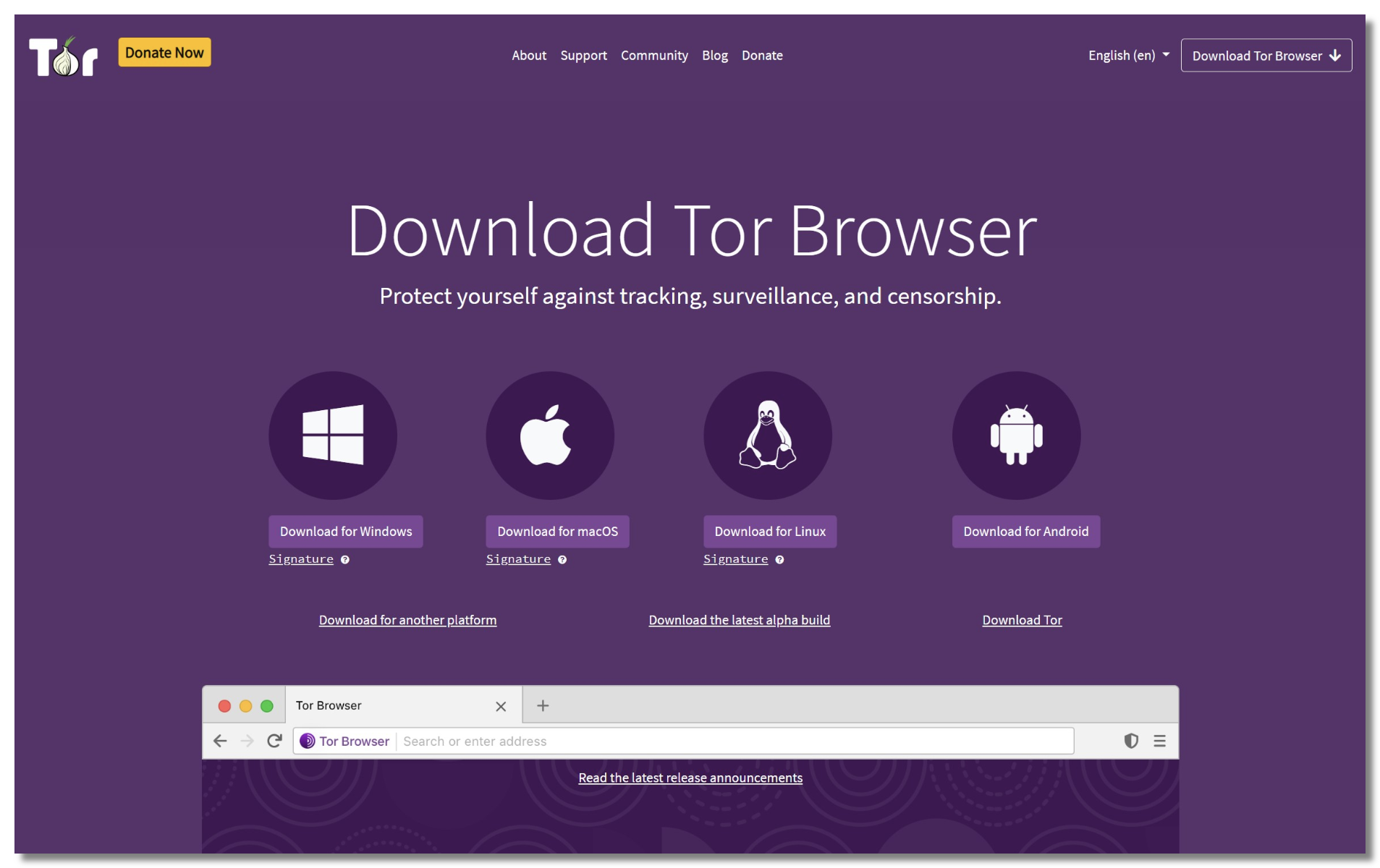
A browser with stronger privacy controls can reduce tracking and block some intrusive scripts or third-party content.
For example, enable built-in tracking protection and pop-up blocking. This is especially useful when browsing websites that contain numerous advertisements.
5. Clear Your Browser Cache and Cookies
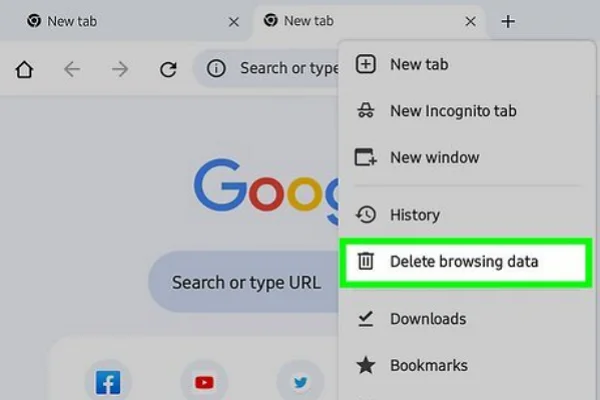
A corrupted cache or outdated cookie can sometimes prevent a website from loading correctly.
💡 Key steps:
- Open your browser settings.
- Find the privacy or browsing-data section.
- Clear cached images and files.
- Remove cookies for the affected site.
- Restart the browser and try again.
6. Use Incognito or Private Mode
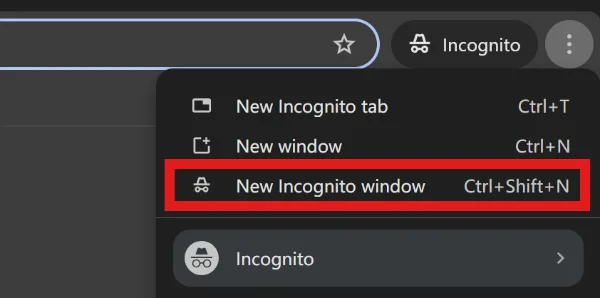
Open a private browsing window and enter the website address again. This prevents your normal browsing session from automatically loading many existing cookies and cached data.
It is useful for troubleshooting, but remember that private mode does not make you completely anonymous online.
7. Check Your Browser's Security Settings
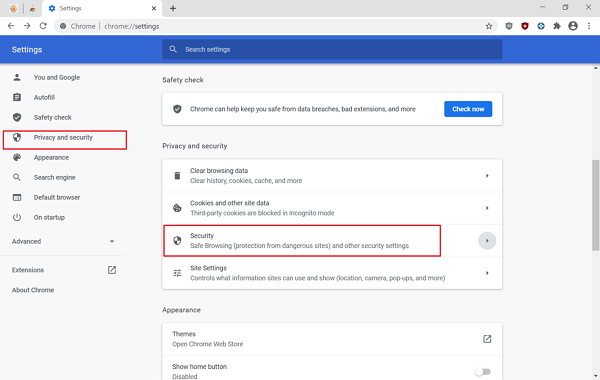
If XGroovy suddenly stops working, your browser may be blocking a script, pop-up, or other website component.
Review your browser's site permissions and security settings rather than disabling all protections. If a page asks you to turn off antivirus protection or browser security, treat that request as a warning sign.
8. Update Your Browser
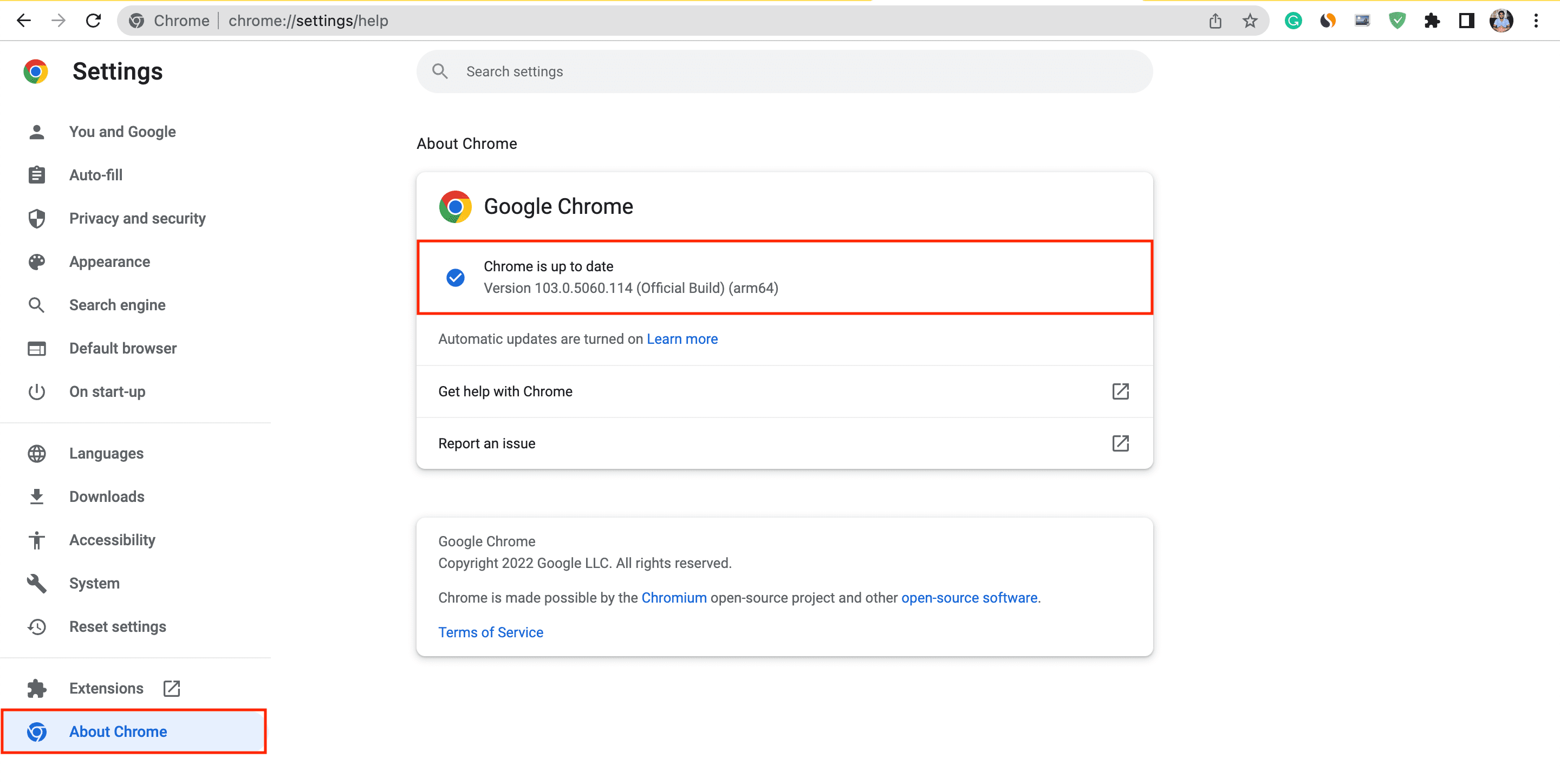
An outdated browser can cause compatibility and security problems.
Install the latest stable version of your browser, restart it, and then test the website again. Keeping your browser updated also helps protect you against known security vulnerabilities.
9. Try Another Device

Testing the website on another trusted device can help identify where the problem is.
- Works on another device: The problem may be related to your browser, DNS, or device settings.
- Doesn't work anywhere on the same network: Your network may be blocking the domain.
- Doesn't work across different networks: The website itself may be experiencing an outage.
This simple test can save you from changing settings unnecessarily.
10. Wait and Try Again Later
Not every access problem requires an unblocker. Servers can become overloaded, domains can experience DNS problems, and websites can temporarily go offline.
If status-checking services show a wider outage, changing your IP address will not fix the underlying problem. Wait for the service to recover and check again later.


Pro Tips to Stay Safe and Private When Browsing XGroovy
So is XGroovy a safe website? This may depend heavily on your own habits. Avoid giving unnecessary information to websites and be particularly careful with advertisements, redirects, and downloads.
Here are some safety tips to follow:
Use updated browsers and security software.
Activate a trusted VPN.
Check the domain carefully before entering any information.
Close suspicious pop-ups and redirects instead of interacting with them.
Don't download unknown files.
Don't enter your credit-card details.
Don't install random browser extensions.
Don't assume Incognito Mode makes you anonymous.
Don't disable your antivirus or browser security features.
Don't click suspicious advertisements or fake download buttons.
Conclusion
Whether you decide to visit XGroovy ultimately depends on your own risk tolerance, local regulations, and browsing habits. A website can have relatively positive automated security signals while still exposing visitors to unwanted ads, redirects, tracking, or other online risks. If you choose to access it, keep your software updated, limit the information you share, and consider a trusted privacy tool such as UFO VPN to add another layer of protection.
FAQs
Does XGroovy require an account to browse?
Not necessarily. Access requirements can change, and some features may be available without creating an account. Avoid registering unless you understand what information the service requests and how it may be used.
Can XGroovy track my IP address?
Websites can generally see the public IP address associated with your connection. A VPN can replace your usual public IP with the VPN server's IP, although it does not make you completely anonymous.
Can I use XGroovy on my phone?
If the website supports your mobile browser, you can generally access it through a phone browser. Keep your operating system and browser updated, and avoid installing unofficial apps that claim to provide special access.
Why does XGroovy keep opening new tabs?
Unexpected tabs may be caused by advertising networks, redirects, or browser permissions. Close suspicious pages without interacting with them and check your browser's pop-up and notification permissions.
What should I do if XGroovy asks me to install a video player?
Be cautious. Modern browsers normally support common web video formats without requiring a special player. If a website asks you to download an unknown executable or extension, do not install it unless you can independently verify that it is legitimate.