Key Takeaways
💡 Find out whether Erome is down for everyone or if the issue only happens on your side before spending time on fixes.
💡 Quickly restore access by using a trusted VPN like UFO VPN when Erome is unavailable in your region.
💡 Follow simple browser, network, and device troubleshooting steps to fix common access problems and get back to browsing.
Before You Start: Is Erome Safe to Browse?
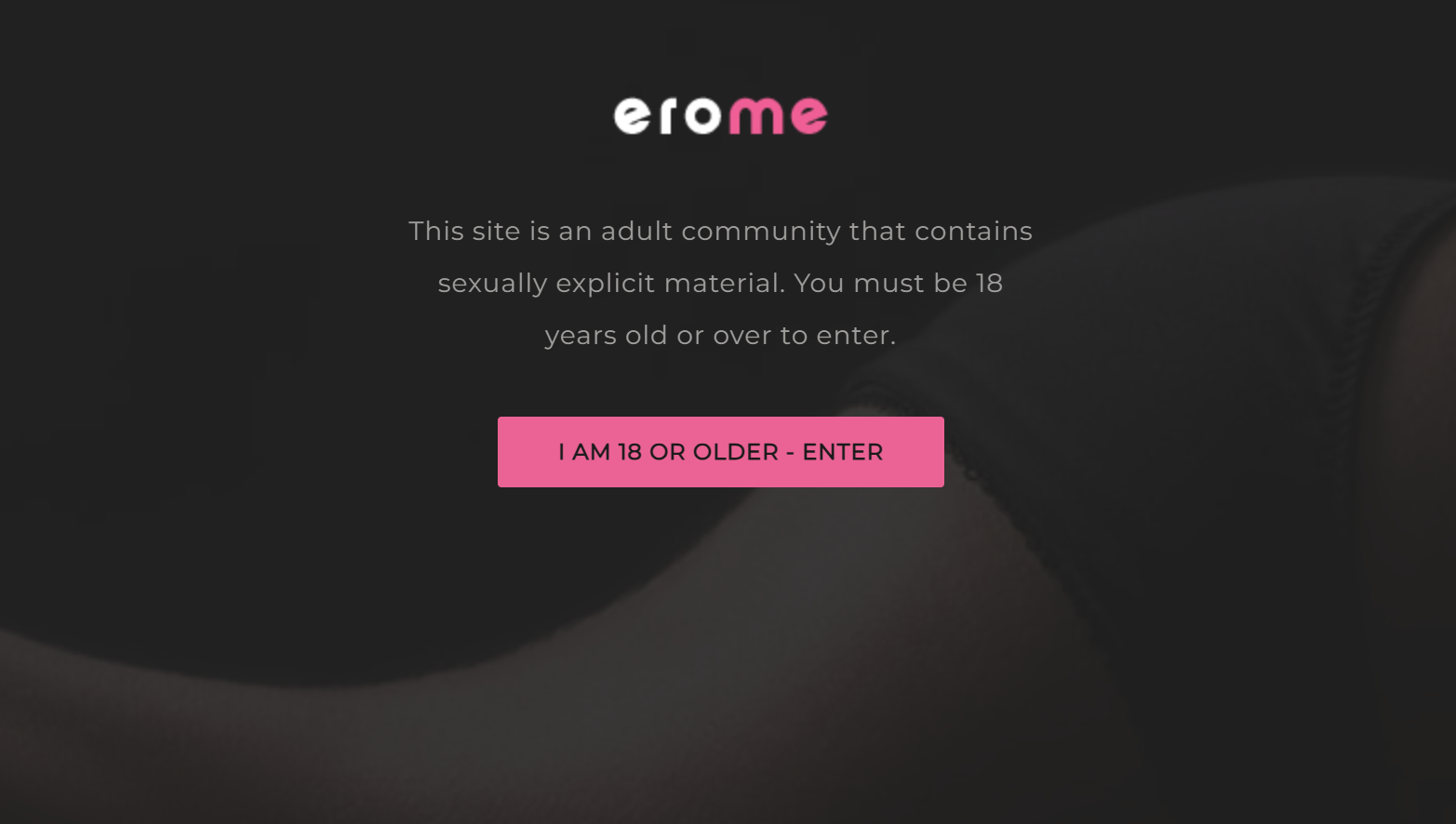
Before looking for ways to unblock Erome, you should first understand whether the platform is safe to visit. Like many user-generated content websites, erome is only available for those who over 18. And your experience greatly depends on how you use it and what security precautions you take.
Normally, Erome itself is a functioning content-sharing platform, but you should still pay attention to online safety. Avoid clicking suspicious pop-ups, downloading unknown files, or entering personal information on unfamiliar pages.
To browse more safely, you can follow these basic practices:
- Use updated browsers and security software.
- Avoid third-party links that claim to offer special Erome features.
- Do not share sensitive personal details.
- Use a VPN when connecting through public or unsecured networks.
It's also key to remember that online content can vary greatly. A safer browsing experience comes from controlling your own settings, checking website permissions, and staying away from questionable advertisements or redirects.
Check the Live Status of Erome First
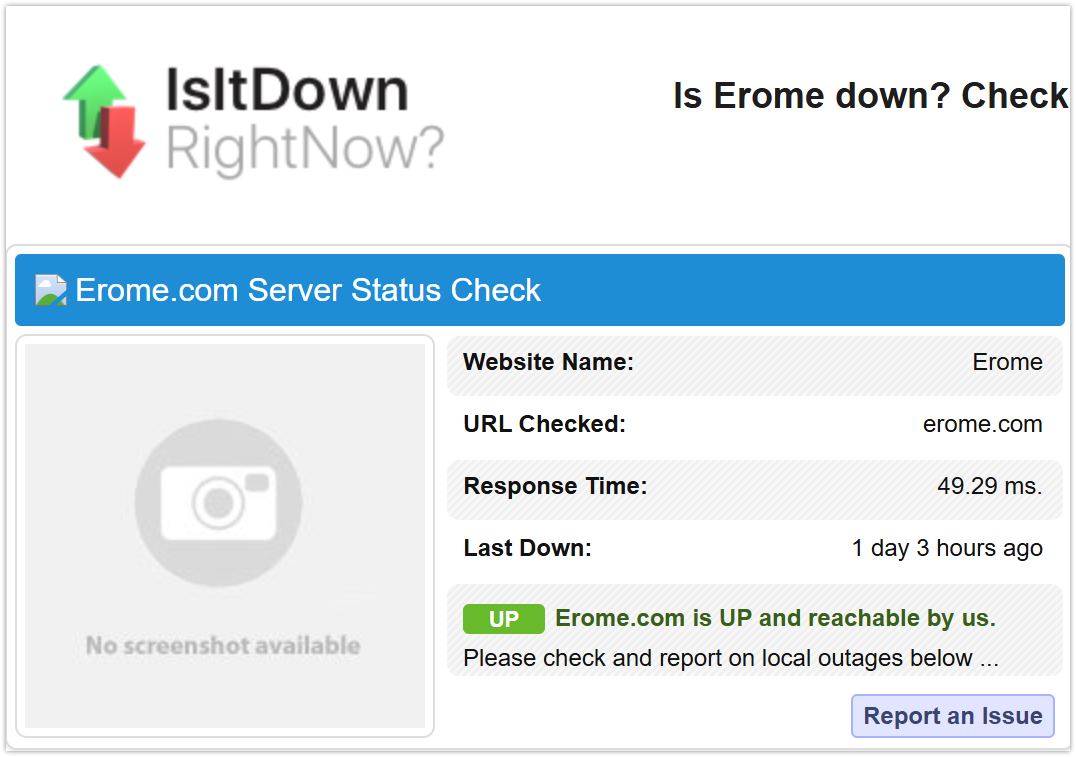
Before changing your settings or trying different solutions, check whether the problem is actually caused by Erome. Sometimes the website may be temporarily unavailable for everyone, meaning there is nothing wrong with your device or internet connection.
If you search for "Is Erome down", you can use website status-checking tools to confirm whether other visitors are experiencing the same issue. These platforms collect outage reports and provide real-time information about website availability.
Here are some common options:
- Downdetector - Tracks outage reports and user-submitted problems for popular websites.
- Is It Down Right Now? - Checks whether a website is reachable from different locations.
- Down For Everyone Or Just Me - Quickly tells if a site is unavailable globally or only on your side.
- Website Planet Status Checker - Tests website availability and server response.
- Site24x7 Website Monitoring - Provides uptime monitoring and website performance checks.
- Uptrends Uptime Checker - Tests website accessibility from multiple locations.
- Host Tracker - Monitors server status and website availability.
- HetrixTools Uptime Monitor - Checks uptime records and server responses.
- Pingdom Website Monitoring - Offers website performance and availability tracking.
- Freshping - Provides website uptime monitoring reports.
- StatusCake - Checks website availability and response times.
If these tools show that Erome is down for everyone, the best option is simply to wait until the service recovers. However, if others can access Erome while you cannot, the problem is likely related to your network, region, browser, or device.
Best Solutions to Unblock Erome Quickly
If Erome is available but you still cannot open it, the issue may come from regional restrictions, ISP blocking, browser errors, or network settings. Try the following solutions one by one to find the method that works best for you.
Way 1: Wait Until Erome Comes Back Online
Sometimes the easiest solution is waiting.
You should: Check status → Confirm a global outage → Wait for the website recovery
If status-check websites show that Erome is unavailable worldwide, the issue is not caused by your device or internet provider. Server maintenance, technical failures, or unexpected traffic problems can temporarily affect access.
In this situation, repeatedly refreshing the page or changing your settings will not help. Wait for Erome’s servers to recover and try again later.
However, if your friends can access Erome normally while you cannot, move on to the following solutions.
Way 2: Activate a VPN to Access Erome
A VPN can help you access websites that may be restricted in your current location by changing your virtual IP address and routing your connection through another server.
If Erome is blocked by your ISP or unavailable in your region, a VPN may provide another access route.
You can try it with these steps:
Download a trusted VPN → Connect to another server → Open Erome again
For a simple setup, you can use UFO VPN. It allows you to select different server locations and create a more flexible connection environment.
Here's how you can use it easily:


UFO VPN is an all-in-one VPN that offers unlimited access to 4K streaming like Netlfix, Disney Plus, no-ping gaming as PUBG, Roblox, CODM and social networking for YouTube, X, Facebook and more.




Unlock Pro Features
If you have upgraded to premium plan , feel free to enjoy premium servers for 4K streaming and advanced features like Kill Switch, Split Tunneling, and gaming acceleration. Your Mac is now fully optimized and protected. Inaddition to basic functions, we recommend you turn on

Verify Your IP Now
Use UFO VPN's " What is My IP " feature to see your new IP and location. This confirms your connection is secure, anonymous, and ready for safe browsing online anywhere at any time.







Way 3: Clear Your Browser Cache and Cookies
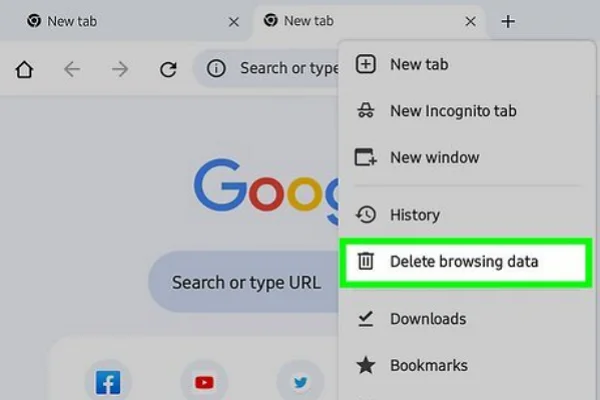
Old browser data can sometimes prevent websites from loading correctly. Cached files, expired cookies, or incorrect login sessions may cause connection problems.
Try this quick fix:
Open browser settings → Clear cache and cookies → Restart your browser → Visit Erome again
For better results, only remove temporary browsing data first instead of deleting saved passwords or important information.
Way 4: Try a Different Browser
Browser compatibility issues can also stop websites from opening properly.
You can test Erome with another browser to identify whether the problem comes from your current one.
💡 Try:
- Switch from Chrome to Firefox.
- Use Edge or Safari as an alternative.
- Update your browser to the latest version.
- Disable unnecessary extensions temporarily.
If Erome works on another browser, your original browser settings or extensions may be causing the issue.
Way 5: Change Your DNS Settings
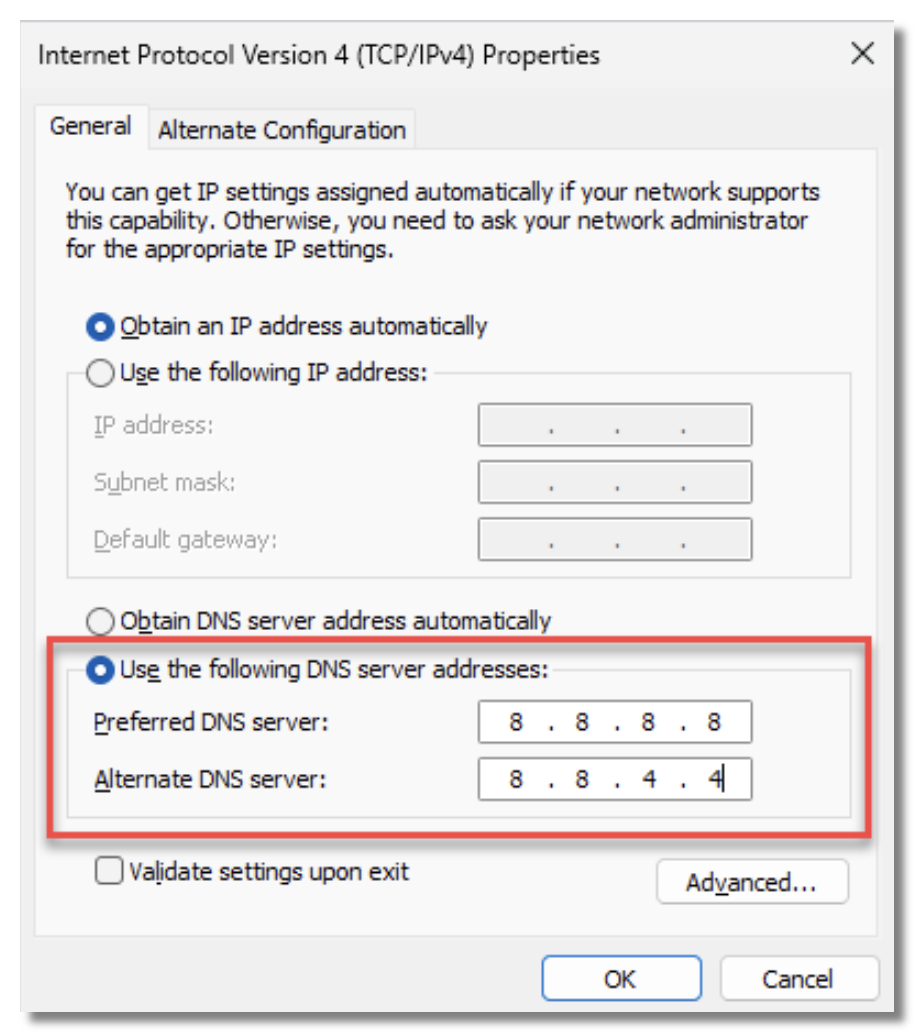
Your DNS provider controls how your device finds website addresses. If your default DNS has trouble resolving Erome, changing it may restore access.
You can try:
Network settings → Replace your DNS → Restart connection
Popular DNS options include:
- Google Public DNS
- Cloudflare DNS
- OpenDNS
After changing DNS, reload Erome and check whether the website becomes available.
Way 6: Restart Your Router and Internet Connection

A temporary network error may prevent you from reaching certain websites.
Restarting your router can refresh your connection and assign a new IP address in some cases.
💡 Key Steps:
- Turn off your router.
- Wait around 30 seconds.
- Turn it back on.
- Reconnect your device.
- Try opening Erome again.
This method is simple but can solve many unexpected connection problems.
Way 7: Disable Browser Extensions
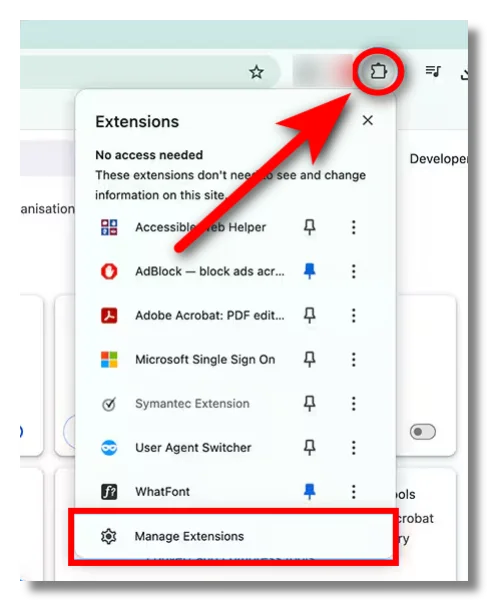
Some browser extensions can interfere with website loading.
Ad blockers, privacy tools, and security extensions may accidentally block scripts or page elements required by Erome.
💡 Try:
Browser extensions → Disable suspicious extensions → Refresh the page
If the website works afterward, enable extensions one by one to find the cause.
Way 8: Use Mobile Data Instead of Wi-Fi

Your Wi-Fi network may have restrictions that prevent access to certain websites.
To test this:
Disconnect Wi-Fi → Enable mobile data → Open Erome
If Erome works through mobile data, your home or workplace network may be blocking the connection.
If Erome Is Still Blocked, Try These Erome Alternatives
Even after trying different access methods, you may still find that Erome is unavailable in your location or does not work as expected. In this case, exploring reliable Erome Alternatives can help you find other platforms with similar sharing features. The following options offer different experiences, from creator-focused communities to video-sharing websites.
1. X (Twitter)

X is a social media platform where creators can share images, videos, updates, and direct interactions with followers. Many independent creators use the platform to build audiences and share content instantly, making it a popular alternative for discovering new creators.
Pros:
- Fast content updates
- Direct communication with creators
- Supports images, videos, and live features
- Large global user base
Cons:
- Search results can be inconsistent
- Algorithm changes may affect visibility
- Privacy settings require attention
- Some content may disappear quickly
2. Fapello

If you prefer browsing image-heavy collections instead of long video pages, Fapello provides a gallery-focused experience built around profiles and albums. The platform organizes content into searchable collections, making it easier to explore different categories. However, you should pay attention to privacy and content ownership issues when using similar sharing websites.
Pros:
- Simple profile-based browsing structure
- Large collection of image-focused pages
- Easy navigation between albums and related content
- Mobile-friendly browsing experience
- Frequent content updates
Cons:
- Content ownership may be unclear
- Heavy advertising can affect browsing
- Limited information about original creators
- Privacy concerns may exist
3. Pornhub
For users looking for a platform with a much larger video library, Pornhub offers one of the most extensive collections available online. Compared with Erome’s album-style sharing, it focuses more on video discovery while adding categories, search filters, creator profiles, and community features.
Pros:
- Extremely large content library
- Advanced search and category filters
- Multiple video quality options
- Active user interaction features
- Supports verified creator accounts
- Available across many devices
Cons:
- Advertising can be aggressive
- Some regions restrict access
- Premium promotions appear frequently
- Content availability changes due to moderation
4. XVideos

When quick loading and simple browsing matter most, XVideos provides a straightforward way to explore a wide range of video content. Although it is less focused on photo albums, its large database and organized categories make it a familiar choice for users who want fast access without complicated features.
Pros:
- Fast loading performance
- Large free video selection
- Simple interface design
- Good mobile compatibility
- Frequent content updates
Cons:
- Limited photo-focused features
- Older interface compared with newer platforms
- Advertisements are common
- Search results may vary in quality
5. xHamster
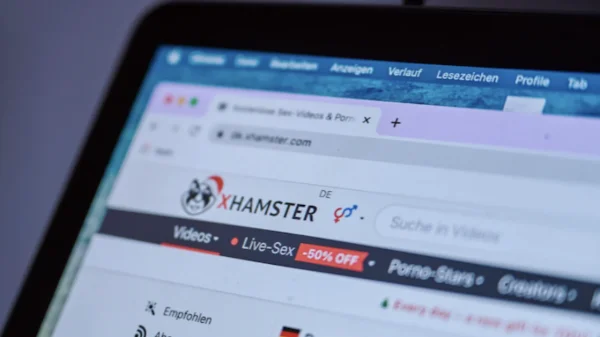
Combining video sharing with community-style features, xHamster gives you more interactive options than traditional tube websites. Its profile system, categories, and user features create a browsing experience that feels closer to a social platform.
Pros:
- Balanced video and community features
- Large variety of categories
- User profiles and interaction tools
- Supports different content formats
- Regular updates
Cons:
- Interface can feel crowded
- Ads may interrupt browsing
- Some features require an account
- Content quality varies between uploads
6. Eporner

For a cleaner and more direct streaming experience, Eporner focuses on high-quality video playback rather than complicated community functions. The platform keeps navigation relatively simple, making it suitable if you mainly want organized categories and quick access.
Pros:
- High-definition playback options
- Clean and simple navigation
- Fast page loading
- Wide category selection
- No complicated account setup
Cons:
- Smaller community features
- Limited creator interaction
- Fewer personalization options
- Advertising remains visible
7. SpankBang

Those who prefer a traditional streaming layout may find SpankBang easier to navigate. The platform emphasizes searchable categories, tags, and smooth playback instead of focusing heavily on creator profiles or image collections.
Pros:
- Smooth streaming experience
- Strong search and tagging system
- Mobile-friendly layout
- Large free content collection
- Easy category browsing
Cons:
- Less focus on photo galleries
- Limited creator management tools
- Advertisements can be intrusive
- Advanced features are limited
8. Motherless
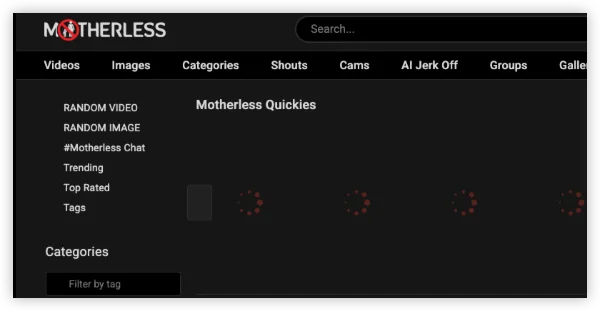
Built around user uploads and community sharing, Motherless offers a more old-school approach to online content organization. Instead of relying only on algorithm recommendations, it allows users to browse collections through tags, categories, and uploaded albums.
Pros:
- Strong user-generated content focus
- Supports both images and videos
- Community-driven organization
- Flexible tagging system
- Long-established platform
Cons:
- Website design feels outdated
- Content quality is inconsistent
- Moderation standards may vary
- Navigation can be less intuitive
9. ImageFap

If your priority is photo galleries rather than video streaming, ImageFap may better match that browsing style. The platform is designed around large image collections, allowing users to explore albums and categories with a stronger focus on still images.
Pros:
- Large image-based collection
- Easy album organization
- Strong tagging features
- Lightweight browsing experience
- Good for photo-focused searches
Cons:
- Limited video functionality
- Older user interface
- Mobile experience is less modern
- Ads may appear frequently
10. LeakGallery

Focused mainly on gallery-style collections, LeakGallery follows a structure built around images and short clips rather than long-form video browsing. However, you should consider whether content is shared with proper permission before using platforms that feature redistributed material.
Pros:
- Gallery-based browsing structure
- Easy image collection discovery
- Simple category navigation
- Fast image loading in many cases
Cons:
- Content permission may be unclear
- Potential privacy concerns
- Limited creator interaction
- Advertising and redirects may appear
11. NudoStar
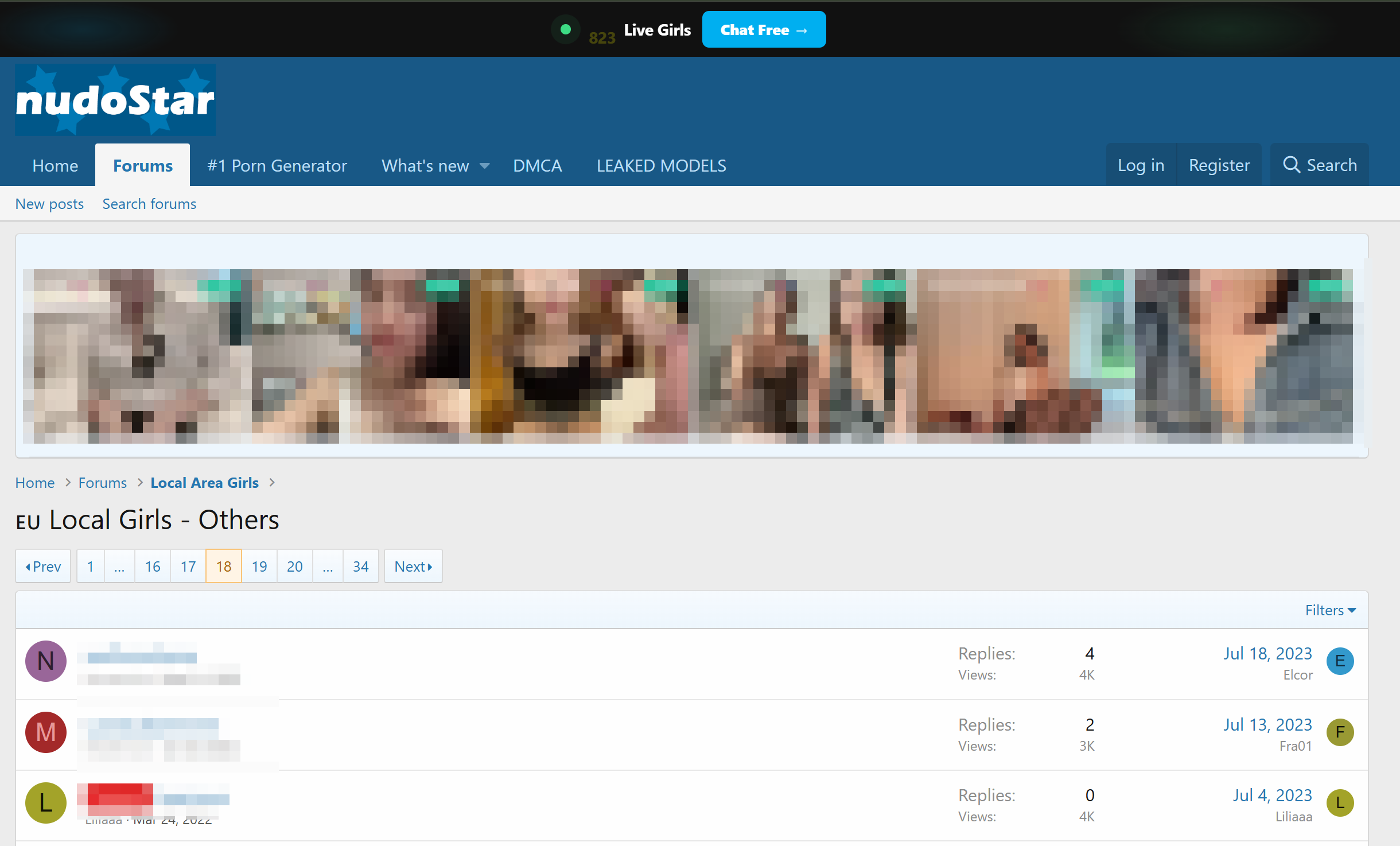
With profile-based pages and collection-style browsing, NudoStar provides an experience centered around discovering image galleries and related clips. Its structure may feel familiar if you prefer browsing organized collections instead of searching through individual videos.
Pros:
- Profile-based organization
- Large gallery collections
- Simple browsing process
- Includes image and video formats
- Easy category discovery
Cons:
- Original source information may be limited
- Privacy concerns can exist
- Search accuracy varies
- Limited community features
Bonus Guide: How Do You Bypass Erome Age Verification?

Erome may ask you to complete an age verification process before accessing certain content in some locations. These requirements usually come from local online safety regulations rather than issues with your account, browser, or device.
But the rules are not the same everywhere. Some countries and regions have introduced stricter requirements for adult-content websites, which means you may see additional verification steps depending on where you connect from.
Currently, regions with stricter age verification requirements include:
- Australia
- United Kingdom
- France
- Germany
- Italy
- Spain
- United States (Some States)
If you are legally allowed to access Erome but encounter location-based verification steps, you can still access this site with following steps:
- Install a reliable VPN app: Download and open a trusted VPN service like UFO VPN on your device.
- Select another country server: Choose an available server location where Erome access is not affected by the same regional restrictions.
- Connect to the VPN server: Turn on the VPN connection and wait until your new virtual location is active.
- Refresh your browser session: Reopen Erome or clear your browser cache and cookies if the previous verification page still appears.
- Try accessing Erome again: Visit the website and check whether the age verification requirement has changed.
⚠️ Warm Note: Keep in mind that a VPN does not replace local laws or website rules. You should always make sure you meet the required age requirements and follow applicable regulations before accessing restricted content.

Conclusion
Access issues can happen with any website, and the best solution depends on what is causing the problem. Whether the issue comes from temporary downtime, network limitations, or regional availability, understanding the reason behind it helps you choose the right approach instead of trying random fixes. When location restrictions affect your access, a VPN service like UFO VPN can provide another connection option by allowing you to connect through different server locations.
FAQs
Why does Erome load slowly even when my internet works?
Erome may load slowly because of server distance, heavy traffic, browser problems, or temporary performance issues. Testing the website on another network or device can help identify the cause.
Does Erome work on mobile devices?
Yes, Erome can generally be accessed through mobile browsers. However, the experience may depend on your browser compatibility, device settings, and network connection.
Can browser extensions affect Erome performance?
Yes. Some privacy tools, security extensions, and ad blockers may interfere with website scripts or page elements, which can affect how the site functions.
Why does Erome sometimes show different content availability?
Content availability may change because of creator settings, platform policies, regional rules, or account-related restrictions.
Is using public Wi-Fi to access Erome recommended?
Public Wi-Fi networks may expose your connection to additional security risks. If you use public networks, consider protecting your connection with proper security measures and avoid sharing sensitive information.