What Is Y8 Games?
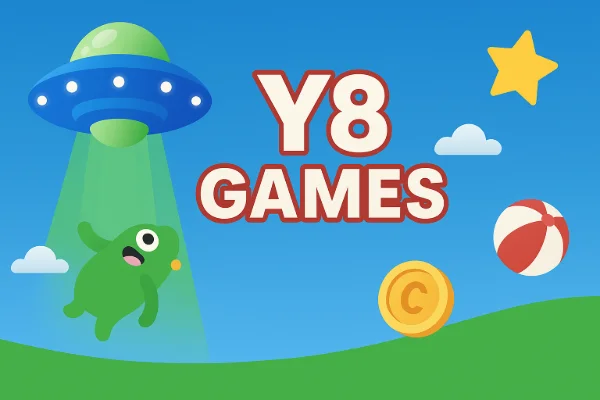
Y8 games are an extensive collection of free online games hosted on Y8.com. The platform features a variety of genres, including shooting games, 2-player and 3-player games, puzzle challenges, and games specifically designed for girls, such as dress-up and makeover titles.
Historically, Y8 offered Flash-based games, but with Flash support ending, most new games are now HTML5 or WebGL-based, which makes them playable on modern browsers without extra plugins.
The appeal of Y8 games lies in their accessibility and diversity. Whether you enjoy fast-paced action games like slope games, cooperative 2-player challenges, or casual games to kill time, Y8 provides options for every taste. For students, especially, these games offer a fun escape during breaks or free periods.
If Y8 games are blocked on your school or office network, the best way to get unblocked access is to use a free proxy VPN in UFO VPN. You can download the free VPN for Windows to enjoy your favorite titles anywhere.
Where to Play and Access Y8 Games in 2026?
Accessing Y8 games has become more challenging in some environments due to network restrictions in schools, libraries, and workplaces. However, there are still reliable ways to enjoy these games safely:
1. Official Y8.com Website
The first and most straightforward option is the official website (https://www.y8.com/). Users can browse through categories such as 2-player games, shooting games, or games for girls, directly from the Y8 homepage.
2. Unblocked Mirror Sites
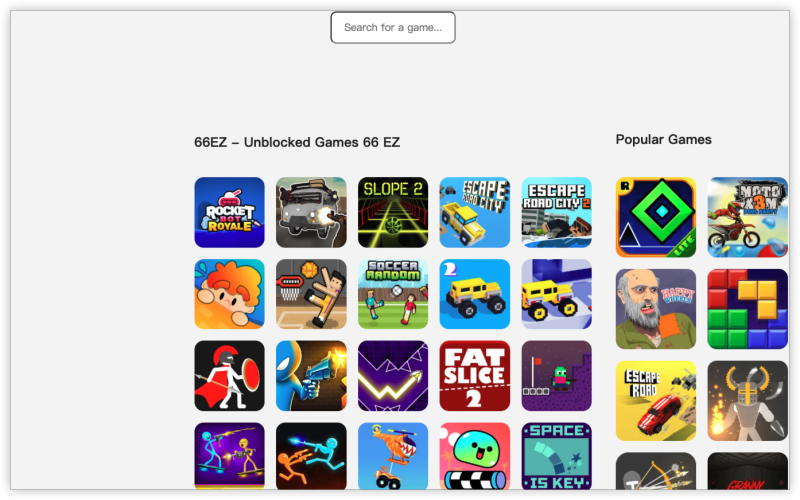
If your school or office network blocks Y8.com, there are mirror or proxy sites commonly referred to as “unblocked games” sites, like Unblocked Games 66. These platforms host the same games but are accessible when the main site is restricted.
3. VPN Services
A reliable VPN, such as UFO VPN, can securely route your internet connection, allowing unrestricted access to Y8 games even on restricted networks. VPNs are particularly useful for students who want a stable connection without constant interruptions.
By combining these methods, you can enjoy Y8 games anywhere without worrying about network limitations.
How to Unblock Y8 Games for Free? (Advanced & Safe Methods)
Many users attempt simple tricks, like finding mirror sites or changing URLs, but these methods can be inconsistent. For reliable access, consider the following approaches:
1. Using a VPN (Recommended)
VPNs (Virtual Private Networks) can mask your location, letting you bypass school or ISP restrictions without compromising safety. With a VPN:
-
You can access Y8 unblocked hacked, or regular Y8 games safely.
-
Play 2-player or 3-player games without latency issues caused by local restrictions.
-
Protect your personal data when using public Wi-Fi networks.
Pro Tip: Select a VPN like UFO VPN that offers fast servers and a stable connection to avoid lag, especially for action or shooting games.
How to get started with UFO VPN:


UFO VPN is an all-in-one VPN that offers unlimited access to 4K streaming like Netlfix, Disney Plus, no-ping gaming as PUBG, Roblox, CODM and social networking for YouTube, X, Facebook and more.




Unlock Pro Features
If you have upgraded to premium plan , feel free to enjoy premium servers for 4K streaming and advanced features like Kill Switch, Split Tunneling, and gaming acceleration. Your Mac is now fully optimized and protected. Inaddition to basic functions, we recommend you turn on

Verify Your IP Now
Use UFO VPN's " What is My IP " feature to see your new IP and location. This confirms your connection is secure, anonymous, and ready for safe browsing online anywhere at any time.







2. Browser Extensions & Proxy Sites
Free proxy sites and browser extensions can sometimes unblock Y8 games by rerouting your traffic through different servers. While convenient, they may not always work with multiplayer or real-time games due to slower speeds.
-
Pros: Quick access, no installation needed.
-
Cons: Risk of intrusive ads, slower performance, and limited reliability.
3. HTML5 and Offline Versions
Many Y8 games now have HTML5 versions, meaning you can play without Flash. Some games can even be downloaded for offline play:
-
Search for how to play Y8 games offline.
-
Download compatible versions to play anytime without needing internet access.
This method is particularly useful for classrooms or locations with strict network filters.
4. Advanced URL Tricks
Occasionally, accessing the correct subdomains, mirrors, or direct game links can bypass blocks. For example:
-
Typing “Y8 games slope” or other game-specific URLs may work even if the main site is blocked.
-
Searching for “y8 unblock games advanced method” can lead to community-tested solutions.
These methods are free but require patience and attention to avoid broken or malicious links.
Can You Download Y8 Games for Offline Playing?
While most Y8 games are designed for online play, some can be accessed offline with the right approach:
-
Flash Games
-
Older Flash-based games can sometimes be downloaded using emulators or specific save methods. These files can then be played offline using a Flash Player emulator or a supported browser extension.
-
-
HTML5 and WebGL Games
-
Modern Y8 games typically require online resources and cannot be easily downloaded. However, some games have standalone versions available on mobile platforms or developer sites that support offline play.
-
-
Why Offline Play Is Useful
-
Offline access is ideal for students in restricted environments or areas with unreliable internet. It also allows you to preserve your favorite games that might be removed from the Y8 website in the future.
-
Bonus: Similar Sites Like Y8.com
If you’re looking for alternatives or backup options when Y8 is down or blocked, consider these sites:
-
GamePix: Offers a wide range of browser-based games, including action, puzzle, and multiplayer.
-
Gimkit Join Unblocked: Great for educational games and quizzes that can be accessed freely at school.
-
Master Chess: Focuses on chess gameplay for beginners and advanced players alike.
-
Kizi: Known for casual and multiplayer games, perfect for online fun similar to Y8.
These platforms provide similar gameplay experiences and can serve as reliable backups when accessing Y8 games unblocked at school proves difficult.
FAQs
Is the Y8 Game down?
Sometimes, Y8.com may appear down due to server maintenance, geo-blocking, or network restrictions. Using a VPN or checking mirror sites can help.
Are Y8 unblocked hacked versions safe?
Only download from trusted sources. Using a VPN and avoiding unknown links can reduce risks.
Can I play Y8 games on mobile devices?
Yes, many HTML5 games are mobile-friendly, but older Flash games may require a PC or specialized app.
Are multiplayer games like 2-player or 3-player Y8 games free?
Most games are free, but some premium features or items may require in-game purchases.
Conclusion
Y8 games continue to offer a wide range of fun and interactive online games for 2026, from shooting games to 2-player challenges and games for girls. Even with school or network restrictions, you can enjoy Y8 games unblocked safely using mirror sites or a VPN like UFO VPN. For offline play or alternative sites, several options ensure uninterrupted gaming enjoyment.