Step 0: Access YouTube TV in Different Countries
Before subscribing, the first requirement is being able to access YouTube TV. In most parts of the United States, YouTube TV works without any issue. However, in many other countries, the service is restricted or unavailable. This is a common problem for users who travel, study abroad, or live outside the US.
In some regions, even visiting the YouTube TV website may be blocked or limited. This is why many users prepare a useful tool in advance, such as a VPN.
A VPN helps you connect through a server located in another country. For YouTube TV, connecting to a US VPN free is often required. Generally, VPN can help with:
- Accessing the YouTube TV website
- Signing up for an account
- Loading the full YouTube TV channel list
- Streaming live TV without region errors
In areas mentioned above, UFO VPN is often used because it focuses on streaming access. Its main advantages include:
- US-based servers optimized for streaming
- Simple apps for desktop and mobile
- Stable connections for live TV
- No complex setup steps
Currently, YouTube TV is restricted in the following countries:
| Country / Region | Status | Reason |
|---|---|---|
| Canada | Restricted | Licensing limits |
| UK | Restricted | Not officially launched |
| Australia | Restricted | Regional broadcasting rules |
| Germany | Restricted | Content rights |
| India | Restricted | Service not supported |
| Japan | Restricted | Local TV licensing |
If you are in these areas and wish to enjoy the fun of watching movies or TV series on YouTube TV, the best way is to connect to the free proxy VPN in UFO VPN. And this is often very easy. Below are simple steps to use this trusted tool on your devices:


UFO VPN is an all-in-one VPN that offers unlimited access to 4K streaming like Netlfix, Disney Plus, no-ping gaming as PUBG, Roblox, CODM and social networking for YouTube, X, Facebook and more.




Unlock Pro Features
If you have upgraded to premium plan , feel free to enjoy premium servers for 4K streaming and advanced features like Kill Switch, Split Tunneling, and gaming acceleration. Your Mac is now fully optimized and protected. Inaddition to basic functions, we recommend you turn on

Verify Your IP Now
Use UFO VPN's " What is My IP " feature to see your new IP and location. This confirms your connection is secure, anonymous, and ready for safe browsing online anywhere at any time.







What Is YouTube TV & How Does It Work?
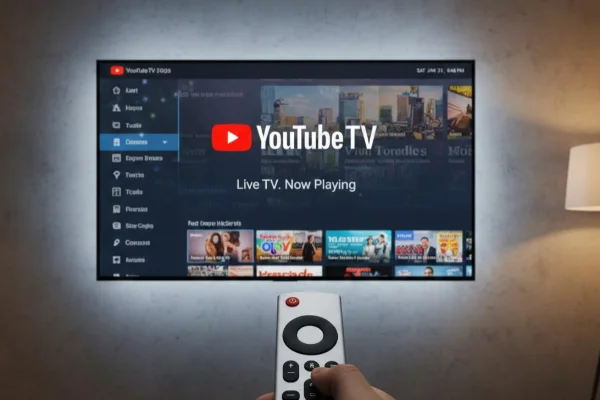
YouTube TV is a live TV streaming service that replaces cable or satellite TV. Instead of using a cable box, you stream channels through the internet. You subscribe monthly, and all channels are delivered through the YouTube TV app or website.
The service works by partnering with TV networks and local stations. When you open YouTube TV, you get access to live broadcasts, replays, and on-demand libraries. A built-in cloud DVR lets you record shows without storage limits.
Types of Content Available on YouTube TV:
-
Entertainment channels
-
News networks
-
Sports channels
-
Kids programming
-
Lifestyle and reality TV
-
Educational channels
-
Local broadcast stations
2026 Plans and Pricing for YouTube TV Channels
YouTube TV has updated its pricing to reflect the new genre-based options. You can now choose between a "catch-all" plan or specific smaller bundles.
The Base Plan ($82.99/mo): This is the traditional plan. It includes 100+ channels, unlimited DVR, and 6 accounts per household. It is the best choice if you want "everything."
Genre-Specific Plans ($29.99 - $49.99/mo): New for 2026, you can subscribe to just a "Sports Plan," a "News Plan," or a "Family Plan." These are cheaper but have fewer channels.
Spanish Plan ($34.99/mo): This is a standalone plan for Spanish speakers, including 30+ Spanish-language channels like Univision and Telemundo.
Additional Packages/Services You May Choose for YouTube TV
If the basic YouTube TV channel list isn't enough, you can add "extra" services to your bill. These are usually for people who want better picture quality or very specific niche channels.
| Add-on Service | Monthly Cost | What You Get |
|---|---|---|
| 4K Plus | $9.99 | 4K resolution on select shows, offline downloads, and unlimited streams at home. |
| Sports Plus | $10.99 | Adds NFL RedZone, beIN SPORTS, and 10+ other niche sports channels. |
| Entertainment Plus | $29.99 | A bundle of Max, Showtime, and Starz at a discounted rate. |
| Spanish Plus | $14.99 | Adds extra Spanish channels to your existing Base Plan. |
Devices Supported by YouTube TV
You don't need to buy new hardware to use YouTube TV. It works on almost anything with a screen and an internet connection. Most of the channels in the YouTube TV channel list look great on big screens, but the app also works perfectly on mobile devices. When you are on the bus or at work, they can be a great way to kill time.
-
Smart TVs: Samsung, LG, Vizio, and Sony TVs usually have the app pre-installed.
-
Streaming Sticks: Roku, Amazon Fire TV Stick, and Google Chromecast.
-
Game Consoles: PlayStation 5, PlayStation 4, Xbox Series X/S, and Xbox One.
-
Mobile Devices: Android phones/tablets and iPhones/iPads.
-
Computers: You can watch directly in your web browser (Chrome, Safari, Firefox).
All channels are universal across devices. If you have the Sports Plus add-on, you can watch it on your TV at home or your phone while traveling.
Full List of YouTube TV Channels
The YouTube TV channel list is designed to cover most viewing needs without extra fees. It includes national networks and local channels based on your area.
The list below groups channels by category so it is easier to understand what kind of content you can expect. Channel availability may vary slightly by location.
Entertainment Channels
- ABC
- CBS
- NBC
- FOX
- AMC
- FX
- TNT
- TBS
- USA Network
- Bravo
News Channels
- CNN
- FOX News
- MSNBC
- BBC World News
- CNBC
- ABC News Live
- Adult & Lifestyle Channels
- Channel
- TLC
- HGTV
- Food Network
Travel Channel
- Discovery
- A&E
- Kids Channels
- Channel
- Cartoon Network
- Disney Channel
- Disney XD
- Nickelodeon
- PBS Kids
Sports Channels
- ESPN
- ESPN2
- FS1
- FS2
- NBC Sports
- CBS Sports Network
Movies Channels
- TCM
- FXM
- AMC Movies
- IFC
Educational & Documentary Channels
- National Geographic
- Nat Geo Wild
- Smithsonian Channel
- Discovery Science
Music & Culture Channels
- MTV
- VH1
- CMT
- BET
Free VS Premium YouTube TV Options: Which One Is Better?
YouTube TV is a "Premium" service, meaning you pay a monthly fee. However, some people confuse it with regular YouTube, which is free.
If you choose premium YouTube TV, you need to pay around $82.99/month. The content includes live cable channels (ESPN, CNN, ABC), unlimited DVR, and full YouTube TV channel list
⭐ Best for: People who want to replace their cable bill and watch live sports or new episodes of shows as they air.
If you go to the free option, the cost is $0. You can enjoy short trial periods and limited preview channels. But there is no long-term access.
⭐ Best for: New users who want to test the service, or people who are comparing live TV platforms.
How to Choose: If you want to watch the Super Bowl, the Oscars, or the nightly local news, you need the Premium YouTube TV service. If you only want to explore the interface, a free trial is enough.
100% Free and Safe Alternatives to YouTube TV
Some users prefer free platforms. While they do not fully replace YouTube TV, they offer legal content without subscription fees.
Free Streaming Alternatives
| Platform | Type | Cost |
|---|---|---|
| Pluto TV | Live TV + on-demand | Free |
| Tubi | Movies & TV shows | Free |
| Plex TV | Live channels | Free |
| Freevee | Ad-supported content | Free |
| Roku Channel | Live + on-demand | Free |
These services are safe and legal, but they offer fewer live sports and local channels.
Conclusion
YouTube TV is a very different beast than it was a few years ago. With the introduction of genre-based plans, the YouTube TV channel list is more customizable than ever.
Whether you are a huge sports fan who only wants ESPN and FS1, or a family that needs Disney and Nickelodeon, there is a package that fits.
While the price has gone up for the full base plan, the flexibility of the new, smaller bundles makes it a great choice for cord-cutters. Just remember, if you are outside the US, a tool like UFO VPN is essential to get through the door.
FAQs
Can I watch YouTube TV on more than one TV at the same time?
Yes. The standard plan allows you to stream on up to 3 devices at once. If you buy the 4K Plus add-on, you can stream on an unlimited number of devices as long as they are all on your home internet network.
Does YouTube TV have local channels?
Yes. In almost every part of the US, YouTube TV includes your local ABC, CBS, NBC, and FOX stations. It uses your device's location to figure out which local news to show you.
Is there a contract for YouTube TV?
No. You pay month-to-month. You can cancel at any time through the app or website settings without paying any "breakup" fees.
Can I skip commercials on YouTube TV?
You can skip commercials on shows you have recorded to your DVR. However, if you are watching "Live" TV, you have to watch the commercials just like on regular cable.
Is there a free trial for the YouTube TV channel list?
Yes. Most of the time, YouTube TV offers a 7-day or 14-day free trial for new users. Sometimes they even offer a 21-day trial during big holidays or sporting events.