Latest News: What Happened to Roblox Russia?
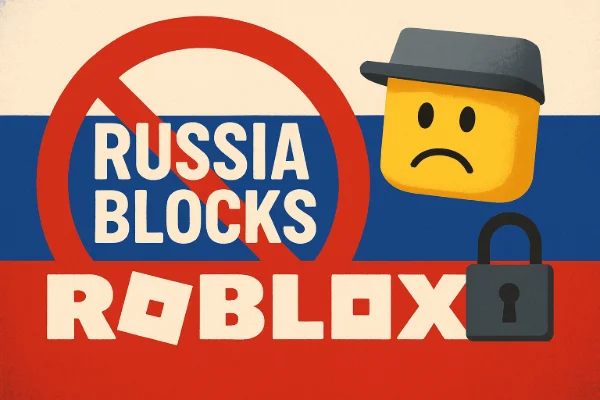
On 3 December 2025, Russian authorities blocked access to Roblox, citing concerns over content deemed harmful to children and extremist material. This move made the Roblox website, servers, and Roblox Studio inaccessible for Russian users.
Russia is not the only country to restrict Roblox—access has also been limited at times in countries like Iraq, Qatar, due to local regulations and content restrictions.
If Roblox is blocked in your region, try a free proxy VPN in UFO VPN to access the Roblox server or the Roblox Studio quickly! UFO VPN offers optimized VPN servers like Russia VPN free, Iraq VPN free, etc.
How to Access Roblox in Russia Instantly? (Safe & Legal)
For players in Russia who want to continue enjoying Roblox safely and legally, there are a few viable methods. While no solution is guaranteed due to ongoing enforcement and network monitoring, some options are more stable and easier to use.
1. Use a VPN to Change Your IP Address (Most Reliable)
VPNs are the most popular and effective way to bypass geo-restrictions. By connecting through servers outside Russia, your internet traffic is encrypted, and Roblox can load normally.
Steps to use a Roblox VPN free:


UFO VPN is an all-in-one VPN that offers unlimited access to 4K streaming like Netlfix, Disney Plus, no-ping gaming as PUBG, Roblox, CODM and social networking for YouTube, X, Facebook and more.




Unlock Pro Features
If you have upgraded to premium plan , feel free to enjoy premium servers for 4K streaming and advanced features like Kill Switch, Split Tunneling, and gaming acceleration. Your Mac is now fully optimized and protected. Inaddition to basic functions, we recommend you turn on

Verify Your IP Now
Use UFO VPN's " What is My IP " feature to see your new IP and location. This confirms your connection is secure, anonymous, and ready for safe browsing online anywhere at any time.







Tip: UFO VPN offers gaming-optimized servers and a user-friendly app that make accessing Roblox safer and more stable for Russian users.
2. Proxy Services
Proxies, especially SOCKS5, can allow website access and sometimes even game connections. However, they have limitations like slower speeds or a lack of UDP support.
Steps to use a SOCKS5 Proxy for Roblox:
-
Obtain a reliable SOCKS5 proxy server (paid or trusted free service).
-
Configure the proxy in your Roblox client or system network settings.
-
Test your internet connection to ensure traffic routes through the proxy.
-
Open Roblox website or client. Some games may load, but UDP-based real-time gameplay may not work reliably.
3. Shadowsocks / V2Ray
For technically inclined users, Shadowsocks, V2Ray, or Trojan protocols provide advanced traffic obfuscation to bypass stricter blocks.
Steps to use Shadowsocks / V2Ray:
-
Set up a Shadowsocks or V2Ray client on your device.
-
Acquire a server configuration (IP, port, password, protocol) from a trusted source.
-
Connect the client and ensure the connection is stable.
-
Verify that your traffic is routed through the proxy.
-
Launch Roblox—this should bypass stricter network restrictions.
Note: These tools are effective but require configuration skills and are not as user-friendly as commercial VPNs.
4. DNS Changes
Changing your DNS can sometimes help access websites blocked by DNS filtering, but it cannot bypass IP-level or server-level restrictions.
Steps to change DNS:
-
Open your device’s network settings.
-
Replace your current DNS with a public DNS server, e.g.:
-
Cloudflare: 1.1.1.1 / 1.0.0.1
-
Google: 8.8.8.8 / 8.8.4.4
-
-
Save changes and restart your internet connection.
-
Try opening Roblox website.
Important: DNS changes alone won’t allow gameplay if Roblox servers are blocked—you’ll still need a VPN or advanced proxy to play games.
Comparison of These Ways to Unblock Roblox in Russia
| Method | Can Access Roblox Website | Can Join Roblox Games | Stability | Effectiveness in Russia |
|---|---|---|---|---|
| Roblox VPN (with Obfuscation) | ✔️ | ✔️ | ⭐⭐⭐⭐⭐ | ⭐⭐⭐⭐⭐ |
| SOCKS5 Proxy | ✔️ | Partially | ⭐⭐ | ⭐⭐ |
| HTTP/HTTPS Proxy | ✔️ | ❌ | ⭐ | ⭐ |
| Shadowsocks / V2Ray | ✔️ | ✔️ | ⭐⭐⭐⭐ | ⭐⭐⭐⭐ |
| Changing DNS Only | ✔️ | ❌ | ⭐⭐ | ⭐ |
Roblox Banned in Russia: Get Best Alternatives to Roblox
When Roblox is blocked in Russia, many players look for similar platforms that offer creativity and social interaction. The following table shows some of the closest alternatives, along with their accessibility in Russia:
Alternatives to Roblox:
| Platform | Similarity to Roblox (Creation & Social) | Availability in Russia |
|---|---|---|
| Core Games / Manticore | Medium-High | ✅ Accessible |
| Kogama | Medium | ✅ Accessible |
| Blockland | Medium | ✅ Accessible |
| Garry’s Mod | High | ✅ Accessible |
| Minecraft | High | ⚠️ Possibly restricted |

What About Your Roblox Russia Account & Assets After Being Blocked?
Many Russian players are concerned about accounts, Robux, and game progress. Fortunately:
-
Your account and Robux are not deleted due to the block.
-
Purchases and creations remain intact on Roblox servers.
-
Logging in from another region or using a VPN/obfuscation tool should restore access without loss.
For creators, it’s advisable to backup game assets and scripts where possible, and keep track of important in-game purchases until access is restored.
Will Roblox Be Permanently Blocked in Russia?
At this stage, it’s unclear whether Roblox will be permanently blocked. Government policies may evolve, and sometimes platforms resume access after modifying content or implementing local compliance measures. Until then, safe and legal workarounds like VPNs remain the most reliable option for Russian users.
FAQs
Is it safe to use a VPN to play Roblox in Russia?
Yes, using a reputable VPN is generally safe. It encrypts your connection, hides your IP, and helps bypass blocks without violating Roblox’s Terms of Service.
Can I access Roblox on mobile devices?
Yes. Most VPNs, including UFO VPN, support iOS and Android, enabling mobile access to Roblox in Russia.
Will my Roblox account or Robux be lost if I use a VPN?
No. VPNs only change your IP for connection purposes. Your account and assets remain safe.
Are there free options to access Roblox?
Some free VPNs exist, but they may have limited servers, slow speeds, or privacy risks. Paid services offer more reliable and secure connections. UFO VPN provides a free trial, and you can use it to try regaining Roblox access.
Conclusion
Roblox is currently blocked in Russia, affecting players’ ability to access games and creative tools. The safest and most reliable way to continue playing is through a VPN or obfuscation tool, while proxies and DNS changes offer limited results. By following these safe and legal methods, Russian users can regain access, protect their accounts, and continue enjoying Roblox without interruption.