Reasons to Unblock Valorant
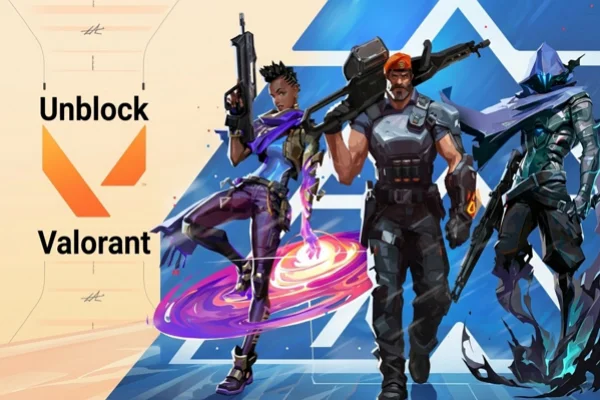
Many players try to unblock Valorant for practical reasons, not just curiosity. Below are some common situations where unblocking the game becomes necessary.
✅ Reduced Latency
Latency, or ping, directly affects how fast your actions register in the game. If you connect to a distant or overloaded server, your shots may feel delayed. By accessing a different region, you can connect to a server that is physically closer or less crowded. This can reduce Valorant lag and make gameplay more responsive.
✅ Playing with Friends
Valorant uses regional servers, which means players in different regions may not be able to queue together easily. If your friends are in another country, you may need to switch your region to join their matches. Unblocking the game allows you to play together without creating a new account.
✅ Exploring Different Regions
Each region has its own playstyle. For example, players in one region may prefer aggressive tactics, while others focus more on strategy and teamwork. Changing regions lets you experience different types of matches and improve your skills by adapting to new styles.
✅ Avoiding Network Restrictions
In certain environments, such as schools, offices, or public networks, gaming traffic may be limited. These restrictions can stop Valorant from connecting to its servers. Using the right tools allows you to bypass these limits and access the game normally.
Is it Safe to Unblock Valorant?
Many players worry about safety when trying to unblock Valorant. The answer is yes, it can be safe, but only if you use the right method. If you download unknown APK or use free services with no reputation, you may risk exposing your data or getting unstable connections.
A reliable option is to use a trusted VPN service such as UFO VPN. A good VPN encrypts your internet connection and routes your traffic through a secure server. This helps protect your data while also allowing you to access different regions.


UFO VPN is an all-in-one VPN that offers unlimited access to 4K streaming like Netlfix, Disney Plus, no-ping gaming as PUBG, Roblox, CODM and social networking for YouTube, X, Facebook and more.




Unlock Pro Features
If you have upgraded to premium plan , feel free to enjoy premium servers for 4K streaming and advanced features like Kill Switch, Split Tunneling, and gaming acceleration. Your Mac is now fully optimized and protected. Inaddition to basic functions, we recommend you turn on

Verify Your IP Now
Use UFO VPN's " What is My IP " feature to see your new IP and location. This confirms your connection is secure, anonymous, and ready for safe browsing online anywhere at any time.







Steps to Change Regions with VPN
Changing regions in Valorant is not complicated, but you need to follow the correct steps to avoid connection problems.
Step 1. Choose a Reliable VPN: Download a trusted VPN like UFO VPN from its official website or app store. Avoid third-party sources to reduce risk.
Step 2. Install and Open the App: Follow the installation instructions. Once installed, open the app and sign in if needed.
Step 3. Select a Server Location: Choose a country where you want to play Valorant. For example, you can select Japan, Singapore, or the United States depending on your needs.
Step 4. Connect to the VPN: Click the connect button and wait until the connection is established. This usually takes a few seconds.
Step 5. Launch Valorant: Open the game after the VPN is connected. The system will detect your new network location and route you to the selected region.
Step 6. Check Your Ping: Once inside the game, check your ping to confirm the connection quality. If the ping is too high, try switching to another server.

What's the Best Server to Play Valorant?
Choosing the right server is important for both performance and gameplay experience. Not all servers offer the same conditions.
The best server usually depends on your physical location and your goal in the game.
💡 Closest Server to Your Location: In most cases, the best choice is a server that is closest to you. A shorter physical distance means lower ping and faster response time. For example, if you are in Southeast Asia, Singapore or Hong Kong servers are often good options.
💡 Low Population Servers: Some servers are less crowded than others. A lower player load can reduce matchmaking delays and improve stability. These servers are useful if you experience lag during peak hours.
💡 Servers with Stable Infrastructure: Certain regions have better network infrastructure. This means fewer packet losses and more stable gameplay. Countries with strong internet systems usually provide a smoother experience.
💡 Servers for Competitive Practice: If you want to improve your skills, you may choose a server known for strong players. This gives you more challenging matches and helps you learn faster.
💡 Time-Based Server Selection: Server performance can change depending on the time of day. For example, playing during off-peak hours may result in better connection quality. You can test different regions at different times to find the best option.
💡 Balanced Choice: The best server is not always the one with the lowest ping. You also need to consider match quality, queue time, and stability. A balanced choice often provides the best overall experience.
Conclusion
Unblocking Valorant today is no longer just about getting around a school filter. It’s about taking control of your gaming experience. By using a secure and fast tool like UFO VPN, you can jump over regional walls, lower your latency, and play with whoever you want, wherever they are.
The game is much more enjoyable when you aren't limited by your physical location or a poorly routed internet connection. Just remember to always prioritize a clean, paid connection over a sketchy free one to keep your hard-earned skins and rank safe.
FAQs
Can I use my main account with all my skins on a different region?
Unfortunately, no. Your skins and rank are tied to the region where the account was created. If you use a VPN to play in a new region, you usually have to create a new account for that shard. You can ask Riot Support to move your account, but they usually only do this if you have actually moved to that country permanently.
Does using a VPN increase my ping?
It depends on the distance. If you connect to a VPN server that is in the same city as the game server, your ping might actually stay the same or even get better due to better routing. However, if you are in the US and connect to a server in Australia, your ping will naturally be higher because the data has to travel across the world.
Will Riot ban me for using a VPN in 2026?
Riot does not ban players simply for using a VPN to improve their connection or bypass a school firewall. They only ban users who use these tools to hide their identity while cheating or breaking the terms of service. Using a high-quality tool like UFO VPN is generally considered safe.
Why is Valorant blocked on my school Wi-Fi?
Most schools block games to save bandwidth and keep students focused. They use firewalls that look for "game packets." A VPN hides those packets by encrypting them, making them look like normal secure web traffic (HTTPS), which is why it works to unblock the game.
Can I unblock Valorant on my console (PS5/Xbox)?
Yes, but it is a bit different. Since consoles don't always allow you to install a VPN app directly, you usually need to set up the VPN on your home router. Once the router is protected, any console connected to it will also be unblocked and able to access different regions.