Key Takeaways
- AnimePahe may not be down—the issue could be your network or browser.
- Mobile data working while Wi-Fi fails often points to ISP restrictions.
- Video playback problems are commonly caused by third-party hosts.
- Clearing cache and switching networks solve many access issues.
- UFO VPN can help diagnose routing and network-related problems.
- School, hotel, and public Wi-Fi networks frequently restrict streaming sites.
- Community reports are the quickest way to verify a site-wide outage.
- Crunchyroll, Netflix, and Tubi are reliable alternatives if AnimePahe remains unavailable.
Check List: Is AnimePahe Down Right Now or Just You?

Before trying random fixes, determine whether the problem affects everyone or only your connection.
This simple step can save a lot of time.
1. Signs AnimePahe Is Actually Down
The website may be experiencing a server-side outage if:
- The homepage won't load
- Search results stop working
- Multiple video servers fail simultaneously
- Large numbers of users report issues online
- Every device you own shows the same error
Scenario
You get home after work and decide to watch the latest episode of Solo Leveling.
You open AnimePahe on your laptop.
Error.
You try your phone.
Still nothing.
You test on your tablet.
Same result.
When every device fails to connect, there's a good chance AnimePahe is experiencing a site-wide outage.
2. Signs the Problem Is Only on Your End
In many situations, AnimePahe is working perfectly fine.
The issue is your network, browser, or device.
Common indicators include:
- AnimePahe works on mobile data
- Friends can access the site normally
- A VPN immediately restores access
- Other devices load the website without problems
Scenario
AnimePahe refuses to load on your home Wi-Fi.
Frustrated, you disconnect Wi-Fi and switch to 5G.
Suddenly everything loads instantly.
This usually indicates a local network issue rather than an AnimePahe outage.


How to Check if AnimePahe Is Down
Fortunately, there are several quick ways to diagnose the problem.
Method 1: Try Another Device

One of the easiest tests is checking whether the issue appears across multiple devices.
Steps
- Open AnimePahe on your phone.
- Test the site on a laptop or desktop.
- Compare the results.
If one device works while another doesn't, the issue is likely device-specific.
Method 2: Switch Networks
Network-related issues are extremely common.
Steps
- Disconnect from Wi-Fi.
- Enable mobile data.
- Reload AnimePahe.
Why This Works
Switching networks quickly reveals whether:
- Your ISP is restricting access
- Your router has a configuration issue
- The Wi-Fi network is filtering streaming sites
If AnimePahe loads immediately on mobile data, your internet connection may be causing the problem.
Method 3: Check Community Reports
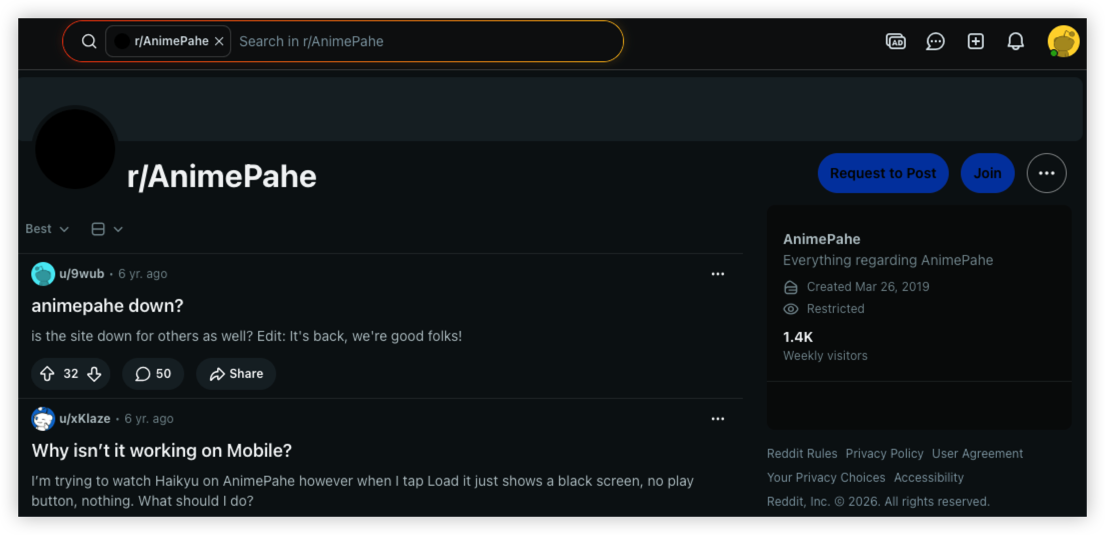
Anime fans usually notice outages quickly.
Useful places to check include:
- Reddit anime communities
- Anime discussion forums
- Social media platforms
- Discord anime groups
If thousands of users begin reporting AnimePahe errors within the same hour, the issue is probably server-side rather than device-specific.
Method 4: Test With UFO VPN

Another quick diagnostic method is testing your connection through a different route.
Steps
- Launch UFO VPN.
- Connect to a nearby server.
- Refresh AnimePahe.
Why This Works
If AnimePahe suddenly loads after connecting, the issue may involve:
- ISP filtering
- Network restrictions
- Routing problems
- Regional access limitations
The VPN doesn't necessarily fix AnimePahe itself—it simply helps identify where the connection problem exists.
(Notes) AnimePahe Down vs ISP Blocking: How to Tell
Not every AnimePahe error means the website is offline. The table below can help you determine whether the issue is a site-wide outage or a restriction from your internet provider or local network.
| Symptom | AnimePahe Is Down | ISP/Network Blocking |
|---|---|---|
| Website won't load on any device or network | ✅ Likely | ❌ Unlikely |
| Works on mobile data but not home Wi-Fi | ❌ Unlikely | ✅ Likely |
| Loads after connecting to a VPN | ❌ Unlikely | ✅ Likely |
| Friends in other locations can access the site | ❌ Unlikely | ✅ Likely |
| Many users report the same issue online | ✅ Likely | ❌ Unlikely |
| Other anime websites work normally | ✅ Possible | ✅ Possible |
| The issue started suddenly without changing your device | ✅ Possible | ✅ Possible |
| Only videos fail to load while the website opens | ❌ Usually a video host issue | ❌ Usually not ISP-related |
What to Do Next
| If You Notice | Try This |
|---|---|
| The site doesn't load anywhere | Wait and check community outage reports. |
| AnimePahe works on mobile data | Switch networks or restart your router. |
| AnimePahe only works with a VPN | Your ISP or local network may be restricting access. |
| Only videos won't play | Try another video server or refresh the page. |
| The site keeps loading indefinitely | Clear your browser cache and cookies, then reload. |
Quick Fixes for AnimePahe Not Working
If AnimePahe isn't loading or videos won't play, don't assume the website is permanently down. Most issues can be resolved with a few simple troubleshooting steps.
1. Refresh the Page
Temporary loading errors can happen due to network interruptions or server timeouts.
Try this:
- Refresh the page (Ctrl + R or Cmd + R).
- Wait a few seconds before reloading again.
2. Try Another Browser
Sometimes the problem is caused by browser compatibility or corrupted extensions.
Recommended browsers:
- Google Chrome
- Microsoft Edge
- Mozilla Firefox
- Safari
If AnimePahe works in another browser, the issue is likely browser-specific.
3. Clear Cache and Cookies
Old cached files or corrupted cookies may prevent AnimePahe from loading correctly.
Quick steps:
- Clear your browser cache.
- Delete cookies for AnimePahe.
- Restart the browser.
- Reload the website.
4. Switch Networks
Testing another connection is one of the fastest ways to identify network-related issues.
For example:
- Switch from home Wi-Fi to mobile data.
- Connect to another Wi-Fi network.
- Restart your router if necessary.
If AnimePahe works on another network, your ISP or local network may be causing the problem.
5. Check if Videos Work on Another Server
If the website loads but the video doesn't play, the streaming server itself may be temporarily unavailable.
Try selecting another available video server or wait a few minutes before trying again.
6. Disable Browser Extensions
Ad blockers, script blockers, and privacy extensions can sometimes interfere with AnimePahe's video player.
Temporarily disable these extensions and reload the page to see if playback resumes.
7. Restore Connection with a VPN
If AnimePahe loads on one network but not another, testing the connection through UFO VPN can help determine whether the issue is caused by ISP filtering, routing problems, or local network restrictions.
If the website loads after connecting, the problem is likely related to your network rather than AnimePahe itself.
Best AnimePahe Alternatives If the Site Stays Down
If AnimePahe remains unavailable, several alternatives are worth considering.
| Platform | Free Plan | Official License | Best For |
|---|---|---|---|
| Crunchyroll | ✅ | ✅ | Latest anime and simulcasts |
| Netflix | ❌ | ✅ | Anime originals and exclusives |
| HIDIVE | ❌ | ✅ | Niche and classic anime |
| Tubi | ✅ | ✅ | Free, ad-supported anime |
| RetroCrush | ✅ | ✅ | Retro and classic anime series |
For more community-favorite alternatives to Animepahe, read sites like Animepahe for further help.
Why Is AnimePahe Not Working Properly?
Several different issues can prevent AnimePahe from loading properly.
Reason 1 – AnimePahe Servers Are Down
Like any website, AnimePahe occasionally experiences downtime.
Common causes include:
- Scheduled maintenance
- Server failures
- Hosting provider issues
- Traffic spikes
User Scenario
A highly anticipated anime episode drops.
Thousands of fans rush to watch at the same time.
The sudden surge in traffic overwhelms video servers, causing temporary outages.
Reason 2 – Your ISP Is Blocking AnimePahe
Many users assume AnimePahe is offline when it's actually being blocked by their network.
Common Symptoms
- Works on mobile data
- Doesn't work on home Wi-Fi
- Friends can access it
- VPN restores access
These signs often point toward network restrictions rather than a site outage.
Reason 3 – DNS Problems
Your DNS provider helps translate website names into IP addresses.
If DNS resolution fails, AnimePahe may appear completely inaccessible.
Quick Fix
- Restart your router
- Change DNS providers
- Flush DNS cache
- Try another network
Reason 4 – Browser Cache Issues
Browsers store cookies and cached files to improve loading speed.
Unfortunately, outdated files sometimes create conflicts.
Quick Fix
- Clear browser cache
- Delete cookies
- Restart the browser
- Reload AnimePahe
Reason 5 – Ad Blocker Conflicts
Some aggressive ad blockers interfere with video players and streaming scripts.
Quick Fix
Temporarily disable browser extensions and reload the page.
If the video starts working, one of the extensions is likely responsible.
Bonus: AnimePahe Loads But Videos Won't Play
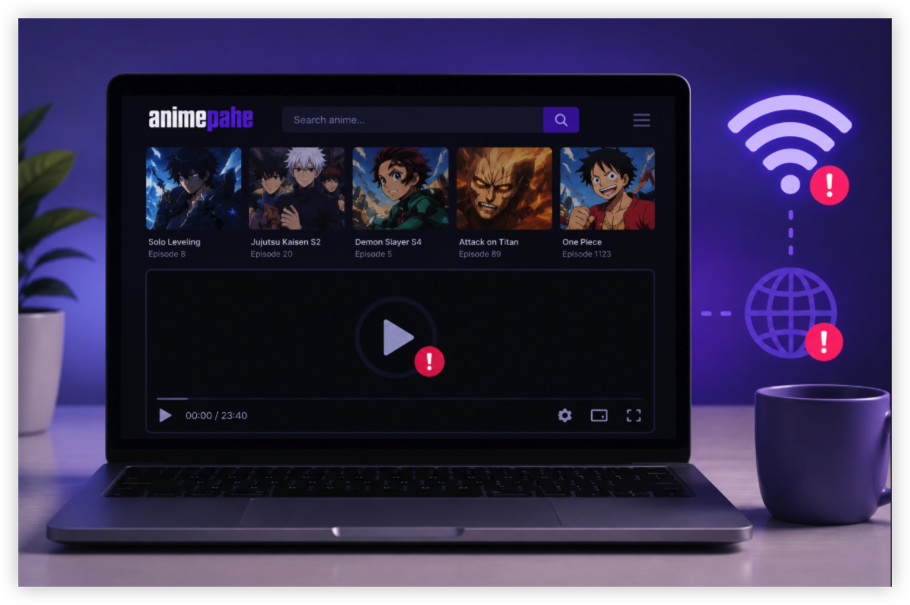
This is one of the most common complaints among AnimePahe users.
The website loads perfectly, but the video player remains blank or buffers forever.
Video Host Server Is Down
AnimePahe often relies on third-party video hosts.
When those hosts experience problems, streaming may fail even though the main website remains online.
Common Symptoms
- Endless buffering
- Blank video player
- Playback errors
- Infinite loading circles
Browser Compatibility Problems
Certain browsers handle video playback more effectively than others. If videos aren't playing, switching browsers into Chome/ Edge/ Firefox/Safari can sometimes solve the issue immediately.
VPN Server Congestion
Sometimes AnimePahe works fine, but the VPN server you're connected to is overloaded.
Quick Fix
Switch to another nearby UFO VPN server and reload the page.
Conclusion
When AnimePahe stops working, the website itself is often not the real problem. In many cases, the issue comes from ISP restrictions, DNS failures, overloaded video hosts, browser conflicts, or network filtering at schools, hotels, and public Wi-Fi hotspots. Before assuming AnimePahe is permanently down, try switching networks, checking community reports, clearing your browser cache, and testing the connection through UFO VPN. A few minutes of troubleshooting can often get you back to watching your favorite anime without waiting for the site to come back online.
FAQs
How can I tell if AnimePahe is down or blocked?
If AnimePahe works on mobile data or through a VPN, the issue is likely network-related rather than a site outage.
Why does AnimePahe work on mobile data but not Wi-Fi?
This often indicates ISP filtering, router problems, or local network restrictions.
Can a VPN fix AnimePahe not loading?
In some situations, yes. If the issue is related to routing problems or network restrictions, switching connections may help.