What Is BitLord and Why Choose BitLord Download
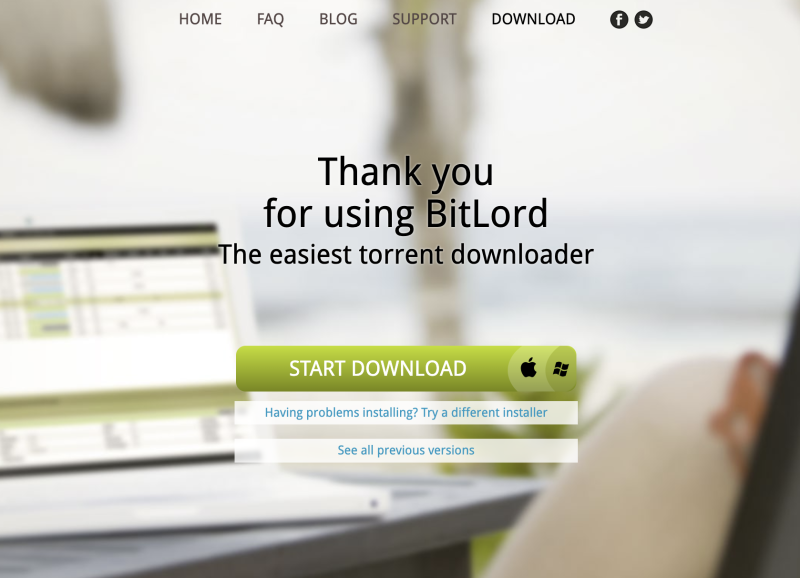
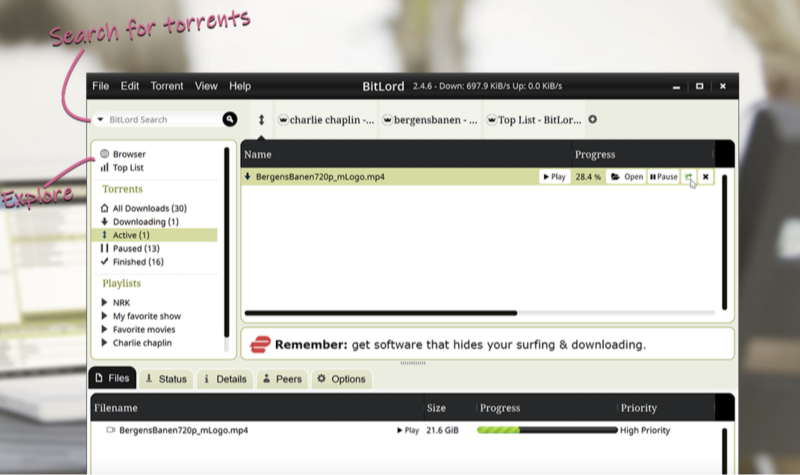
BitLord is a proprietary, ad-supported BitTorrent client available for Windows, macOS, and Android. It combines:
-
Integrated Search: Find video, audio, and text torrents from within the app.
-
Built-in Media Player: Play downloads instantly with its VLC-based player.
-
Chromecast Support: Stream to TV while downloading.
-
Subtitle Download: Fetch subtitles automatically from OpenSubtitles.
-
Organized Library: Create playlists and manage downloaded media.
If you are in India and still worried about the security of seed downloads, we highly recommend you to use this India VPN, whether you are on mac or windows, UFO VPN for PC - best free VPN and free VPN for Mac - UFO VPN are available for you to choose.
Safe BitLord Download: Official Sources
Downloading BitLord safely ensures you avoid malware, unwanted bundles, and geo-blocks. Follow these steps:
-
Always Use Official Sources
-
Website: Visit www.bitlord.com to get the latest installer.
-
GitHub Releases: For older or specific versions, check the “Previous Releases” page: https://www.bitlord.com/previous-releases/.
-
-
Install UFO VPN for Secure Download
Step 1Download UFO VPN for WindowsGrab the free Windows VPN installer right below. UFO VPN is lightweight and secure on all Windows systems. Double-click the downloaded file and complete the installation. Once installed, launch UFO VPN. Step 2Select a VPN ServerInside the app, you can click the "Connect" button for quick connection, or browse the list of servers by Location or categroy: Video& Stream, Game, etc. Choosing the right server ensures fast speeds and smooth access.
UFO VPN is an all-in-one VPN that offers unlimited access to 4K streaming like Netlfix, Disney Plus, no-ping gaming as PUBG, Roblox, CODM and social networking for YouTube, X, Facebook and more.
Step 3Enable Advanced FeaturesIn addition to basic functions, we recommend you turn on extra protections via Ad Blocker and features like Kill Switch, Split Tunneling and Smart Hop. Users can optimize online gaming/streaming/chatting as much as possible. Step 4Check Your New IPUse UFO VPN's built-in " What is My IP" feature to see your new IP address and location. This confirms your VPN is working, hides your real IP, and ensures privacy while browsing.
 Step 1 Download and install UFO VPN for macOSClick the button below to download offcial Mac VPN free. Open the .dmg file, drag UFO VPN to your Applications folder, and launch it. You're just a few clicks away from secure browsing.
 Step 2 Pick Your IP ServerTap "Connect" button for the fastest server automatically. Or you can select a server from the global server list in 100+ countries. UFO VPN is an UFO VPN is an all-in-one VPN or gaming, video streaming, social platforms, and AI tools.
 Step 3
Unlock Pro Features
If you have upgraded to premium plan , feel free to enjoy premium servers for 4K streaming and advanced features like Kill Switch, Split Tunneling, and gaming acceleration. Your Mac is now fully optimized and protected. Inaddition to basic functions, we recommend you turn on
 Step 4
Verify Your IP Now
Use UFO VPN's " What is My IP " feature to see your new IP and location. This confirms your connection is secure, anonymous, and ready for safe browsing online anywhere at any time.
 Step 1 Download and install UFO VPN for iPhone/iPadDownload this free iOS VPN via official link or App Store. Once installed, launch the app to get started. UFO VPN is now trusted by over 2 million users worldwide with optimzed service.
 Step 2 Select a Perfect ServerHit "Connect" button for the fastest server near you instantly. Or you can choose a favorite location/platform from the server list manually for full control. UFO VPN is an all-in-one VPN companion for gaming, streaming, social media, and AI tools.
 Step 3 Lookup IP and Enable Pro FeaturesNow you can check your current IP via built-in IP lookup tool. Pro features in premium plan offer you premium servers, blazing speeds, Kill Switch, Split Tunneling, and Multi-device login, so you can protect your iPhone, iPad, and other Apple devices all at once.
 Step 1 install UFO VPN for AndroidGet free Android VPN from offcial website or Google Play Store. Follow the instructions for easy download. Then open the app and get ready to surf safely.
 Step 2 Choose Your Ideal ServerUFO VPN is an all-in-one powerhouse for gaming, video streaming, social apps, and AI tools. The"Connect" button links you to the fastest server instantly, or you can choose among the server list manually via Location/ Video&Stream/Games for easy access.
 Step 3 Power Up Pro FeaturesPro users can look up current IP via built-in "What Is My IP" feature, and unlock premium features like 4K servers, turbo speeds, Kill Switch, Split Tunneling, and Multi-device login, keeping all your Android phones, tablets, and other devices safe at once.
-
Verify Installer Integrity
-
If checksums are published on the “Previous Releases” page, compare your download’s SHA-256 hash.
-
Scan the installer with your antivirus before running.
-
-
Run the Installer
-
On Windows SmartScreen warning, choose More info → Run anyway only if source is official.
-
Decline any optional offers (e.g., Opera, Avast) during setup.
-
-
Post-Install Check
-
Launch BitLord. Verify clean startup and no unexpected toolbars or prompts.
-
In Settings, disable any ad-related features if present.
-
By combining an official BitLord download with UFO VPN’s protection, you ensure a safe, uninterrupted experience.


Why BitLord Download Old Version Is Preferred
While the latest BitLord offers the newest features, many users prefer older releases due to:
-
Fewer Bundled Offers: Early versions had minimal adware; newer builds sometimes recommend additional software.
-
Better Stability on Legacy Systems: Older BitLord versions (e.g., 2.4.6-350 and earlier) work smoothly on Windows 7/8.
-
Simpler Interface: Users report less UI clutter and faster startup in earlier builds.
-
Proven Functionality: Core features like streaming, subtitles, and Chromecast have matured; newer updates add less-needed bells and whistles.
If feature parity for basic torrenting and streaming is your priority, a BitLord download old version (for example, versions 2.4.6-350 to 2.4.6-359) often delivers the best balance of performance and simplicity.


Where to Download BitLord Download Old Version Safely
To find and install a BitLord download old version, use these trusted sources:
| Version | Release Date | Download Link |
|---|---|---|
| 2.4.6-366 | 15 Apr 2025 | [Windows Offline Installer] (bitlord-2.4-win32-silent-setup-ver366.exe) |
| 2.4.6-363 | 14 Sep 2023 | [Windows Offline Installer] (bitlord-2.4-win32-silent-setup-ver363.exe) |
| 2.4.6-359 | 23 Mar 2023 | [Windows Offline Installer] (bitlord-2.4-win32-silent-setup-ver359.exe) |
| 2.4.6-358 | 26 Aug 2022 | [Windows Offline Installer] (bitlord-2.4-win32-silent-setup-ver358.exe) |
| 2.4.6-350 | 25 Dec 2019 | [Windows Offline Installer] (bitlord-2.4-win32-silent-setup-ver350.exe) |
Tip: Choose the version that best matches your OS. For Windows 8.1 or older, avoid versions released after 2022.
Steps to Download Old Version Safely
-
Visit the “Previous Releases” page.
-
Right-click the desired version’s installer link → Save link as….
-
Scan the downloaded
.exewith antivirus. -
Follow the Safe BitLord Download steps above, using free proxy VPN - UFO VPN to encrypt the download.
FAQs
How do I keep my Android screen unlocked?
If you're experiencing connectivity issues or unable to access Call of Duty, it might be due to server maintenance or regional outages. You can check Activision’s official server status page or the social media for updates on ongoing maintenance or disruptions.