How to Bypass OnlyFans Age Verification: 3 Methods You Can Try
Frustrated by the “verify your age” pop-up every time you land on a creator’s page? You’re not alone. Threads like bypass onlyfans age verification reddit blow up weekly with users swapping tricks. Below are the three approaches that keep resurfacing—none require fake IDs or shady uploads.
Method 1: Use a VPN for Age Verification to Change Location
The simplest route? Make the platform think you’re in a region with looser rules. That said, use a trusted and reliable VPN service like UFO VPN to change your IP location to Finland or Switchland, where age verification is lax.
Effectiveness: 85–90 %.
How-to Steps:
1. Get a reliable VPN app


UFO VPN is an all-in-one VPN that offers unlimited access to 4K streaming like Netlfix, Disney Plus, no-ping gaming as PUBG, Roblox, CODM and social networking for YouTube, X, Facebook and more.




Unlock Pro Features
If you have upgraded to premium plan , feel free to enjoy premium servers for 4K streaming and advanced features like Kill Switch, Split Tunneling, and gaming acceleration. Your Mac is now fully optimized and protected. Inaddition to basic functions, we recommend you turn on

Verify Your IP Now
Use UFO VPN's " What is My IP " feature to see your new IP and location. This confirms your connection is secure, anonymous, and ready for safe browsing online anywhere at any time.







2. Connect to the lax-verified servers before opening OnlyFans
You can look for servers in countries like Romania or Portugal, where age gates are lighter.
*Note: UFO VPN provides reliable Romania VPN free and Portugal VPN free.
3. Clear browser cookies
Certain browser cookies and tracking data might bring back the age verification prompt. Then, reload the site.
4. Bookmark the working server
Switch back if the site flags you later.
A quick heads-up: free VPNs often leak your real IP or throttle speeds until porn buffers forever. Paid ones with audited no-log policies give smoother, safer rides.
Method 2: Age Verifier Browser Extension
Chrome and Firefox stores host lightweight add-ons that auto-fill or spoof age data.
Effectiveness: 70–75 %.
How-to Steps:
- Search “age bypass” or “content unblock” in the web store—read recent reviews to dodge removed extensions.
- Install, enable it for onlyfans.com, and toggle the “skip age gate” switch.
- Refresh the page; the prompt usually vanishes in under three seconds.
- Combine with private browsing to avoid cookie conflicts.
Works best on desktop; mobile browsers block most extensions. Some creators with custom paywalls still force ID uploads, so results vary.
Method 3: App Mods to Skip Prompts
Android users dig modified APKs that strip the verification module entirely.
Effectiveness: 95 % on modded versions
How-to Steps:
- Uninstall the official OnlyFans app.
- Download a trusted mod from communities (APK mirror sites or XDA threads—scan with VirusTotal first).
- Enable “unknown sources,” install, and log in.
- The age screen is hardcoded out; content loads instantly.
Warning: Sideloading voids warranties and can trigger account bans if the mod phones home with weird fingerprints. Stick to mods updated within the last 30 days.
What Is OnlyFans' Age Verification?

Since 2021, OnlyFans has required government ID or credit-card age checks in most countries to comply with laws like the UK’s Online Safety Bill and U.S. COPPA tweaks. The system scans your document, stores a hash (not the full image), and either grants or denies access. Creators can also enable extra paywall verification for their own pages.
Is It Safe and Legit to Bypass OnlyFans Age Verification?
Safety Pros:
- No personal ID ever leaves your device with Method 1 or 2.
- Encrypted tunnels with an OnlyFans VPN free hide your traffic from ISPs.
- Quick access without creating throwaway accounts.
Safety Cons:
- Modded APKs sometimes bundle spyware—2024 reports flagged keyloggers in popular “OnlyFans++” builds.
- OnlyFans tracks bypass patterns; repeated flags lead to shadowbans or permanent locks.
- In strict regions (Germany, Australia), regulators fine platforms, not users—but that could change.
Legality:
Gray zone. Bypassing age gates violates OnlyFans ToS, risking account termination. No one has faced criminal charges purely for viewing adult content they’re legally old enough for, but using deceptive tools can breach computer misuse laws in places like the UK.
The methods above are shared for educational purposes only to explain how age-verification systems work and how users discuss workarounds online. The author does not endorse violating laws, platform policies, or ethical standards. You are solely responsible for your actions on OnlyFans and any consequences that follow. Always comply with local regulations and the site’s official rules.
Better Alternatives to Access OnlyFans Without Age Verification
Sometimes skipping the wall isn’t the only path. You can try other workarounds to get what you want.
1. Legal Access to OnlyFans
Wait until you’re 18+ and upload a real ID—takes two minutes, unlocks everything permanently, and supports creators directly.
2. Explore Free Porn Content Sites
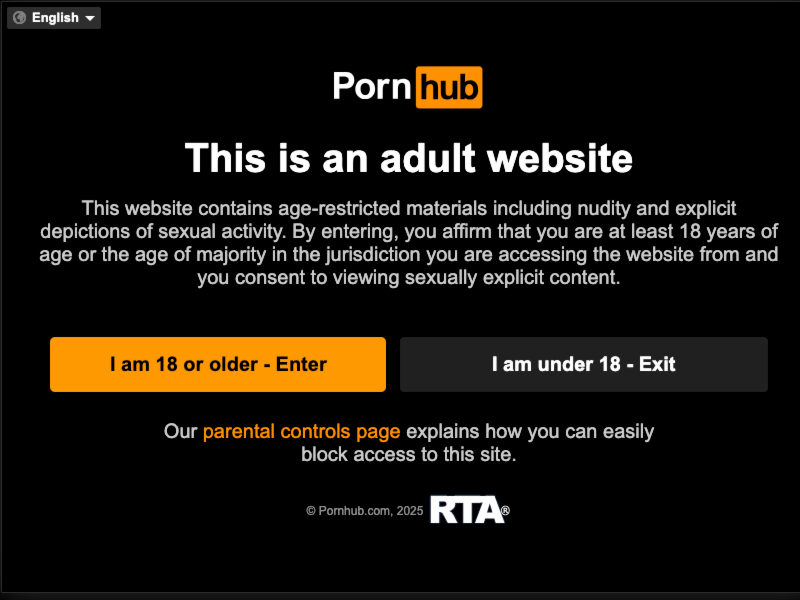
If you are a fan of OnlyFans porn content, platforms like Pornhub, XNXX, Eporner, RedTube, or niche subreddits deliver similar content without a gate.

3. VPN for Privacy (Not Bypass)
Connect to your home country, pay normally, and still shield your ISP from seeing the URL.
UFO VPN, for one, offers dedicated streaming servers that keep buffers low while keeping logs zero—a middle-ground lots of readers land on.
Safety Tips: VPNs Help & Reddit Traps
Why a Solid VPN Keeps You Safe
- Grab audited providers only—check for recent no-log certifications from firms like Cure53. That proves your OnlyFans traffic stays invisible, even under legal pressure.
- Enable the kill-switch every time—one tunnel drop without it exposes your real IP to the site and your ISP. Test it: flip airplane mode; internet should die instantly.
- Rotate servers weekly—OnlyFans bans rapid IP hops as bot activity. Cycle 2–3 quiet locations (Romania → Portugal → repeat) for steady speeds and zero flags.
Reddit Risks You Must Sidestep
- Ignore “free lifetime” cracks—posts offering premium keys or cracked APKs are 90 % malware or exit scams. Real users share server tips, not pirated files.
- Never enter payment info on mods—even “trusted” APKs can skim your card the moment you subscribe. Pay only through the official app or web.
FAQs
Will OnlyFans ban me for bypassing age verification?
Bypassing violates ToS, but enforcement varies. Low risk with a single stable VPN like UFO VPN; high risk with modded APKs or rapid IP changes. Legal ID verification removes all risk.
Is it legal to bypass OnlyFans age checks?
A gray area—violates platform rules but no known criminal cases for adult users. Check local computer-misuse laws (e.g., UK).
Do VPNs still work to skip the age gate?
Yes—servers in Romania, Portugal, or Bulgaria consistently load pages without prompts on desktop and mobile browsers.