Why Is Pornhub Asking to Verify My Age?
Age verification has emerged as a hot issue for protecting minors from access to adult content. In many jurisdictions, websites such as Pornhub, Xhamster, XNXX and more are legally required to ensure that individuals below a certain age (typically 18 years old or older) lack the capability to view explicit content. So, what are the main reasons that age verification is required on adult sites?
🔍The Main Reasons
1. Age Verification Laws
Several countries and U.S. states have passed strict laws requiring adult websites to verify that users are 18+ (or 21+ in some places).
-
- United States: States like Texas, Florida, Utah, Virginia, Louisiana, and others require age verification. Pornhub has chosen to block access in many of these states rather than collect government IDs.
- United Kingdom: The Online Safety Act requires age checks.
- France: Age verification is mandatory.
- Australia and other countries: Similar eSafety or age assurance rules are expanding.
2. Pornhub’s Response
Instead of implementing complex ID systems in every region, Pornhub has restricted access in many regulated areas. When you try to visit from those locations, the site either blocks you completely or asks for age verification.
3. VPN or Network Detection
Sometimes the site detects that you’re using a VPN, proxy, or public network and triggers an extra age check for safety.
4. Account or Browser Settings
If you’re logged in or using certain browsers, Pornhub may request verification to confirm your age status.
Due to these regulations, access to Pornhub may vary depending on your location. This is also why many users search for a reliable VPN for age verification when age checks or geo-based restrictions prevent access.
🤔What You Can Do
- If you’re in a restricted region, the verification request is usually intentional.
- Using a free VPN for Pornhub connected to a non-restricted location can sometimes restore normal access (though results vary).
- Switching to other free tube sites that are less affected by these laws is a common solution for many users.
Preps Before Verifying Your Age on Pornhub
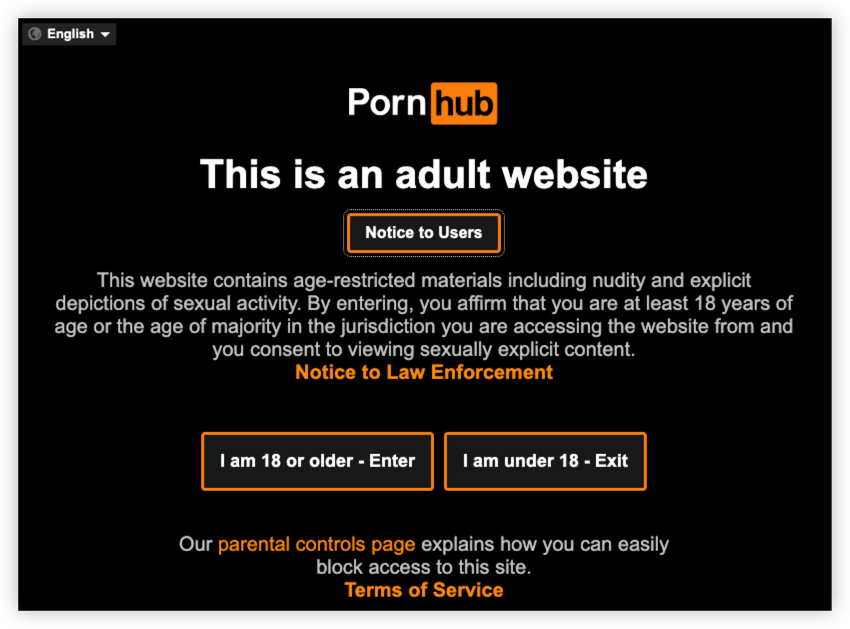
Before starting the age verification process, it's worth taking a few minutes to make sure you have everything you need. Depending on your country or region, Pornhub may use different verification methods to comply with local regulations.
1. Check Whether Age Verification Is Required In Your Country
Not every country requires age verification. If it does, you'll typically see a prompt when you visit Pornhub. The exact requirements depend on your local laws and the verification provider used in your region.
| Country/Region | Age Verification Needed | Current Pornhub Status | Notes |
|---|---|---|---|
| United Kingdom | ✅ Yes | Available | Required under the Online Safety Act (effective July 2025). |
| France | ✅ Required by law | Pornhub unavailable | Pornhub withdrew service instead of implementing the required verification system. |
| Australia | ✅ Yes | Limited/Restricted | Age assurance requirements are being rolled out under Australia's Online Safety framework. |
| European Union | Gradually expanding | Varies by country | The EU is introducing a common age verification framework, but implementation differs by member state. |
| United States | Depends on state | Varies | Many states have enacted age-verification laws, while Pornhub has blocked access in several of them instead of offering verification. |
U.S. States With Adult Website Age Verification Laws:
As of mid-2026, more than 25 U.S. states have enacted age-verification laws for adult websites.
These include:
- Alabama
- Arizona
- Arkansas
- Florida
- Georgia
- Idaho
- Indiana
- Iowa
- Kansas
- Kentucky
- Louisiana
- Mississippi
- Montana
- Nebraska
- North Carolina
- North Dakota
- Oklahoma
- South Carolina
- South Dakota
- Tennessee
- Texas
- Utah
- Virginia
- West Virginia
- Wyoming
In many of these states, Pornhub currently does not offer age verification. Instead, the site displays a notice explaining that access has been suspended in response to state legislation. The exact list of affected states and countries may change as new laws take effect or legal challenges are resolved.
2. Have a Valid Form of Identification Ready
Some verification methods may ask you to prove that you're over the legal age to access adult content. Accepted forms of ID can vary, but commonly include:
- Passport
- Driver's license
- National or state-issued ID card
Always follow the instructions provided by the official verification service.
3. Use a Stable Internet Connection
A reliable internet connection helps prevent interruptions during the verification process, especially if you need to upload documents or complete additional verification steps.
4. Update Your Browser or App
Using the latest version of your browser or mobile operating system can help avoid compatibility issues. If you're using Chrome, Safari, Firefox, or Edge, make sure it's up to date before you begin.
5. Enable Camera Access (If Required)
Some verification providers may ask you to scan an ID or complete a live verification step. If prompted, allow your browser or device to access your camera temporarily.
6. Protect Your Privacy on Public Wi-Fi
If you're completing age verification from a hotel, airport, café, or other public Wi-Fi network, it's a good idea to secure your connection first. A trusted VPN like UFO VPN can encrypt your internet traffic, helping protect your personal information while it's transmitted over unsecured networks.
How to Verify Age on Pornhub from Different Devices (Easy & Quick)
The process of verifying age on Pornhub is relatively simple but may vary slightly depending on the region. Here's a breakdown of the steps:
How to Verify My Age on Pornhub from PC & Mac
1. Access Pornhub’s Age Verification Page
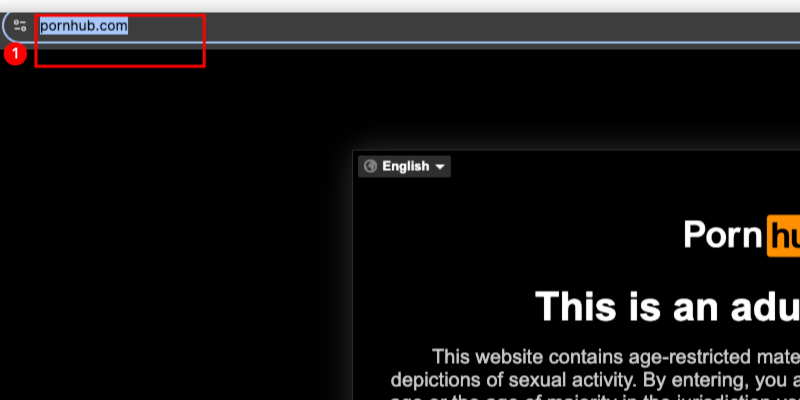
When you visit Pornhub.com from a restricted location, such as a state with age verification laws (like Louisiana or Utah in the US), you’ll be prompted to verify your age before you can access the site.
2. Submit Your Age Information
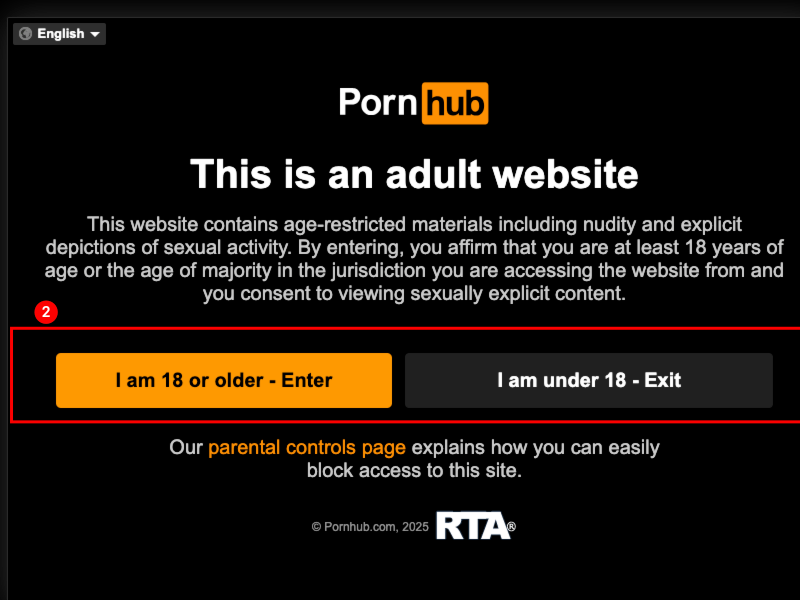
Upon being prompted, you'll be asked to enter your birthdate to confirm you are over 18. While this step is simple, it might not be sufficient for some jurisdictions that require more thorough verification, just click “Check My Age”.
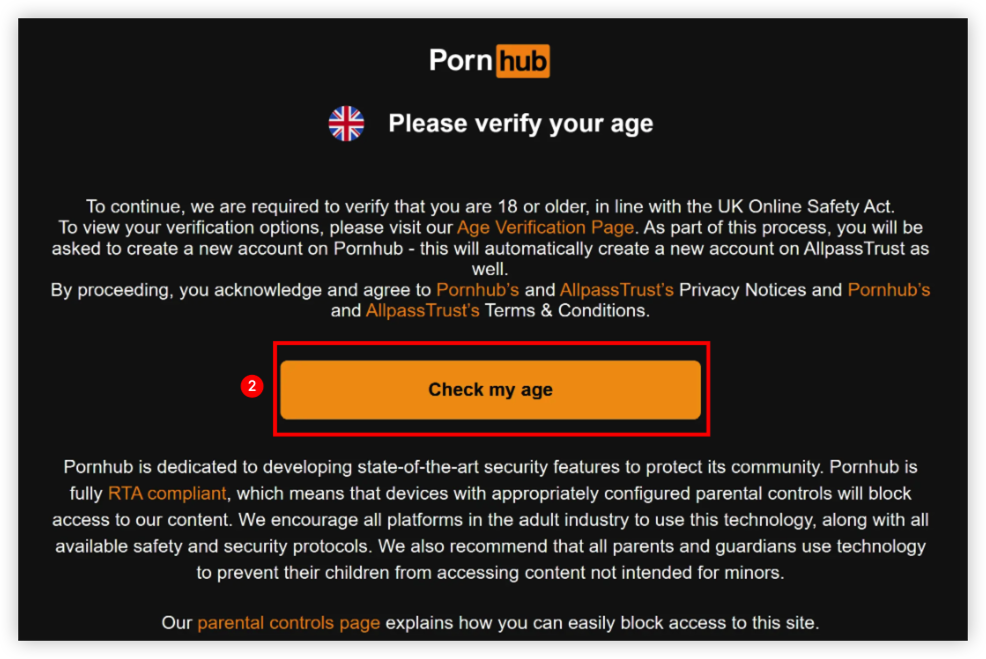
3. Use Government-Issued ID or Credit Card
If you are in a region with more stringent regulations, you might be required to provide a government-issued ID (like a driver’s license or passport) or credit card information. This is to confirm your age with official documentation.
- Government ID: Upload a clear image of your ID. Pornhub uses a third-party service to securely store this data.
- Credit Card Verification: In some cases, you might be asked for credit card details as a secondary verification method. The card is typically checked for its age-relevant details, ensuring the person is over the age of 18.
4. Wait for Verification
Once you submit your information, Pornhub will process your verification. The response time is usually fast, but can take a few minutes depending on the system. After verification, you should be granted access to the site.
5. Use Verified Account
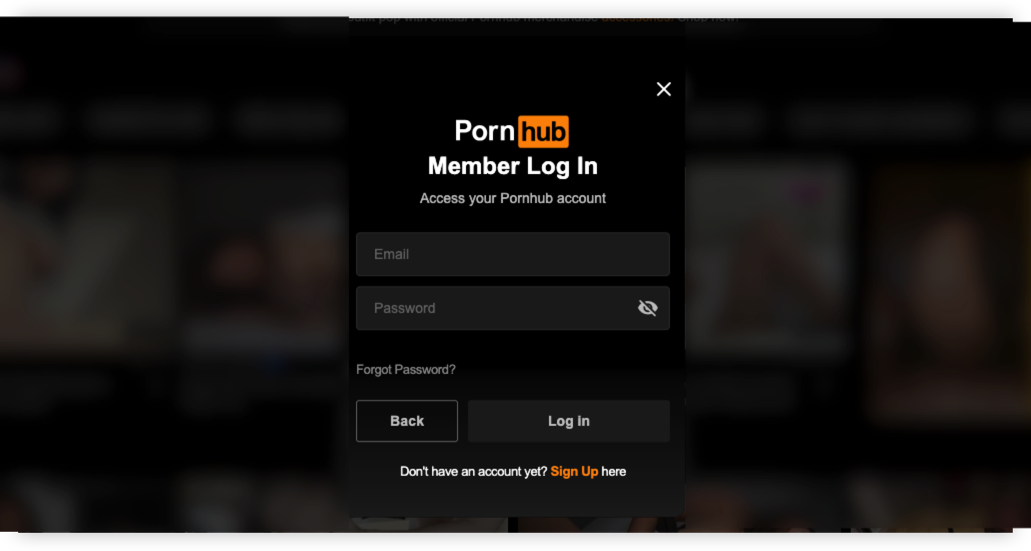
After completing the age verification process, Pornhub typically stores your details in a secure manner for future visits, so you won't need to verify your age each time you log in. This is available for users who create and log into their Pornhub accounts.
How to Verify My Age on Pornhub from Mobiles(iOS/Android)
1. Open Chrome/Safari or your preferred browser on your mobile devices.
2. Visit Pornhub and log into your account if requested. Tap Verify Age.
3. Complete the verification process shown on your screen. After that, return to the site after verification is complete.
How to Verify My Age on Pornhub from Smart TVs
Pornhub is primarily designed for web and mobile devices, and many Smart TVs don't support age verification directly.
If you're using a TV browser and see an age verification prompt:
- Follow the QR code or verification link displayed on your TV (if available).
- Complete the verification on your phone or computer.
- Return to your TV and refresh the page.
Verify Your Age on Tablets (iPad & Android Tablets)
The process is nearly identical to smartphones:
- Open your browser.
- Visit Pornhub.
- Sign in if required.
- Complete the age verification process displayed on screen.
- Refresh the page after verification.
⭐️Tips for a Smooth Verification
- Verify that you're old enough to access adult content under the laws in your country.
- Follow only the official on-screen instructions provided by Pornhub or its authorized verification provider.
- Ensure your internet connection is stable during the verification process.
- If verification fails, contact the verification provider or Pornhub support for assistance.
(Solved) Can't Verify Age on Pornhub? See Quick Fixes
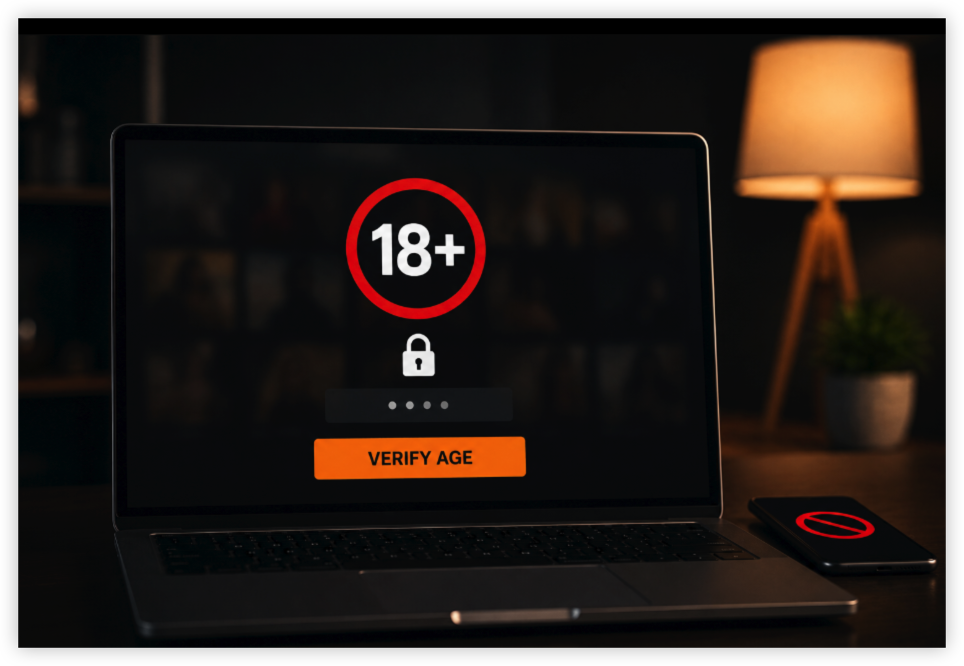
While Pornhub has made age verification relatively straightforward, there are still some common issues that users may face. Here are the most frequent challenges and their solutions:
1. Your ID or documents Isn't Accepted
Some users may have difficulty uploading a clear picture of their government-issued ID due to poor photo quality, file size restrictions, or other technical glitches.
Solution:
- Make sure your ID is valid and hasn't expired.
- Upload a clear, high-resolution image with all four corners visible.
- Ensure the information on your ID is easy to read.
- Avoid blurry photos, glare, or cropped images.
2. The Age Verification Page Won't Load
If clicking Verify Age does nothing or the page keeps loading, try refreshing the website or reopening your browser.
Solution:
- Refresh the page and try again.
- Clear your browser's cache and cookies.
- Open the site in another browser (such as Chrome, Firefox, Safari, or Edge).
- Disable ad blockers or privacy extensions that may interfere with the verification page.
3. You Can't Get into Pornhub before Age Verify due to Regional Bans
Some regions have very strict age verification requirements, which may block access to Pornhub altogether until verification is complete. If you’re living in a state like Louisiana, where these regulations are particularly stringent, accessing the site may become more complicated.
Solution:
Use a VPN (Virtual Private Network) to access Pornhub from a location with fewer restrictions. UFO VPN can mask your IP address, making it seem like you’re browsing from a different region.
4. Your Camera Won't Work to Upload Selfies
Some verification methods require a live selfie or ID scan. But some users reported that they failed to take or upload a selfie due to camera issues.
Solution:
- Allow your browser or app to access your camera.
- Close other applications that may be using the camera.
- Restart your browser and try again.
- If possible, switch to another device with a working camera.
5. You're Seeing an Error Message
Error messages can occur because of temporary server issues or browser conflicts.
Solution:
- Refresh the page.
- Update your browser to the latest version.
- Disable browser extensions that may block scripts or cookies.
- Try using an Incognito or Private Browsing window.
(Hot) Can You Bypass Pornhub Age Verification Legally?
In most cases, it's never a wise take to get into any website that's requiring — deliberately bypassing mandatory age verification when it is required by law is not legal. However, there are legitimate and privacy-friendly approaches that many users take.
Age verification laws in various U.S. states (Texas, Florida, Utah, etc.), the UK, France, and other countries require adult sites to confirm users are 18+. Pornhub has responded by restricting access or requiring verification in those regions. Intentionally circumventing these requirements can violate local regulations.
What Is Generally Allowed in Age Verify
- Using a VPN for privacy (encrypting your connection and hiding your IP) is legal in most places.
- Switching to adult sites that are not currently enforcing the same verification rules is common and usually legal for adults.
- Simply choosing not to visit Pornhub when verification is required is always a legal option.
What to Avoid during Age Verify
- Uploading fake or someone else’s ID
- Using tools specifically designed to spoof age verification systems
- Any method that involves fraud or misrepresentation
True legal bypass of required age verification is limited. The safest and most compliant approach is either to complete legitimate verification as an adult or use alternative platforms that remain accessible without it. Always follow the laws in your location.
Is It Safe to Verify Age on Pornhub with a VPN?
The truth is, using a VPN while verifying your age on Pornhub can improve privacy, but it is not completely risk-free. The safety depends on what kind of verification method the site is asking for and how the VPN is used.
🔍Key Points to Know
1. What Age Verification Usually Involves
Pornhub and similar sites may ask for:
- A simple “I am 18+” confirmation
- Credit card or payment method check
- Government ID upload (in stricter regions)
- Third-party age verification services
Uploading personal documents (ID, passport, or driver’s license) always carries some privacy risk, even with a VPN.
2. How a VPN Helps for Pornhub Age Verification
- Hides your real IP address from Pornhub and the age verification service
- Prevents your ISP from seeing that you visited the site
- Useful if you’re on public or shared Wi-Fi
- Can help bypass regional blocks that trigger the verification in the first place
3. Remaining Risks after Pornhub Age Verification
- If you upload an ID, the verification company still receives your personal data
- Some free or low-quality VPNs log activity or have weak encryption
- Pornhub may still detect VPN use and refuse access
- Once you submit personal information, the VPN cannot erase that data
🚀Practical Safety Advice
- Prefer simple age confirmation methods over ID uploads whenever possible
- Use a reputable no-logs VPN like UFO VPN.
- Never use a free, unknown VPN for anything involving personal data
- Consider whether verifying is worth it — many users simply switch to less restricted alternatives instead
Editor's View: A good VPN makes the connection more private and can reduce tracking, but it does not make sharing personal documents fully safe. If Pornhub is asking for government ID, the safest approach for privacy-conscious users is often to avoid the verification and use other platforms.
Conclusion
Verifying your age on Pornhub is a necessary step for accessing adult content, especially in regions with stricter regulations. While the process is straightforward, understanding the potential issues and solutions can help you navigate the experience smoothly. Whether you’re concerned about privacy, security, or dealing with failed verifications, the tips and solutions provided will help you verify your age safely and continue browsing responsibly. If you’re still concerned about your privacy or need assistance, a VPN like UFO VPN can help ensure your online activities remain secure and anonymous.
FAQs
Do I need to verify my age every time I visit Pornhub?
Once your age is verified, Pornhub stores the information securely for future visits. You typically won’t need to verify your age again unless the system prompts you to do so or if you clear your browsing data.
Is it safe to upload my ID to verify my age?
Pornhub uses secure third-party services for age verification. However, if you are still concerned about privacy, consider using a VPN to mask your information and browse privately.
Can I use a fake ID to verify my age on Pornhub?
Using a fake ID is not advisable, as it violates Pornhub’s terms of service. Additionally, submitting false information could lead to account suspension or legal issues.
I can't access Pornhub due to age verification restrictions—what can I do?
You can try using a VPN to bypass geographic restrictions or explore alternative platforms that may not have age verification requirements.
How can I verify my age on Pornhub if I don't have a government-issued ID?
If you do not have a government-issued ID, you might be able to use a valid credit card as a form of age verification. Alternatively, you can contact Pornhub’s support team to inquire about other verification methods.