Things to Do Before Completely Deleting the Eporner Account
Before you hit that final "delete" button, you need to tie up some loose ends. Once an account is gone, it is usually gone for good.
Most sites do not let you recover photos, videos, or settings once the deletion process is finished. Here is a checklist of what you should do to make sure you don't lose anything important.
✅ Back up saved videos or favorites
If you have spent months or years curating a list of favorite videos, that list will vanish the moment your account is closed.
Eporner does not have a "download all favorites" button. You should go through your "Liked" or "Favorites" folder and save the links to a private document.
✅ Remove uploaded content
For those who have ever uploaded videos to the platform, deleting your account might not automatically remove the videos. Some platforms keep the content but change the uploader name to "Anonymous."
If you want your content off the internet entirely, you should manually delete every video you uploaded before you close the account. Go to your "My Videos" section, select everything, and hit delete. This is the only way to be 100% sure your content isn't floating around under a dead account.
✅ Cancel any subscriptions
This is the most important step for your wallet. If you have a premium subscription or are paying for specific creator content, deleting your account does not always stop the billing cycle.
Check your "Billing" or "Subscription" tab. Manually cancel any active plans and wait for the confirmation email. If you skip this, you might see a charge on your credit card next month for an account you can no longer log into.
✅ Log out from all devices
To avoid any glitches during the deletion process, it is a good idea to log out of Eporner on your phone, tablet, and any other computers. Sometimes, an active session on a mobile app can interfere with the account closure on a desktop.
Clear your browser cookies and cache as well. This gives you a "clean slate" to perform the final deletion steps without technical hiccups.
Steps to Delete an Eporner Account
Now that you have backed up your data and canceled your bills, you are ready to close the account. The interface for adult sites changes every year, but the core settings usually stay in the same place. Follow these steps to find the right menus.
Step 1: Log in to Your Profile
Open your browser and head to the official site. Enter your username and password. If you have forgotten your password, you will need to reset it first. You cannot delete an account if you cannot prove you own it.
Step 2: Access Account Settings
Look for your profile icon or username in the top right corner of the screen. Click on it to open a dropdown menu. From here, select "Settings" or "Edit Profile." This page contains all your personal information, email preferences, and privacy toggles.
Step 3: Find the Deletion Link
Scroll to the very bottom of the Settings page. Most sites "hide" the delete button in small text or under a sub-menu labeled "Account Management" or "Privacy." Look for a link that says "Close Account," "Terminate Profile," or "Delete Account."
Step 4: Confirm Your Decision
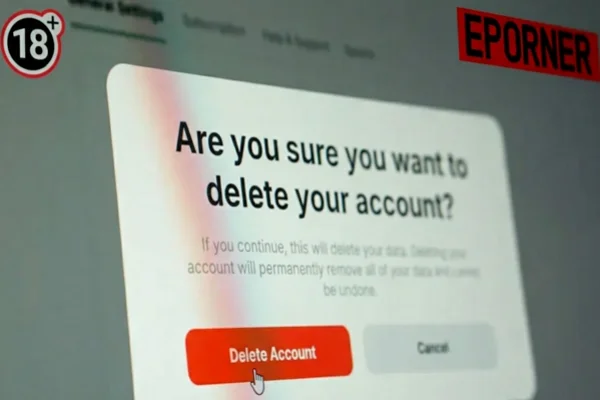
Eporner will likely ask you why you are leaving. You can select any reason or skip it if the option is available. You will then need to enter your password one last time. This is a security measure to make sure a friend or family member isn't deleting your account as a joke.
Step 5: Final Verification
Click the final "Delete" button. Some sites send a confirmation link to your email address. If they do, go to your inbox, open the email from Eporner, and click the link to finalize the process. If you don’t click that link, the account might remain active in a "deactivation" state for 30 days.
If you cannot find the delete option, it may be due to site issues. In that case, check whether Eporner is currently down or contact support.
What Happens After the Eporner Account Deletion?
Once you finish the steps, several things happen in the background. Understanding these will help you manage your expectations regarding your privacy.
-
Loss of Access: You will be logged out immediately. Your username and password will no longer work.
-
Data Scrubbing: Your profile page, favorite lists, and comments should disappear from public view. However, keep in mind that search engines like Google might still show your profile in search results for a few days until they crawl the site again.
-
Username Availability: In most cases, your old username becomes "available" again. This means someone else could potentially sign up using your old name, though they won't have access to your old data.
-
Email Removal: You should stop receiving promotional emails or newsletters. If you still get them after 48 hours, check if you have a second account linked to that email.
-
Permanent Action: For most users, this is irreversible. You cannot "undo" a deletion. If you want to return to the site later, you will have to start from scratch with a brand-new profile.
Alternative Options to Deleting Eporner Account
Sometimes, you don't actually need to delete the whole account. If you are just annoyed by the site, there are other ways to handle it without losing your data forever.
💡 Change Your Email Preferences: If the only reason you want to leave is because of spam, go to settings and turn off all notifications. This keeps your account alive but makes it silent.
💡 Make Your Profile Private: If you are worried about someone finding your account, you can usually set your profile to "Private." This hides your favorites and activity from the public and from search engines.
💡 Update Your Username: If you want to distance yourself from an old persona, just change your username and delete your profile picture. It’s like having a new account without the hassle of signing up again.
💡 Just Stop Logging In: There is no rule saying you must delete an account. You can simply delete the saved password from your browser and forget about it. If there is no sensitive personal info on the profile, leaving it idle is harmless.
Stay Safe While Using Eporner & Similar Sites with UFO VPN
When browsing adult websites, safety should always come first. These platforms can expose users to risks such as tracking, malware, or data leaks. So generally, staying safe matters because your browsing activity can be tracked. Some regions may also have strict access to adult sites, that why a VPN is necessary for any porn sites. It not only enhances the streaming experience and protects your privacy, but also helps to unblock Eporner safely.
Among various brands, UFO VPN is a popular choice because:
- It offers stable connections for streaming
- It has multiple server locations
- It is easy to install and use


UFO VPN is an all-in-one VPN that offers unlimited access to 4K streaming like Netlfix, Disney Plus, no-ping gaming as PUBG, Roblox, CODM and social networking for YouTube, X, Facebook and more.




Unlock Pro Features
If you have upgraded to premium plan , feel free to enjoy premium servers for 4K streaming and advanced features like Kill Switch, Split Tunneling, and gaming acceleration. Your Mac is now fully optimized and protected. Inaddition to basic functions, we recommend you turn on

Verify Your IP Now
Use UFO VPN's " What is My IP " feature to see your new IP and location. This confirms your connection is secure, anonymous, and ready for safe browsing online anywhere at any time.







Final Words
Deleting an online account is a personal decision that depends on your habits, privacy concerns, and future plans. Taking a few minutes to prepare before removing your account can help you avoid losing important data. At the same time, understanding other options gives you more control over how you use online platforms.
FAQs
Can I delete my Eporner account from my phone?
Yes. The mobile site shows the same Preferences tab and Remove Account button once you log in through the browser on your phone. The steps match the desktop version exactly.
Does Eporner keep any of my data after I delete the account?
The site removes your profile and favorites right away. They may keep basic logs for legal reasons for a short time, but nothing that can be linked back to you personally.
What if I change my mind after I click delete?
Once you confirm, the account cannot be restored. Make sure you back up everything first because there is no undo button.
Will deleting my account remove my uploaded videos from public view?
It removes your username from those videos, but copies saved by other users may still appear. That is why you should delete the files yourself before you remove the account.
Is there a faster way to stop Eporner from tracking me without deleting the account?
Yes. Turn off all notification settings in Preferences, clear your cookies after every visit, and use UFO VPN to hide your IP address every time you watch.