Where Is RedGIFs Blocked?

RedGIFs faces restrictions in various countries due to local laws surrounding adult content. You may find the RedGIFs not working in the UK, parts of Europe, and certain Middle Eastern countries. In these regions, ISPs often enforce age checks or outright block sites that host pornographic content. Here's a table showing the availability of RedGIFs:
| Country / Region | Access Restricted? | Restriction Type | Notes / Details |
|---|---|---|---|
| United Kingdom (UK) | Yes | Age Verification / ISP Block | Adult site age-check law; some ISPs block access if verification fails |
| Germany | Partial | ISP / Age Verification | Some ISPs block porn sites in Germany; access may require verification |
| France | Partial | ISP / Age Verification | Similar to Germany; adult sites may be filtered by providers |
| Italy | Partial | ISP / Age Verification | Access may be restricted on networks without age verification |
| United Arab Emirates (UAE) | Yes | Legal Ban / ISP Block | Adult content is illegal; RedGIFs blocked nationwide |
| Saudi Arabia | Yes | Legal Ban / ISP Block | Strict adult content prohibition |
| Iran | Yes | Legal Ban / ISP Block | Adult sites blocked by the government |
| Russia | Partial | ISP / Content Filtering | Adult content filtered; some sites may be blocked |
| India | Partial | ISP / Government Restriction | Some ISPs block adult websites, like Xhamster India, but access may vary regionally |
| Australia | Partial | ISP / Age Verification | Adult content filtered on certain networks |
| Schools / Workplaces | Yes | Network Filter | Adult sites often blocked on public Wi-Fi, school or corporate networks |
| Public Wi-Fi Networks | Yes | Network Filter | Adult content frequently blocked for security and legal reasons |
No matter whether ISPs block, school/workplace network filters, or age checks, you can try a free proxy VPN in UFO VPN to switch to countries where RedGIFs is fully available, such as Canada VPN free, Japan VPN free, etc. These areas have fewer restrictions on adult content.
Why Is RedGIFs Age-Restricted in Countries like the UK?
RedGIFs age verification exists to protect minors from accessing adult material. In the UK, laws require that sites hosting porn content implement a robust age-check system. This can include:
-
Credit card verification
-
Government ID verification
-
Third-party age-check services
While these measures are important for safety, they can be annoying for adults who are legally allowed to access the content. That’s why many users look for porn sites without age verification and secure methods to access RedGIFs directly without age checks, such as seeking a VPN for age verification.
How to Unblock RedGIFs Video & Pics Safely?
There are several ways to get RedGIFs unblocked safely, but it’s also important to prioritize privacy and security:
Way 1. Use a Reliable VPN for RedGIFs
A VPN can help bypass regional blocks by masking your location. It’s not just about changing your IP—it also encrypts your connection, keeping your browsing private. A tool like UFO VPN offers 2000+ global servers to switch to and advanced encryption technology to keep your RedGIFs traffic secure. Supported on Windows, Mac, Android, and iPhone, get started with UFO VPN following the steps below:


UFO VPN is an all-in-one VPN that offers unlimited access to 4K streaming like Netlfix, Disney Plus, no-ping gaming as PUBG, Roblox, CODM and social networking for YouTube, X, Facebook and more.




Unlock Pro Features
If you have upgraded to premium plan , feel free to enjoy premium servers for 4K streaming and advanced features like Kill Switch, Split Tunneling, and gaming acceleration. Your Mac is now fully optimized and protected. Inaddition to basic functions, we recommend you turn on

Verify Your IP Now
Use UFO VPN's " What is My IP " feature to see your new IP and location. This confirms your connection is secure, anonymous, and ready for safe browsing online anywhere at any time.







Way 2. Try Proxy Services
Web proxies can reroute your connection to access RedGIFs.
Steps:
-
Open a trusted HTTPS web proxy.
-
Enter
redgifs.comin the proxy search bar. -
Choose an available server location, if offered.
-
Load the site and check if videos play normally.
Note: However, free proxies often have ads or weak encryption, so they’re less secure than a VPN.
Way 3. Access via Mirror or Alternative URLs
Sometimes RedGIFs or similar platforms host alternative URLs that aren’t blocked. While convenient, always verify that the mirror site is official or trustworthy to avoid malware.
| Alternative URL | What It Offers |
|---|---|
| PornGIFs.com | Large collection of adult GIFs and loops. |
| Erome (erome.com) | User-generated porn GIFs, NSFW photo galleries. |
| XVideos (xvideos.com) | Extensive adult video library with GIF/clip sections. |
| xHamster (xhamster.com) | Adult videos, clips, and themed content. |
| HardGIFs (hardgifs.com) | Curated adult GIF content and clips. |
| GIFSauce (gifsauce.net) | Mixed GIFs including adult tags. |
| RedTube (redtube.com) | Short clip videos and some GIF-like feeds. |
| XNXX (xnxx.com) | Adult videos with short looping clips. |
| YouPorn (youporn.com) | Adult video hub with clip browsing. |
Way 4. Browser Extensions for Safe Access
Certain privacy-focused browsers or extensions can help bypass restrictions while maintaining security. Features like built-in VPN or private tabs can prevent tracking.
Privacy-Focused Browsers
-
Brave (Desktop & Mobile) – Blocks ads and trackers by default, built-in HTTPS upgrade.
-
Firefox (Desktop & Mobile) – Strong tracking protection, open-source, customizable.
-
LibreWolf (Desktop) – Firefox fork with telemetry removed and hardened privacy settings.
-
Firefox Focus (Mobile) – Automatic tracker blocking, no history saved.
-
Epic Privacy Browser (Desktop & Mobile) – Blocks trackers, fingerprinting, includes built-in proxy.
Recommended Privacy Extensions
-
uBlock Origin – Ad and tracker blocker, lightweight and highly effective.
-
Privacy Badger – Automatically detects and blocks trackers as you browse.
-
Ghostery – Shows and blocks trackers, with visibility on what’s running.
-
Decentraleyes – Prevents tracking via common CDN resources.
-
HTTPS Everywhere – Forces websites to use secure HTTPS connections whenever possible.
Way 5. Check Device Settings
Occasionally, local parental controls, firewall settings, or antivirus software can prevent RedGIFs from loading. Temporarily adjusting these (with caution) may resolve access issues.

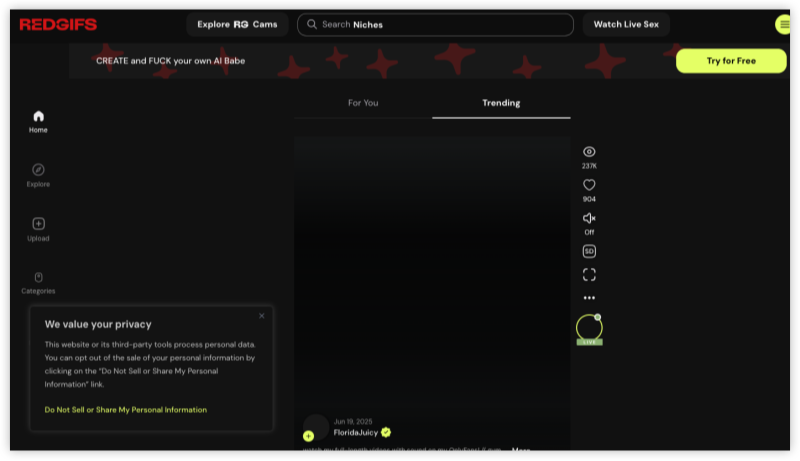
RedGIFs Not Working? Common Reasons & Quick Fixes
Even when the site isn’t blocked in your region, you may encounter problems playing videos or loading content. Common issues include:
1. Video Playback Errors
Cause: Slow internet, unsupported browser, or device cache issues.
Fix: Clear browser cache, switch browsers, or ensure your internet connection is stable.
2. Age Verification Loops
Cause: Browser cookies not saved, VPN location mismatch, or outdated session.
Fix: Enable cookies, refresh the page, or reconnect to a VPN server in a supported country.
VPN worked for me, was stuck in the Lite loop until I switched VPN on then was able to sign up and do the age verification thing.

3. Cannot Download Videos
Cause: RedGIFs restricts direct downloads on some devices.
Fix: Use official download buttons if available or screen-record locally (avoid third-party download sites to reduce malware risk).
4. Mobile Device Issues
Cause: Device OS restrictions or browser incompatibilities.
Fix: Use the RedGIFs mobile app or mobile-friendly browser version.
By understanding these common problems, you can often restore access without needing additional tools.
Bonus: Get Best RedGIFs Alternatives
Sometimes RedGIFs may be entirely inaccessible, or you may want more variety. Here are safe and reliable alternatives:
-
PornGIFs.com – Focuses on short adult GIFs with clear age-check options.
-
Xvideos GIF Section – Offers a large library of adult GIFs and videos, sometimes with less strict regional restrictions.
-
RedTube Short Clips – Popular alternative with both videos and GIF-like clips.
-
XNXX GIF Section – Good for mobile users, though region blocks may still apply.
-
Mirror or Unblocked Versions of RedGIFs – If official mirrors exist, they can replicate the RedGIFs experience.


Final Thoughts
Accessing RedGIFs safely requires understanding regional blocks, age verification rules, and common technical issues. Whether you use a VPN like UFO VPN, proxies, or browser adjustments, prioritizing privacy and security is essential. For users who can’t access RedGIFs directly, exploring trusted alternatives ensures uninterrupted enjoyment of porn GIFs and videos without compromising safety.
FAQs
Is RedGIFs banned in the UK?
Not exactly “banned,” but adult access to RedGIFs is restricted under UK law in 2025–26. You won’t be able to view adult RedGIFs content in the UK without passing the age check required by law. Some users try to use a VPN to bypass RedGIFs age verification, partially successfully.
How can I unblock RedGIFs safely?
A reliable VPN, secure proxies, or official mirror sites are the safest methods to access RedGIFs. Avoid unverified tools to protect your device.
Can you download videos from RedGIFs?
Direct download may be limited, but official buttons or screen recording are secure alternatives.
Why can’t I play RedGIFs videos?
RedGIFs playback issues often stem from browser cache, slow internet, device compatibility, or age-check loops. You can try clearing the cache, or using a VPN often helps.
What is the best alternative to RedGIFs?
Some trusted alternatives include PornGIFs.com, Xvideos GIF section, and RedTube short clips. Always bear in mind to use secure connections for privacy.