Countries Ban TikTok & Common Reasons
Before assuming TikTok is down, check whether access is restricted in your country. Governments may block the platform over data privacy, national security, child safety, or concerns about harmful content. Some restrictions last only a few weeks, while others remain in place without an end date. The table below covers countries with nationwide blocks, broader access restrictions, or a history of temporary TikTok bans.
| Country | Main Reason | Ban Duration / Status | Get an IP |
|---|---|---|---|
| Azerbaijan | Protests over religious dress rules | Temporary restrictions | |
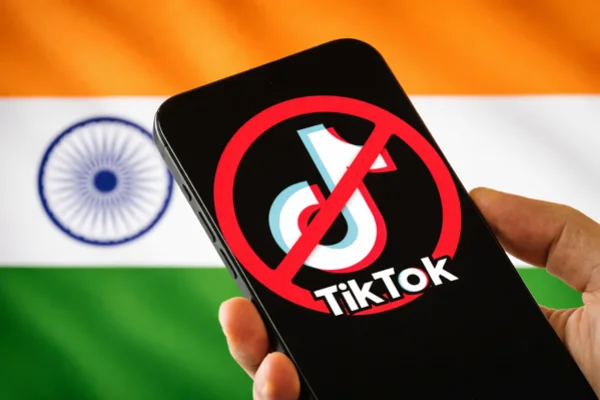
| India | National security and data privacy | Generally long-term | |
| Iran | Religious and political content controls | Generally long-term | |
| Pakistan | Religious concerns and indecent content | Generally temporary; previous bans lifted | |
| Nepal | Concerns about social harmony | Temporary; lifted | |
| Saudi Arabia | No nationwide TikTok ban confirmed | No general ban | |
| Turkey | Content regulation and child safety concerns | No nationwide TikTok ban confirmed |
5 Ways to Check If TikTok Is Down
When the app stops working, the first thing you need to know is whether the problem is on TikTok's end or your end. If the servers are down, there is nothing you can do but wait. If the problem is your phone, you can fix it in minutes. Here are five easy ways to check the status of TikTok right now.
Way 1. Use a Status Checker Website
A quick way to check for a wider TikTok problem is to visit a third-party status checker. Compare user reports with website availability checks to see whether others are experiencing similar issues.
- Downdetector — Shows outage reports and spikes.
- StatusGator — Tracks disruptions and outage history.
- UptimeRobot — Checks TikTok’s website availability.
- Is It Down Right Now? — Checks availability and response times.
- Down for Everyone or Just Me — Flags unusual increases in reports.
- IsDown — Tracks user-reported TikTok issues.
- Outage.Report — Maps live outage reports.
- Instatus — Shows community-reported problems.
- Hyperping — Monitors availability across multiple locations.
- WebsiteDown.info — Runs a live website check.
Way 2. Check the Official TikTok Support Account on X (Twitter)
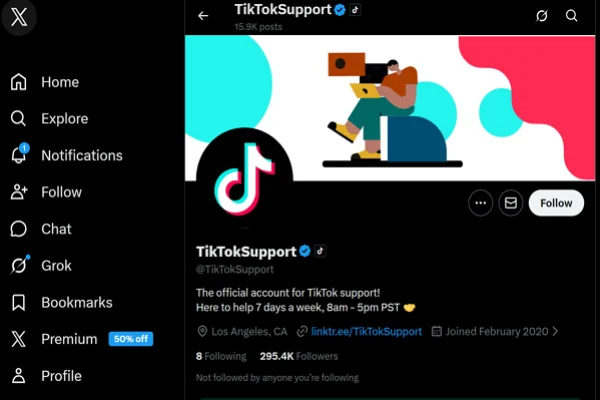
Large companies usually have dedicated social media accounts to talk about technical issues. On X (formerly Twitter), you can look up @TikTokSupport.
If there is a major server crash or a bug affecting millions of users, they will usually post a short update saying they are "aware of the issue" and are "working to fix it." This is the most reliable way to get news directly from the source. If they haven't posted anything in hours, the problem might be specific to your device.
Way 3. Look at the #TikTokDown Hashtag
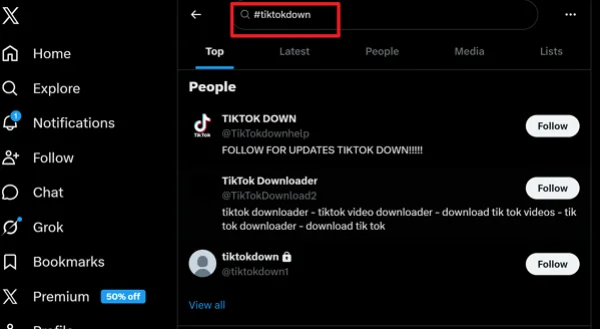
Social media users are often faster than official support teams. If TikTok feels slow or won't open, jump onto X or Instagram and search for the hashtag #TikTokDown.
If the app is truly broken, you will see thousands of people posting memes and complaining about it within seconds. If the most recent post under that hashtag is from three months ago, then TikTok is likely running fine, and the issue is on your side.
Way 4. Test Your Own Internet Connection
Sometimes it isn't TikTok at all—it's your Wi-Fi. A quick way to test this is to open another app that requires a lot of data, like YouTube or Netflix.
If a high-definition video loads instantly on Netflix but TikTok still won't move, then your internet is fine, and TikTok is the problem. If nothing loads on any app, try switching from Wi-Fi to your mobile data (5G/LTE) to see if the feed starts moving again.
Way 5. Ask a Friend in a Different Location
If you have a friend who lives in a different city or uses a different phone carrier, send them a quick text. Ask them, "Is your TikTok working?"
If it works for them but not for you, then the TikTok servers are likely fine. This helps you narrow down the problem to your specific account, your phone, or your local internet service provider.
How to Tell if TikTok Is Down or Blocked in Your Area?
Sometimes, TikTok being down and being blocked look very similar. The app may not load, videos may not play, or you may see error messages. However, these two situations are very different, and the solution depends on the cause.
Here are some clear ways to tell the difference:
- Location-based issue: If TikTok doesn’t work only in your country or region, it may be restricted. If users in other countries can still access it, it is likely blocked rather than down.
- Error messages: A server outage often shows messages like “Something went wrong” or “Try again later.” A restriction may show connection errors or no response at all.
- Consistency of the issue: If TikTok has been unavailable for a long time in your area, it may be blocked. Server outages usually get fixed within a few hours.
- Access through different networks: If TikTok works when you change networks or use certain tools, it may be restricted rather than down.
- News and official announcements: Government restrictions are often reported in the news. If TikTok is officially banned in your region, it will be widely reported.
If you are still confused about the difference between the two, check the table below and get a clear comparison between them:
| Major Impact | TikTok is Down (Server Issue)🔧 | TikTok is Blocked (Restriction)🚫 |
|---|---|---|
| Affects all users | ✅ Yes | ❌ No |
| Affects specific regions | ❌ No | ✅ Yes |
| Duration | Short | Long-term |
| Error message | "Server Error" or "Couldn't Load" | "No Internet Connection" |
| Works with network changes | ❌ No | ✅ Sometimes |
| Needs special tools | ❌ No | ✅ Yes |
| App Store | App is visible and can be updated | App may be missing from the store ❌ |
| Website access | Browser shows "500 Internal Error" | Browser shows "Access Denied" 🔒 |
| Fix | Wait for TikTok to fix it ⏳ | Use a VPN or Proxy 🛠️ |
What to Do When TikTok Is Not Working?
If you have checked and found that the servers are not down, the problem lies within your app or your phone. Most of the time, these are small software glitches that you can clear up in less than a minute. Here are five practical steps to get TikTok working again.
1. Force Close and Restart the App
This is the simplest fix, but it works most of the time. When an app stays open in the background for too long, it can "freeze."
On an iPhone, swipe up from the bottom and flick the TikTok window away.
On Android, go to your recent apps and swipe it off. Then, click the TikTok icon to open it fresh. This forces the app to reconnect to the servers from scratch.
2. Clear the TikTok App Cache
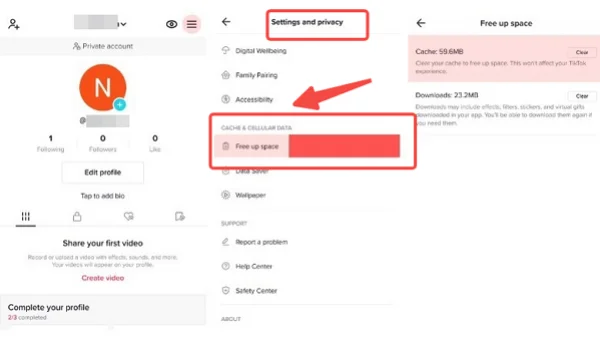
TikTok stores a lot of data on your phone to help videos load faster. Sometimes these temporary files get "corrupted," which causes the app to lag or crash.
To fix this, open TikTok, go to your Profile, tap the three lines in the corner, and go to Settings and Privacy. Scroll down to Free up space and tap Clear Cache. This won't delete your videos or drafts; it just cleans out the "junk" files that might be slowing things down.
3. Check for an App Update
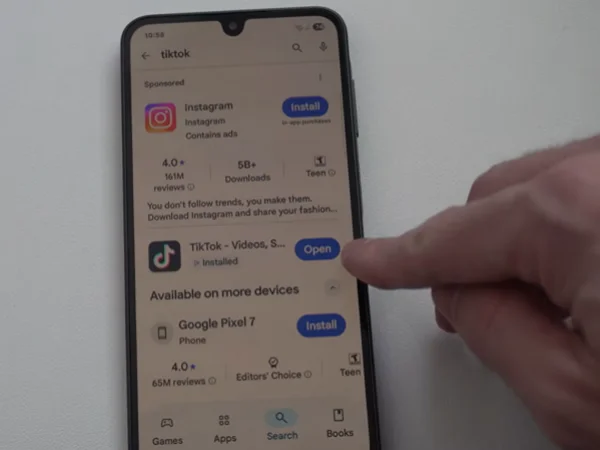
TikTok releases updates almost every week to fix bugs. If you are using an old version of the app, it might not be able to communicate with the new server settings.
Open the Apple App Store or Google Play Store, search for TikTok, and see if there is an "Update" button. If there is, install it immediately. Developers often "kill" older versions of the app once a major update is out.
4. Restart Your Smartphone
If your phone has been on for hundreds of hours without a break, its memory can get cluttered. A quick restart clears the system RAM and resets all your network connections. Turn your phone completely off, wait ten seconds, and turn it back on. Once your Wi-Fi reconnects, try opening TikTok again.
5. Check Your Phone’s Date and Time Settings
This sounds like a weird fix, but it is very common. Apps like TikTok use "security certificates" that check the date and time on your phone.
If your phone’s clock is even five minutes off, the TikTok servers will reject the connection for security reasons. Go to your phone's Settings, find Date & Time, and make sure it is set to "Set Automatically." This ensures your phone is perfectly synced with the TikTok servers.
Pro Guide: Unblock TikTok If It Is Completely Banned
If you live in a region where TikTok has been restricted or if you are using a network (like a school or office) that forbids the app, you need a different strategy. In these cases, your phone is working fine, but the "gatekeeper" of your internet is stopping the data from reaching TikTok. Here are the best ways to bypass these blocks.
1. Use a High-Quality VPN (UFO VPN)
A VPN (Virtual Private Network) is the best way to unblock TikTok. It hides your real location and makes it look like you are browsing from a different country. For TikTok, you need a VPN that is fast enough to stream video without buffering.
When picking a VPN for TikTok, look for these features:
-
High Speed: You don't want your videos to lag every two seconds.
-
Many Server Locations: If TikTok is blocked in your country, you want to connect to a server in a country where it is legal (like the US or UK).
-
Easy Interface: You should be able to click one button and be connected.
-
Privacy: It should keep your browsing data private.
Among various VPN suppliers, UFO VPN is a great choice because it has dedicated servers specifically for social media apps. To use it, simply download the app, select a "Smart Location" or a specific country where TikTok is available, and hit connect.


UFO VPN is an all-in-one VPN that offers unlimited access to 4K streaming like Netlfix, Disney Plus, no-ping gaming as PUBG, Roblox, CODM and social networking for YouTube, X, Facebook and more.




Unlock Pro Features
If you have upgraded to premium plan , feel free to enjoy premium servers for 4K streaming and advanced features like Kill Switch, Split Tunneling, and gaming acceleration. Your Mac is now fully optimized and protected. Inaddition to basic functions, we recommend you turn on

Verify Your IP Now
Use UFO VPN's " What is My IP " feature to see your new IP and location. This confirms your connection is secure, anonymous, and ready for safe browsing online anywhere at any time.







2. Try a Proxy Server
A proxy is similar to a VPN but usually only works for your web browser. If you are trying to watch TikTok on a laptop and the website is blocked, a proxy can help you sneak past the filter. However, proxies are often slower than VPNs and don't encrypt your data as well. They are a good "quick fix" but not a permanent solution for the app.
3. Change Your DNS Settings
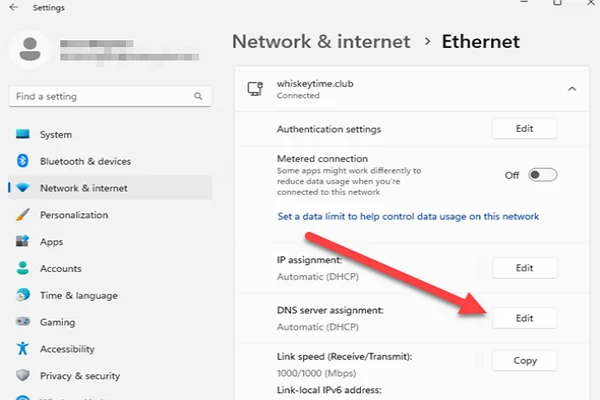
Sometimes, a network block is only at the "DNS" level. This means your internet provider is just "forgetting" the address of TikTok. You can change your phone's DNS to a public one like Google DNS (8.8.8.8) or Cloudflare (1.1.1.1). This can sometimes bypass simple filters set up by schools or local providers without needing any extra apps.
4. Use a Browser Extension
If you are on a desktop computer, many Chrome or Firefox extensions can bypass regional blocks. These act like mini-VPNs that only work inside your browser. This is helpful if you want to keep your whole computer on your regular internet but just want TikTok to think it's somewhere else.
5. Switch to a Different SIM Card or Mobile Data
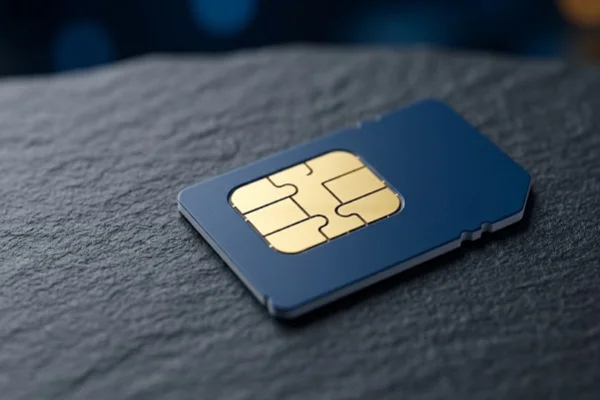
In some countries, the block is only enforced by certain mobile carriers. If you have a dual-SIM phone, try switching to a different provider's data.
Or, if you are on a blocked Wi-Fi network, simply turn off Wi-Fi and use your 5G/LTE data. Often, mobile data providers have different rules than home internet or office Wi-Fi providers.
Conclusion
TikTok going down can be annoying, but it is rarely a permanent problem. Most of the time, it's just a quick server glitch that clears up in an hour, or a small bug in your phone that a restart can fix. By using tools like DownDetector or checking social media, you can quickly find out if you're the only one with the problem.
If the app is blocked based on your location, a reliable tool like UFO VPN can get you back to your videos instantly. The key is to check the simple things first—like your Wi-Fi and app updates—before moving on to more technical fixes.
FAQs
Why does TikTok keep crashing on my phone?
This can happen because of outdated apps, low storage, or system glitches. Updating the app and clearing the cache often helps.
Can TikTok be down in one country only?
In most cases, server issues affect many regions. If only one country is affected, it may be due to restrictions.
How long does TikTok downtime usually last?
Most outages are fixed within a few hours, depending on the issue.
Is it safe to use TikTok with a VPN?
Using a VPN is generally safe if you choose a trusted provider with good privacy policies.
Why do videos not load even when the app opens?
This is often caused by slow internet, server delays, or temporary bugs in the app.