Key Takeaways
-
Moviesda is a widely searched platform for Tamil movies.
-
It operates through changing domains and mirror sites.
-
Accessing Moviesda carries both legal and security risks.
-
Download processes often involve aggressive ads and redirects.
-
Legal streaming platforms provide safer and more reliable options.
-
A free proxy VPN like UFO VPN can improve privacy but does not remove legal risks.
What Is Moviesda?
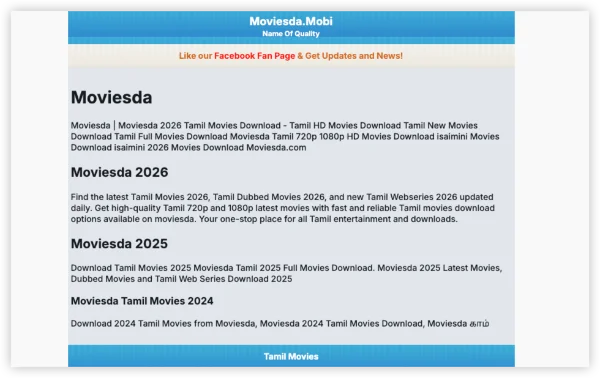
Moviesda is a website known for hosting and distributing Tamil movies online. It typically provides:
-
Newly released Tamil films
-
Dubbed Tamil versions of Hindi, Telugu, and English movies
-
Older Tamil classics
-
Mobile-optimized movie formats
The platform gained popularity because it allows users to stream or download movies without subscription fees.
However, it’s important to understand that Moviesda is generally categorized as an unofficial streaming/download platform, meaning the content is often shared without proper licensing agreements.
That’s why the site frequently changes domains or becomes unavailable in certain regions.
Why Moviesda is not working & How to Fix?
If you are wondering why Moviesda not working suddenly, there are several possible explanations. The site may be temporarily unavailable, your network may be having trouble reaching it, or the domain itself may no longer be active.
1. The Site Is Down Right Now
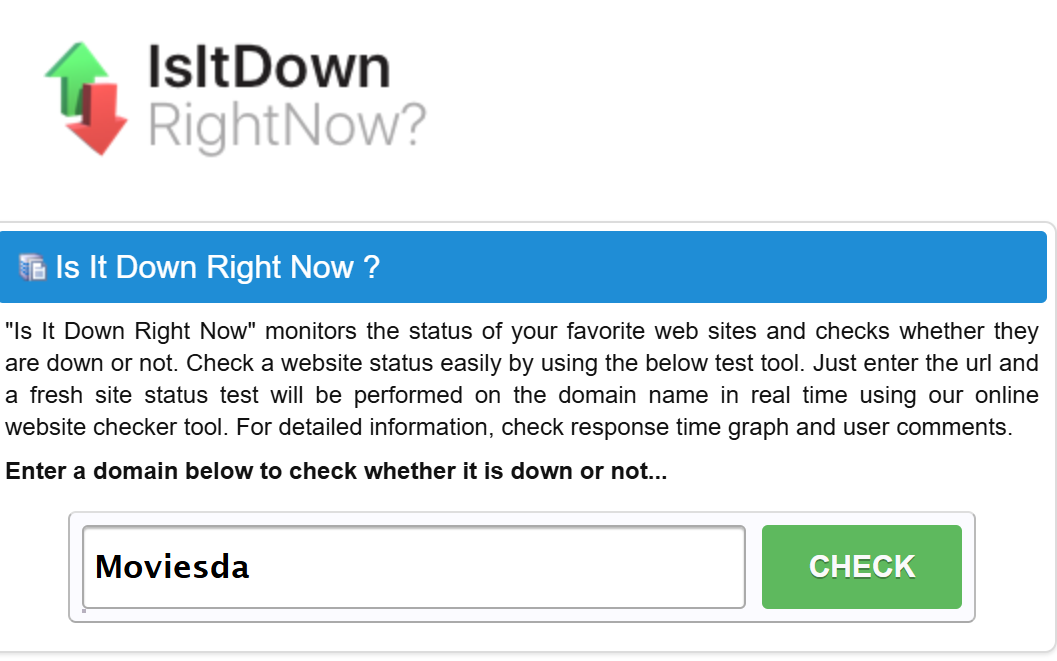
Sometimes the problem has nothing to do with your device. If the site's server is experiencing an outage, users in multiple locations may see similar errors.
Common signs include:
- The homepage refuses to load.
- You receive 500-, 502-, or 503-series server errors.
- The connection repeatedly times out.
- Several pages fail at the same time.
You can compare the result with independent website-status services:
- Is It Down Right Now? – Checks whether a website is responding and shows basic uptime information.
- Down for Everyone or Just Me – Helps determine whether a problem affects everyone or only your connection.
- IsItDownToday – Provides website availability and response information.
- isitdown.io – Runs external checks to determine whether a website is reachable.
- OnlineorNot – Checks website availability from external locations.
- Website Planet Down Checker – multi-location checks that reveal if the problem is regional or worldwide
If several independent services show that the website is unavailable, there may be little you can do from your side. In that case, the practical option is to wait and check again later.
2. Your Network or Region Is Restricting Access
Internet service providers and governments in many countries actively block unofficial movie sites. Your connection is refused at the network level, so the page never loads even though the servers themselves may be online.
| Country/Region | Access Status | ISP Blocking Level | Recommended Server |
|---|---|---|---|
| India | Frequently blocked | High | |
| United States | Sometimes accessible | Moderate | |
| United Kingdom | Commonly restricted | High | |
| Canada | Partially accessible | Moderate | |
| Australia | Frequently blocked | High | |
| UAE / Saudi Arabia | Usually blocked | Very High | |
| Malaysia | Varies by ISP | Medium | |
| Germany | Restricted | High | |
| South Africa | Sometimes accessible | Low-Medium |
The most reliable fix is a VPN. UFO VPN is particularly effective here because it offers fast servers in locations that still allow Moviesda traffic.


UFO VPN is an all-in-one VPN that offers unlimited access to 4K streaming like Netlfix, Disney Plus, no-ping gaming as PUBG, Roblox, CODM and social networking for YouTube, X, Facebook and more.




Unlock Pro Features
If you have upgraded to premium plan , feel free to enjoy premium servers for 4K streaming and advanced features like Kill Switch, Split Tunneling, and gaming acceleration. Your Mac is now fully optimized and protected. Inaddition to basic functions, we recommend you turn on

Verify Your IP Now
Use UFO VPN's " What is My IP " feature to see your new IP and location. This confirms your connection is secure, anonymous, and ready for safe browsing online anywhere at any time.







3. The Moviesda Proxies are Expired
Proxy and mirror sites appear and disappear quickly because operators constantly rotate domains to stay ahead of blocks. When an old proxy stops working, users see the familiar “not working” message even though newer mirrors exist.
Current working mirrors (as of the latest check):
- https://moviesda16.com/
- https://moviesda.red/
- https://moviesda.studio/
- https://moviesda.run/
- https://moviesda.in/
- https://moviesda.top/
These links expire often due to domain seizures, hosting changes, or targeted blocking. Bookmark this page—we update the list regularly. You can also discover fresh mirrors with these proxy-finder tools:
- ProxyNova – large searchable database of public proxies sorted by speed and anonymity
- FreeProxyList – frequently refreshed list with country and protocol filters
- Spys.one – detailed proxy tables including uptime and last-checked timestamps
- ProxyScrape – API-friendly source that lets you pull the newest free proxies in bulk
- OpenProxy – community-maintained collection emphasizing reliability for media sites
4. Browser cache and cookies conflict
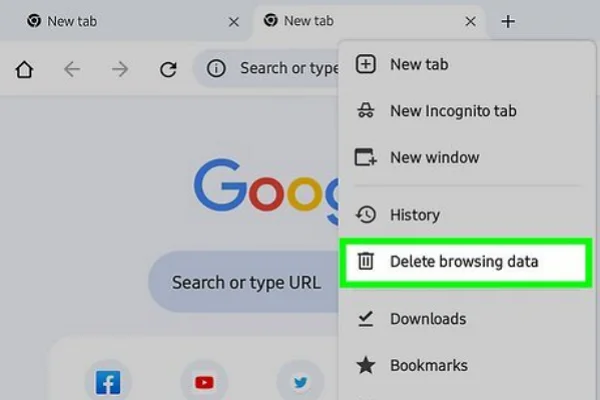
Your browser may still be storing old files or cookies from a previous version of the site. This can become a problem if Moviesda has changed its domain or page structure recently.
Key steps:
- Open your browser settings.
- Clear cached files and cookies from the past 24 hours.
- Restart the browser and try loading the page again.
5. DNS resolution failure
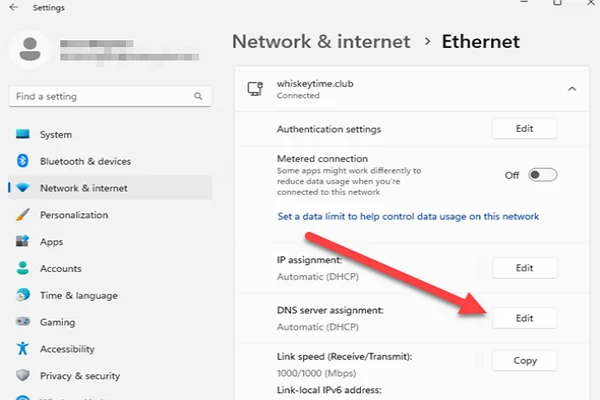
DNS problems occur before your browser can establish a connection with the website. If the domain cannot be resolved correctly, errors such as DNS_PROBE_FINISHED_NXDOMAIN or “server IP address could not be found” may appear.
You can try switching to a public DNS provider, such as Google DNS (8.8.8.8) or Cloudflare DNS (1.1.1.1).
Key steps:
- Open your device's network settings.
- Find the DNS configuration.
- Replace the existing DNS address with a public DNS server.
- Reconnect to the network and test the website.
6. Outdated browser version
An older browser may have compatibility issues with newer HTTPS certificates or security protocols. If Chrome, Firefox, or Edge has not been updated for a while, check whether a newer version is available.
Go to the browser's About or Update section, install any pending update, and reopen the browser afterward.
7. Ad-blocker or script blocker interference
An aggressive ad blocker or script blocker can sometimes prevent page elements from loading correctly. You may notice a blank section, missing buttons, or a page that never finishes loading.
A private browsing window is a quick way to test this because many extensions are disabled there by default. If the page works normally, check your extension settings before changing other network configurations.
8. Mobile data vs. Wi-Fi difference
Try switching between Wi-Fi and mobile data to see whether the connection makes a difference. This simple comparison can tell you more than repeatedly refreshing the same page.
If it works on mobile data but not Wi-Fi, your home network or ISP could be involved. If neither connection works, the problem may be elsewhere.
9. Antivirus or firewall over-blocking

Your antivirus or firewall may block a connection if it considers the destination suspicious. Check the security software's recent alerts or blocked-connection history to see whether it has flagged the domain.
Don't immediately create an exception or turn off web protection. If the warning mentions malware, phishing, or an unsafe connection, it is better to investigate the warning first.
10. Incorrect date and time on device
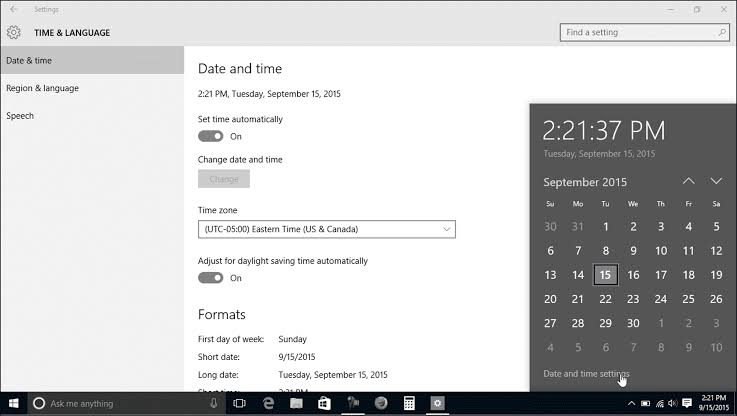
An incorrect system clock can interfere with HTTPS connections because the browser may treat a valid security certificate as expired or not yet active.
Quick fix: Open your device's Date & Time settings, turn on automatic time synchronization, and then restart your browser.
11. Too many simultaneous connections
Several open tabs, downloads, or active streams can consume bandwidth and make a slow website appear unavailable. This is especially noticeable when the server is already under heavy traffic.
Close unnecessary tabs and pause large downloads for a moment. If the page starts responding normally afterward, the problem was more likely connection load than complete downtime.
12. Region-specific app restrictions
If you're using a third-party Android or iOS app that embeds Moviesda links, the app itself may be causing the problem. An outdated embedded browser or app-level restriction can prevent pages from loading even when your normal browser works.
Try opening the same page in an updated standard browser. If it works there, update or troubleshoot the third-party app instead.
13. Slow loading that looks like downtime
A website doesn't have to be completely offline to appear broken. Heavy traffic or slow server response can leave a page stuck on the loading screen until the browser eventually times out.
Give the page 30–60 seconds before refreshing it. At the same time, check an independent status-monitoring service to see whether the website is responding elsewhere.
14. JavaScript disabled
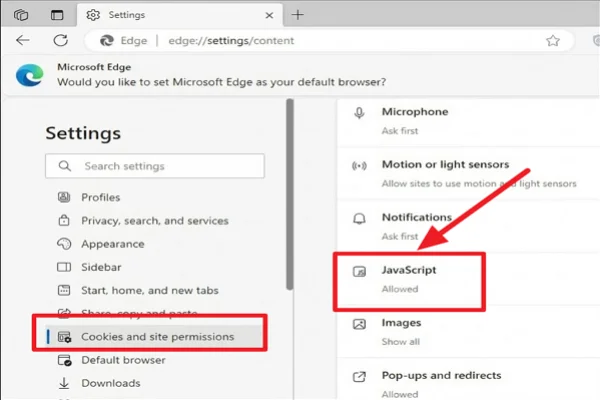
Some websites rely on JavaScript for navigation and dynamic page elements. If it has been disabled, the page may appear incomplete or fail to respond to clicks.
Key steps:
- Open your browser's site permissions.
- Find the JavaScript setting.
- Make sure JavaScript is allowed.
- Reload the page.
If you use a privacy-focused browser, check its built-in script-blocking settings as well.
15. Extension conflicts (especially privacy tools)
Multiple privacy extensions can interfere with one another. For example, one may block scripts while another restricts cookies or page requests.
Instead of disabling everything at once, test them individually. Turn off one extension, reload the page, and repeat until you identify the one affecting the connection.
Safer Alternatives for Tamil Movies: Sites like Moviesda
If repeated Moviesda not working headaches become too frequent, several other platforms offer large Tamil libraries. Here is a deeper look at the best Moviesda alternatives.
| Platform | Tamil Library Size | Video Quality | Offline Downloads | Global Availability | Subscription Needed |
|---|---|---|---|---|---|
| TamilYogi | Large | HD–Full HD | Yes | Strong | No |
| TamilBlasters | Very Large | HD | Yes | Moderate | No |
| Isaimini | Large | HD | Yes | Moderate | No |
| TamilMV | Large | Up to 1080p | Yes | Strong | No |
| Movierulz Tamil | Medium–Large | HD | Yes | Moderate | No |
| TamilRockers | Very Large | HD–Full HD | Yes | Varies | No |
Conclusion
When Moviesda not working appears on your screen, the best first step is to identify whether the problem comes from the website, your connection, or the device you are using. A quick status check and a few basic troubleshooting steps can often tell you where the issue lies.
If network routing is part of the problem, UFO VPN can also help you test your connection from a different network path. For a more dependable viewing experience, however, established streaming services are worth considering.
FAQs
Why does Moviesda keep changing its domain?
Operators rotate domains to avoid prolonged blocks and legal notices. Checking an updated proxy list or using a VPN is the fastest way to locate the current address.
Is it safe to use Moviesda with a VPN?
A reputable VPN such as UFO VPN encrypts traffic and hides your real IP, reducing the chance of ISP throttling or tracking. Always download the VPN from its official site.
Can I watch Moviesda on my phone without issues?
Yes. Use a mobile browser or a trusted app, clear the cache regularly, and connect through UFO VPN if your carrier blocks the site.
How often should I update the proxy list?
Proxies can expire within days. Bookmark a page that refreshes the list and recheck every week or whenever the current link fails.
What should I do if even the VPN does not work?
Try a different server location, switch DNS, disable extra browser extensions, or move to one of the listed alternatives while the original site recovers.