What Is a Telegram Scam?

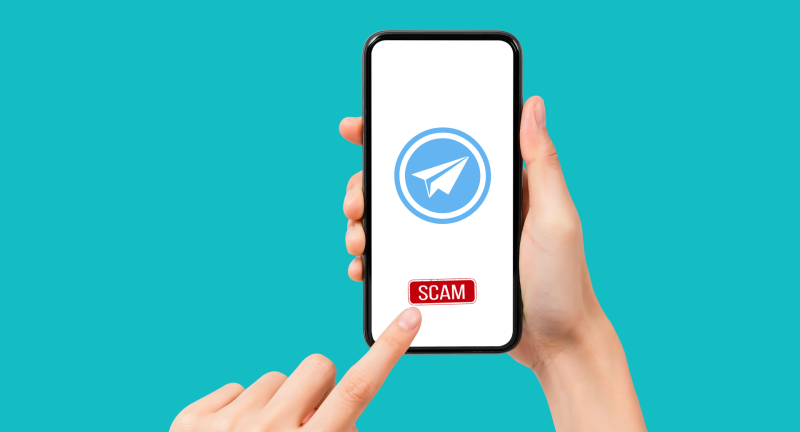
A Telegram scam is any deceitful method cybercriminals use on Telegram to exploit users’ trust. Whether it’s impersonating official support or spinning elaborate investment plots, these fraudsters leverage Telegram’s features—like bots, channels, and file sharing—to trick victims into revealing credentials or sending funds.
Key characteristics of a Telegram app scam include:
-
Fake profiles or channels posing as trusted entities
-
Malicious links directing you to phishing sites
-
Urgent requests for money with false emergencies
-
Bots engineered to harvest personal information
Understanding these traits empowers you to spot a telegram scam before damage is done.
Why Telegram Is a Target
-
Low Barrier to Entry: Creating an account only requires a phone number, making it easy for scammers to spin up multiple fake identities.
-
Bot Ecosystem: While bots can enhance user experience, malicious ones automate phishing attacks at scale.
-
Encrypted Chats: End-to-end encryption promises privacy—but also shields scam conversations from detection.
-
Global Reach: With millions of active users, Telegram is fertile ground for both localized and cross-border scams.
📖Related Reading
15 Common Telegram Scams and How They Work
Below are the most prevalent telegram scams circulating today, along with red flags and prevention tips.
1. Romance Scams
How it works: Scammers build trust over weeks, then fabricate an emergency to extract money.
Watch for: Requests to shift from dating apps to private Telegram chats and urgent pleas for cash.
2. Tech Support Impersonation
How it works: Fraudsters pose as Telegram support, claiming account breaches. They ask for your verification codes or invite remote access.
Watch for: Unsolicited offers to “fix” non-existent issues—always initiate support queries yourself.
3. “Friend in Need” Fraud
How it works: Criminals spoof a known contact, sharing a sob story and asking you to wire money immediately.
Watch for: Unusual language or refusal to join a video call. Confirm by calling the real friend.
4. Phishing Bots
How it works: Malicious bots send links to clone websites, harvesting your login credentials when you attempt to sign in.
Watch for: Generic messages urging you to click a link “to verify” or “secure” your account.
5. Investment and Crypto Cons
How it works: Promises of massive returns lure victims into sending funds, which vanish without a trace.
Watch for: “Guaranteed” high-yield schemes and insistence on payment via untraceable cryptocurrencies.
6. Ponzi and Pyramid Schemes
How it works: Early investors see fake profits funded by new recruits; the scheme collapses when recruitment slows.
Watch for: Pressure to recruit friends and relatives to maintain returns.
7. Fake Surveys and Giveaways
How it works: Scammers promise prizes for survey completion, then harvest your personal details.
Watch for: Unsolicited group invites to participate in “exclusive” draws.
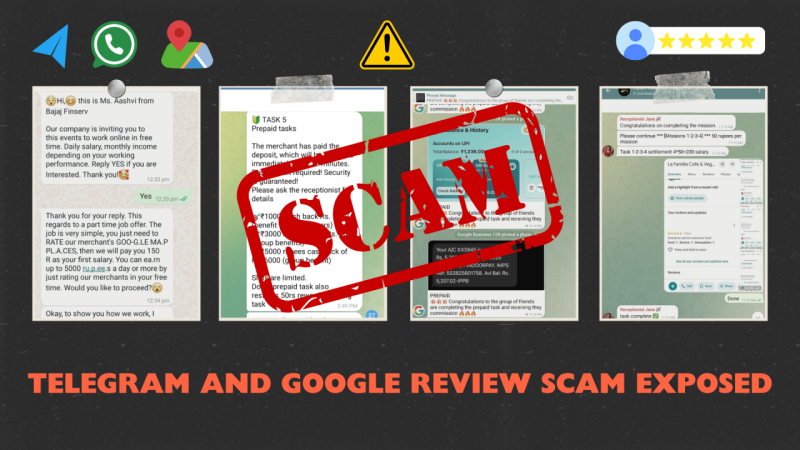
8. Bogus Job Offers
How it works: Attractive remote positions conceal identity theft traps, collecting your resume data and social security information.
Watch for: Vague job descriptions and upfront “application fees.”
9. Malicious Attachments
How it works: Malware-laden files sent via Telegram can infiltrate your device once opened.
Watch for: Unexpected image, PDF, or executable files from unknown senders.
10. Impersonated Admins
How it works: Fake admin accounts message group members with threats of removal unless they share credentials.
Watch for: Direct admin messages instead of announcements in the group feed.
11. Classified Ad Scams
How it works: Scammers post fake listings directing you to Telegram for “details,” then use bots to extract bank information.
Watch for: Deals that seem too good to be true and insistence on off-app communication.
12. Copycat Channels
How it works: Fraudulent channels mimic legitimate brands with minor URL tweaks, then solicit membership fees or donations.
Watch for: Subtle differences in usernames, unofficial links, and requests for payment to “unlock” content.
13. Cryptocurrency Pump-and-Dump
How it works: Fraudsters hype a token to inflate its price, then sell off, causing investors to suffer losses.
Watch for: Aggressive promotion in investment groups urging immediate buys.
14. Subscription Traps
How it works: Scammers offer free trials to premium channels, then silently charge you monthly once the trial ends.
Watch for: Hidden subscription clauses buried in lengthy terms.
15. Advanced Bot Scams
How it works: Sophisticated bots simulate multi-step conversations—eventually guiding you to phishing pages or fake support forms.
Watch for: Scripts that feel automated or that loop you back to the same questions.
How to Spot a Legitimate Telegram User
-
Profile Verification: Look for blue verification badges, and cross-check usernames on official websites.
-
Call Verification: A genuine contact will agree to a quick voice or video call—bots and scammers often avoid them.
-
Language Consistency: Sudden shifts in writing style or poor grammar can betray impostors.
-
Channel Announcements: Legit admins post critical updates in public channels, not via private message.
What to Do If You’ve Been Scammed

-
Report & Block: Use Telegram’s built-in report function, then immediately block the malicious account.
-
Contact Financial Institutions: Alert your bank or payment provider to freeze transactions and reverse charges where possible.
-
Change Credentials: Reset passwords for any compromised accounts and enable two-factor authentication.
-
File a Police Report: For significant losses, local law enforcement may assist in investigations.
How UFO VPN Helps You Prevent Telegram Scams
-
Encrypted Connection: UFO VPN shields your traffic from snoopers who might inject malicious links into your network.
-
IP Masking: By hiding your real IP address, UFO VPN makes it harder for fraudsters to target you with geo-based scams.
-
Threat Alerts: Our premium plans flag known phishing domains in real time, preventing you from clicking telegram scam links.
-
Access Freedom: If your region blocks Telegram, UFO VPN lets you safely connect through our secure servers.
How to Download UFO VPN Safely


UFO VPN is an all-in-one VPN that offers unlimited access to 4D streaming like Netlfix, Disney Plus, no-ping gaming as PUBG, Roblox, CODM and social networking for YouTube, X, Facebook and more.




Unlock Pro Features
If you have upgraded to premium plan , feel free to enjoy premium servers for 4K streaming and advanced features like Kill Switch, Split Tunneling, and gaming acceleration. Your Mac is now fully optimized and protected. Inaddition to basic functions, we recommend you turn on

Verify Your IP Now
Use UFO VPN's " What is My IP " feature to see your new IP and location. This confirms your connection is secure, anonymous, and ready for safe browsing online anywhere at any time.







Frequently Asked Questions
Q1: What’s the difference between a Telegram scam and a Telegram fraud?
Both terms describe deceptive practices on Telegram; “scam” is general, while “fraud” often implies financial or legal wrongdoing.
Q2: Can I recover money lost to a Telegram scam?
Recovery depends on the payment method and your financial institution’s policies. Prompt action increases refund chances.
Q3: Is using a VPN legal when accessing Telegram?
Yes—VPNs like UFO VPN are legal in most countries and recommended for enhancing privacy on messaging apps.
Q4: How do I verify a Telegram channel’s authenticity?
Check for verification badges, official links on the organization’s website, and look at user reviews or community feedback.
Q5: Are Telegram secret chats immune to scams?
Secret chats encrypt message content but don’t verify the identity of the other party. Always confirm profiles before sharing sensitive data.
Q6: How often do new Telegram scams emerge?
Scammers continually invent new ruses. Stay informed by following trustworthy cybersecurity blogs and enabling threat alerts like those in UFO VPN.
Conclusion
With its robust features, Telegram remains one of the world’s most popular messaging apps—but that popularity attracts telegram scams of every stripe. By understanding common ploys, verifying contacts, and employing tools like UFO VPN, you can enjoy secure, uninterrupted conversations. Remember: skepticism and a layered defense are your best allies against scammers. Stay alert, stay encrypted, and let UFO VPN be your shield against the ever-evolving landscape of Telegram fraud.