Why & Where Roblox Is Easily Blocked?
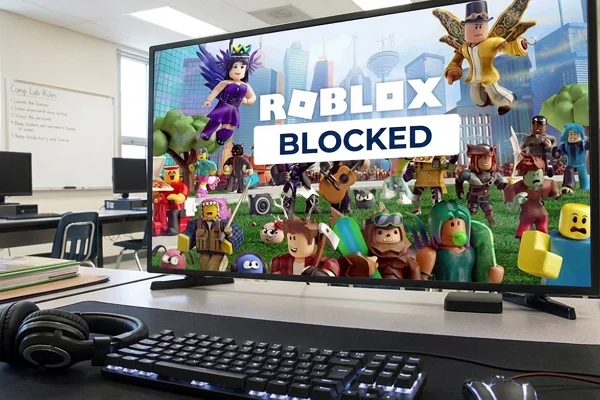
Schools often place restrictions on gaming platforms. Roblox falls into this category because it includes online multiplayer features, chat systems, and user-generated content.
Before trying to unblock Roblox, it helps to understand why these restrictions exist and where they are most commonly applied.
💡 Common Reasons Roblox Gets Blocked
In most cases, the block is not personal. It is simply part of the school's network rules and device management policies. Below are some common reasons why Roblox may be blocked on school computers.
-
Network bandwidth control – Online games use network resources that schools want to reserve for academic tools.
-
Classroom distraction concerns – Teachers prefer students to focus on assignments instead of gaming.
-
Content filtering policies – Roblox includes chat and user-generated worlds, which some institutions restrict.
-
Firewall filtering rules – School firewalls often block gaming domains such as Roblox servers.
-
Administrative device controls – Managed computers may limit which apps or websites can run.
💡 Places Where Roblox Is Most Likely Restricted
In addition to the reasons above, restrictions often depend on where the device is located and which network it is connected to. Many public or shared networks apply content filters to limit gaming websites. Because of this, Roblox may be blocked in several common places, such as:
-
Schools – Computer labs, library computers, classroom desktops, and school-issued Chromebooks often run under strict network control.
-
Airports – Public Wi-Fi networks in airports sometimes block gaming platforms to save bandwidth.
-
Libraries – Many public libraries restrict gaming websites on their computers.
-
Cafés and coffee shops – Some café Wi-Fi networks filter entertainment websites to keep the network stable.
-
Hotels – Guest Wi-Fi networks may block certain game servers or large gaming platforms.
-
Workplaces or offices – Company networks often block games to prevent distractions during work hours.
In many cases, the block is not on the computer itself but on the network. That means any device connected to the same Wi-Fi may face the same restriction.
Is It Possible to Play Roblox Without a VPN?
The short answer is YES, unblocking Roblox at school is possible in some situations. Even without a VPN, certain methods can allow access depending on how the school network is configured. For example, some schools block only specific domains. Others rely on simple filtering systems that can be bypassed with basic adjustments.
If you can't download a VPN or the school has blocked the VPN websites themselves, you have to get creative. You may try cloud gaming, DNS changing, mobile data, etc.
But certainly, if you don't use a trusted VPN, you may face numerous risks, incuding:
-
Account Safety: Some "mirror" or "proxy" sites are fake. They might look like Roblox but are actually designed to steal your username and password.
-
Network Detection: Your school’s IT department can see that you are visiting a "proxy" site. If they see a lot of data going to a weird website, they might flag your account.
-
Lag and Crashes: Non-VPN methods like web proxies are often slow. You might get into the game only to have it freeze the moment you start moving.
-
Viruses: Shady "unblocked game" websites are often full of pop-up ads that can lead to malware.
Without VPN, you'll likely have to try four or five different ways before one works. By the time you find a working mirror, your lunch break might be over. If you want to jump straight into the game with your friends, having a VPN as a backup is the smartest move.
7 Ways to Play Roblox on School Computers (No VPN Required)
Different school networks use different blocking systems. Because of this, one method may work in one place but not in another. Normally, when you find that you can access the site, you may get the Roblox unbanned with the following 7 methods.
✅ Use a Different DNS Server
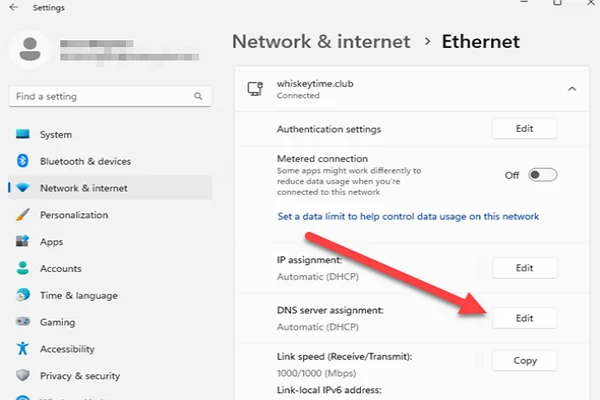
Some school networks block Roblox by controlling DNS requests. DNS servers translate domain names into IP addresses. If the school DNS blocks Roblox, changing it may solve the issue.
Steps usually include: Open Network Settings > Go to Adapter settings > Choose Internet Protocol (IPv4) > Enter a public DNS server.
Common public DNS servers include:
-
8.8.8.8
-
1.1.1.1
After saving the settings, restart the browser and try loading Roblox again.
✅ Try an Anti-Detect Browser
An anti-detect browser is designed to create a different browser identity each time you access a website. It changes elements such as browser fingerprint, cookies, and tracking data.
Some school filters rely on browser signatures. If the system cannot identify the browser environment clearly, the filter may fail to apply the restriction. This method works best when the school blocks Roblox through browser-based filters rather than network firewalls.
✅ Use Cloud Gaming Platforms
Cloud gaming allows you to run games on remote servers instead of your local computer. The game runs on a remote machine, but you can use your browser to stream the gameplay video. At the same time, your keyboard and mouse can freely control the remote session.
Because the game runs outside the school network, the local computer only streams video data. Some platforms allow browser-based gaming sessions, which can sometimes include Roblox depending on the service.
✅ Use Roblox Website Mirrors
In some cases, Roblox is blocked only through its main domain. In this case, you can absolutely try mirror sites. They host similar content or redirect traffic through alternative addresses. Instead of accessing the main Roblox website, the mirror site loads the platform through another path.
If the school filter only blocks the primary domain, the mirror may still work. However, this method depends entirely on how the school's filter is configured.
✅ Connect Through a Mobile Hotspot
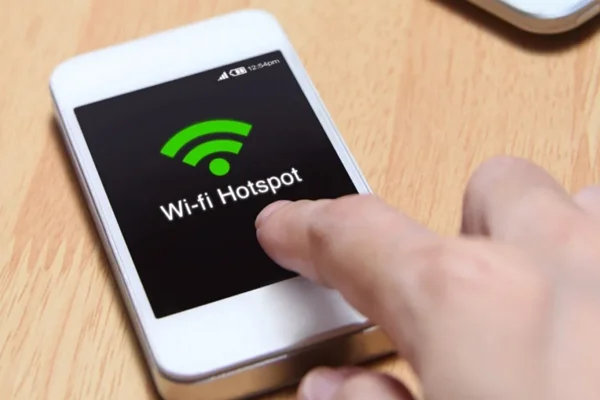
One of the simplest methods is to avoid the school network entirely. A personal hotspot uses your phone's mobile data instead of school Wi-Fi.
Basic steps include:
-
Turn on Personal Hotspot on your phone
-
Connect the computer to the hotspot network
-
Open Roblox normally
Since the traffic goes through your mobile network, the school firewall does not control the connection.
✅ Use a Lightweight Web Proxy
A web proxy acts as an intermediary between your browser and the website. Instead of connecting directly to Roblox, your browser connects to the proxy server. The proxy then retrieves the Roblox content and sends it back to your browser.
Lightweight browser proxies often run entirely in a webpage. This means you can open them without installing software. However, some school networks also block proxy services.
✅ Run Roblox Through a Portable Browser
Some schools restrict specific browsers or limit installed applications. A portable browser runs from a folder or USB drive without installation. Because it launches independently, it may bypass certain software restrictions on the system.
If the restriction exists only in the installed browser, this approach may work. You can download a portable browser version in advance and run it from a USB drive or local folder. Then, at the school lunch time, you can take it out and access Roblox through that browser.
Pro Tip: The Fastest & Most Secure Way to Unblock Roblox Anywhere
While the previous methods can work in some situations, they often depend on the specific network configuration. A more stable approach is to use a VPN.
It creates an encrypted connection between your device and an external server. Instead of sending traffic directly to the website, your device sends it through the VPN server first.
This helps in several ways:
-
Bypasses network filters
-
Hides browsing traffic from local monitoring
-
Accesses blocked websites
-
Protects login sessions
-
Improves connection stability on restricted networks
Among many VPN options, UFO VPN is often recommended for gaming access. It offers servers optimized for streaming and gaming traffic. The setup process also takes only a few minutes.


UFO VPN is an all-in-one VPN that offers unlimited access to 4K streaming like Netlfix, Disney Plus, no-ping gaming as PUBG, Roblox, CODM and social networking for YouTube, X, Facebook and more.




Unlock Pro Features
If you have upgraded to premium plan , feel free to enjoy premium servers for 4K streaming and advanced features like Kill Switch, Split Tunneling, and gaming acceleration. Your Mac is now fully optimized and protected. Inaddition to basic functions, we recommend you turn on

Verify Your IP Now
Use UFO VPN's " What is My IP " feature to see your new IP and location. This confirms your connection is secure, anonymous, and ready for safe browsing online anywhere at any time.







Final Verdict
Roblox restrictions on school computers are usually tied to network policies rather than the game itself. Because schools use different filtering systems, no single workaround fits every situation. Sometimes a simple DNS change or a different browser can restore access, while other cases require connecting through another network.
If you're tired of jumping through hoops and want a permanent fix that also keeps your account safe from hackers on public Wi-Fi, using a solid VPN like UFO VPN is the smartest move.
FAQs
Can I get in trouble for unblocking Roblox at school?
Yes, you can. Most schools have an "Acceptable Use Policy." If you get caught bypassing their security, you might lose your computer privileges or face detention. Always be careful and use these methods responsibly.
Will these methods work on a school Chromebook?
Most will. Cloud gaming and Google Translate tricks work perfectly on Chromebooks because they happen entirely inside the browser. However, you won't be able to use the "USB Portable Browser" method on a Chromebook since they don't run .exe files.
Why is the game so laggy when I use a proxy site?
Proxies are usually free and have thousands of people using them at once. They don't have the "horsepower" to handle the 3D graphics and real-time data that Roblox needs. For a smooth experience, a hotspot or a gaming VPN is much better.
Do I need admin rights to change DNS settings?
On many school computers, the "Network Settings" are locked. If you see a padlock icon or a message saying "Contact your administrator," you won't be able to use the DNS method. Stick to Cloud Gaming or a Hotspot instead.
Is it safe to log into my Roblox account on a mirror site?
It is risky. Some mirrors are "phishing" sites. Always check the URL. If the site looks weird or asks for your password twice, close it immediately. This is why using the official Roblox app through a VPN is much safer than using a random "unblocked" website.