Countries Where Roblox Is Limited or Banned
Roblox is not officially available in every country. In some places, the platform is blocked fully. In others, access may stop working without notice due to network rules or local filtering systems.
Below is a list of countries where users often report problems when trying to play Roblox.
| Country | Current Status | 🔥 Get Access |
|---|---|---|
| Egypt | 🟢 Recently restricted | Try France VPN free |
| China | 🔴 Fully blocked | ❌ Not recommended due to national-level blocking. |
| Iran | 🟡 Mostly blocked | Use Turkey VPN free |
| United Arab Emirates | 🟢 Partially restricted | Connect via Singapore VPN free |
| North Korea | 🔴 Fully blocked | ❌ Not applicable because of extreme internet limits. |
| Turkey | 🟢 Temporary blocks reported | Switch to Germany VPN free |
| Jordan | 🟡 Limited access | UK VPN free |
💡 Important note:
Egypt has seen recent Roblox restrictions, with many users reporting that the app stopped working suddenly. This is likely caused by ISP-level filtering rather than a Roblox policy change. So for Egyptian players, it's better to install a compatible tool like UFO VPN on your devices.
Even if your country is not listed, you may still face issues when trying to play Roblox in a restricted region or controlled network.
Easy Ways to Unblock Roblox in Any Country
If Roblox is blocked in your region, it does not mean the game is gone forever. In most cases, access can be restored using simple tools that change how your connection reaches Roblox servers.
Way 1. Use a Trusted VPN
A Virtual Private Network (VPN) is the most reliable way to play Roblox in a banned country. It creates a secure tunnel between your device and the internet. When you switch it on, your data travels through a server in a different location (like the US VPN free).
While many VPNs exist, gamers have specific needs: low latency (ping) and high speeds. UFO VPN is designed with these needs in mind. It does not just unblock websites; it optimizes the connection for real-time gaming.
- Dedicated Gaming Servers: UFO VPN offers specific servers optimized for Roblox, reducing the lag that usually comes with using a VPN.
- One-Click Connection: The interface is simple. You tap one button, and you are connected to the fastest server.
- Bank-Grade Encryption: It hides your traffic so your ISP cannot see you are gaming, preventing them from throttling your speed.
- Multi-Platform Support: You can use it on PC, Android, and iOS, so your mobile gaming is covered too.
You can also test access using a free proxy VPN in UFO VPN if you only want to check whether Roblox works in your area before upgrading.
Here's how you can install this tool on various devices:


UFO VPN is an all-in-one VPN that offers unlimited access to 4K streaming like Netlfix, Disney Plus, no-ping gaming as PUBG, Roblox, CODM and social networking for YouTube, X, Facebook and more.




Unlock Pro Features
If you have upgraded to premium plan , feel free to enjoy premium servers for 4K streaming and advanced features like Kill Switch, Split Tunneling, and gaming acceleration. Your Mac is now fully optimized and protected. Inaddition to basic functions, we recommend you turn on

Verify Your IP Now
Use UFO VPN's " What is My IP " feature to see your new IP and location. This confirms your connection is secure, anonymous, and ready for safe browsing online anywhere at any time.







3. Use the Tor Browser
The Tor Browser routes your traffic through multiple volunteer nodes around the world. It makes it very difficult for anyone to track where you are or what you are accessing.
This Browser is best known for its strong anonymity. Its multi-layer routing system helps users bypass strict censorship while keeping their online activity hard to trace.
However, it also has downsides. It is often slow. While it will load the Roblox website and let you chat or configure your avatar, playing the actual 3D game might lag significantly.
2. Change Your DNS Server
Sometimes, the block is not deep; it is just a DNS (Domain Name System) filter. Your ISP's DNS acts like a phonebook, and they might remove the "page" for Roblox. You can switch to a public "phonebook."
- Google DNS: 8.8.8.8 and 8.8.4.4
- Cloudflare DNS: 1.1.1.1 and 1.0.0.1. Changing this in your network settings can sometimes bypass basic blocks without slowing down your internet speed.
4. Modify Your Host File (Advanced)
This method tells your computer exactly where to find Roblox without asking your ISP's DNS server. You need to find the specific IP address of the Roblox website (using an online IP lookup tool) and map it in your computer's "hosts" file.
However, this approach requires solid technical knowledge. If Roblox changes its server IP, your game will stop working until you update the file again. It is a static fix for a dynamic problem.
5. Utilize a Proxy Server Website
A proxy website acts as a middleman. You go to the proxy site, type in "Roblox.com," and the proxy fetches the site for you.
Most web proxies only support basic HTML browsing. They struggle to load the heavy scripts required to launch the Roblox player engine. This is good for checking messages or forums, but rarely works for actual gameplay.
Pro Tips for Playing Roblox on School or Public Wi-Fi
Sometimes you are in a country where Roblox is legal, but you still cannot play. This usually happens in schools, universities, libraries, airports, restaurants, hotels, or workplaces. Network administrators block gaming ports to save bandwidth or keep people focused.
In these specific scenarios, you need targeted solutions to play Roblox in the restricted zone.
💡 Use Your Mobile Data (Hotspot)
The simplest fix. Disconnect from the school or library Wi-Fi. Turn on your phone's 4G or 5G hotspot and connect your laptop to it. You are now on your own private network.
Be careful with data limits, as Roblox consumes about 300MB to 600MB per hour.
💡 Switch to HTTPS
Some old network filters only block "http://" connections. Try typing "https://" manually before the Roblox URL. This forces a secure connection. However, modern filters are usually smart enough to block both.
💡 Play the Mobile Version
School networks often filter PC traffic more heavily than mobile traffic. If the Wi-Fi blocks the desktop app, try opening the Roblox app on your phone.
If that is also blocked, switch to mobile data as mentioned above.
💡 Use a Portable Browser
If you are on a school computer where you cannot install software (like a VPN), put a portable browser (like Firefox Portable) on a USB stick.
Then just run it directly from the stick. Sometimes, these browsers can bypass local restrictions if you configure them to use a specific proxy.

Common Roblox Access Problems and Fixes
When trying to play Roblox in a banned country, users often face similar problems. The table below explains common issues and how to fix them.
| ❌ Problem | 🎯 What Happens | 🛠️ How to Fix |
|---|---|---|
| Error Code 277 | Game disconnects | Use VPN and switch servers |
| Website not loading | Blank or blocked page | Change DNS or use VPN |
| Login failed | Cannot sign in | Clear the cache or change the network |
| Game stuck loading | Infinite loading screen | Restart the app and VPN |
| Voice chat is not working | No sound or mic | Disable voice or change region |
Most of these issues are caused by network restrictions rather than Roblox itself.
If Still Not Working: Try Workable Alternatives to Roblox
If the firewall is too strong, or your internet speed is too slow to handle a VPN connection for Roblox, you might need to take a break and try a different game. There are excellent alternatives that offer similar creativity, building mechanics, and social features.
1. Minecraft (Java or Bedrock Edition)
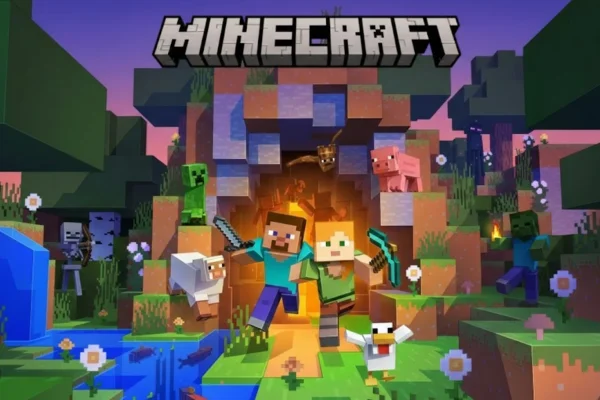
Minecraft is often seen as the closest alternative to Roblox. It offers both Survival and Creative modes, giving players freedom to build, explore, or fight enemies at their own pace.
Multiplayer servers are widely available and are usually hosted by private communities or individuals. Because of this decentralized structure, Minecraft is harder for governments or ISPs to block completely, especially when players use private servers.
Key Features:
- Infinite procedurally generated worlds
- Creative and Survival game modes
- Advanced redstone systems for engineering projects
- Thousands of user-created mods
- Private server hosting for friends
2. Fortnite Creative
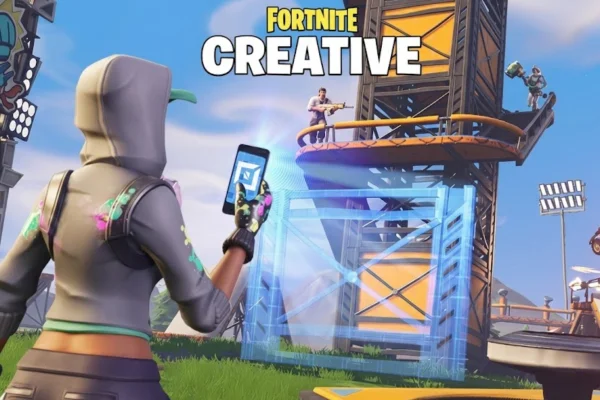
Fortnite Creative is a powerful game-building mode inside Fortnite. While the main game focuses on Battle Royale, Creative mode allows players to design their own maps, mini-games, and experiences.
It provides professional-level tools but keeps the controls accessible. Many creators use it to build racing maps, roleplay spaces, or combat arenas that can be shared publicly or played privately.
Key Features:
- High-quality graphics and animations
- Custom map and game mode creation
- Built-in sharing with the Fortnite community
- Supports multiplayer sessions
- Regular engine and tool updates
3. Garry's Mod (GMod)
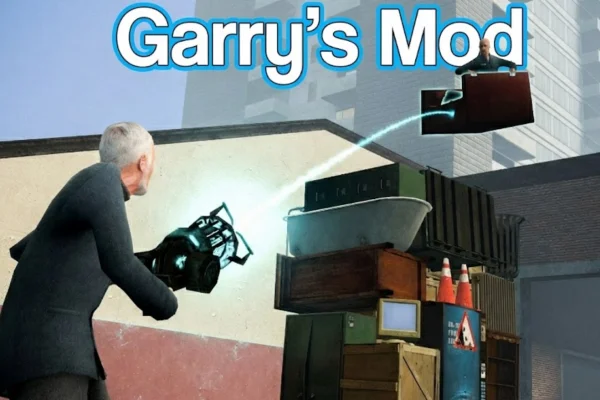
Garry's Mod is a sandbox game built on Valve’s Source engine. It has no fixed goals, missions, or story. Players are free to experiment with physics tools, objects, and mods.
Over time, large multiplayer communities formed around roleplay servers, especially DarkRP. These servers offer social interaction and role-based gameplay that feels very similar to Roblox roleplay games.
Key Features:
- Full physics-based sandbox tools
- Large modding community
- Popular roleplay servers like DarkRP
- Custom game modes created by players
- Strong PC multiplayer support
4. Terraria
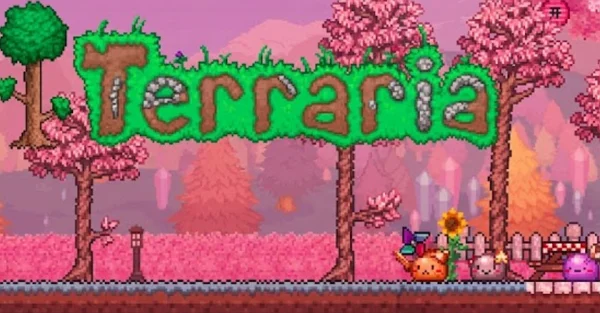
Terraria is often compared to Minecraft, but it focuses more on combat, exploration, and progression. The game is presented in a 2D format, which makes it lighter and easier to run on older devices.
Players explore underground areas, fight bosses, collect gear, and build bases. Its multiplayer mode allows friends to explore and fight together with minimal network requirements.
Key Features:
- Large boss battles
- Deep crafting and upgrade systems
- Online and local multiplayer
- Runs well on low-end hardware
- Stable performance on slow connections
5. Trove
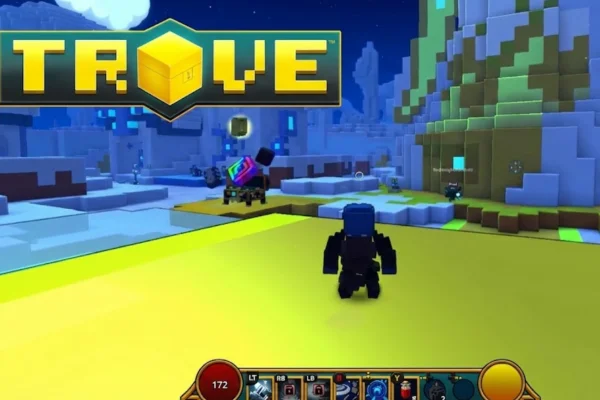
Trove is a free-to-play MMO that combines block-based building with RPG-style combat. The game uses colorful voxel graphics that resemble Roblox’s visual style.
Players explore different worlds, complete dungeons, and collect loot. One unique feature is the “Cornerstone,” a personal house that moves with the player between worlds, making progression feel more personal.
Key Features:
- Voxel-based graphics
- MMO-style shared worlds
- Customizable player classes
- Portable personal housing system
- Cooperative dungeon gameplay
6. Rec Room
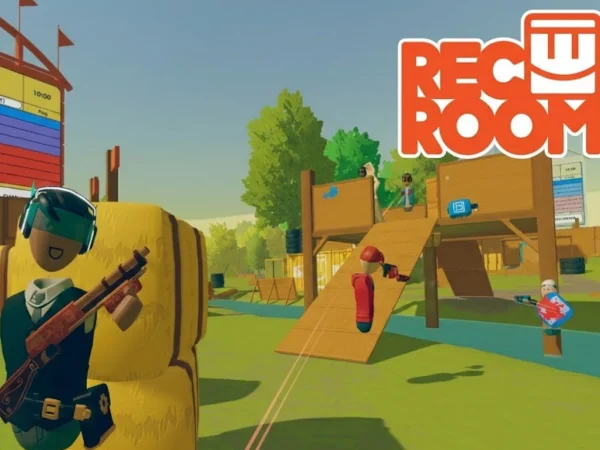
Rec Room is a social gaming platform available on PC, consoles, and VR devices. It focuses heavily on communication and user-created spaces rather than traditional gameplay.
Players can join rooms, chat, play mini-games, or build their own experiences. Many users see it as a social hub, similar to Roblox’s hangout and roleplay games, but with stronger voice and VR support.
Key Features:
- Cross-platform support (PC, console, VR)
- User-created rooms and games
- Built-in building tools (Maker Pen)
- Strong focus on social interaction
- Active community-driven content
Safety Concern: How to Protect Yourself When Playing Roblox and Games Alike?
When you bypass restrictions to play Roblox in a banned country, you are stepping outside the standard protected network of your ISP.
Furthermore, Roblox itself creates a massive environment where you interact with strangers. You must take steps to secure your data and identity.
- Enable 2-Factor Authentication (2FA): This ensures that even if someone steals your password through a phishing link, they cannot access your account without the code sent to your email or authenticator app.
- Never Share Personal Info: In roleplay games, people often ask for your name, city, or social media handles. Never provide this. Keep your gaming identity separate from your real identity. Predators often use restricted regions as a talking point to gain sympathy or trust.
- Don't Click External Links: If a player sends you a link claiming to give "free Robux" or a "XXX download," do not click it. These are almost always scams or malware designed to steal your cookies (session data).
- Use a Kill Switch: If you are using a VPN, ensure the "Kill Switch" feature is active. If your VPN connection drops for a second, the Kill Switch cuts your internet immediately. This prevents your real IP address (and location) from leaking to the game server or your ISP.
- Monitor Your Chat: Roblox filters are good, but not perfect. If you bypass geographic bans, you might end up on servers with different languages or moderation standards. Use the block and report buttons liberally if anyone makes you feel uncomfortable.
Conclusion
Access problems should not stop you from enjoying Roblox. Whether Roblox is blocked by country rules, ISP limits, or public Wi-Fi filters, there are safe ways to restore access.
Using a VPN, adjusting network settings, and understanding common errors can help you play Roblox in a banned country without risking your account. If Roblox still does not work, similar platforms can offer a good gaming experience.
But the golden rule is always to focus on safe tools and trusted methods to protect your data and devices.
FAQs
Is It Legal to Use a VPN for Roblox?
In most countries, using a VPN is legal. However, local laws vary. Always check your local regulations before using a VPN.
Can You Get Banned for Playing Roblox in a Restricted Country?
Roblox usually bans accounts for rule violations, not location. Using safe tools lowers the risk.
Why Does Roblox Work on Mobile Data but Not Wi-Fi?
Wi-Fi networks often use stricter filters than mobile providers.
Does Roblox Block VPN Users?
Roblox does not block all VPNs, but unstable servers may fail to connect.
What Is the Best Country Server for Roblox?
Nearby regions like Singapore, Japan, or Germany often provide stable connections depending on location.