A Complete Spider-Man Movie List
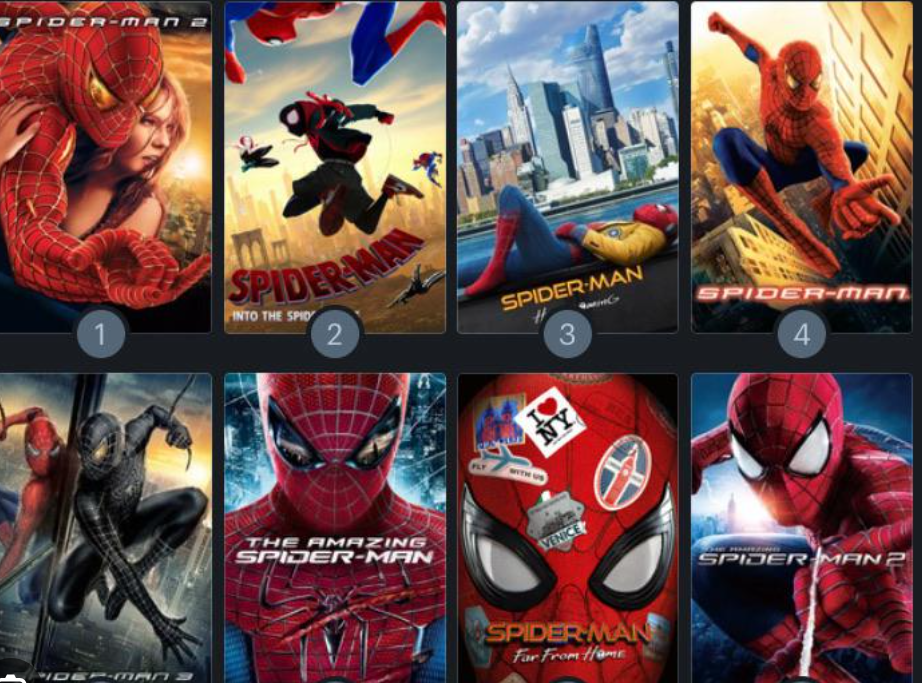
Before you jump into streaming, you need a clear map of every Spider-Man title out there. Here's your chronological checklist, from the earliest cartoons to the newest big-screen hits.
-
the 1967 animated series – this is the original. It's 52 episodes of campy, retro fun, and it's where the iconic "Spider-Man, Spider-Man" theme song was born. You'll find it on free ad-supported platforms like Tubi or Pluto TV.
-
the 1994 Spider-Man: The Animated Series – this is the fan-favorite, covering secret identities, clones, and even the famous "Spider-Carnage" arc. It's available on Disney+ if you have a trial, but you can also catch episodes on free streaming sites.
-
the Sam Raimi trilogy (2002–2007) – Spider-Man, Spider-Man 2, and Spider-Man 3 defined superhero cinema. You'll often find these rotating on free-with-ads channels like Peacock or the Roku Channel.
-
the Amazing Spider-Man duology (2012–2014) starring Andrew Garfield – these are darker and more romantic. Check free trials of AMC+ or watch them on free movie sites like Tubi during promotional windows.
-
the Marvel Cinematic Universe (MCU) trilogy – Homecoming (2017), Far From Home (2019), and No Way Home (2021). These are the hardest to find for free, but you can use free trials of Netflix or Hulu during special offers.
-
the animated Spider-Verse films – Into the Spider-Verse (2018) and Across the Spider-Verse (2023). These are visual masterpieces. Keep an eye on free streaming weekends on services like Starz or Showtime trials.
-
the spin-off series like Spider-Man: The New Animated Series (2003) and Ultimate Spider-Man (2012–2017). These are shorter but packed with action, available on free kids' channels like Kidoodle.TV.
-
the Japanese Spider-Man live-action show (1978–1979) – yes, it's wild—with a giant robot and a motorcycle-riding hero. It's a cult classic and can be found on niche free streaming archives.
-
the Spider-Woman animated series (1979) and Spider-Man and His Amazing Friends (1981) – these are fun throwbacks, perfect for weekend binges, and often appear on free retro TV apps.
-
the upcoming Spider-Man: Freshman Year (animated prequel) – while it's not out yet, you can already find leaked trailers and fan discussions on free platforms like YouTube—just be ready for unofficial uploads.
Before We Start: What to Prepare?
You're almost ready to start streaming, but a little prep goes a long way. Here's what you need to set up before you hunt for links.
1. Activate a Trusted VPN
Your internet service provider (ISP) can throttle your connection when you're streaming, and some free sites are geo-blocked. A VPN solves both problems. UFO VPN is a solid choice—it's fast, offers unlimited bandwidth, and has servers in over 50 countries. You can download it in three quick steps:


UFO VPN is an all-in-one VPN that offers unlimited access to 4K streaming like Netlfix, Disney Plus, no-ping gaming as PUBG, Roblox, CODM and social networking for YouTube, X, Facebook and more.




Unlock Pro Features
If you have upgraded to premium plan , feel free to enjoy premium servers for 4K streaming and advanced features like Kill Switch, Split Tunneling, and gaming acceleration. Your Mac is now fully optimized and protected. Inaddition to basic functions, we recommend you turn on

Verify Your IP Now
Use UFO VPN's " What is My IP " feature to see your new IP and location. This confirms your connection is secure, anonymous, and ready for safe browsing online anywhere at any time.







2. Clear Your Browser Cache
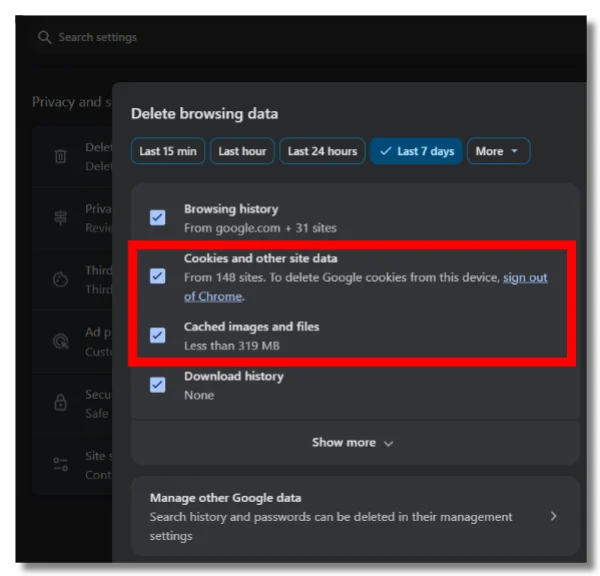
Old cache files can slow down streaming and cause buffering. Clearing your cache takes 30 seconds and prevents most playback issues.
💡 Key steps:
- Open your browser's settings menu (usually three dots or lines in the top corner).
- Go to "Privacy" or "History" section.
- Click "Clear browsing data" and select "Cached images and files."
- Choose "All time" as the time range, then hit "Clear data."
3. Install an AD Blocker

Many free streaming sites rely on pop-up ads. Install a reputable ad blocker like uBlock Origin to keep your experience smooth and safe. This also reduces the risk of accidental clicks on malicious links.
💡 Key steps:
- Go to your browser's extension store (Chrome Web Store, Firefox Add-ons, etc.).
- Search for "uBlock Origin" and click "Add to [your browser]."
- Confirm the installation and pin the extension to your toolbar.
- Refresh any open streaming tabs—the blocker will start working immediately.
4. Prepare a Secondary Device
Sometimes a site won't work on your main device. Have a backup—like a tablet, smart TV, or even a game console—ready to go. This gives you more options if one platform fails.
5. Check Your Internet Speed
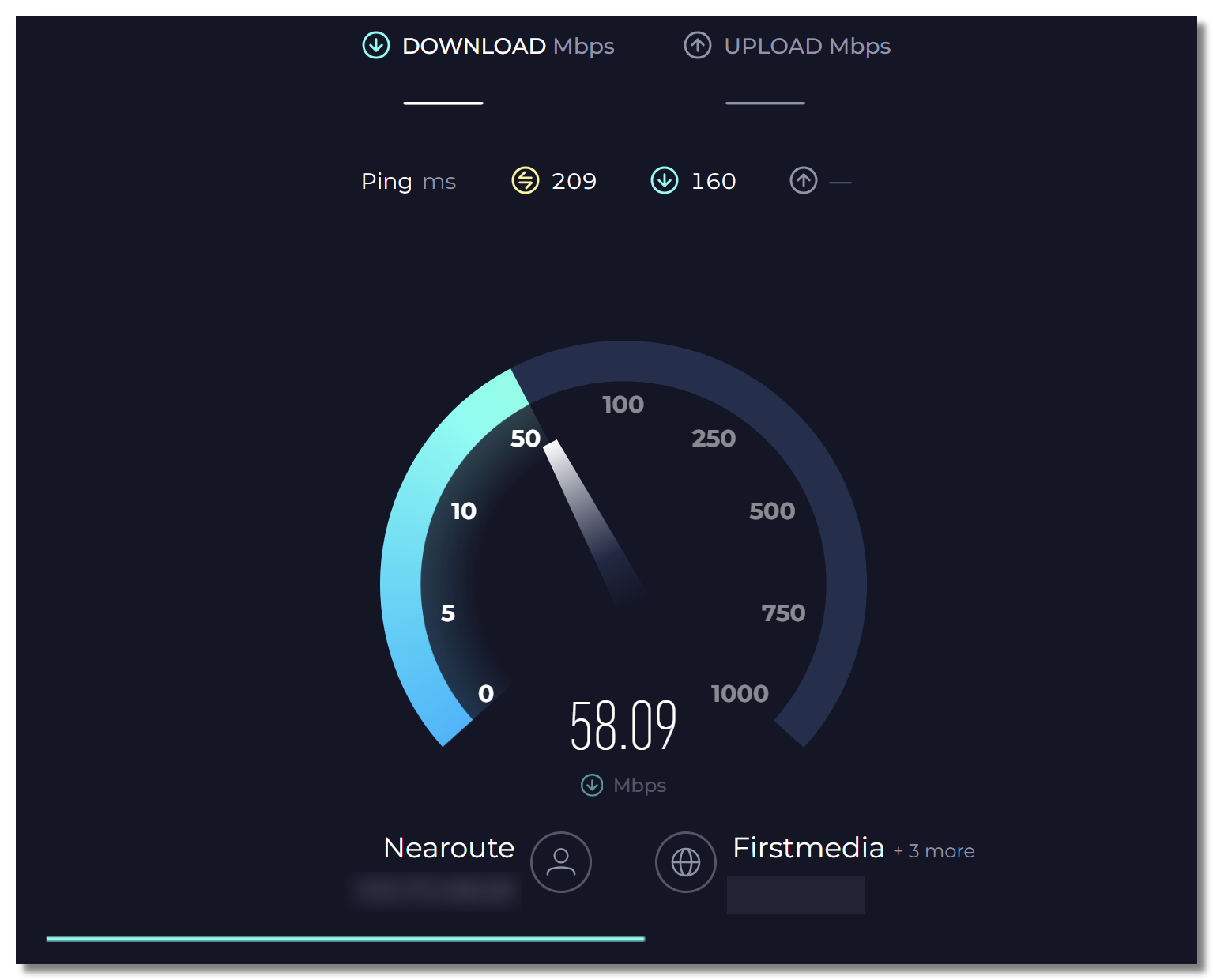
Free streaming sites often struggle with slow connections. A quick speed test tells you if your connection is fast enough for smooth playback.
💡 Key steps:
- Visit a free speed test site like Speedtest.net or Fast.com.
- Click "Go" or "Start" to begin the test—it takes about 30 seconds.
- Look at your download speed; you'll want at least 10 Mbps for HD streaming.
- If you're below that, close other apps, move closer to your router, or restart your modem.
10 Smart Tricks to Watch Everyone Spider-Man for Free
Now for the main event. Here are 10 reliable, practical ways you can watch every Spider-Man film and series without paying a cent. Each method is different, so you can mix and match based on what works for you.
Way 1: Watch from Free Streaming Sites
Free streaming sites are the fastest route. They host thousands of movies, including the entire Spider-Man catalog. You don't need an account, and most offer multiple quality options.
Below is a quick comparison of the top platforms you can try today:
| Platform | Pros | Cons | Best For |
|---|---|---|---|
| 123Movies | Huge library, no sign-up required | Lots of pop-ups | Quick one-off viewing |
| SolarMovies | Clean interface, HD options | Sometimes slow servers | Watching on mobile |
| BBC iPlayer | Legal, high-quality streams | UK-only, requires TV license | UK residents who want reliability |
| Tubi | 100% legal, ad-supported | Limited newer titles, max 720p | Safe, no-risk streaming |
| Pluto TV | Free live channels, no registration | Rotating schedule, no on-demand freedom | Casual browsing like traditional TV |
| Soap2Day | Updated daily with new releases | Aggressive ads, frequent domain changes | Catching the latest Spider-Man films early |
| Plex | Integrates personal media library, free movies & live TV | Ad frequency can be high | Managing your own collection while accessing free content |
| Amazon Freevee | Backed by Amazon, includes original content | Limited to US, UK, and a few other regions | Finding higher-quality free movies |
| The Roku Channel | Massive on-demand and live content | Content tends to be older | Roku device owners |
| Crackle | Owned by Sony, fewer ads, reputable | Smaller catalog, mostly niche films | Discovering indie or cult classics |
💡 Steps to use these sites:
- Open the site and search "Spider-Man."
- Choose your desired title and click play.
- If a pop-up appears, close it and press play again.
- Select your quality (720p is a good balance).
Way 2: Search from Reddit
Reddit is a goldmine for free streaming links. Communities like r/MovieStreamingSites and r/FREEMEDIAHECKYEAH regularly share verified links to new releases, including Spider-Man films. You'll often find Google Drive or Mega links that work flawlessly.
💡 Key Steps:
- Go to Reddit and search "Spider-Man free stream."
- Sort by "New" or "Top of the week."
- Look for threads with upvotes and positive comments.
- Click the link and enjoy—use an ad blocker for safety.
You can just straight up watch all Spider-Man movies for free in the UK (BBC iPlayer)

Way 3: Torrent Sites
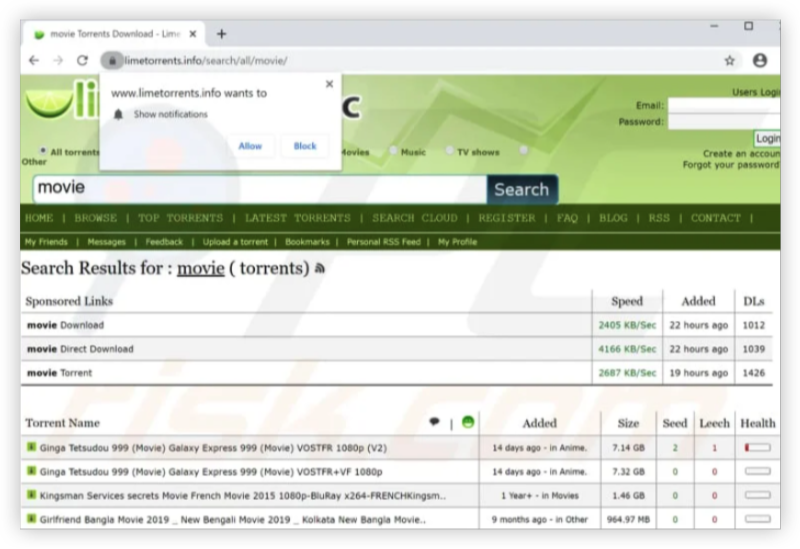
Torrenting is a classic method for getting full-quality files. You download the movie once and watch it offline anytime. This is perfect for long flights or areas with poor internet.
🎯 Top torrent sites to consider:
-
The Pirate Bay – Biggest library, but watch for fakes.
-
1337x – User-friendly and well-organized.
-
YTS – Tiny file sizes, great quality.
-
RARBG – Reliable, high-quality encodes.
-
EZTV – Best for Spider-Man animated series.
-
LimeTorrents – Shows which torrents are safe.
-
TorrentGalaxy – Active community, fresh uploads.
-
KickAss Torrents – User comments help you avoid bad files.
-
MovieZion – Movies only, no clutter.
-
BitTorrent Web – Stream while you download.
Torrenting can expose your IP address. Always use a VPN like UFO VPN to hide your activity. Also, check your local laws—torrenting copyrighted content is illegal in some countries.
Way 4: Free Trials of Streaming Services
Almost every major platform offers a free trial—Netflix (7 days), Hulu (30 days), Disney+ (7 days), and Amazon Prime (30 days). You can rotate these trials to cover multiple Spider-Man movies.
💡 Key steps to use free trials:
- Sign up for a service you haven't used before.
- Search for the Spider-Man title you want.
- Binge-watch everything before the trial ends.
- Cancel before you're charged—set a reminder!
Way 5. YouTube Free Movies
YouTube offers a dedicated Free Movies section with ad-supported films. Although the available titles change regularly, you can occasionally find Spider-Man movies, animated content, or related Marvel videos available at no cost.
How to find free Spider-Man content on YouTube:
- Open YouTube and go to the Movies & TV section.
- Search for terms like "Spider-Man free movie" or "Spider-Man full movie free with ads."
- Check the movie details to confirm whether it is officially available for free.
⭐ Warm Tip: Availability depends heavily on your location, so the same Spider-Man title may appear in one country but not another.
Way 6. Library Apps Like Kanopy and Hoopla
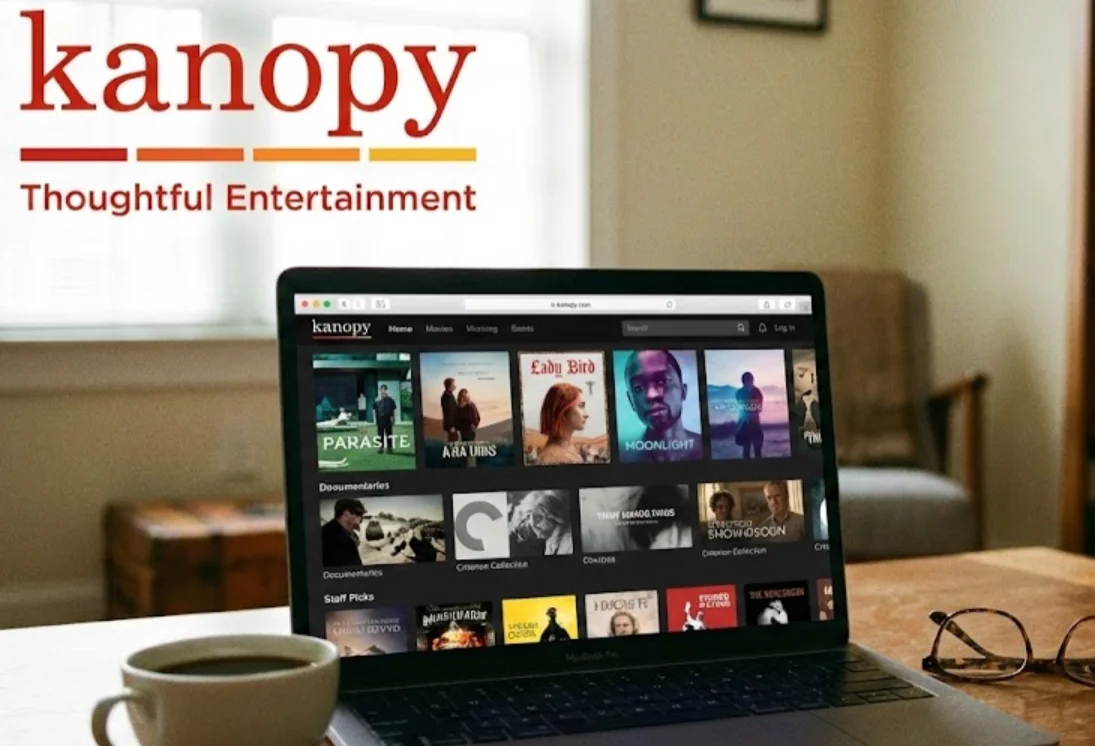
Your local library membership may give you access to free streaming services like Kanopy and Hoopla. These platforms provide legal access to movies, documentaries, and some animated Spider-Man content without extra costs.
Why library streaming is worth trying:
- No monthly subscription is required.
- Content comes from official partnerships with libraries and studios.
- You can usually watch on phones, tablets, smart TVs, and browsers.
Getting started is simple:
Download Kanopy or Hoopla → connect your library card → search for Spider-Man titles.
Way 7. Network TV Apps
Some broadcast networks occasionally show Spider-Man movies during special events, holiday periods, or Marvel-related promotions. Their official apps may provide temporary free access after airing.
Ways to catch Spider-Man on network apps:
- Check the TV schedule before major holidays or movie events.
- Turn on notifications if the app supports reminders.
- Watch available replays before they expire.
Popular options include network apps from channels like ABC, FOX, or CW, depending on your location.
Way 8. Public Domain and Archive Sites
Some older Spider-Man-related content, especially classic cartoons or vintage adaptations, may be available through archive platforms. These sources are mainly useful if you want to explore the history of the character rather than watch the latest movies.
Try searching for:
- Spider-Man classic cartoons
- Spider-Man 1970s series
- Vintage Marvel animations
Keep in mind that availability and copyright status can vary by region, so always check whether the content is legally offered.
Way 9. Social Media Watch Parties
Online communities sometimes organize movie watch parties where fans can discuss Spider-Man content together. These events are more about the shared experience than simply finding a movie link.
Places where you may find watch parties:
- Twitch communities
- Discord movie groups
- Fan forums and Marvel communities
Before joining, check that the event follows platform rules and does not share unauthorized copies.
Way 10. VPN + Geo-Shifting
Streaming libraries often differ between countries. A VPN can help you explore content available in other regions by connecting through servers in supported locations.
How to use this method:
- Choose a VPN (Like UFO VPN) with servers in countries where your target platform is available.
- Connect to a suitable location.
- Open the streaming service and check its Spider-Man catalog.
For example, some free platforms may offer different Marvel content depending on regional licensing agreements.

Bookmark: Best Free Streaming Links for Spider-Man Series
Some links are too good to lose. These are rare, hard-to-find URLs that often have the newest Spider-Man films before they even leave theaters. Bookmark these now:
- lookmovie2.to – updates within hours of a new release. Search "Spider-Man" and you'll find 4K rips.
- fmovies4u.co – a reliable mirror of the original FMovies. Great for older animated series.
- putlocker.best – a classic that still works. Check for the "No Way Home" extended cut.
- cineb.lol – clean interface with direct links. Best for the Spider-Verse films.
- myflixer.vc – offers multiple server options if one goes down. Great for the Tobey Maguire trilogy.
- movieweb – open-source and ad-light. Surprisingly fast for newer releases like Across the Spider-Verse.
- flixtor.li – aggregates links from various sources. You'll often find better quality here than on other sites.
- watchseries.mx – originally for TV shows, but their movie section has a solid Spider-Man collection.
- gomovies.sx – simple and no-frills. Works well when other mirrors are blocked.
- vumoo.gd – extremely lightweight and loads fast. Perfect if you're on a slow connection.
These sites change domains frequently, so bookmark the ones that work and check back often. A quick tip: if one link is down, try adding ".net" or ".to" variations—many of them switch extensions regularly.
Final Say
You now have a full arsenal of tools, sites, and tricks to enjoy every Spider-Man adventure. The key is to stay flexible—if one method fails, another will work. Keep your VPN on, your ad blocker active, and your curiosity sharp. The web-slinger's world is vast, and with these strategies, you're never more than a few clicks away from your next favorite scene. Happy streaming, true believer.
FAQs
Is it legal to watch Spider-Man movies on free streaming sites?
It depends on your location and the site. Some sites host copyrighted content without permission, which is illegal. Always prefer legal options like Tubi, Pluto TV, or library apps to stay safe.
Can I watch Spider-Man: No Way Home for free without a trial?
Yes, but it's tricky. You'll need to rely on free streaming sites, Reddit links, or geo-shifting with a VPN. These methods are less stable, but they work.
Will using a VPN slow down my streaming speed?
A quality VPN like UFO VPN can actually improve speed by preventing ISP throttling. Free VPNs may slow you down, so choose a paid tier for the best experience.
How do I avoid malware on free streaming sites?
Use a reliable ad blocker, never click on pop-ups, and stick to well-known sites from this list. Also, keep your antivirus software updated.
Can I download Spider-Man movies to watch offline for free?
Yes, through torrent sites or archive.org. Just remember to use a VPN and check your local copyright laws before downloading.