What Is Android Secret Code?
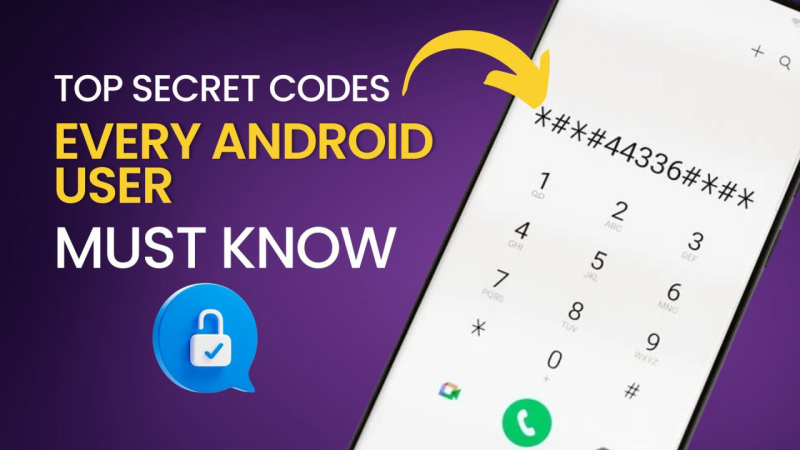
Android secret codes (USSD/MMI codes) are dialer sequences—like *#*#4636#*#*—that instruct your phone to launch hidden menus or execute special commands. They fall into two categories:
-
System MMI Codes: Access built‑in Android diagnostics and configuration screens.
-
Carrier USSD Codes: Communicate directly with your mobile network for balance checks, forwarding settings, and more.
No root is required; simply enter these into the native Phone app’s dialer to interact with Android’s under‑the‑hood features.
Bonus:
If you are in an area of India where the internet is heavily blocked, I highly recommend this India VPN, it has super fast internet speeds and can help you unblock your area to watch all kinds of movies.
Why You Need to Know Your Android Secret Codes
-
Advanced Troubleshooting: Test sensors, screen, audio, and network settings without third‑party apps.
-
Network Diagnostics: Retrieve real‑time LTE, Wi‑Fi, and carrier data.
-
Password & Security Recovery: Some codes can reset or reveal lock‑screen settings.
-
Quick Factory/Cache Resets: Launch Recovery or wipe data without booting into menus.
-
Carrier & SIM Configuration: Manage call forwarding, barring, and SIM lock statuses instantly.
Arming yourself with these codes saves time and often prevents the need for complex ADB commands or professional service.

How to Use Android Secret Codes
-
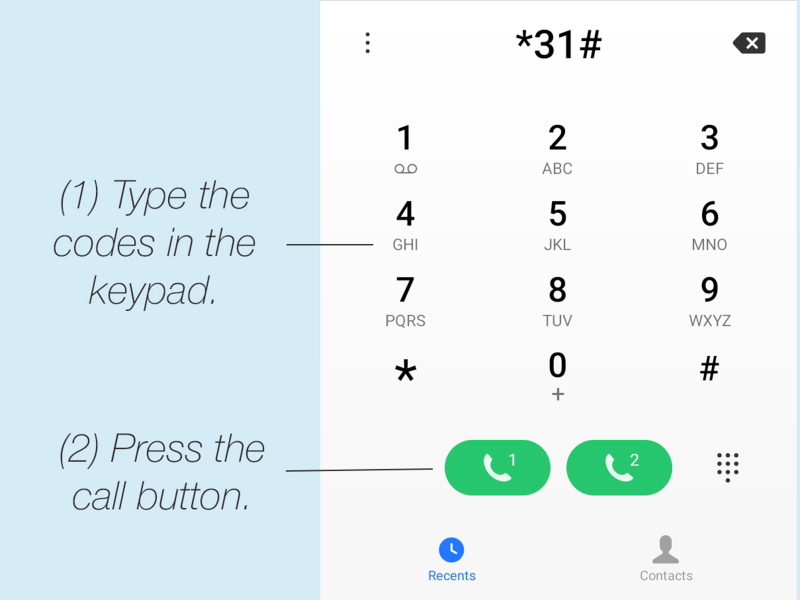
Open the Stock Phone App: Codes must be entered here; third‑party dialers often block them.
-
Enter the Exact Sequence: Typos return "Invalid MMI code."
-
Press Call: Some codes auto‑execute upon entry, others launch menus.
-
Follow On‑Screen Prompts: Navigate test menus or confirm resets.
-
Exit When Finished: Back out or reboot to return to normal operation.
Caution: Certain codes (e.g.,
*2767*3855#) perform irreversible factory resets—use with care.
List of Android Secret Codes
Different manufacturers customize secret codes. Below are the most commonly supported codes, organized by brand:
Samsung (Galaxy Series)
| Code | Function |
|---|---|
*#0*# |
General Diagnostic Menu (LCD, sensors, touch) |
*#06# |
Display IMEI |
*#0808# |
USB Settings |
*#7353# |
Quick Test Menu (speaker, camera, vibration) |
*#0228# |
Battery Status (ADC readings) |
*#0011# |
Service Mode (detailed network info) |
*#2663# |
Touchscreen Firmware Test |
Google / Pixel
| Code | Function |
|---|---|
*#*#4636#*#* |
Usage & Testing (Phone info, battery stats, Wi‑Fi) |
*#*#34971539#*#* |
Detailed Camera Information |
*#*#426#*#* |
Google Play Services Diagnostics |
Huawei / Honor
| Code | Function |
|---|---|
*#*#2846579#*#* |
Project Menu (background settings, logs) |
*#06# |
Display IMEI |
*#*#1357946#*#* |
Cumulative Debugging |
LG
| Code | Function |
|---|---|
3845#*model# |
Factory Diagnostic Menu (replace model with device code) |
*#06# |
Display IMEI |
*#*#4636#*#* |
Usage & Testing (on stock‑based devices) |
HTC
| Code | Function |
|---|---|
*#*#3424#*#* |
HTC Function Test |
*#*#8255#*#* |
GTalk Service Monitor |
*#*#4636#*#* |
Usage & Testing Menu |
Xiaomi / MIUI
| Code | Function |
|---|---|
*#*#6484#*#* |
Hardware Test Menu |
*#*#64663#*#* |
Engineer Mode (Telephony, WLAN diagnostics) |
*#*#4636#*#* |
Usage & Testing Menu |
General Stock Android
| Code | Function |
|---|---|
*#*#4636#*#* |
Usage & Testing Menu |
*#*#7780#*#* |
Factory Data Reset (preserves SD data) |
*#*#273283*255*663282*#*#* |
Full Media Backup |
*#*#7594#*#* |
Power Key Behavior (change long‑press action) |
Note: Always verify code compatibility with your specific model and OS version. Carrier‑locked or heavily skinned devices may disable certain codes.
How to Secure Your Diagnostics with a VPN
When running network‑related secret codes—especially those querying carrier services or SIM lock statuses—your queries may traverse unencrypted channels. A VPN like UFO VPN: a free proxy VPN ensures:
-
Encrypted Carrier Data: Prevents ISPs or snoopers from intercepting your diagnostic requests.
-
Bypass Carrier Restrictions: Some carriers throttle or block USSD commands; VPNs bypass these limitations.
-
Privacy Protection: No‑logs policy keeps your usage patterns and device tests confidential.
Download UFO VPN Today:
 Step 2Select a VPN ServerInside the app, you can click the "Connect" button for quick connection, or browse the list of servers by Location or categroy: Video& Stream, Game, etc. Choosing the right server ensures fast speeds and smooth access.
UFO VPN is an all-in-one VPN that offers unlimited access to 4D streaming like Netlfix, Disney Plus, no-ping gaming as PUBG, Roblox, CODM and social networking for YouTube, X, Facebook and more.
Step 3Enable Advanced FeaturesIn addition to basic functions, we recommend you turn on extra protections via Ad Blocker and features like Kill Switch, Split Tunneling and Smart Hop. Users can optimize online gaming/streaming/chatting as much as possible. Step 4Check Your New IPUse UFO VPN's built-in " What is My IP" feature to see your new IP address and location. This confirms your VPN is working, hides your real IP, and ensures privacy while browsing.
 Step 3
Unlock Pro Features
If you have upgraded to premium plan , feel free to enjoy premium servers for 4K streaming and advanced features like Kill Switch, Split Tunneling, and gaming acceleration. Your Mac is now fully optimized and protected. Inaddition to basic functions, we recommend you turn on
 Step 4
Verify Your IP Now
Use UFO VPN's " What is My IP " feature to see your new IP and location. This confirms your connection is secure, anonymous, and ready for safe browsing online anywhere at any time.

 Step 2 Select a Perfect ServerHit "Connect" button for the fastest server near you instantly. Or you can choose a favorite location/platform from the server list manually for full control. UFO VPN is an all-in-one VPN companion for gaming, streaming, social media, and AI tools.
 Step 3 Lookup IP and Enable Pro FeaturesNow you can check your current IP via built-in IP lookup tool. Pro features in premium plan offer you premium servers, blazing speeds, Kill Switch, Split Tunneling, and Multi-device login, so you can protect your iPhone, iPad, and other Apple devices all at once.
 Step 2 Choose Your Ideal ServerUFO VPN is an all-in-one powerhouse for gaming, video streaming, social apps, and AI tools. The"Connect" button links you to the fastest server instantly, or you can choose among the server list manually via Location/ Video&Stream/Games for easy access.
 Step 3 Power Up Pro FeaturesPro users can look up current IP via built-in "What Is My IP" feature, and unlock premium features like 4K servers, turbo speeds, Kill Switch, Split Tunneling, and Multi-device login, keeping all your Android phones, tablets, and other devices safe at once.

Activate UFO VPN before dialing any network codes to guarantee end‑to‑end privacy and reliability during your diagnostics.
Frequently Asked Questions
Q1: Will secret codes work on a rooted device?
Yes—but some codes may be disabled by custom ROMs. Always test in the stock dialer app.
Q2: Can I recover a forgotten screen lock with secret codes?
Only via a factory reset (
*#*#7780#*#*or*2767*3855#). This erases all user data—back up first.
Q3: Why do some codes return “Invalid MMI Code”?
Common causes: code unsupported on your firmware, carrier blocking, or using a third‑party dialer.
Q4: Are USSD codes the same as secret codes?
USSD codes (e.g.,
*#06#) query carrier services; MMI secret codes access Android’s internal menus. Both use the dialer but serve different functions.
Q5: Can I automate secret codes via apps?
Android restricts programmatic USSD dialing for security. You must enter codes manually.
Q6: Will a VPN interfere with USSD codes?
No—USSD runs over the mobile signaling channel. VPNs encrypt IP data but have no effect on USSD operations.
Q7: Are secret codes dangerous?
Only if you use reset codes unwittingly. Always confirm code functions and back up data before executing resets.