TikTok Coins Payment
TikTok coins are used to purchase virtual gifts for creators during live streams. These gifts translate into real earnings for the creators, making coins a crucial part of TikTok's economy. Coins can be bought directly through the TikTok app or website, but prices can vary based on several factors.
Factors Influencing TikTok Coin Prices
-
Geographical Location: TikTok adjusts coin prices based on the user's country, leading to price discrepancies. So you can change your current IP address with a TikTok VPN free to get more TikTok coins deals.
-
Platform Used: Purchasing coins via the mobile app may include additional fees compared to the web version.
- Payment Method: Some payment methods may incur extra charges or offer discounts.
There are also strategies to save and get free coins on TikTok with legal and safe ways.
3 Strategies to Buy TikTok Coins at Lowest Prices
1. Utilize VPN Services
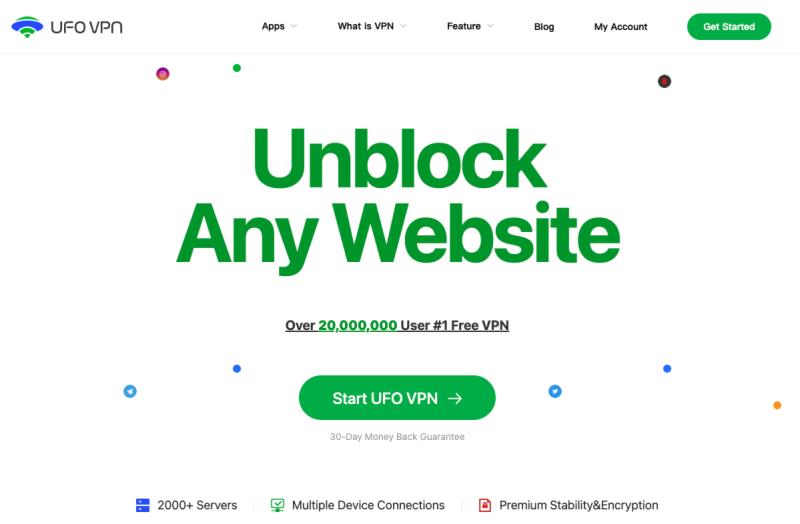
By using free VPN Proxy by UFO VPN, you can change your IP address to appear as if you're in a country where TikTok coins are cheaper.


UFO VPN is an all-in-one VPN that offers unlimited access to 4K streaming like Netlfix, Disney Plus, no-ping gaming as PUBG, Roblox, CODM and social networking for YouTube, X, Facebook and more.




Unlock Pro Features
If you have upgraded to premium plan , feel free to enjoy premium servers for 4K streaming and advanced features like Kill Switch, Split Tunneling, and gaming acceleration. Your Mac is now fully optimized and protected. Inaddition to basic functions, we recommend you turn on

Verify Your IP Now
Use UFO VPN's " What is My IP " feature to see your new IP and location. This confirms your connection is secure, anonymous, and ready for safe browsing online anywhere at any time.







Then you can open TikTok's coin purchase page while connected to the VPN, and buy the desired amount of coins at the adjusted price.
Ensure compliance with TikTok's terms of service when using this best free VPN.
2. Use the TikTok Website on PC for Purchases
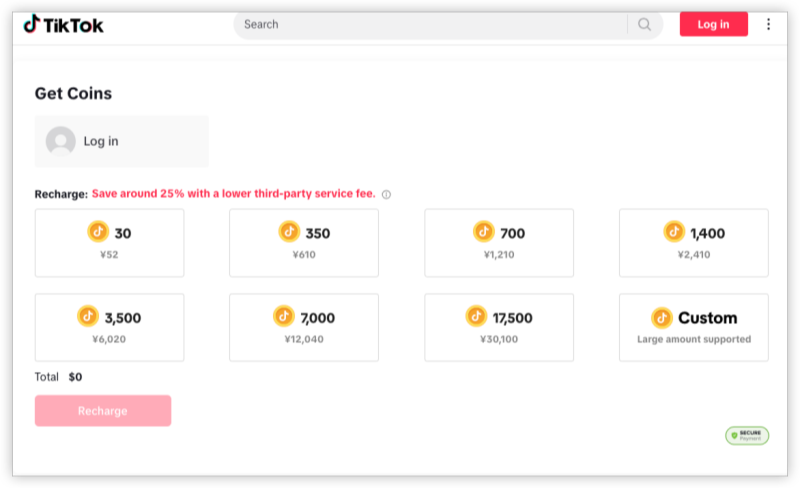
Purchasing coins through TikTok's official website can sometimes be more cost-effective than using the mobile app, as it may avoid certain platform fees.
-
Visit: Go to TikTok's Coin Purchase Page.
-
Log In: Sign in to your TikTok account.
-
Select Package: Choose the coin package you wish to buy.
-
Complete Purchase: Follow the prompts to complete your purchase.
3. Opt for Economical Payment Methods
Some payment methods may offer better exchange rates or lower transaction fees. Research and choose the most cost-effective TikTok coins option available in your region.
TikTok Coin Prices by Country 2026: Lowest vs Highest
| Country | Notes | Platform | Approx. Price(USD) | Local Price |
|---|---|---|---|---|
| Brazi👑 |
One of the lowest global rates |
TikTok Web/App | $0.75 – $0.80 | R$3.99 – R$4.25 |
| India | TikTok is banned; an India VPN is required | TikTok Web | Unavailable | – |
| Philippines👑 |
Inexpensive, stable rates |
TikTok Web/App | $0.85 – $0.90 | PHP 49 – PHP 55 |
| United States | Standard global benchmark >> Switch IP to USA |
TikTok App | $0.99 – $1.09 | $0.99 |
| United Kingdom | Higher due to currency conversion + VAT | TikTok App | $1.20 – $1.30 | £0.99 |
| Germany |
Includes VAT; avoid App Store for best rates |
TikTok Web | $1.15 – $1.25 | €0.99 |
| Turkey👑 |
Extremely low due to exchange rate fluctuations |
TikTok App | $0.70 – $0.80 | TRY 17.99 |
| Indonesia |
Affordable for most users |
TikTok App | $0.80 – $0.90 | IDR 14,999 – IDR 15,500 |
| Thailand |
Regional promos often available |
TikTok Web/App | $0.85 | THB 29 – THB 35 |
| South Africa |
Comparable to Southeast Asia |
TikTok App | $0.90 – $1.00 | ZAR 18 – ZAR 20 |
Tips: Buy TikTok Coins Safely with VPN
| VPN Service | Feature | Starting Price |
|---|---|---|
| UFO VPN | Servers in 100+ countries, user-friendly | 100% Free |
| NordVPN | High-speed servers, strong security | $3.29/month |
| Surfshark | Unlimited devices, budget-friendly | $2.49/month |
Conclusion
Buying TikTok coins at the most affordable rates requires a combination of strategic approaches, including using VPNs to access regional pricing, choosing cost-effective payment methods, and staying informed about promotional offers. By following the strategies outlined in this guide, you can maximize your purchasing power and support your favorite creators more effectively.
FAQs
Is it legal to use a VPN to buy TikTok coins?
Using a VPN is legal in many countries, but it's essential to ensure that it doesn't violate TikTok's terms of service.
Why are TikTok coin prices different across countries?
TikTok adjusts coin prices based on regional economic factors and currency exchange rates.
Can I get discounts on TikTok coins during special events?
Yes, TikTok occasionally offers promotions or discounts during events or holidays.
Are there risks associated with buying coins from third-party websites?
Purchasing coins from unauthorized sources can lead to scams or account issues. It's recommended to buy coins directly through TikTok's official channels.