Where Is Camsoda Blocked?
Camsoda may be blocked in various situations, including:
1. Government Censorship
Countries with strict regulations on adult content—such as China, the UAE, Iran, Pakistan, and India—often block Camsoda and similar sites completely. National firewalls or legal restrictions prevent access for all users in these regions.
2. ISP Filtering
Some internet service providers (ISPs) apply default adult content filters, especially on family plans, school networks, or shared Wi-Fi connections (e.g., public libraries or hotels).
3. Workplace or Campus Restrictions
If you’re trying to access Camsoda from a company or university network, you’re likely to hit a firewall. Organizations often block adult sites to enforce productivity or protect against legal risks.
4. Mobile Network Filters
Even mobile carriers may block adult content, especially if your account is marked as underage or you haven’t requested adult content access.
Want to stream Camsoda as if in an accessible country/region? Try a free proxy VPN in UFO VPN right now! It offers global servers where Camsoda is available!
Why Is Camsoda Blocked?
Understanding why you're being restricted can help you choose the best method to regain access. The most common reasons include:
-
Legal limitations on adult content in your country or region.
-
Network-level restrictions on private or corporate internet connections.
-
Geo-blocking measures are implemented by the site itself due to regulatory pressure.
-
Parental or security settings on your device or router.
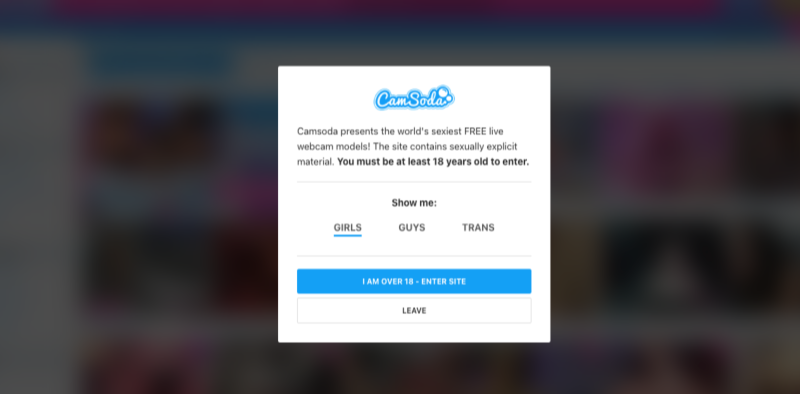
How to Unblock Camsoda Safely and Privately
To watch Camsoda without limitations, you’ll need a secure way to bypass content filters while protecting your identity. Here are the safest and most effective methods:
1. Use a VPN (Virtual Private Network)
A VPN is the most reliable tool to unblock adult content, including Camsoda. It works by encrypting your traffic and routing it through a private server in a different country, making it appear as if you’re browsing from a region where Camsoda isn’t restricted.
Benefits of Using a VPN:
-
Hides your IP and location
-
Bypasses national and ISP-level censorship
-
Prevents bandwidth throttling
-
Adds a layer of privacy for cam site browsing
-
Works across devices: Windows, macOS, iOS, Android
✅ Tip: Choose a VPN that doesn’t log your activity and offers high-speed servers. UFO VPN is one such option optimized for adult sites and streaming.


UFO VPN is an all-in-one VPN that offers unlimited access to 4K streaming like Netlfix, Disney Plus, no-ping gaming as PUBG, Roblox, CODM and social networking for YouTube, X, Facebook and more.




Unlock Pro Features
If you have upgraded to premium plan , feel free to enjoy premium servers for 4K streaming and advanced features like Kill Switch, Split Tunneling, and gaming acceleration. Your Mac is now fully optimized and protected. Inaddition to basic functions, we recommend you turn on

Verify Your IP Now
Use UFO VPN's " What is My IP " feature to see your new IP and location. This confirms your connection is secure, anonymous, and ready for safe browsing online anywhere at any time.







2. Try Proxy Services
Web proxies can sometimes unblock Camsoda, but they’re generally less secure than VPNs and may not support high-quality video streaming. Also, they don’t encrypt your data, leaving you vulnerable to surveillance or malware.
3. Use the Tor Browser
If privacy is your top concern, Tor can anonymize your online activity. However, it’s much slower than a VPN and may not provide a stable enough connection for HD cam streaming.
4. Check Your Device’s DNS Settings
Sometimes, switching to a public DNS service like Google DNS or Cloudflare can bypass ISP-level blocks. This method is free and easy to try, but it’s not foolproof against government censorship.
📖Related Reading
What Devices Work with Camsoda?
Camsoda supports a wide range of devices:
-
PC and Mac browsers (Chrome, Firefox, Safari)
-
Mobile browsers (iOS Safari, Android Chrome)
-
Smart TVs with browser access
-
VR headsets (Oculus Rift, HTC Vive)
To ensure consistent access and privacy, you can download free VPN for Windows, VPN free download iOS, best VPN for Android free download in UFO VPN to get a better streaming experience!
Is It Legal to Unblock Camsoda?
This depends on your country’s laws. In most Western nations, using a VPN to access adult content is legal as long as the content itself is legal. However, in countries with strict censorship laws (like China or Iran), bypassing blocks may violate regulations. Always be informed of your local laws.
FAQs
Q1. Why can’t I open Camsoda on my Wi-Fi network?
Your ISP or network administrator may have blocked it using a firewall or content filter.
Q2. Can I use a free VPN to unblock Camsoda?
You can, but free VPNs are often slow, unstable, and may log your activity. A premium service offers better privacy and performance.
Q3. Will a VPN slow down my stream?
A high-quality VPN should not cause noticeable slowdowns. In fact, it can improve performance by bypassing ISP throttling.
Q4. Is Camsoda safe to use?
Yes—Camsoda uses HTTPS and has privacy options for both models and viewers. However, always protect your personal information and use a VPN for added security.
Conclusion
If you’ve been trying to access Camsoda but found it blocked, you’re not alone. Network restrictions, ISP filters, and even government firewalls can prevent you from enjoying the full experience. Luckily, with the right tools—like a trusted VPN—you can unblock Camsoda securely, protect your privacy, and enjoy live cam shows without interruption. Whether you're at home or traveling abroad, stay safe and in control of your content access.