Status Check: Is Paramount Plus Down Right Now?
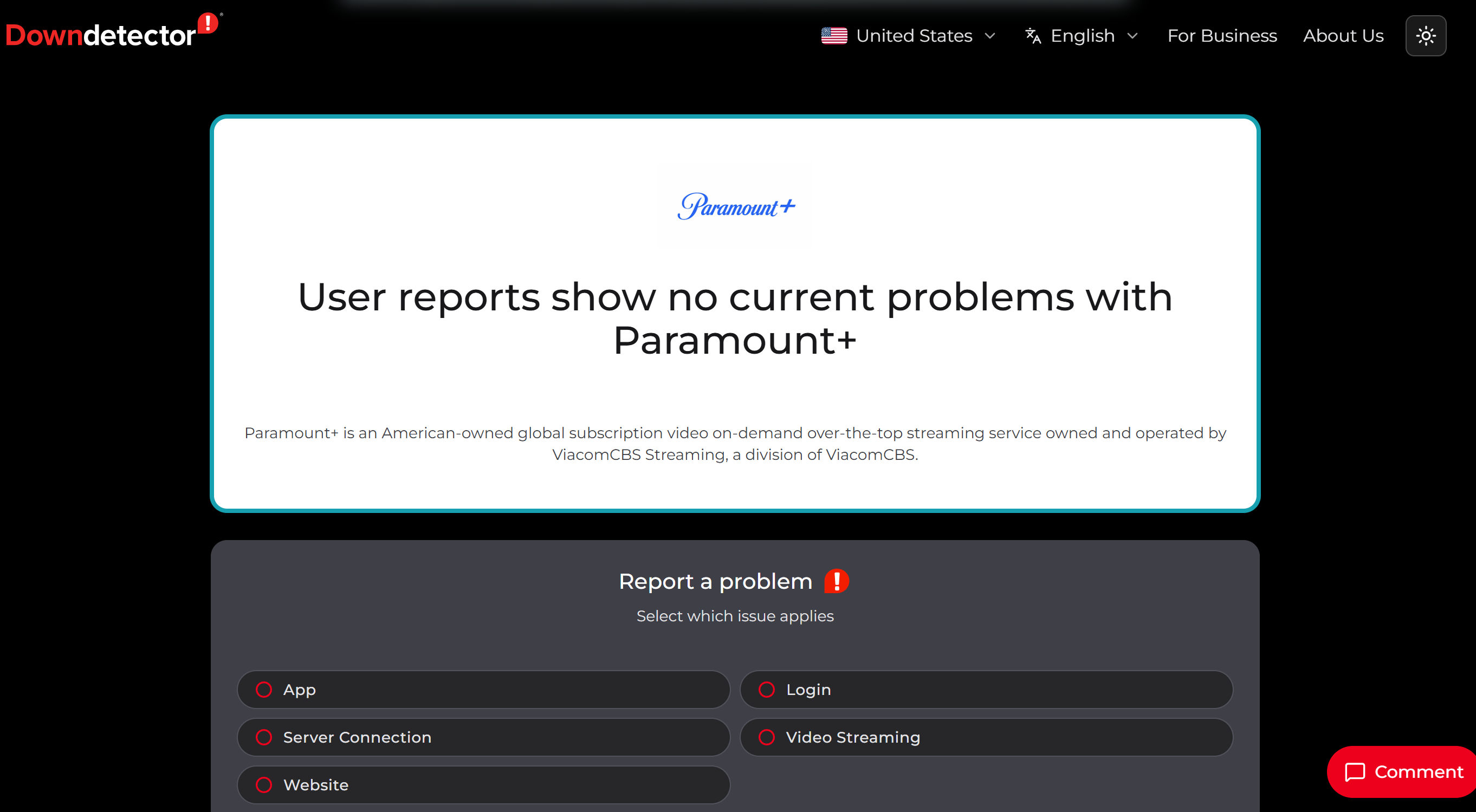
Before you start changing settings or reinstalling anything, take a moment to figure out where the problem really lives. The issue is either on Paramount’s side (a server outage) or on your end (your network, device, or location). This one check can save you a lot of wasted effort.
Here are a few quick tools to confirm whether the service itself is down:
- Downdetector –Shows real-time, crowd-sourced outage reports.
- DownForEveryoneOrJustMe –Tells whether the site is down for everyone or only for you.
- Is It Down Right Now? –Checks Paramount+'s current website response status.
- UptimeRobot Is It Down –Tests whether the Paramount+ site is reachable.
- Uptrends Uptime Check –Checks site availability from multiple global locations.
- Site24x7 Ping Test –Tests whether Paramount+ can be reached from different regions.
- Check-Host –Runs global ping checks for quick reachability testing.
- OnlineOrNot Website Checker –Tests whether the site is down from multiple locations.
- StatusGator –Tracks service incidents and outage signals.
- Paramount+ on X (@ParamountPlus) –Shares official updates during major issues.
If these tools confirm the platform is genuinely down, there’s not much you can do but wait for the site to recover. Keep an eye on the official channels and try again later.
But if everything checks out as normal and you still can’t get in, the problem is almost certainly on your end — your connection, your device, your location, or a glitchy app. The good news is that these are the easy ones to fix. Continue to read the following sections to track down the cause and apply the right solution.
Why Is My Paramount Plus Not Working?
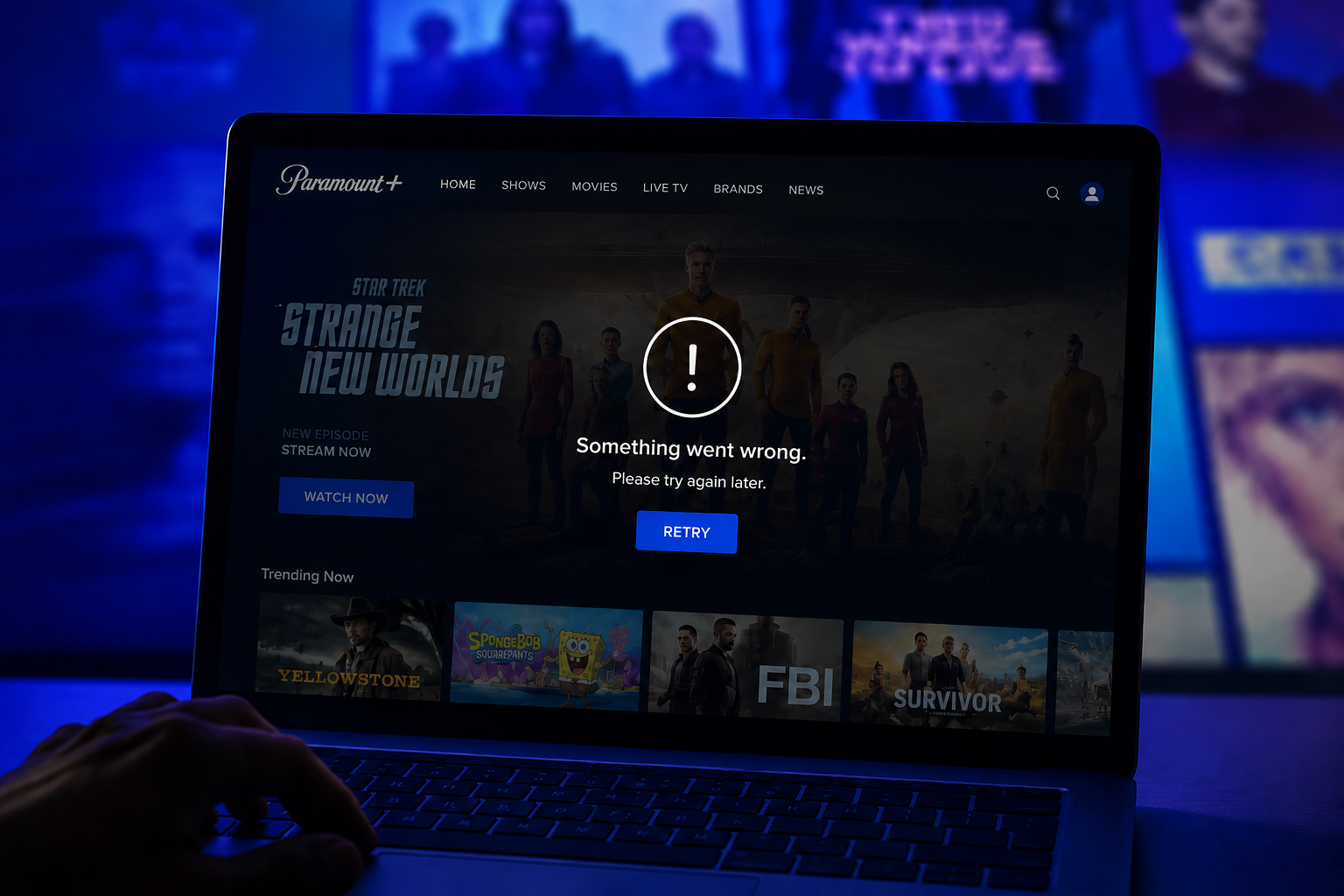
Even when Paramount+ is not down, you may still run into loading errors, black screens, app crashes, login loops, buffering, or playback failures. The cause depends on where you are watching: browser, mobile app, PC, tablet, or TV-connected device.
Scenario 1. Paramount+ Is Blocked, Limited, or Not Available in Your Region
Paramount+ availability and content can vary by location. If you travel, change networks, or connect from a country where Paramount+ is not officially available, you may see access errors, missing titles, or an endless loading page. This is one of the most common reasons you may feel that Paramount Plus not working happens “only to you.”
This issue is more common on a browser, PC, iPhone, Android phone, or tablet because you can easily change networks or IP regions on these devices.
Scenario 2. Your Browser or PC Setup Is Causing the Error
If you are asking why is my Paramount Plus not working on PC, the issue may come from:
- Your browser cache
- Old cookies
- Unsupported browser version
- Brokken extensions
- Privacy settings
- DNS problems
- Unstable network routing
You may notice that Paramount+ opens in one browser but not another. You may also see the page load but fail to play video. In that case, your PC is not necessarily broken. The browser session may simply need a reset.
Scenario 3. The Paramount+ App Is Outdated or Corrupted
When Paramount Plus app not working appears on iPhone, Android, tablet, Fire Stick, Roku, or smart TV, the app itself may be outdated, stuck in a bad session, or holding corrupted cache data.
Typical signs include:
- The app opens and closes immediately.
- The app freezes on the logo.
- A video starts but stops after a few seconds.
- You get a black screen after tapping Play.
- You can log in, but nothing loads.
Scenario 4. Your Internet Connection Is Too Weak or Unstable
Streaming needs a steady connection, not just a connection that “technically works.” Paramount+ may fail if your Wi-Fi drops packets, your mobile data is unstable, your router is overloaded, or your ISP has poor routing to the streaming server.
You may still open other websites because regular pages need less continuous bandwidth than video playback.
Scenario 5. Account, Subscription, or Login Issues Are Blocking Access
Sometimes Paramount+ works technically, but your account cannot stream. You may be logged into the wrong account, your subscription may have expired, your payment may have failed, or your account session may need to be refreshed.
This can look like a playback issue, even though the root cause is billing or authentication.
Scenario 6. TV Apps and Streaming Devices Have Their Own Problems
During everyday use, you may also wondering why is Paramount Plus not working on my TV, especially on LG TV, Samsung TV, smart TV, Roku, Fire Stick, Apple TV, or Android TV.
In these cases, the issue may come from the TV firmware, app version, device storage, HDMI connection, overloaded memory, or the streaming stick itself.
🎈 You may also like to know: Paramount+ Student Discount: How Much It Is & How to Claim It?
Easy Ways to Fix the Paramount Plus Can't Open Issue
Once you know Paramount+ is not fully down, you can start with simple fixes and move toward deeper troubleshooting. Try the steps in order, because the easiest fixes often solve the issue without changing your whole setup.
Solution 1. Wait for the Site to Recover
If status tools show that Paramount+ is down, or your friends also cannot open it, you should wait for Paramount+ to recover.
💡 Key steps:
- Check the Paramount+ status page or a real-time outage checker.
- Search recent posts from Paramount+ support.
- Wait 10-30 minutes, then try again.
- Avoid repeatedly changing your account, password, or payment settings during a confirmed outage.
- Try another streaming service while the platform recovers.
If the site is not down and only you cannot open it, waiting alone will not help much. Move to the next fixes.
Solution 2. Contact Paramount Plus Support
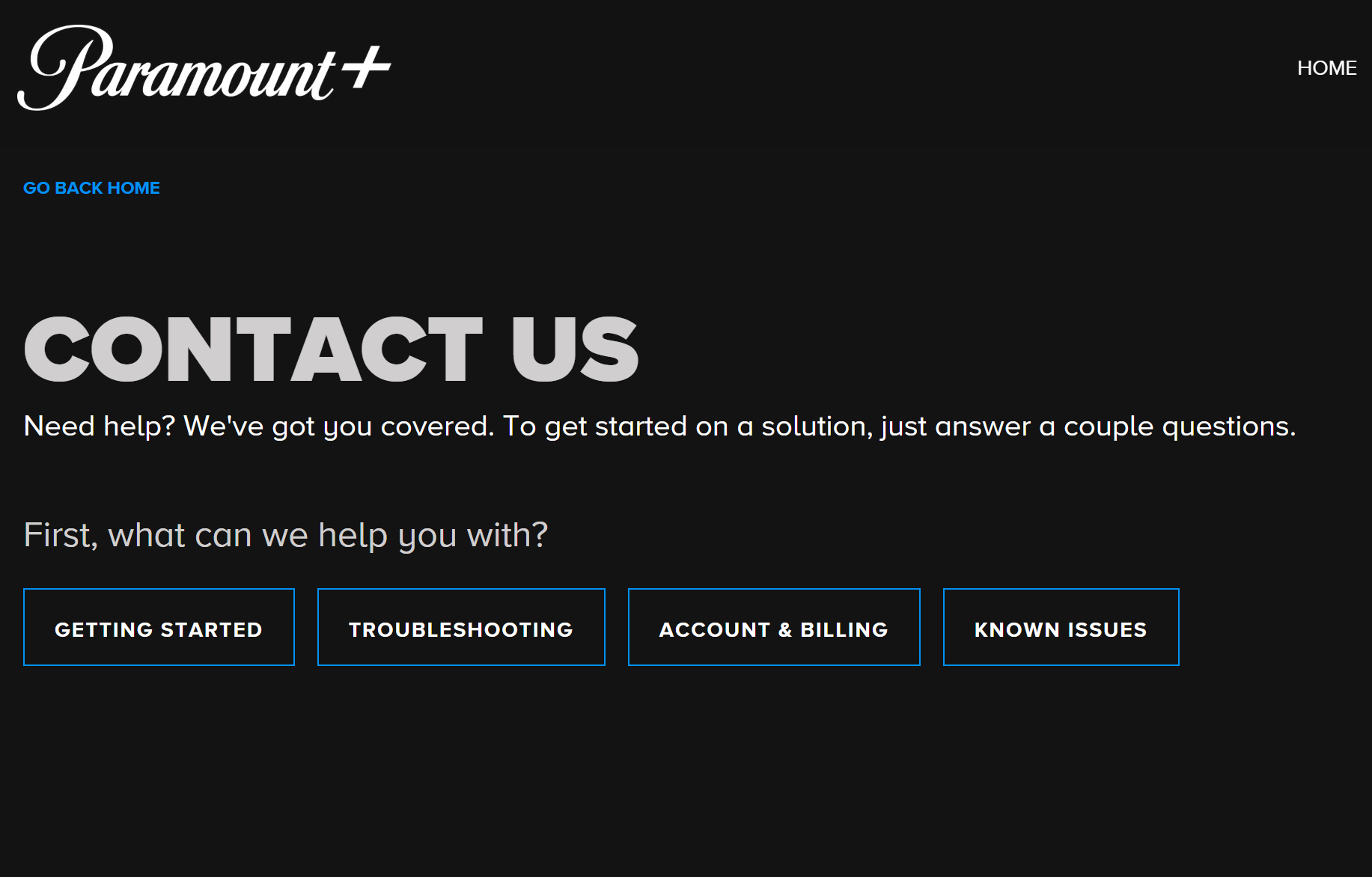
If you see a recurring error code, billing message, account lock, missing subscription, or login loop, contact Paramount+ Support. This is especially important when your account works on one device but fails on another, or when you cannot verify whether your subscription is active.
💡 Key steps:
- Open the Paramount+ Help Center.
- Choose the issue category: streaming, login, billing, account, or device.
- Prepare your device model, app version, browser version, error code, and region.
- Explain what you already tried, such as clearing cache, reinstalling the app, or testing another network.
- Ask whether your account, plan, or region is causing the issue.
Solution 3. Activate a VPN to Ensure the Right Access
If Paramount+ fails because your network route, DNS, public Wi-Fi, ISP restriction, or travel location affects access, a specialized Paramout+ VPN can help you create a more stable and privacy-protected connection. It does not fix a Paramount+ server outage, an expired subscription, or a broken app, but it can help when the problem is related to access, routing, or regional availability.
In this area, UFO VPN can be a perfect choice. It can support you to stream Paramount+ multiple devices like PC, iPhone, Android phone, or tablet.
💡 Key steps:


UFO VPN is an all-in-one VPN that offers unlimited access to 4K streaming like Netlfix, Disney Plus, no-ping gaming as PUBG, Roblox, CODM and social networking for YouTube, X, Facebook and more.




Unlock Pro Features
If you have upgraded to premium plan , feel free to enjoy premium servers for 4K streaming and advanced features like Kill Switch, Split Tunneling, and gaming acceleration. Your Mac is now fully optimized and protected. Inaddition to basic functions, we recommend you turn on

Verify Your IP Now
Use UFO VPN's " What is My IP " feature to see your new IP and location. This confirms your connection is secure, anonymous, and ready for safe browsing online anywhere at any time.







Solution 4. Restart the App, Browser, or Device
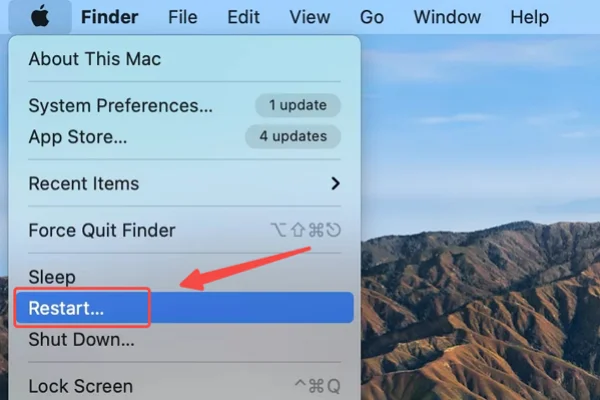
A frozen session can stop Paramount+ from opening even when everything else is normal. Restarting clears temporary glitches without deleting your account.
💡 Key steps:
- On browser: Close all Paramount+ tabs, quit the browser, reopen it, and sign in again.
- On iPhone or Android: Force close the Paramount+ app, then reopen it.
- On PC or Mac: Restart your computer if the browser keeps freezing.
- On Roku, Fire Stick, or smart TV: Restart the device from system settings or unplug it briefly before turning it back on.
Solution 5. Check Your Internet Speed and Switch Networks
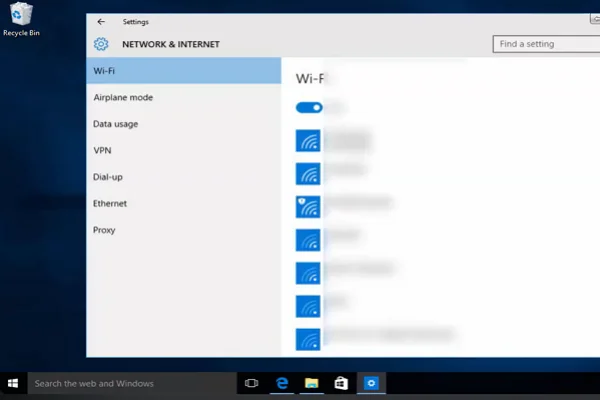
If Paramount+ opens but buffers, freezes, or drops video quality, your connection may be unstable. You need enough bandwidth and low enough latency for smooth streaming.
💡 Key steps:
- Run a speed test on the same device.
- Move closer to your Wi-Fi router.
- Switch from public Wi-Fi to mobile data, or from mobile data to home Wi-Fi.
- Restart your modem and router.
- Disconnect unused devices from the network.
- Avoid large downloads while streaming.
- Test another streaming app to see whether the issue affects only Paramount+.
If every video app buffers, your network is the likely cause. If only Paramount+ fails, continue troubleshooting.
Solution 6. Clear Browser Cache, Cookies, and Site Data
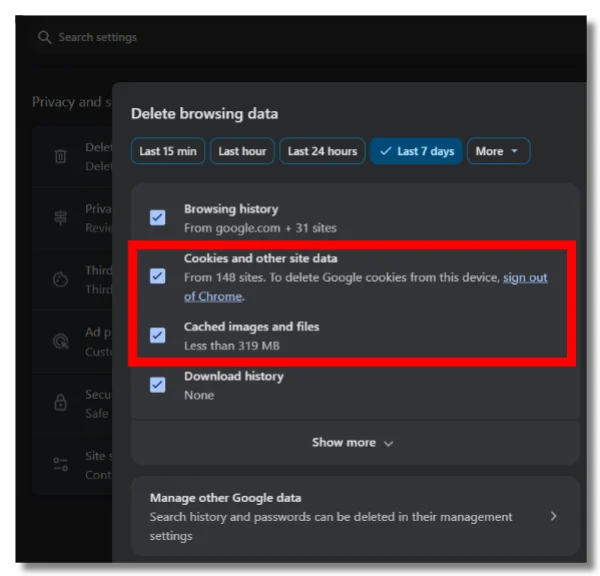
Old cookies or corrupted cache can stop Paramount+ from loading correctly. This is especially useful when you can open the homepage but cannot play video.
💡 Key steps:
- On Chrome: Go to Settings > Privacy and security > Clear browsing data.
- On Safari: Go to Settings > Privacy > Manage Website Data, then remove Paramount+ data.
- On Edge: Go to Settings > Privacy, search, and services > Clear browsing data.
- On Firefox: Go to Settings > Privacy & Security > Cookies and Site Data.
After clearing data, close the browser, reopen Paramount+, and sign in again.
Solution 7. Clear App Cache or App Data
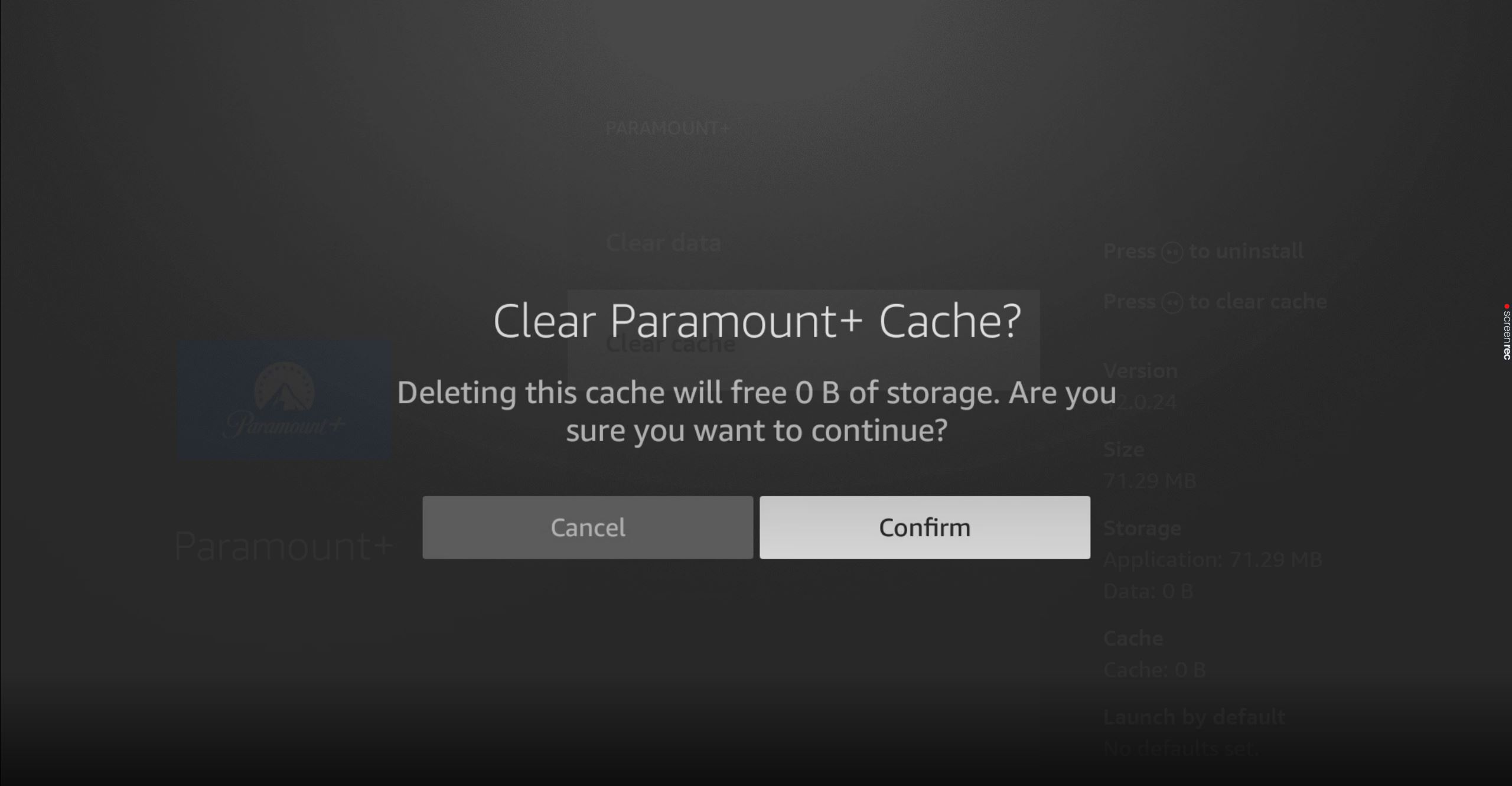
If the Paramount+ app is stuck on mobile or streaming devices, cached app data may be the problem.
💡 Key steps:
- On Android: Go to Settings > Apps > Paramount+ > Storage > Clear Cache.
- On Fire Stick: Go to Settings > Applications > Manage Installed Applications > Paramount+ > Clear Cache.
- On some smart TVs: Open app settings and clear cache if the option exists.
- On iPhone: If there is no cache button, delete and reinstall the app.
Solution 8. Update Paramount+, Your Browser, or Your Device System
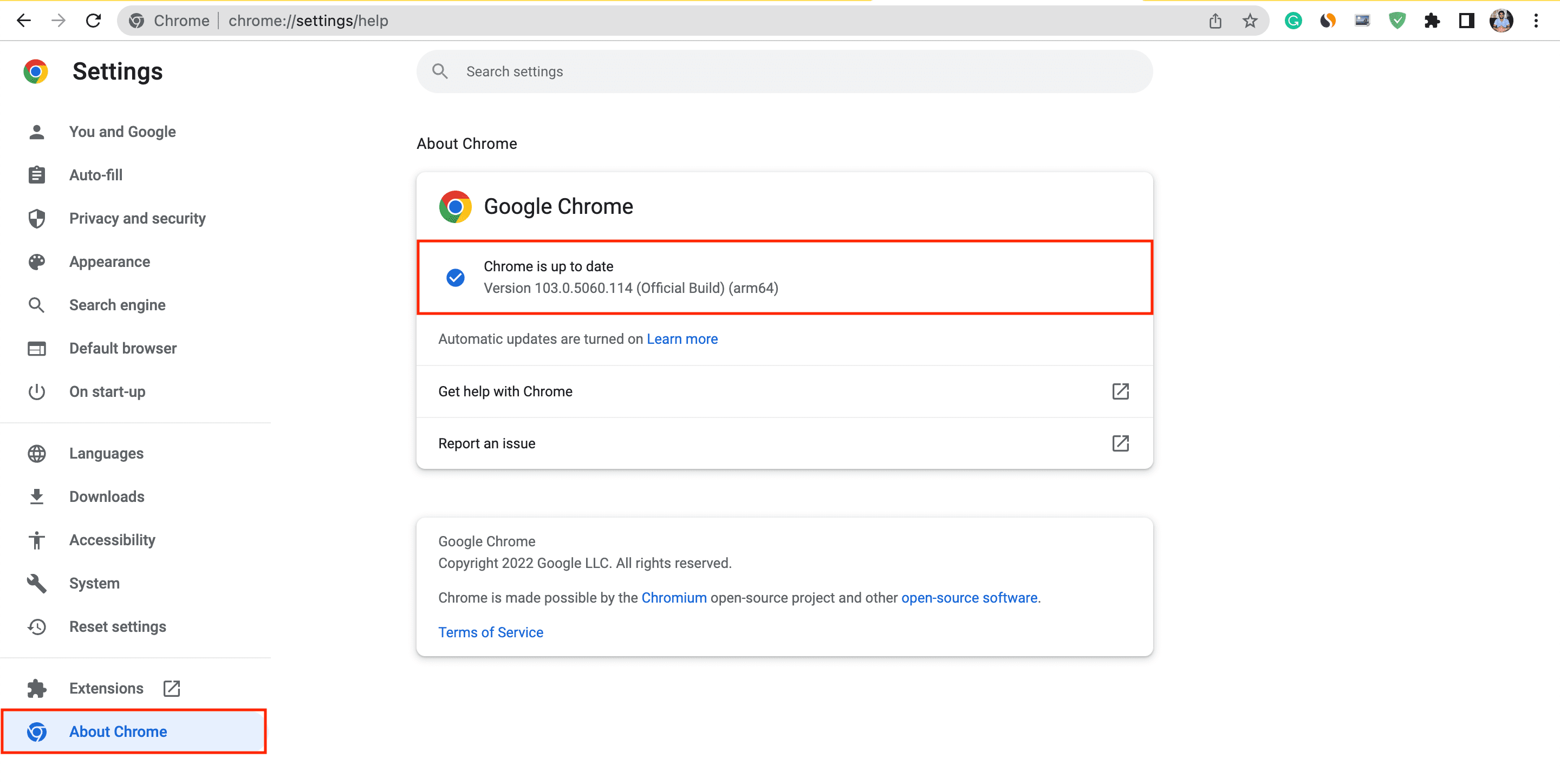
An old app or outdated system can break playback, login, or DRM video loading.
💡 Key steps:
- Open the App Store, Google Play, Roku Channel Store, Fire TV Appstore, or your TV app store.
- Search for Paramount+.
- Install the latest update if available.
- Update your browser if you watch on PC or Mac.
- Update your device OS or smart TV firmware.
- Restart the device after updating.
This is important when Paramount+ stops working after a platform update or when the app crashes at launch.
Solution 9. Disable Conflicting Extensions, Ad Blockers, or Strict Privacy Tools
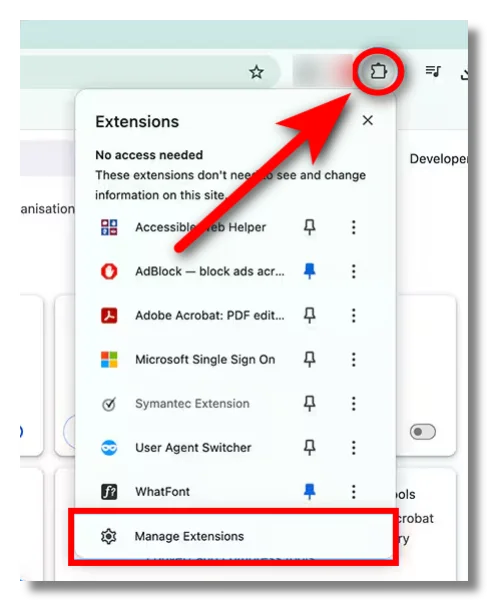
Some browser extensions can interfere with login scripts, video players, cookies, or DRM playback. You do not need to remove everything permanently. You only need to test whether an extension is causing the issue.
💡 Key steps:
- Open Paramount+ in a private or incognito window.
- Disable ad blockers, script blockers, tracker blockers, or aggressive privacy extensions temporarily.
- Turn off custom DNS filtering for a test.
- Refresh Paramount+ and sign in again.
- If Paramount+ works, enable extensions one by one to find the conflict.
Solution 10. Check Your Account, Plan, and Payment
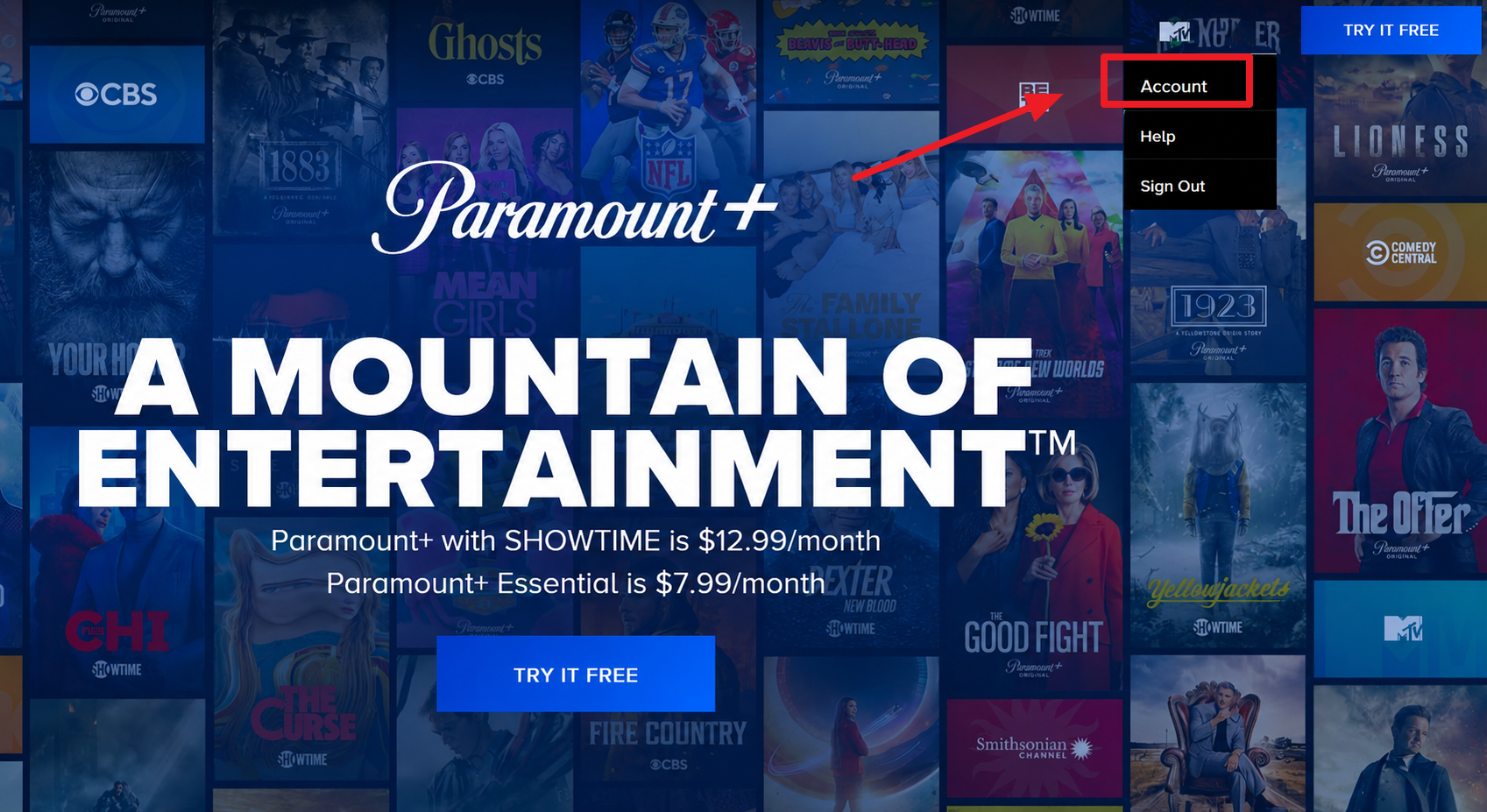
If Paramount+ loads but refuses to play, your subscription status may need attention.
💡 Key steps:
- Sign out of Paramount+.
- Sign back in with the correct email.
- Check whether your subscription is active.
- Confirm that your payment method is valid.
- Make sure you are not using an account from a different app store, bundle, or provider without proper activation.
- Try opening your account page from a browser instead of the app.
If you subscribed through Apple, Google, Roku, Amazon, or another provider, you may need to manage billing from that provider’s subscription page.
Solution 11. Flush DNS or Change DNS
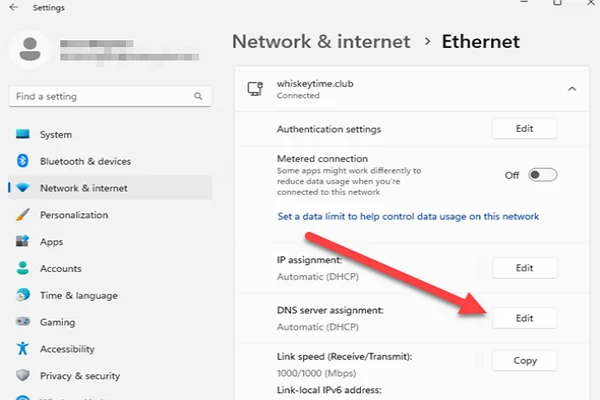
DNS issues can prevent Paramount+ from resolving correctly, especially if other websites work but Paramount+ does not open.
💡 Key steps:
- On Windows: Open Command Prompt and run
ipconfig /flushdns. - On Mac: Restart your Mac or flush DNS with Terminal if you are comfortable doing so.
- On mobile: Toggle Airplane Mode on and off, then reconnect.
- On router: Restart the router.
- Optional: Test a reputable DNS provider through your network settings.
Do not change DNS randomly on a work, school, or managed device unless you have permission.
Solution 12. Reinstall Paramount+
If the app still crashes, reinstalling is often the cleanest fix.
💡 Key steps:
- Delete Paramount+ from your device.
- Restart the device.
- Install Paramount+ again from the official app store.
- Open the app and sign in.
- Test playback before changing other settings.
This works well when the app update failed, local files are corrupted, or the app keeps returning to the same broken screen.
Solution 13. Try Another Device
Testing another device helps you identify where the issue lives.
💡 Key steps:
- If Paramount+ fails on PC, try your phone.
- If the phone app fails, try a browser.
- If smart TV fails, try a laptop or tablet.
- If one network fails, try another trusted network.

Try Alternatives If None of the Troubleshooting Works for You
If Paramount+ still does not work after you try the basic fixes, you do not have to cancel your movie night. You can switch to another legal streaming platform while you wait for Paramount+ to recover. Your best choice depends on what you want to watch, whether that is movies, originals, live TV, sports, family shows, or free channels.
1. Netflix
Netflix is a reliable all-purpose alternative when you just want something to watch without spending too much time searching. You can find movies, series, documentaries, anime, reality shows, and international originals in one place. It works especially well when you are not looking for a specific Paramount+ exclusive.
Highlights
- Large global content library
- Strong original series and films
- Good mix of movies, documentaries, anime, and reality shows
- Smooth experience across phones, browsers, tablets, smart TVs, and streaming devices
- Helpful recommendation system when you do not know what to watch
Drawbacks
- Library varies by country
- Popular titles may leave the platform
- No direct replacement for Paramount+ exclusives
2. Disney+
Disney+ is a better fit when you want family entertainment, animation, superheroes, sci-fi franchises, or nature documentaries. If you planned to watch something light, familiar, or suitable for the whole household, Disney+ can be a strong backup.
Highlights
- Excellent family-friendly catalog
- Strong Disney, Pixar, Marvel, Star Wars, and National Geographic content
- Clean interface for household viewing
- Bundle options may include Hulu and ESPN in some markets
Drawbacks
- Not ideal if you mainly want CBS, MTV, Nickelodeon, or Paramount titles
- Regional libraries differ
- Some mature content depends on your country or bundle
- New releases may require waiting
- Less flexible if you prefer general network TV
3. Hulu
Hulu works well when you want TV-style entertainment, current-season shows, originals, movies, and optional live TV. It is a practical Paramount+ alternative if your main goal is to keep watching familiar shows rather than a specific Paramount+ movie or series.
Highlights
- Strong focus on current and recent TV shows
- Originals and movies included
- Live TV option available in supported markets
- Useful for casual nightly viewing
- Bundle options with Disney+ and ESPN
- Good choice if you like a more traditional TV experience
Drawbacks
- Mostly focused on the US market
- Live TV costs more than the standard plan
- Ads depend on your subscription tier
4. HBO Max
HBO Max is a premium option when you want high-quality dramas, comedies, documentaries, Warner Bros. films, and HBO originals. It is not the same type of library as Paramount+, but it can be a better choice when you want polished series and movie-night content.
Highlights
- Strong HBO catalog
- Premium movies and original series
- Good for drama, comedy, documentaries, and franchise content
Drawbacks
- Availability varies by country
- Some titles move between regions or platforms
- It may cost more than basic streaming plans
- Not a close match for CBS or Paramount+ live-content needs
5. Prime Video
Prime Video gives you more flexibility than many streaming services because you can stream included titles, rent or buy movies, and add channel subscriptions in supported regions. If Paramount+ cannot open and you want a quick backup, Prime Video gives you several ways to find something watchable.
Highlights
- Included titles for Prime members
- Movie rentals and purchases available
- Add-on channels available in some regions
- Works across many devices
- Useful when you want both subscription content and one-time rentals
Drawbacks
- Free-to-watch and paid titles can appear together
- Catalog quality varies by region
- Some add-ons need separate subscriptions
- Interface may feel less simple than Netflix or Disney+
6. Apple TV
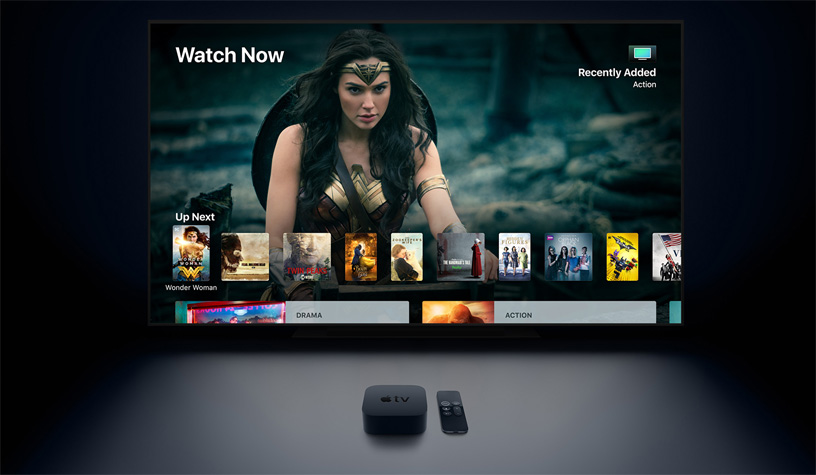
Apple TV is a clean, premium-feeling alternative focused on Apple Originals. It does not try to offer the biggest library, but it can be a strong choice if you prefer polished dramas, sci-fi, comedies, and films with a more curated feel.
Highlights
- Exclusive Apple Originals
- Ad-free core streaming experience
- Strong production quality
- Works through the Apple TV app on many devices
Drawbacks
- Smaller library than Netflix or Prime Video
- Not a direct substitute for CBS, Nickelodeon, MTV, or Paramount content
7. Peacock
Peacock is worth considering if you want NBCUniversal content, Bravo shows, movies, news, live channels, and sports in supported regions. It is a useful fallback when your Paramount+ issue happens during a casual TV night and you just want another familiar entertainment app.
Highlights
- NBC and Bravo content
- Movies, shows, news, and live channels
- Live sports available in supported regions
- Good option for US-based streaming
- Useful for casual browsing
- Some plans may be cheaper than premium-only platforms
Drawbacks
- Availability is limited outside the US
- Some content requires higher-tier plans
- Ads may appear depending on your plan
- It does not replace Paramount+ originals
- Not the best choice if you want international content variety
8. Pluto TV
Pluto TV is different from most Paramount+ alternatives because it offers free, ad-supported live channels and on-demand shows. It is a simple backup when you do not want to start another paid subscription just because Paramount+ is not working tonight.
Highlights
- Free to stream
- Live channel-style experience
- Easy backup for casual viewing
Drawbacks
- Ad-supported
- Less control than paid streaming libraries
- Content lineup changes often
- Not designed for premium new releases
Things to Follow When Streaming on Paramount+ & Sites Alike
A lot of streaming headaches aren’t caused by the platform at all, but by avoidable habits on your end. To keep your sessions smooth, secure, and on the right side of the rules, it helps to follow a few simple dos and don’ts.
Keep the Paramount+ app and browser updated
Use a stable, fast internet connection
Use a trusted VPN like UFO VPN on public Wi-Fi
Clear cache and cookies regularly
Make sure your subscription is active
Use a strong, unique password
Check official status pages first
Don’t share your login details with strangers.
Don’t use unknown free VPNs.
Don’t ignore app or device updates.
Don’t click suspicious “Paramount+ fix” links.
Don’t exceed your streaming limit.
Don’t use methods that break terms or local laws.
Bonus Tip for Paramount Plus Not Working on Roku/Samsung TV/Fire Stick
You may face Paramount Plus app not working on streaming devices even when the website works on your computer. Roku, Samsung TV, LG TV, smart TV, Fire Stick, Apple TV, and Android TV are all connected-device platforms, and each one has its own app storage, firmware, cache, and restart process.
If this really happens, try these quick steps:
✅ Restart the device: Turn off your Roku, Samsung TV, LG TV, Fire Stick, or smart TV. If possible, unplug it for 30 seconds, then turn it back on.
✅ Update the Paramount+ app: Open your device’s app store or channel store and check for updates.
✅ Update the device system: Go to system settings and install firmware or OS updates.
✅ Clear cache if your device supports it: Fire Stick and some Android-based TVs let you clear app cache from app settings.
✅ Delete and reinstall Paramount+: Remove the app, restart the device, reinstall it, and sign in again.
✅ Check device storage: If your Fire Stick or smart TV is nearly full, delete unused apps.
✅ Test Paramount+ on another device: If it works on your phone or PC but not on TV, the TV app or device system is likely the issue.
Final Vedict
When Paramount Plus not working on various devices, it can be annoying, but most of them are easy to fix. The key is to find out where the issue comes from before changing too many settings. Check the service status, test your network, update your app, and try the right fix step by step. Once you know what to do, you can solve the problem faster and get back to watching Paramount+ with less trouble.
FAQs
How many screens can I stream Paramount+ on at the same time?
The number of simultaneous streams depends on your specific plan. Most standard subscriptions allow a few streams at once, while higher tiers may permit more. Check your account's plan details for the exact limit.
Does Paramount+ offer a free trial?
Paramount+ frequently runs free trial promotions for new subscribers, though the length and availability vary by region and over time. Look for current offers on the official sign-up page before you pay.
Can I download Paramount+ shows to watch offline?
Yes, on the mobile app you can download many titles to your phone or tablet and watch them later without an internet connection, which is handy for flights or commutes. Availability depends on your plan and the title.
Why is my Paramount+ audio out of sync with the video?
Audio sync issues are usually caused by a temporary buffering glitch or an external sound system delay. Pausing and resuming, restarting the title, or adjusting your TV's audio delay settings typically clears it up.
Does Paramount+ work on gaming consoles like PlayStation or Xbox?
Yes, Paramount+ has dedicated apps available in the stores on major gaming consoles. Just download the app, sign in with your account, and you can stream directly through your console.