Why Is TikTok Banned in India?
The ban on TikTok in India started in 2020. The government raised concerns about how user data was collected and stored. Officials believed that some apps could send data outside the country without proper control. Because of this, TikTok and several other apps were removed from app stores and blocked on local networks.
Another reason is related to national security and digital policy. India has been working to support local apps and reduce reliance on foreign platforms. By restricting TikTok, the government created space for local short video platforms to grow. This decision affects both content creators and regular users who were used to the app.
100% Safe Ways to Use TikTok in India?
Even though TikTok is restricted, some users still access it through different tools. Before choosing any method, it is important to understand how each one works and what risks it may bring. Some methods focus on changing your location, while others depend on external sources to install or run the app.
Method 1. Use a Reliable VPN
A VPN, or Virtual Private Network, changes your internet location. When you connect to a server in another country, websites and apps think you are browsing from that location. This allows you to open TikTok as if you were outside India.
When choosing a VPN for TikTok, you should look at a few clear factors. First, check the number of server locations. A VPN with servers in countries like Singapore, the US, or the UK gives you more options. Second, look at the connection speed. Slow speed can affect video loading and uploads. Third, make sure the VPN has strong encryption, so your data is protected while you browse.
A good VPN app is easy to install and works on both mobile and desktop. Once connected, you can open TikTok normally and scroll through videos without interruption.
Method 2. Access via Proxy Servers
Proxy servers act as a middleman between your phone and the TikTok servers. Unlike a VPN, which protects your entire device's internet connection, a proxy usually only works for a specific app or your web browser. When you send a request to TikTok through a proxy, the proxy server fetches the content for you and sends it back. This effectively hides your real location from TikTok.
-
Pros: Often faster to set up for quick browsing and can be cheaper than high-end VPNs.
-
Cons: Most proxies do not encrypt your data. This means that while you can see TikTok, your ISP might still see that you are accessing a proxy service. They are also less stable than VPNs, frequently disconnecting in the middle of a video.
-
Precautions: Never use a "free" proxy found on random forums. These are often used by hackers to steal login credentials or inject ads into your browsing session. If you use this method, look for a paid SOCKS5 proxy for better stability.
Method 3. Try a Foreign SIM
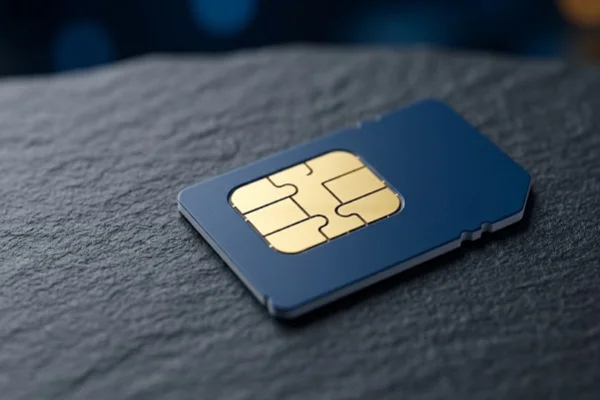
Another method is using a SIM card from another country. When you insert a foreign SIM into your phone, your network provider changes. In some cases, this allows access to apps that are restricted in India.
This method is often used by travelers who already have an international SIM. It does not require extra apps or software. Once connected to mobile data from another country, you may be able to open TikTok directly.
However, there are a few things to consider. International SIM cards can be expensive, especially for regular use. Data plans may also be limited, which is not ideal for video streaming. In addition, this method may not work if local network rules still apply.
Method 4. Download from Third-party App Stores
Since TikTok is not available on official app stores in India, some users download it from third-party platforms. These websites provide APK files that can be installed manually on Android devices.
This method can help you install TikTok, but it comes with risks. Files from unknown sources may contain malware or modified code. This can affect your phone’s security or lead to data loss. It is important to download only from well-known platforms and scan files before installation.
Also, updates are not automatic when using third-party stores. You may need to manually update the app to keep it working properly. This method is mainly for users who cannot access the official version through other means.
Why You Should Use a VPN to Unblock TikTok?
Among all available methods, VPN is often the most stable choice. It not only helps you access TikTok but also improves your overall online safety. Here are some clear reasons why many users prefer VPNs:
-
Privacy Protection: Your ISP and the government cannot track your browsing habits when your traffic is encrypted.
-
Preventing Throttling: Some ISPs slow down video streaming traffic. A VPN hides what you are doing, which can actually lead to smoother playback in some cases.
-
Global Content Access: You aren't stuck with one region. If you want to see Japanese TikTok trends, you can simply switch your VPN server to Tokyo.
-
Security on Public Wi-Fi: If you are scrolling through TikTok at a cafe or airport, a VPN keeps your data safe from hackers on the same network.


Best VPN Recommended for TikTok in India
If you are looking for a VPN that works well with TikTok, UFO VPN is one option many users consider. It is built for users who want a simple setup and stable access without complicated steps. Below are some of its key features:
✅ Easy installation and simple interface: UFO VPN is designed for beginners. You can download the app, install it, and connect to a server with just one click. The layout is clear, so you do not need technical knowledge to start using it.
✅ Strong encryption for data protection: It uses AES-256 encryption, which is a common standard in secure systems. This helps keep your browsing activity private when you watch or upload TikTok videos.
✅ Wide range of global servers: The service provides thousands of servers in many countries. This gives you more choices when selecting a location to access TikTok and helps avoid overcrowded servers.
✅ Automatic kill switch feature: If your VPN connection drops, the app will stop your internet access right away. This prevents your real location or data from being exposed during use.
✅ No-log policy for privacy: UFO VPN does not store your browsing history. This means your activity is not recorded, which helps protect your personal information.
✅ Support for multiple devices: You can use one account on different devices, such as smartphones, tablets, and computers. This is useful if you switch between devices during the day.
✅ Free plan available for basic use: There is a free version with working servers, so you can try it without paying. If you need faster speed or more server options, you can upgrade later.
This combination of simple setup, security features, and flexible plans makes it a practical choice for users who want to access TikTok in India.


UFO VPN is an all-in-one VPN that offers unlimited access to 4K streaming like Netlfix, Disney Plus, no-ping gaming as PUBG, Roblox, CODM and social networking for YouTube, X, Facebook and more.




Unlock Pro Features
If you have upgraded to premium plan , feel free to enjoy premium servers for 4K streaming and advanced features like Kill Switch, Split Tunneling, and gaming acceleration. Your Mac is now fully optimized and protected. Inaddition to basic functions, we recommend you turn on

Verify Your IP Now
Use UFO VPN's " What is My IP " feature to see your new IP and location. This confirms your connection is secure, anonymous, and ready for safe browsing online anywhere at any time.







Conclusion
Accessing TikTok in India requires choosing the right method based on your needs. Some options are simple but limited, while others offer better stability and protection. If you want a smoother and safer experience, tools that manage both access and privacy can make a clear difference in daily use.
FAQs
Can I legally use TikTok in India with a VPN?
Using a VPN is not illegal in India, but accessing restricted apps may go against local policies. You should understand the rules before using any method.
Will TikTok work on both Android and iPhone?
Yes, but installation steps may differ. Android users can install APK files, while iPhone users may need to change app store regions.
Why is my TikTok still not loading after using a VPN?
This can happen if the server is blocked or too slow. Try switching to another server location and reconnect.
Is it safe to log into my TikTok account from India?
It is generally safe if you use secure tools like a trusted VPN. Avoid using unknown networks or unsecured proxies.
Do I need a paid VPN to access TikTok?
Not always. Some free VPN plans work, but paid versions usually offer better speed and more reliable connections.