What Is VRChat Age Verification?
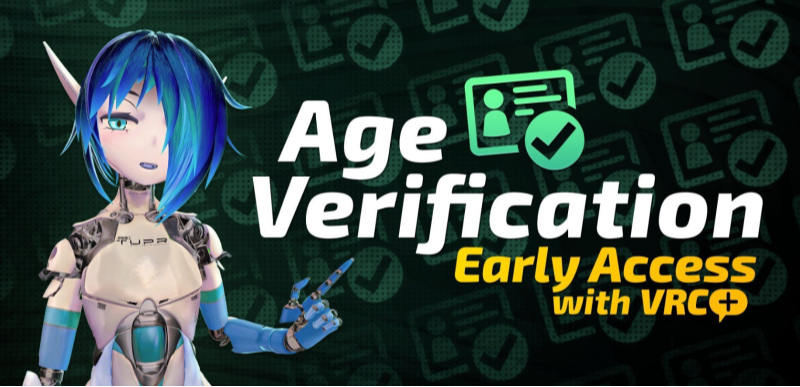
VRChat is a popular virtual world where users can socialize, create, and play games. However, due to age-restricted content regulations, the platform requires users to verify their age. This verification step helps VRChat comply with global regulations, ensuring that younger audiences are not exposed to inappropriate content.
Here’s what happens during the age verification process:
- Age Input: Users are required to enter their date of birth when creating an account.
- Additional Verification: For access to certain features, such as adult content or certain events, VRChat may require a government-issued ID for further verification.
This process is essential for user safety but can also feel intrusive, especially for those who prefer to maintain anonymity while enjoying VRChat. What's more, since age verification is generally enforced based on location, the VRChat experience may vary by region, and some users are seeking a VPN for age verification, trying to regain access without uploading private information.
📖Related Reading
Why Bypass VRChat's Age Verification?
There are several reasons why users may wish to bypass VRChat's age verification, even though the platform requires it for safety and legal compliance. Here are some of the most common reasons:
-
Privacy Concerns
One of the main reasons users bypass age verification is due to privacy concerns. Sharing your date of birth or government-issued ID online can make users feel vulnerable. With a VPN, you can keep your personal information safe and prevent VRChat from storing unnecessary data.
-
Access to All Content
Age verification is often tied to the content you can access in VRChat. By bypassing this step, users can potentially gain access to features and content that may be restricted to those over a certain age.
-
Anonymity
Many VRChat users prefer to remain anonymous while interacting with others in the virtual space. With the help of a VPN like UFO VPN, users can protect their IP addresses and avoid being tracked or identified while using VRChat.
How to Bypass VRChat Age Verification Safely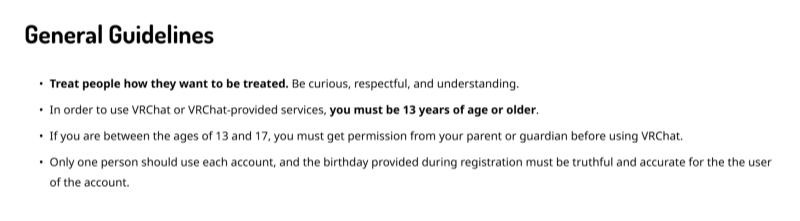
Bypassing VRChat’s age verification doesn’t have to be a risky venture. There are legitimate ways to do so while ensuring your privacy and security.
1. Use Best free VPN for Privacy Protection
One of the safest and most effective ways to bypass VRChat’s age verification is to use a VPN (Virtual Private Network). A VPN encrypts your internet connection, hides your real IP address, and helps you bypass restrictions based on location. UFO VPN is the ideal VPN for this purpose, providing enhanced privacy and security while accessing VRChat.
Why UFO VPN is the Best Choice for VRChat:
- Encrypts Your Data: UFO VPN encrypts your internet traffic, ensuring that hackers or other third parties can’t intercept your data.
- Hides Your IP Address: UFO VPN masks your real IP address, allowing you to bypass VRChat’s location-based age checks.
- Bypass Geoblocks: If VRChat restricts access based on geographical location, UFO VPN lets you connect to servers worldwide, bypassing geo-restrictions effortlessly.
How to Use UFO VPN for VRChat:


UFO VPN is an all-in-one VPN that offers unlimited access to 4K streaming like Netlfix, Disney Plus, no-ping gaming as PUBG, Roblox, CODM and social networking for YouTube, X, Facebook and more.




Unlock Pro Features
If you have upgraded to premium plan , feel free to enjoy premium servers for 4K streaming and advanced features like Kill Switch, Split Tunneling, and gaming acceleration. Your Mac is now fully optimized and protected. Inaddition to basic functions, we recommend you turn on

Verify Your IP Now
Use UFO VPN's " What is My IP " feature to see your new IP and location. This confirms your connection is secure, anonymous, and ready for safe browsing online anywhere at any time.







2. Use a Temporary or Disguised Date of Birth
Another method for bypassing age verification is using a temporary or disguised date of birth. While this tactic is simple, it’s important to remember that it could violate VRChat’s terms of service and might lead to account suspension if detected.
If you choose this route, be careful to:
- Choose a generic birthdate that meets the age requirement but doesn’t necessarily reflect your real birthdate.
- Avoid using easily identifiable dates, such as those close to your real birthday, to prevent the platform from noticing the discrepancy.
While effective, using a disguised birthdate carries the risk of having your account flagged, especially if you attempt to access age-restricted content.
3. Use a Verified Third-Party Account
In some cases, VRChat allows users to log in through third-party platforms like Steam or Oculus. These services already verify your age when you sign up, so VRChat can bypass its own verification process when you use these accounts to log in.
Here’s how to link a third-party account to VRChat:
- Link your VRChat account with Steam, Oculus, or another supported third-party service.
- Verify your age through the third-party platform.
- Sign in to VRChat using the linked account. The age verification step may be skipped if the third-party account already contains verified age information.
This method ensures that VRChat trusts the third-party verification, allowing you to access the platform without going through the age check again.
💖Bonus Tips💖
FAQs: Navigating VRChat Age Verification
Q: How does VRChat age verification work?
VRChat asks users for their date of birth to verify their age. Depending on the platform, it may also require further verification via a government-issued ID to confirm access to age-restricted content.
Q: Is it safe to bypass VRChat’s age verification?
Bypassing VRChat’s age verification is safe if done correctly using tools like UFO VPN. However, using false information or unauthorized methods could lead to account bans, so proceed with caution.
Q: Can UFO VPN bypass VRChat age verification?
Yes! UFO VPN helps you bypass VRChat’s age verification by masking your IP address and allowing you to connect to servers in regions with fewer age restrictions.
Q: How do I set up UFO VPN for VRChat?
- Download UFO VPN from the official website.
- Select a server location where VRChat does not impose strict age checks.
- Connect and start using VRChat with enhanced privacy and security.
Conclusion: Enjoy VRChat Anonymously and Securely
Bypassing VRChat’s age verification doesn’t have to be complicated, and with the right tools, you can maintain your privacy while still accessing everything VRChat has to offer. Using UFO VPN ensures that your identity stays anonymous, your location is protected, and your online activity is secure. Whether you’re building virtual worlds, interacting with others, or simply exploring, UFO VPN guarantees that you remain safe and untracked in the virtual space.
Ready to enjoy VRChat privately and securely?
Download UFO VPN today and experience VRChat without compromising your privacy.