The Date of FIFA Club World Cup Live Stream in 2026
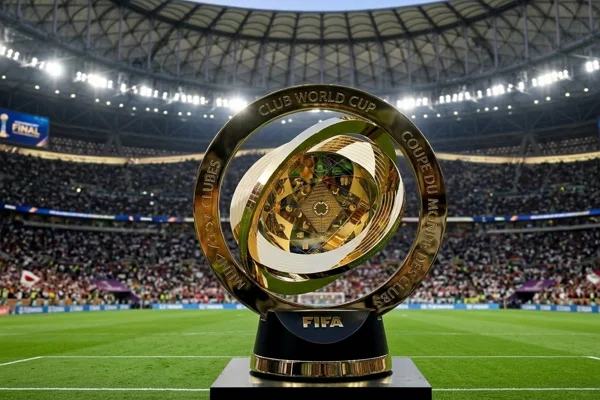
The 2026 FIFA World Cup will officially run from June 11, 2026, to July 19, 2026. This edition will become the largest FIFA World Cup in history, featuring 48 national teams and 104 total matches across three host countries: the United States, Canada, and Mexico.
For online viewers, the tournament will last for more than one month, with matches taking place almost every day during the group stage.
Estimated tournament period:
- Start date: June 11, 2026
- Final match: July 19, 2026
- Total duration: around 39 days
- Total matches: 104 games
- Host countries: United States, Canada, and Mexico
Because most matches will take place in North America, kickoff times mainly follow local U.S. time zones, especially Eastern Time (ET). If you plan to watch from another region, converting the time difference in advance is extremely important.
| Region | Time Difference From ET |
|---|---|
| London (BST) | +5 hours |
| Central Europe (CEST) | +6 hours |
| Singapore (SGT) | +12 hours |
| Tokyo (JST) | +13 hours |
| Sydney (AEST) | +14 hours |
For example:
-
A match that starts at 7:00 PM ET will start at 7:00 AM in Singapore the next day.
-
A match at 3:00 PM ET will be 3:00 AM in Singapore.
Because many matches will occur early in the morning for Asian viewers, enabling reminders or recording options becomes very useful.
How to Stream FIFA Cup 2026 Online?
Watching the FIFA World Cup online is easier than ever, but preparation is important if you want a smooth streaming experience during high-traffic matches.
Step 1. Ensure Stable Access First
Some streaming platforms restrict broadcasts to certain countries. If you travel abroad or live outside supported regions, you may encounter geo-block messages.
In that situation, using a free proxy VPN can help you access available football streams more smoothly. Many football fans choose UFO VPN because it offers fast servers and simple connection steps.
Simple Steps to Use UFO VPN:


UFO VPN is an all-in-one VPN that offers unlimited access to 4K streaming like Netlfix, Disney Plus, no-ping gaming as PUBG, Roblox, CODM and social networking for YouTube, X, Facebook and more.




Unlock Pro Features
If you have upgraded to premium plan , feel free to enjoy premium servers for 4K streaming and advanced features like Kill Switch, Split Tunneling, and gaming acceleration. Your Mac is now fully optimized and protected. Inaddition to basic functions, we recommend you turn on

Verify Your IP Now
Use UFO VPN's " What is My IP " feature to see your new IP and location. This confirms your connection is secure, anonymous, and ready for safe browsing online anywhere at any time.







This is especially useful for viewers outside the United States or those traveling during the tournament.
Step 2. Choose a Reliable Streaming Platform
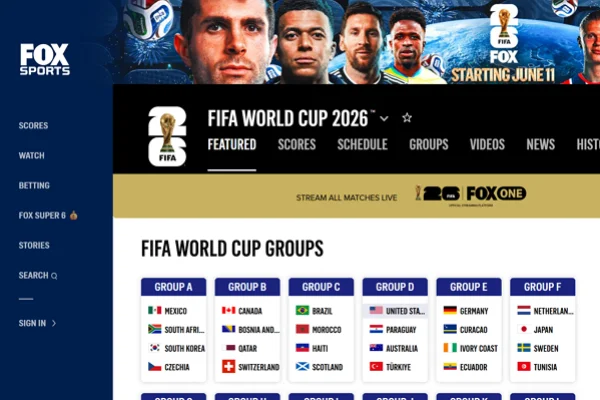
Different countries have different official broadcasters. Some popular sports streaming options may include:
- FOX Sports
- ESPN
- BBC iPlayer
- ITVX
- DAZN YouTube TV
Always check whether the service officially broadcasts FIFA matches in your region.
Step 3. Prepare Your Devices Before Match Day
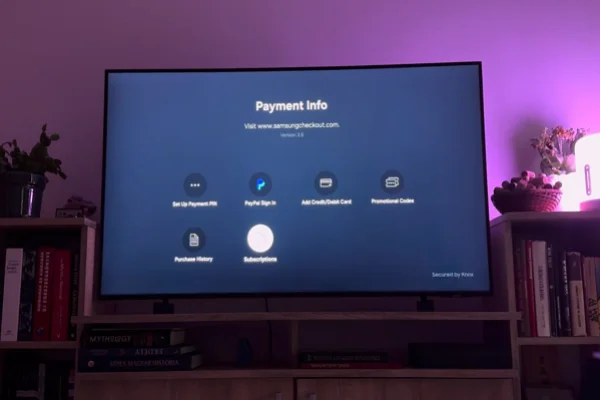
Before major matches begin:
- Update your streaming apps
- Charge your devices fully
- Test your internet speed
- Use a larger screen if possible
- Enable match reminders
This helps avoid buffering and technical interruptions during important moments.
Step 4. Use a stable Internet Connection
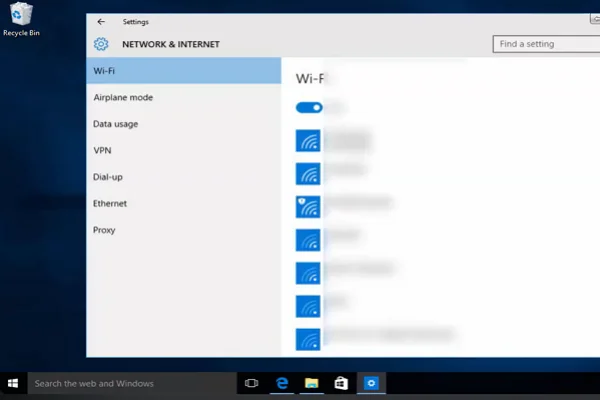
For high-definition football streaming, a stable internet connection is extremely important.
Recommended speeds:
- SD streaming: at least 5 Mbps
- HD streaming: at least 10 Mbps
- 4K streaming: 25 Mbps or above
Wired connections or strong Wi-Fi signals usually provide smoother performance during live broadcasts.
Step 5. Set up Reminders and Backup Plans
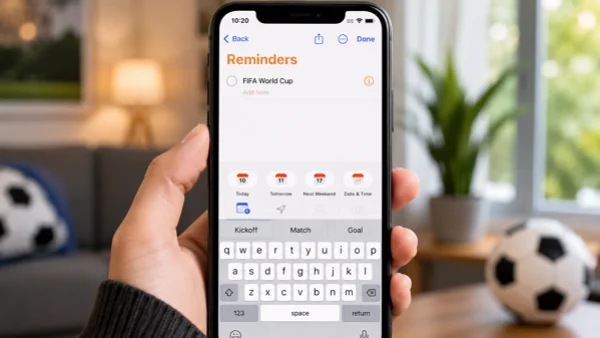
Because FIFA World Cup matches may happen at inconvenient hours depending on your time zone, setting reminders is essential to avoid missing key games.
- Enable match notifications on your phone
- Add fixtures to your calendar
- Prepare a backup streaming platform in advance
- Keep a second device ready if possible
- Use replay or catch-up features when live viewing is not possible
Having backup options ensures you can still enjoy the matches even if your main platform is busy or temporarily unavailable.

Is It Possible to Watch the FIFA Cup for Free?
Yes, in some regions, it is possible to watch certain FIFA World Cup matches for free through official broadcasters or free trials.
If you are searching for how to watch the FIFA Cup for free, just follow the tips below.
Way 1. Use Free-to-Air Broadcasters
In certain countries, FIFA matches are shown on free-to-air TV channels or public streaming platforms, especially for major tournaments.
💡 How to do it:
- Check your local national TV broadcaster schedule before the tournament starts
- Tune in via TV or official free streaming website/apps
- Some channels may require only a free account sign-up
- Look for “live sports” or “World Cup coverage” sections in their app or website
Way 2. Try Free Trials from Streaming Platforms
Many paid sports streaming services offer short free trials during major tournaments, which may include full match access.
Common platforms include:
- YouTube TV
- FuboTV
- Hulu + Live TV
💡 How to do it:
- Visit the official website or app of the streaming platform
- Create a new account (usually requires email + payment method)
- Select the free trial option (if available in your region)
- Subscribe and immediately check sports/live TV section for FIFA matches
- Set a reminder to cancel before the trial ends to avoid charges
Way 3. Watch Highlights and Official FIFA Content
Even if live matches are restricted, you can still follow the tournament for free through official highlight platforms.
💡 How to do it:
- Search “FIFA World Cup highlights” on YouTube
- Subscribe to official sports or FIFA channels for updates
- Enable notifications for match highlights and key moments
- Follow FIFA’s official social media accounts for instant clips and updates
- Check post-match interviews and analysis videos for deeper insights
Way 4. Regional Sports Apps and Promotions
Some countries offer temporary free access through local apps or telecom promotions during major events.
💡 How to do it:
- Check your local sports streaming apps before the tournament starts
- Look for banners like “Free World Cup Access” or “Limited-Time Offer”
- Register or log in using your phone number or email
- Activate promotional bundles from mobile carriers if available
- Verify whether the offer includes live matches or only highlights
Way 5. Use UFO VPN to Switch to Another Country
Streaming platforms for the FIFA World Cup follow different broadcasting policies in different countries. In some regions, matches may be free-to-air or offered at a lower cost due to local TV rights agreements.
Using UFO VPN can help you access these differences by changing your virtual location. It does this by connecting you to a server in another country, allowing you to appear as if you are browsing from that region and potentially access its local streaming options.
💡 How to do it:
- After installing UFO VPN on your device, Open the app and log in
- Choose a country where FIFA matches are free or cheaper to access
- Tap “Connect” to switch your virtual location
- Visit the local streaming platform and start watching live matches

Where Does the 2026 FIFA Club World Cup Take Place?
The 2026 FIFA World Cup will take place across three host countries: Mexico, Canada, and the United States. This will be the first time in tournament history that the competition is hosted by three nations at the same time. Matches will be played in 16 host cities across North America, creating one of the largest football events ever organized.
Most matches will be played in the United States, while Canada and Mexico will also host several group-stage games and early knockout matches. In total, 11 stadiums are located in the United States, three in Mexico, and two in Canada.
Here are some of the confirmed host cities and stadiums:
🎈United States
- New York / New Jersey – MetLife Stadium
- Los Angeles – SoFi Stadium
- Dallas (Arlington) – AT&T Stadium
- Miami – Hard Rock Stadium
- Atlanta – Mercedes-Benz Stadium
- Houston – NRG Stadium
- Seattle – Lumen Field
- Kansas City – Arrowhead Stadium
- Philadelphia – Lincoln Financial Field
- San Francisco Bay Area – Levi’s Stadium
- Boston – Gillette Stadium
- Toronto – BMO Field
- Vancouver – BC Place
🎈Mexico
- Mexico City – Estadio Azteca
- Monterrey – Estadio BBVA
- Guadalajara – Estadio Akron
The opening match of the tournament will take place at Estadio Azteca in Mexico City on June 11, 2026, while the final is scheduled to be held at MetLife Stadium in New York/New Jersey.
If you cannot watch matches in person, online streaming is the best option. But if you are outside the United States, Canada, or Mexico, it's highly suggested that you activate UFO VPN to access live streams more smoothly. Preparing in advance can help you avoid missing any excitement.
The Schedule of the 2026 FIFA Club World Cup
The 2026 FIFA World Cup uses an expanded 48-team format with 104 matches in total. The tournament includes group-stage matches followed by knockout rounds.
Below is a simplified overview of important stages, cities, stadiums, and capacities.
| Match | Date | Stage | City | Country | Stadium | Capacity |
|---|---|---|---|---|---|---|
| Match 1 | June 11, 2026 | Opening Match | Mexico City | Mexico | Estadio Azteca | 87,000+ |
| Match 12 | June 2026 | Group Stage | Toronto | Canada | BMO Field | 45,000 |
| Match 18 | June 2026 | Group Stage | Vancouver | Canada | BC Place | 54,000 |
| Match 30 | June 2026 | Group Stage | Miami | United States | Hard Rock Stadium | 65,000+ |
| Match 38 | June 2026 | Group Stage | Seattle | United States | Lumen Field | 68,000+ |
| Match 73 | Early July 2026 | Round of 32 | Los Angeles | United States | SoFi Stadium | 70,000+ |
| Match 80 | Early July 2026 | Round of 16 | Dallas | United States | AT&T Stadium | 80,000+ |
| Match 92 | July 2026 | Quarterfinal | Kansas City | United States | Arrowhead Stadium | 76,000+ |
| Match 95 | July 2026 | Quarterfinal | Monterrey | Mexico | Estadio BBVA | 53,500 |
| Match 101 | July 2026 | Semifinal | Atlanta | United States | Mercedes-Benz Stadium | 71,000+ |
| Match 102 | July 2026 | Semifinal | Dallas | United States | AT&T Stadium | 80,000+ |
| Match 104 | July 19, 2026 | Final | New York / New Jersey | United States | MetLife Stadium | 82,500 |
Because the venues are spread across different cities and time zones in North America, kickoff times may vary depending on the location of each match. So remember to regularly check your local schedules to avoid confusion.
Conclusion
Getting ready for the 2026 football season with the best FIFA VPN like UFO VPN is the first step for the excitement. If you pick your platform early and make sure your apps are updated, you won't have to deal with technical problems when the game starts. Also, make sure you set those reminders so you don't miss the big moments, and check your internet speed so the picture stays sharp.
FAQs
Can I watch the 2026 matches for free?
Yes, in many countries, national broadcasters like the BBC, ITV, or Rai will show games for free on their TV channels and websites. You just need to check which local channel in your area has the rights.
What is the best device for streaming football?
A Smart TV or a laptop connected to a monitor is usually best for the big-screen experience. However, mobile apps are very good now, so a tablet or smartphone works well if you are traveling. Just make sure your battery is charged!
Do I really need a VPN if I have a cable subscription?
It depends. If you are at home and your cable has all the channels, you are fine. But if you travel outside your country, your cable app might not work. A VPN like UFO VPN helps you access your home subscription even when you are abroad.
How many teams are playing in 2026?
The tournament has expanded to 48 teams. This is a big change from the 32 teams we saw in previous years. This means more matches, more goals, and more countries participating.
Will the matches be available in 4K?
Most major broadcasters like Fox Sports and some European channels plan to stream the matches in 4K. You will need a 4K-capable TV and a very fast internet connection (at least 25 Mbps) to see the benefit.