Is HappyMod Down for Everyone or Just Me?
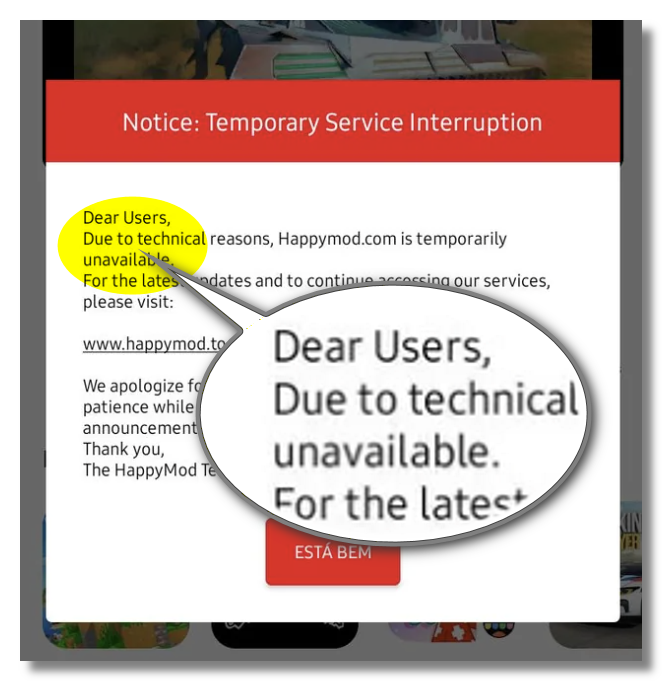
Short answer: In 2026, the old domain "happyMod.com" is down, but the happymod.to is still on. Far more often, if it’s reachable for most people while being blocked or throttled for you specifically. So your first job isn’t to fix anything — it’s to find out which situation you’re in.
Step 1. Check the real-time server status with a detection tool.
Don’t guess. Try these status checkers to see whether HappyMod is online for everyone:
- DownForEveryoneOrJustMe — Quickly checks whether HappyMod is down globally or just for you.
- DownDetector — Shows real-time user reports to detect HappyMod outages and error spikes.
- UpDownRadar — Monitors HappyMod uptime status and tracks historical downtime and server issues.
- IsItDownOrJustMe — Tests HappyMod accessibility worldwide to identify local network or ISP blocking.
- OutageDown — Tracks website availability and reports HappyMod downtime based on user signals.
E.g., DownForEveryoneOrJustMe shows that the current official website - happymod.to is online:
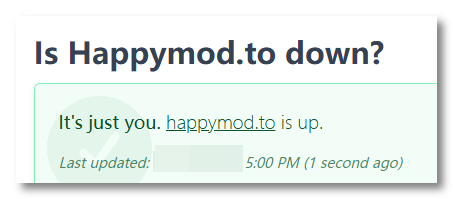
📌If the tool reports the server is online, but you still can’t connect, that’s your biggest clue: HappyMod isn’t down — something between you and the site is blocking you. Often, a free proxy VPN helps unblock HappyMod.
Step 2. Run a 10-second self-test.
Turn off Wi-Fi and reload HappyMod on mobile data (or vice versa). If it loads on one network but not the other, the site is fine — your original network is blocking it.
Step 3. Ask the community.
Check HappyMod Reddit links or threads on forums like Mobilism; if dozens of people worldwide are loading it fine right now, you’ve confirmed it’s just you.
One Reddit user is asking:
Is it my internet that's started blocking things, or is it down for everyone?

Why Does HappyMod Always Appear “Try Again Later” Error?
The “Try again later” error is the single most common HappyMod complaint, and it almost never means the app is permanently broken.
You may also run into:
- HappyMod has stopped
- Failed or stuck downloads
- Can’t connect to server
Here are the four real reasons behind them:
- A Genuine Server Outage: Occasionally, the servers really are down or under maintenance.
- Your ISP or Region Is Blocking the Domain: Many ISPs block HappyMod at the DNS level, so the app can’t reach the server and falls back to “Try again later.”
- The Official Address Changed: HappyMod has moved domains over the years; its current official site is happymod.to. If you’re using an old bookmark or an outdated mirror domain, you’ll hit dead pages.
- ISP Throttling Kills Your Downloads: This is why you “can’t download anything on HappyMod” — the page opens, but every APK stalls at 40–80%. Your ISP has spotted large downloads from a known APK host and is throttling the connection.
[10+] Ways to Fix HappyMod Not Working Issues
Work down this list in order — the first checks rule out a true outage, then we move to the fixes that solve the most common (access-related) causes.
Fix 1. Wait, If It's Down
If Downdetector shows a global spike and no network works, HappyMod is genuinely down. There’s no fix here but patience; check back in a few hours.
Fix 2. Use a VPN to Bypass Blocks and Throttling
A reliable VPN like UFO VPN is the most reliable repair tool if your network is blocking you. Connecting UFO VPN routes your DNS request through an encrypted tunnel that bypasses your ISP’s block, so a site that wouldn’t load opens normally again. The same encryption hides your traffic from your ISP, so the throttling that was killing your downloads stops, too.
Benefits of using UFO VPN for HappyMod:
- Faster download routing — can improve download stability via optimized servers
- Stable connection speeds — reduces random drops during APK downloads
- Lower throttling risk — helps avoid ISP speed limiting on large files
- Encrypted downloads — protects data while downloading over public Wi-Fi
- Private IP masking — hides your real location during download activity
- Safer download environment — adds a layer of privacy when accessing APK sources
Activate UFO VPN with the setup steps:


UFO VPN is an all-in-one VPN that offers unlimited access to 4K streaming like Netlfix, Disney Plus, no-ping gaming as PUBG, Roblox, CODM and social networking for YouTube, X, Facebook and more.




Unlock Pro Features
If you have upgraded to premium plan , feel free to enjoy premium servers for 4K streaming and advanced features like Kill Switch, Split Tunneling, and gaming acceleration. Your Mac is now fully optimized and protected. Inaddition to basic functions, we recommend you turn on

Verify Your IP Now
Use UFO VPN's " What is My IP " feature to see your new IP and location. This confirms your connection is secure, anonymous, and ready for safe browsing online anywhere at any time.







Fix 3. Switch to the Official Domain
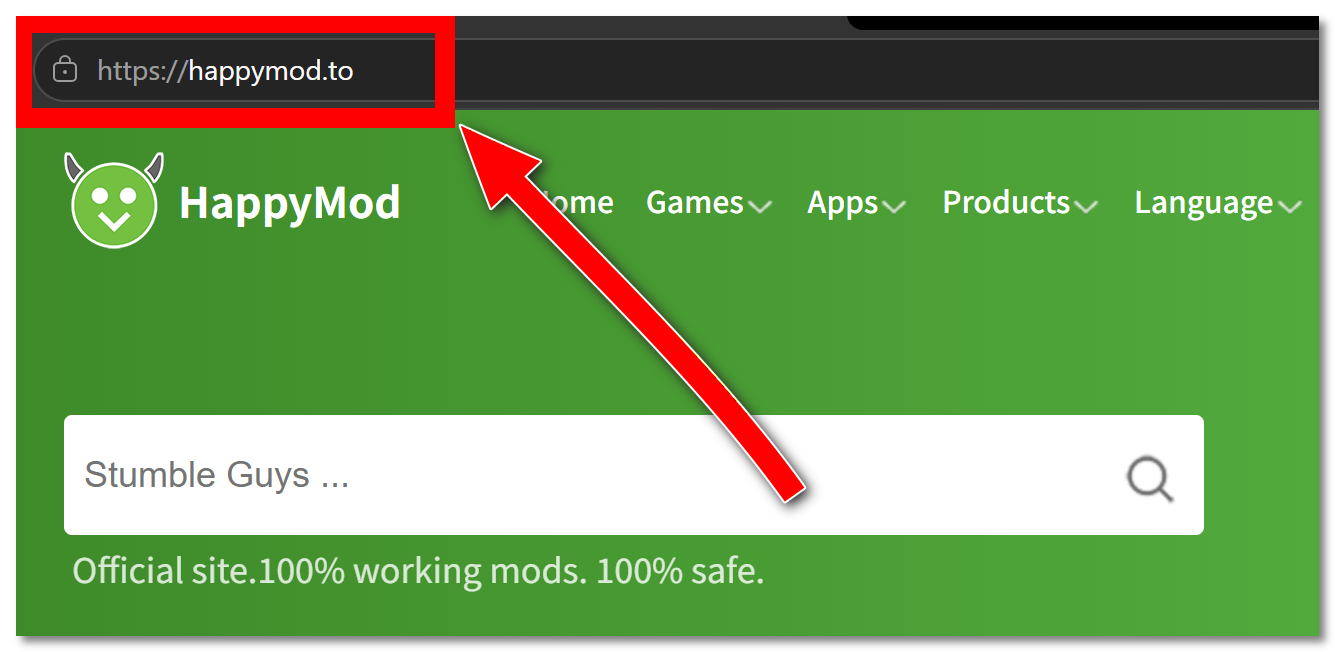
If you’re on an old link, go to happymod.to directly — outdated mirror domains are a top cause of dead pages.
Fix 4. Change your DNS
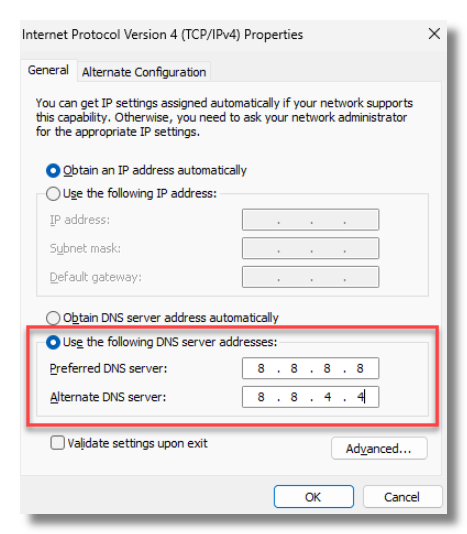
Switch your device or router to a public DNS like Google (8.8.8.8) or Cloudflare (1.1.1.1) to sidestep ISP-level DNS blocks.
Fix 5. Check If Your Router Blocked the Site
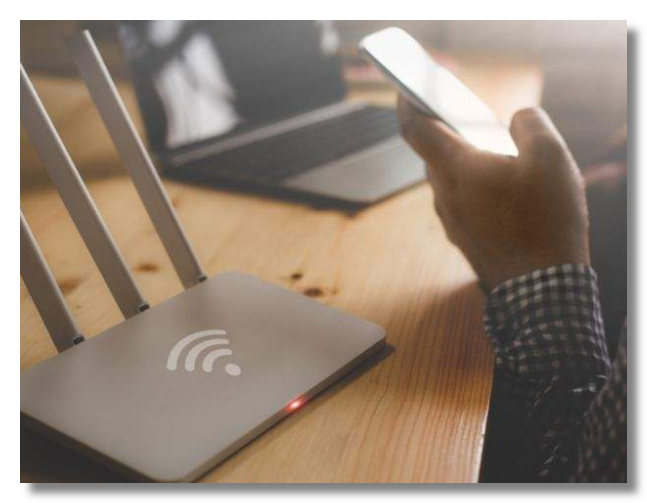
If the router was blocked at the network level (parental controls or ISP firmware), test on mobile data — if it works there, adjust your router settings or use a VPN to bypass it.
Fix 6. Clear HappyMod’s Cache and Data
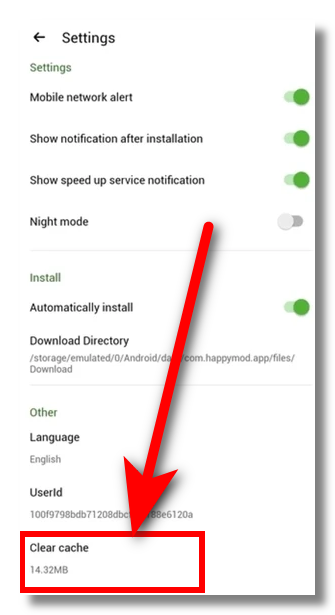
A corrupted cache is one of the most common reasons HappyMod crashes or shows “HappyMod has stopped” errors. Over time, temporary files can become outdated or broken, preventing the app from loading properly or completing downloads.
Steps:
Go to Settings → Apps → HappyMod → Storage → Clear Cache.
Fix 7. Reinstall the Latest APK
Uninstall, then download the current HappyMod APK fresh from happymod.to — an outdated build causes crashes and connection errors.
Fix 8. Restart Your Network
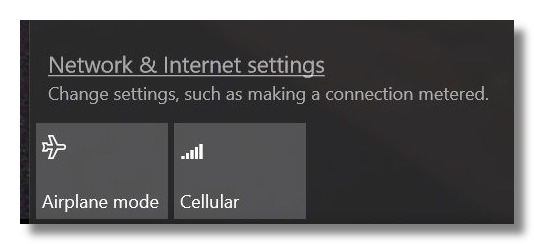
Toggle airplane mode or reboot your router to clear temporary connection glitches.
Fix 9. Free Up Storage and RAM
“Try again later” errors and failed installations can also happen when your device is running low on storage or memory. When storage is almost full or too many apps are running in the background, HappyMod may fail to download, load files, or complete APK installations properly.
How to fix it:
- Delete unused apps, photos, or large files to free up storage
- Close background apps to release RAM
- Restart your device to refresh system memory
After clearing space, try opening HappyMod again and re-running the download.
Fix 10. Enable “Install from Unknown Sources.”
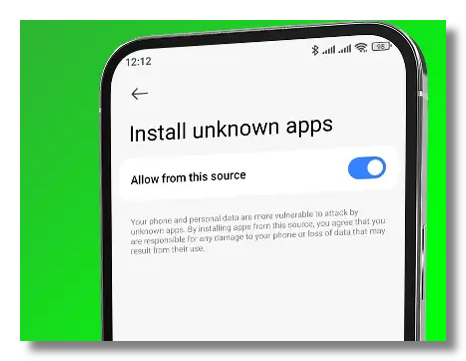
If downloads finish but won’t install, allow installs from unknown sources for HappyMod in your security settings.
Fix 11. Try a Different Network Entirely
Switch from home Wi-Fi to mobile data or a different connection to rule out one ISP’s block.
Fix 12. Update Android System WebView and Google Play services
Outdated system components can cause in-app pages to break, downloads to fail, or the app to freeze on loading screens. HappyMod relies on core Android system services to render pages and handle background processes. If these are outdated, errors like “Try again later” or incomplete downloads may appear.
How to fix it:
- Open Google Play Store
- Search and update Android System WebView
- Search and update Google Play Services
- Restart your device after updating
Once updated, reopen HappyMod and try the download again.
Noteworthy: Is HappyMod Still Safe to Use?
Getting back in is one thing; staying safe is another. Modded APKs are repackaged by anonymous uploaders, and that broken developer signature means you can’t verify what else was bundled into the file — repackaged installers are a common delivery route for viruses, banking trojans, and spyware.
There’s a quieter risk too: every time you download from a third-party site, it logs which IP pulled which file, and your ISP can see you connected to a known APK host. If that site is ever breached, your real IP is tied to those downloads.
So even once HappyMod loads, keep two habits: scan every APK before installing, and keep UFO VPN running while you download so the site only ever sees a server IP — never your real address. The same connection you used to bypass the block also keeps your identity out of the site’s logs.
[Bonus] Best Alternatives If HappyMod Is Down for Good
If HappyMod stays down or you’d rather not risk it, these are safer places to get apps:
- APKMirror — original, signature-verified APKs straight from developers.
- F-Droid — fully legal, open-source app catalogue with no trackers.
- Aptoide / APKPure — large third-party stores for region-locked and standard apps.
- Uptodown — original files with a full version archive.
For modded content specifically, communities like the Mobilism forum or mod channels such as Balatan Mods on Telegram are where users share files — just apply the same caution and keep your VPN on.
👉See our full guide to the 15 best HappyMod alternatives for detailed pros and cons.
Final Verdict
So, is HappyMod down? Occasionally yes — but far more often, “down” really means blocked, throttled, or pointed at an outdated domain. Once you’ve confirmed the server is online with a detection tool, the fix is usually fast: switch to happymod.to and turn on a VPN to clear the block and the throttling in one move.
And because the apps here come from untrusted sources, the smartest habit is to keep UFO VPN running whenever you browse or download — it gets you back in, speeds your downloads up, and keeps your real identity off every log along the way.
FAQs
Why can’t I download anything on HappyMod even though the page loads?
Your ISP is likely throttling downloads from APK hosts. Turn on UFO VPN so your traffic is encrypted and unrecognizable, and downloads should resume at full speed.
Can a VPN really fix the HappyMod “Try again later” error?
If the error comes from a regional or ISP block (the most common cause), yes. A VPN bypasses the DNS-level block so the app can reach the server again.
Will a free VPN work for unblocking HappyMod?
A free VPN may unblock the site, but many lack a Kill Switch or log your activity. A reliable no-logs VPN like UFO VPN is safer, especially while downloading APKs.
Does clearing cache delete my downloaded mods?
No. Clearing HappyMod’s cache only removes temporary files and often fixes the “has stopped” error; your installed apps stay intact.